
Car wash subscriptions, made for the bay
Pulse’s app lets drivers buy a wash, start a self-serve bay and manage a Wash Club membership.We designed it from zero.
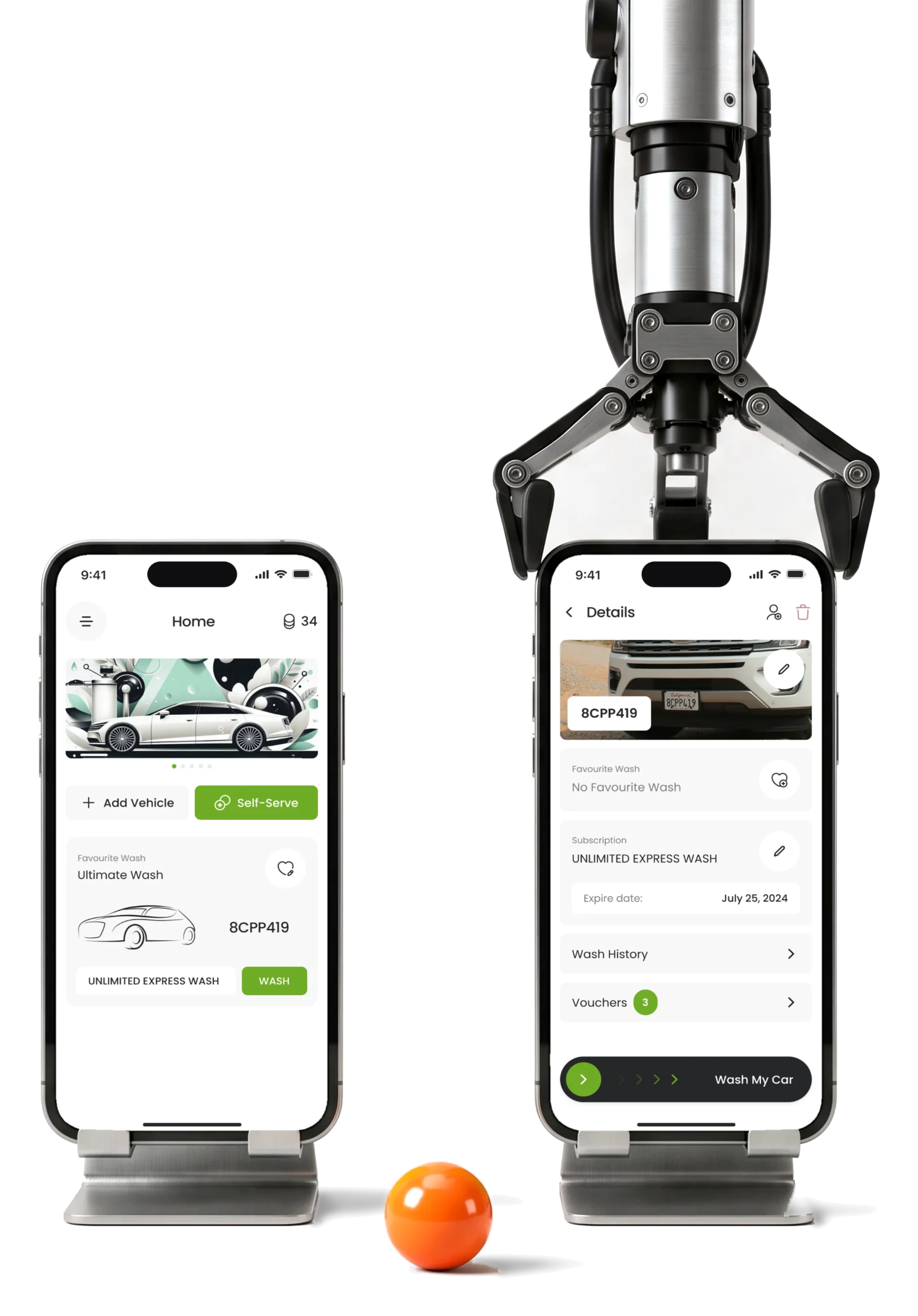
- Every car
- by its plate several cars and extra drivers on one account
- 84
- screens one design for iOS and Android
- Wash Club
- you can pause frequency, plan type, pause and cancel, all dated
Project summary
Pulse is the cloud platform car-wash owners run their sites on: memberships, vouchers, loyalty, kiosks and self-serve bays. Its maker, Direct Internet Australia, had the operator side covered; the people washing their cars had no app of their own. We designed that mobile app from zero, one cross-platform design in the existing Pulse colours, from competitor research to a Zeplin handoff.
How we worked together
- Client
- Direct Internet Australia, the company behind Pulse
- Our part
- Competitor research, user flows, wireframes, a moodboard and three styles, the final UI, a UI kit, a screen map, a clickable prototype and the Zeplin export
- Their part
- The operator platform, the wash hardware and building the app
- Rhythm
- Three milestones, each approved before the next: research and flows, then wireframes and a visual direction, then the UI and delivery
- Tools
- Figma, FigJam, Zeplin
- After us
- Our scope ended with the handoff in 2024; the client’s team took the app into development and planned to try it with a few customers first.
What a driver does with a car-wash app
From the first car on the account to the membership that pays for the next wash:
-
Start
- Sign up and verify
- Add a car by its plate
- Choose a plan
-
My car
- The car’s own page
- Favourite wash
- Extra drivers
-
Wash
- Find a site
- Equipment and wash
- Pay or use the plan
-
Self-serve
- The bay’s code
- Paid minutes
- More time
-
Wash Club
- Frequency
- Plan type
- Pause or cancel
-
Account
- Wash history
- Vouchers and referrals
- Wallet and profile
- Speed and Certainty
- A couple of taps at the bay, and still always clear which car, which site and what it costs.
- One account and Many cars
- Each car keeps its own plan, favourite wash and drivers, under one login and one wallet.
- Recurring billing and Freedom to leave
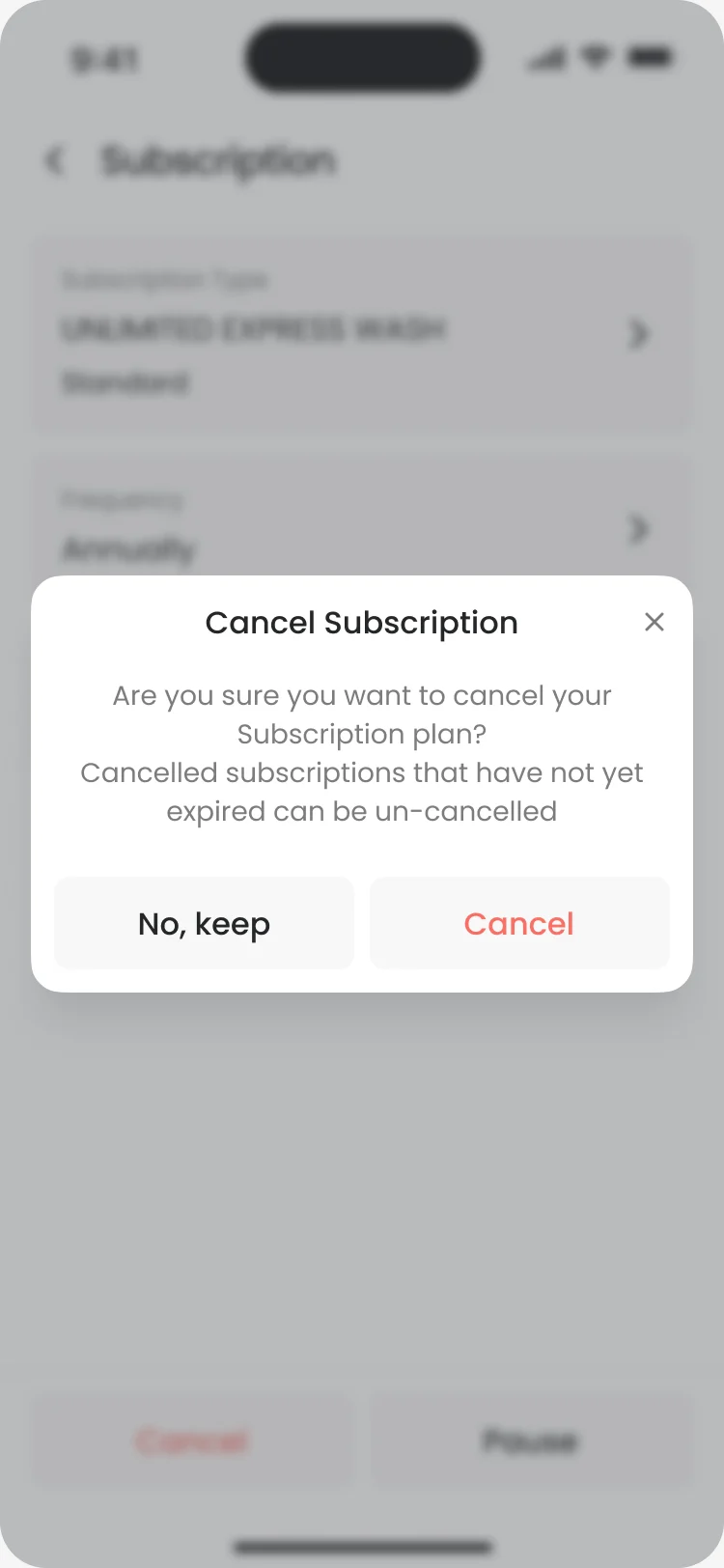
- Pause and cancel are easy to find, and each says when it takes effect.
One car, and everything it’s entitled to
- Found
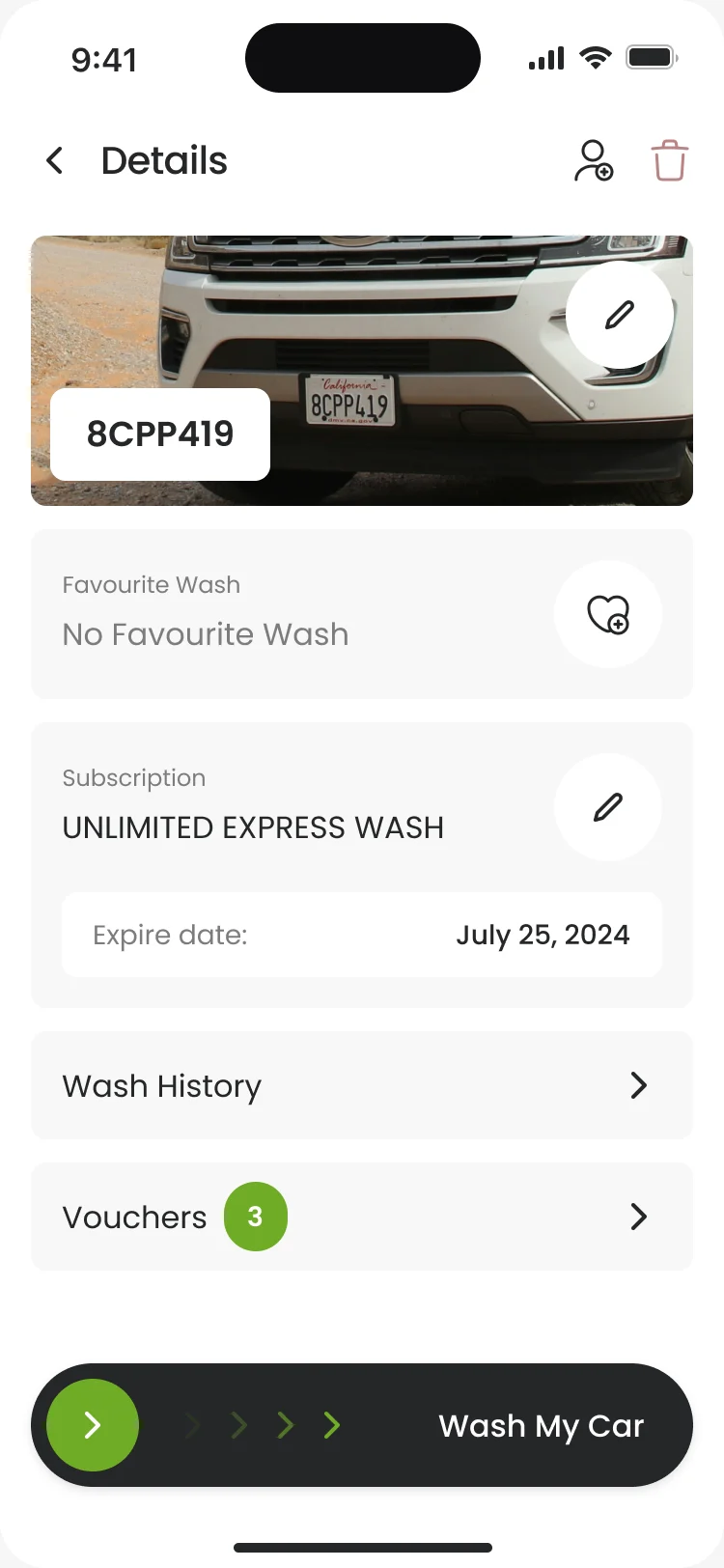
- With several cars on one account, a driver needed to see at a glance what this car has: its plan, its favourite wash, its history and its vouchers.
- Decided
- A page per car: the photo and plate on top, then the favourite wash, the Wash Club plan with its expiry date, history and vouchers, and a Wash My Car slider fixed at the bottom.
- For the user
- At the bay, the driver checks the plate in the photo and slides to wash, with no chance of paying for the other car.
-
Which car
Its photo and plate, the first thing checked before paying.
-
Its favourite
The wash it usually gets, set once and bought again in a tap.
-
Its plan
The Wash Club plan on this car and when it runs out.
-
What it has
Its wash history and the vouchers it can use.
-
The wash
A slider, not a button: hard to trigger by accident with wet hands.
How the work progressed
Three milestones, each approved before the next: research and flows, then wireframes and a visual direction, then the UI and everything the developers needed.
-
Discovery
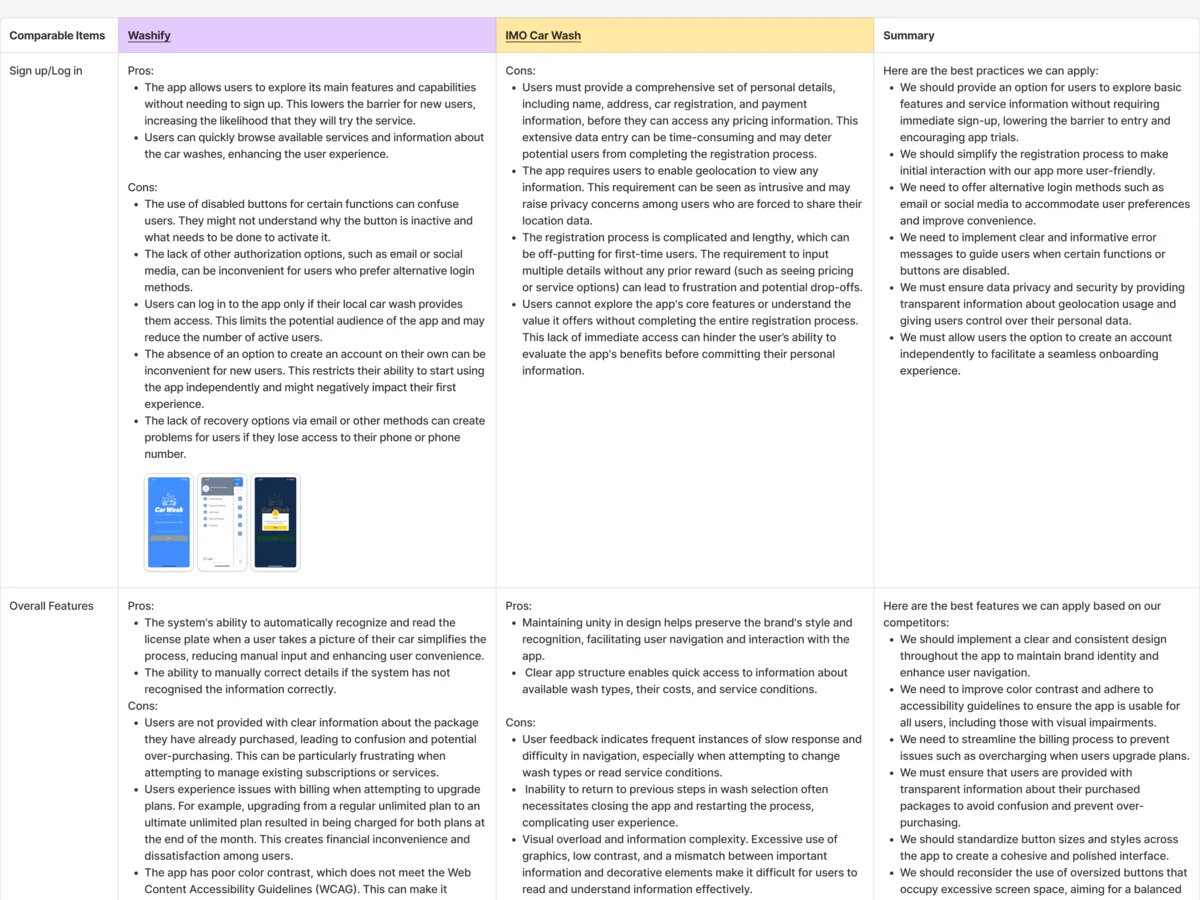
What drivers already put up with in car-wash apps
Artifact Competitor research on Washify and IMO Car Wash, area by area, with what Pulse should do differently
-
User Flow
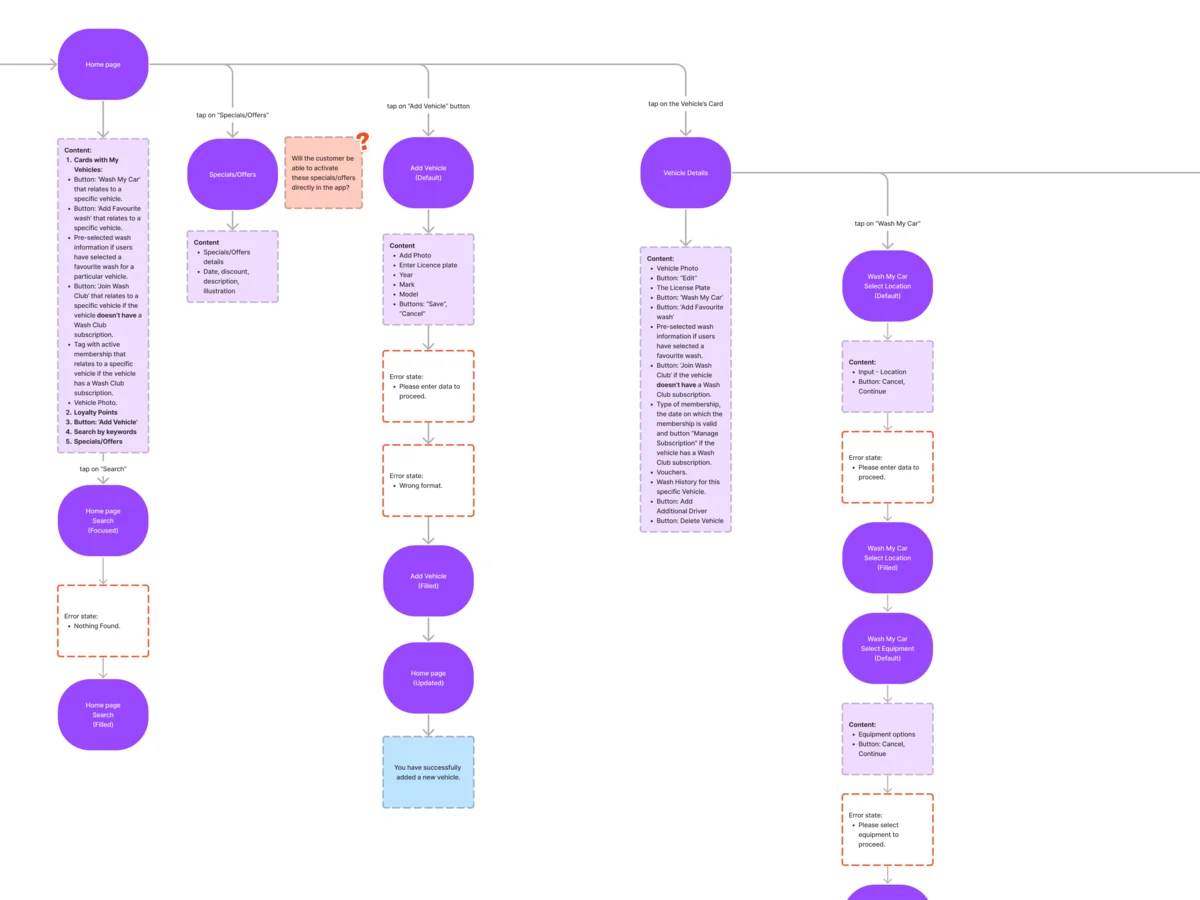
Every path a driver takes, with its errors, before any screen was drawn
Artifact User flows for sign-up, the car, washes, Wash Club, self-serve, referrals and the profile
-
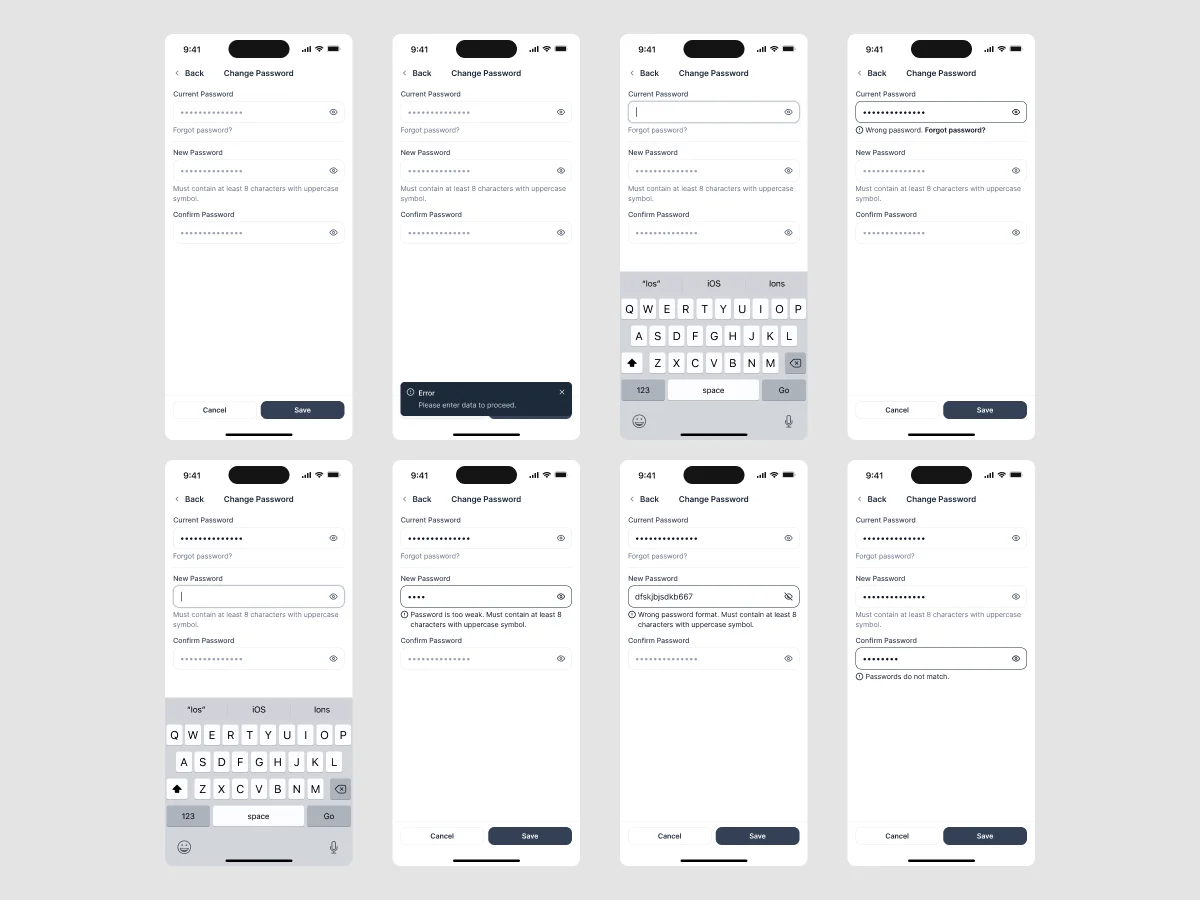
Wireframes
What each screen holds, in grey, before colour
Artifact Mobile wireframes for every flow
-
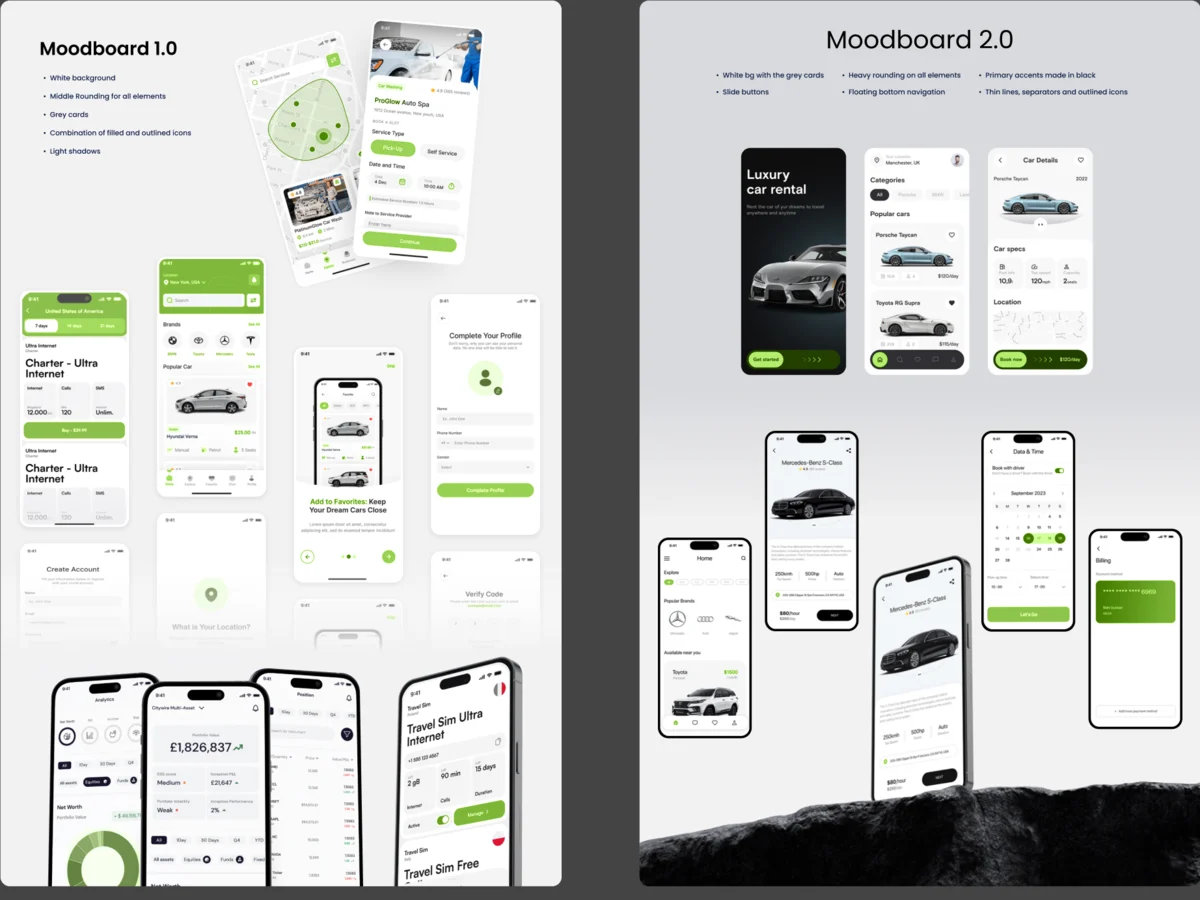
Moodboards
How a car-wash app can look clean without looking cold
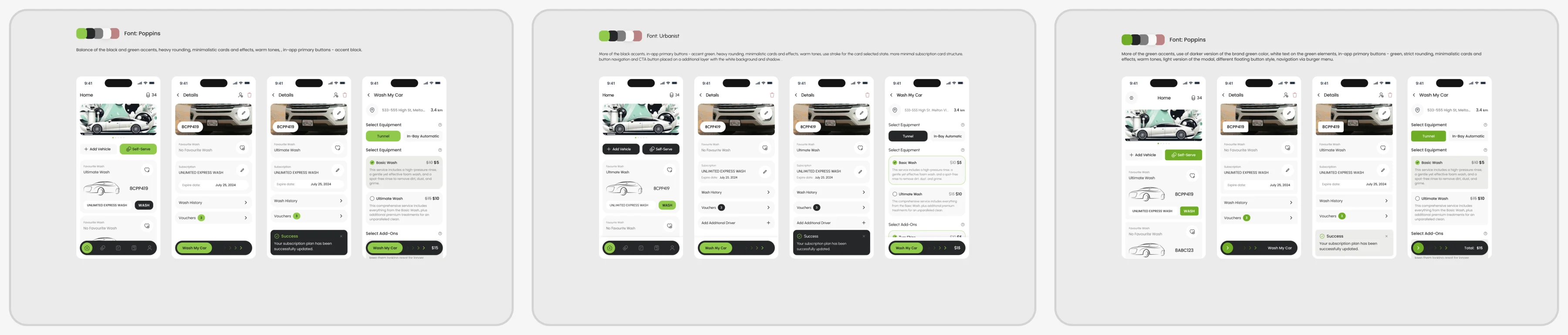
Artifact A moodboard, then three styles on the same key screens; the client chose the third
-
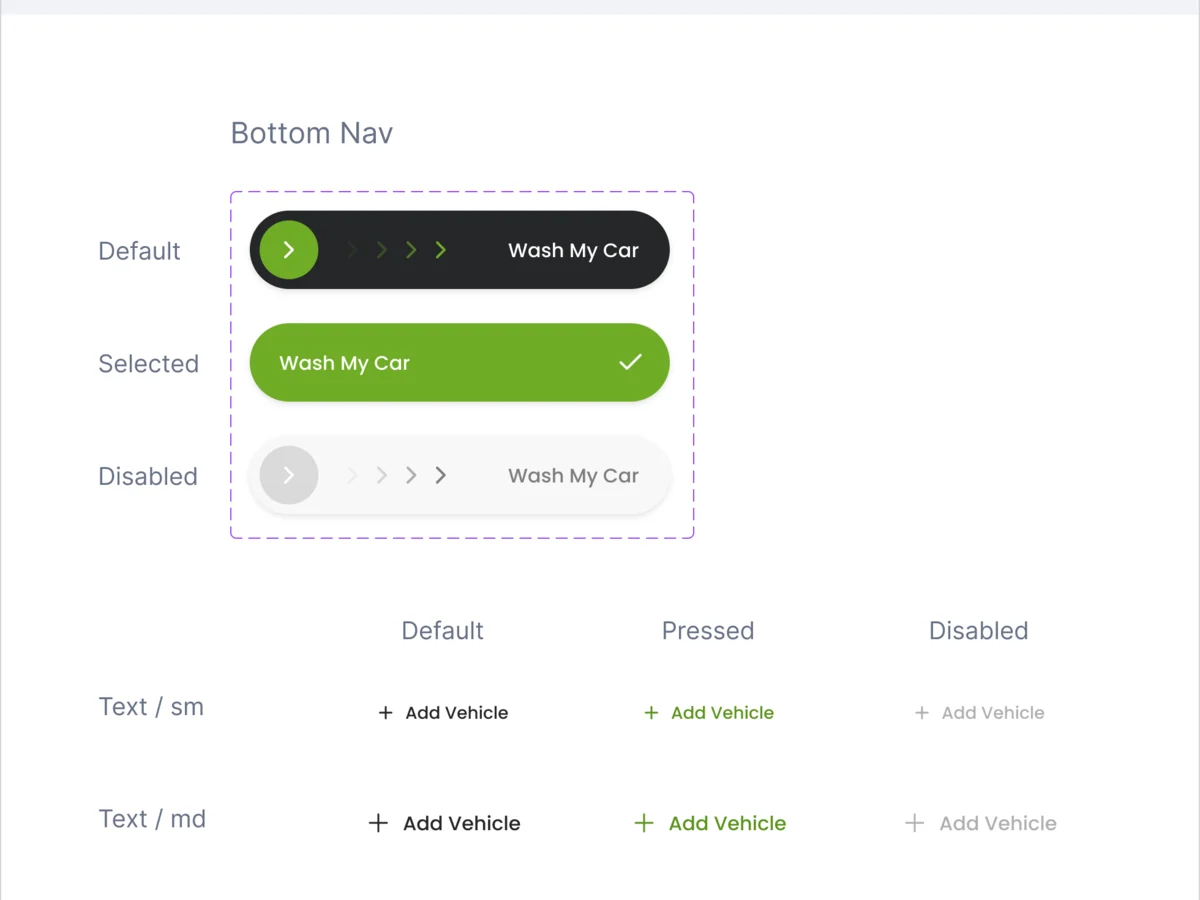
UI & Design System
Every screen and state, built from one set of parts
Artifact The final UI, a UI kit and a component library
-
Delivery
What the client’s developers needed to build it without guessing
Artifact A screen map, a clickable prototype and a Zeplin export
Every branch mapped before a screen was drawn
- Found
- A wash depends on things the app doesn’t control: a code typed from a machine, a payment, a membership that may or may not cover it.
- Decided
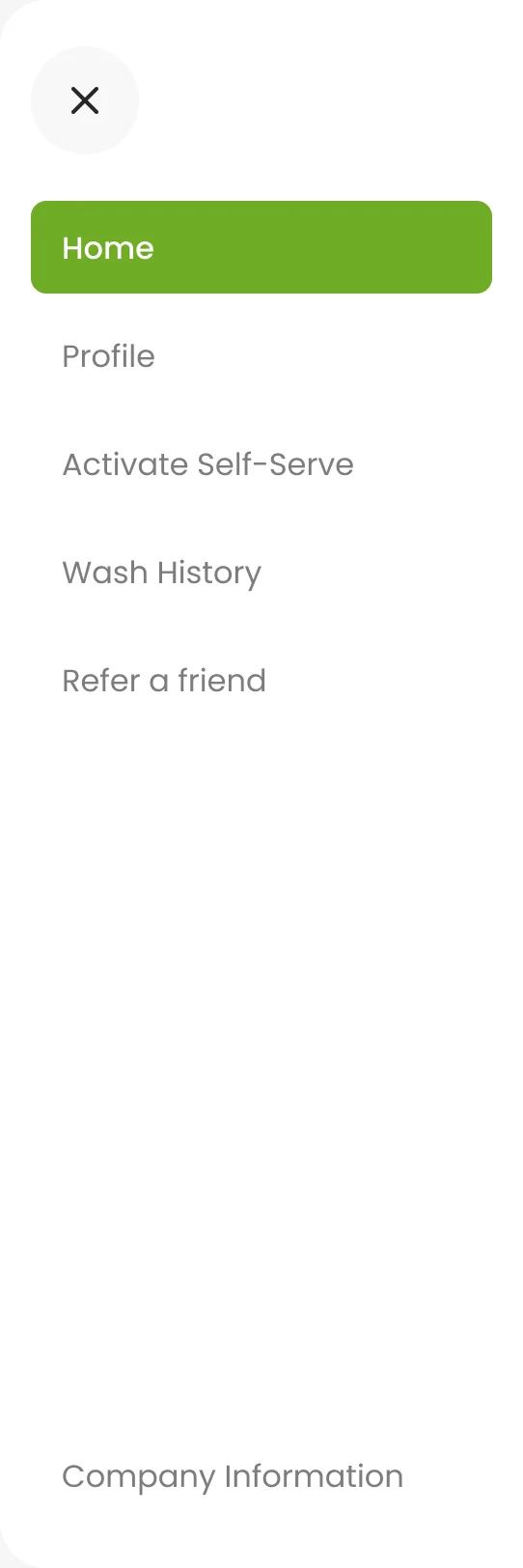
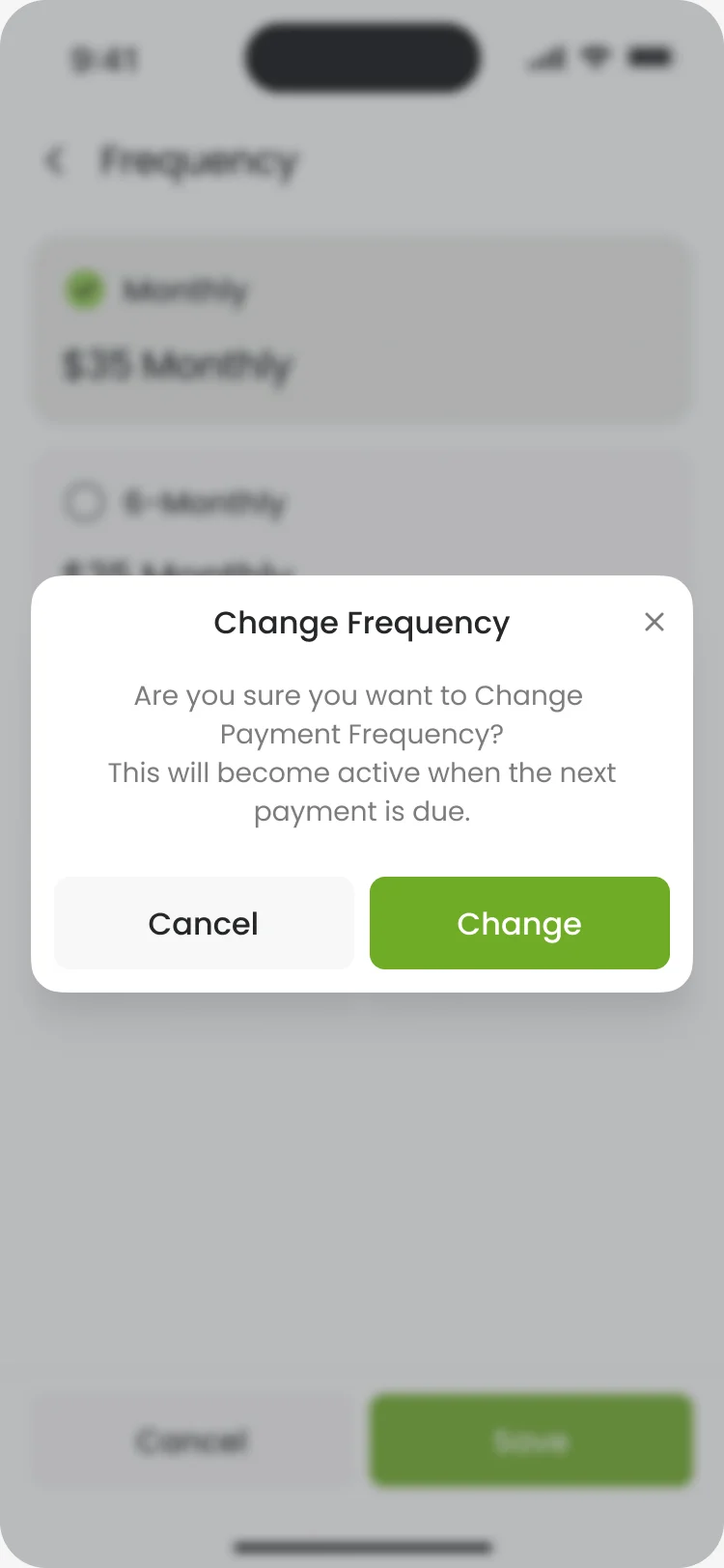
- Each flow was mapped end to end with its failures first: a wrong code, no time chosen, a change that waits for the next payment. Then everything hung off one menu.
-
Starting a self-serve bay
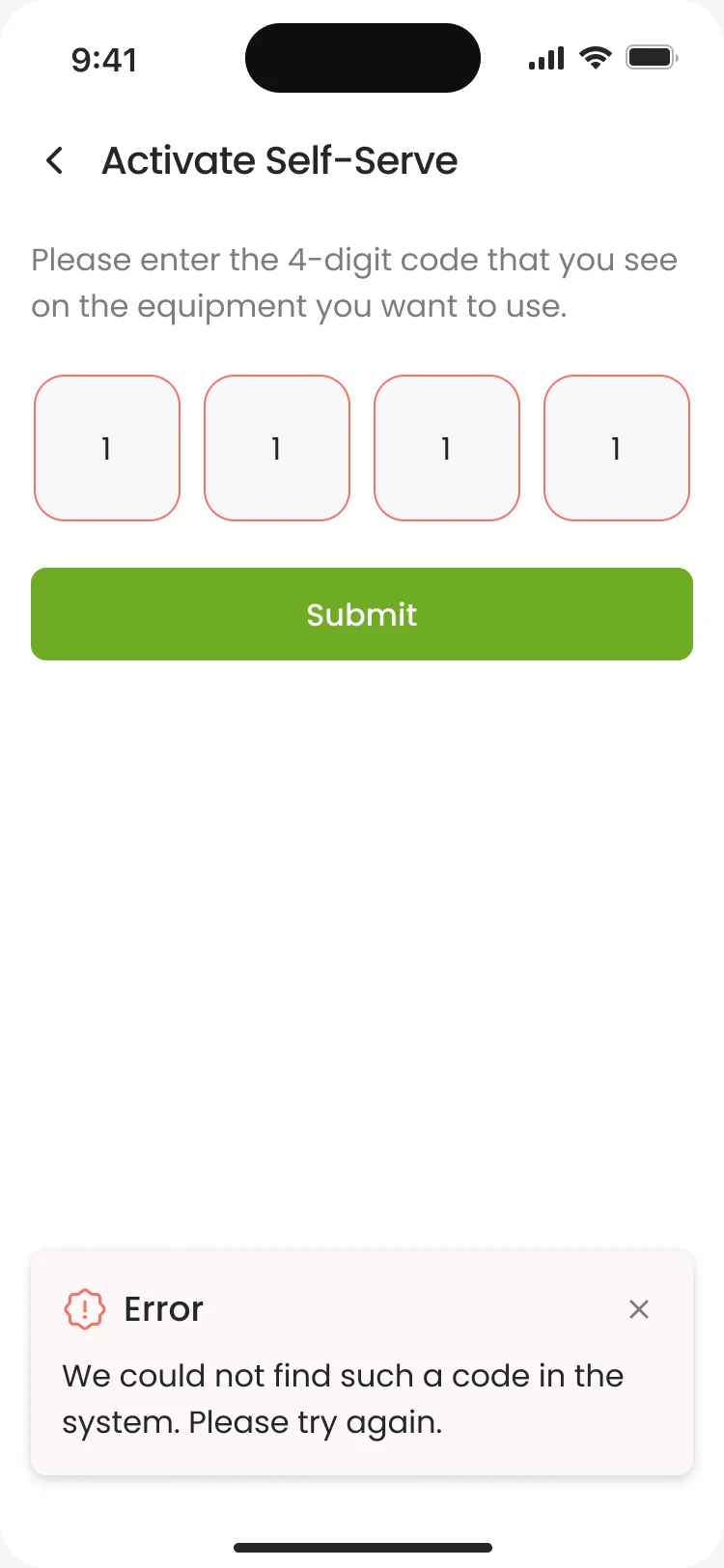
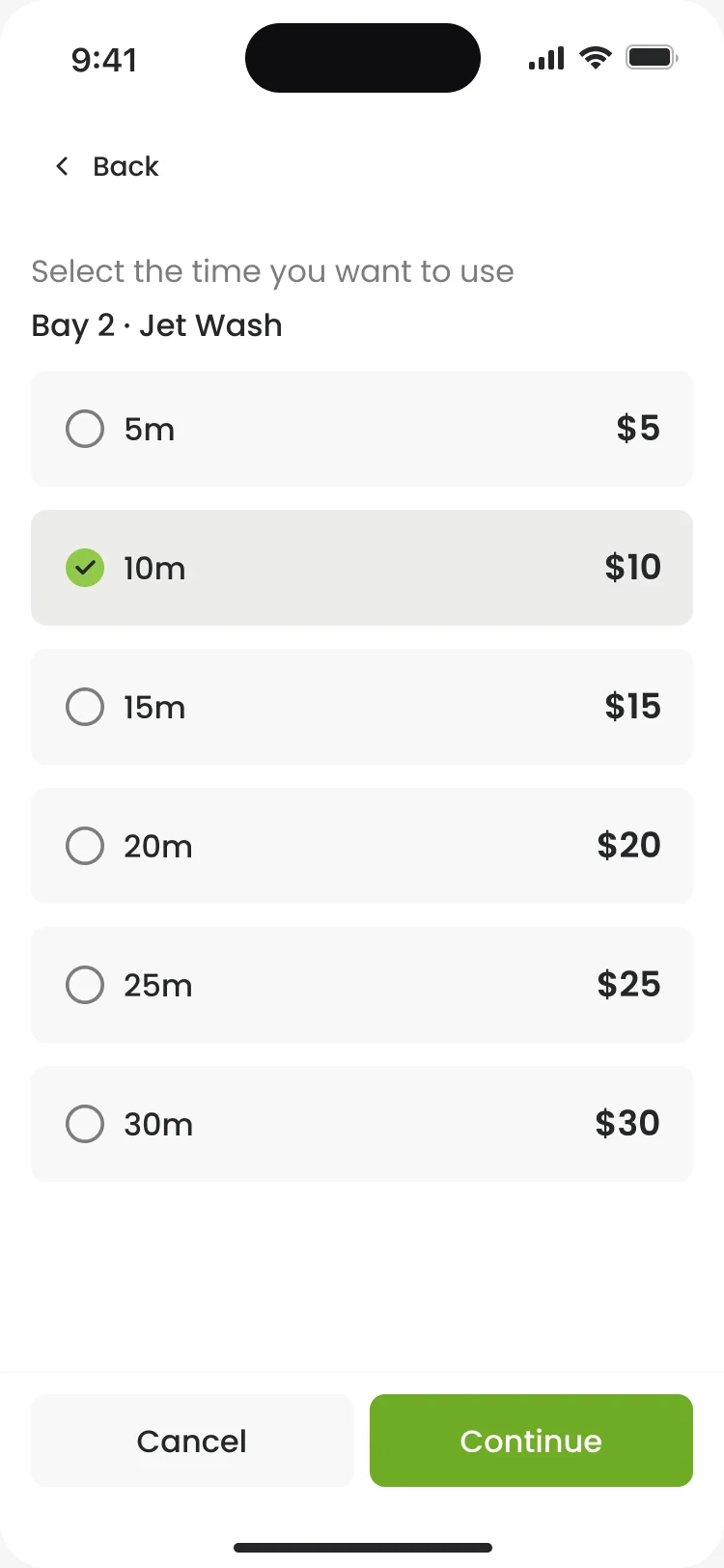
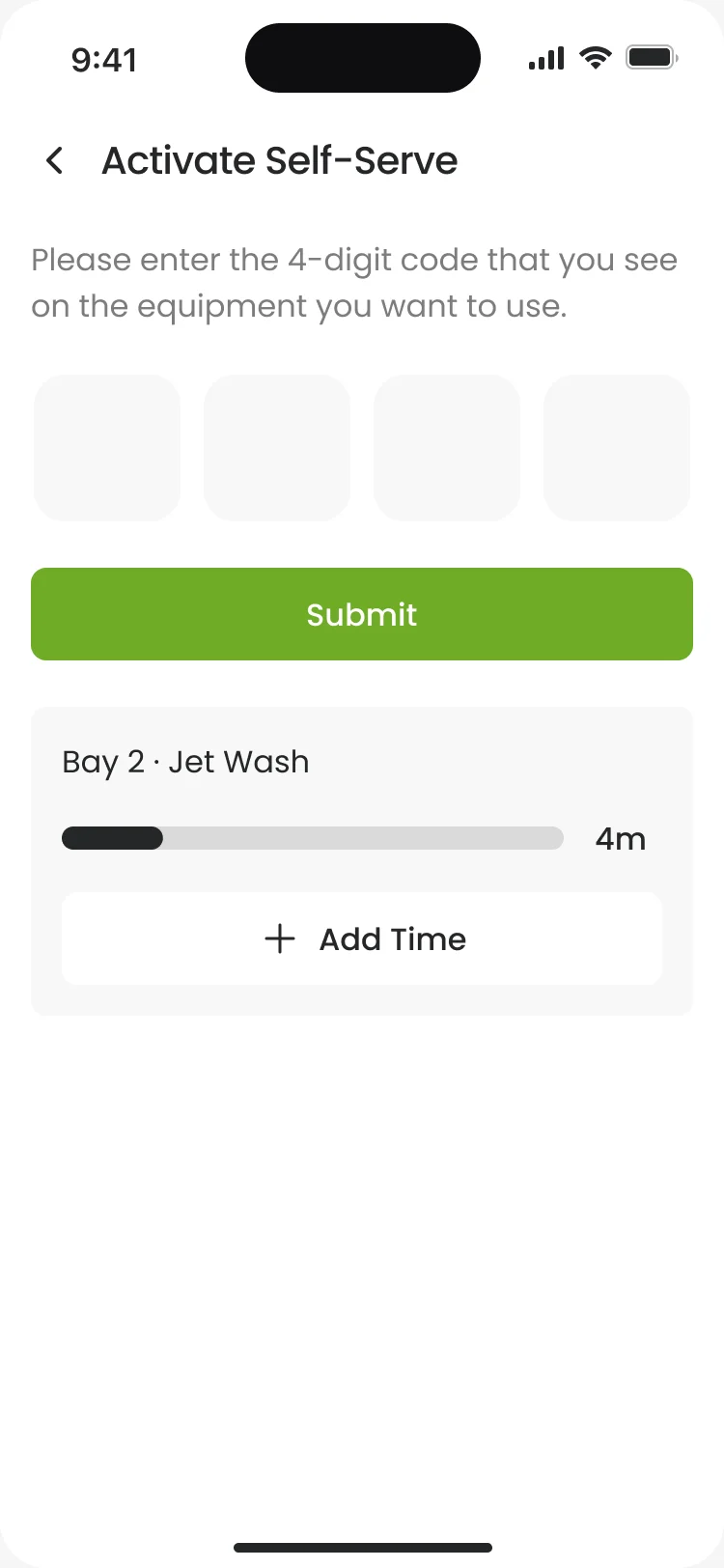
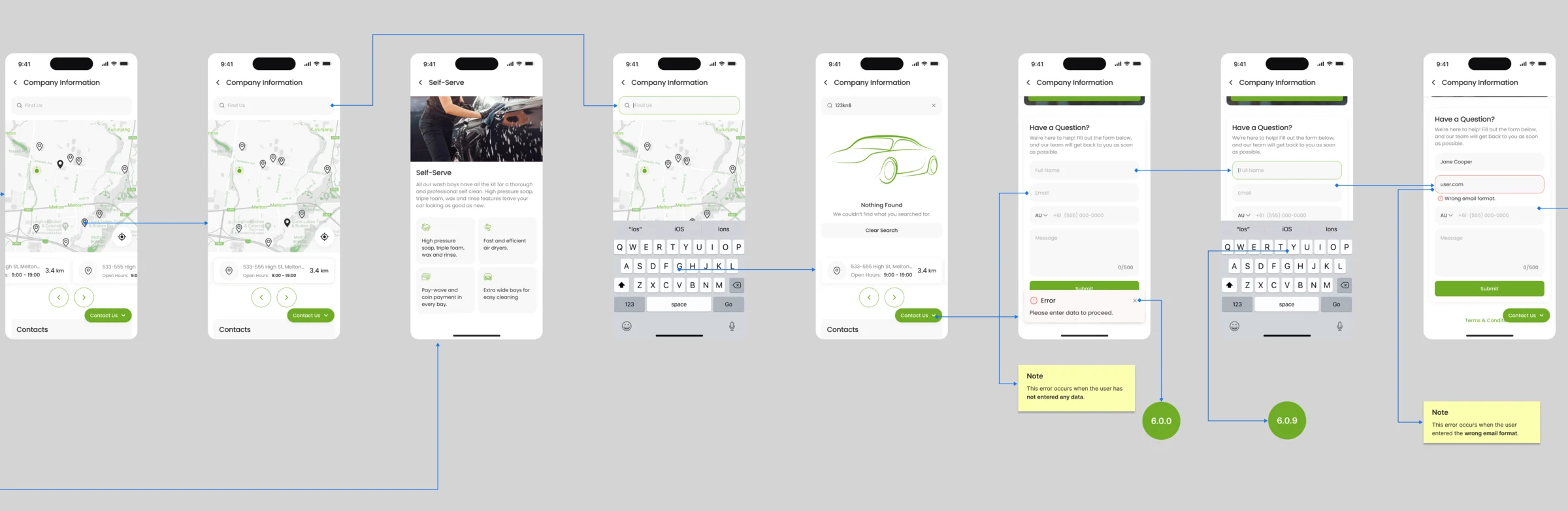
The four-digit code with its two errors, the minutes and their price, payment and the success screen; adding time follows the same path.
Open the full map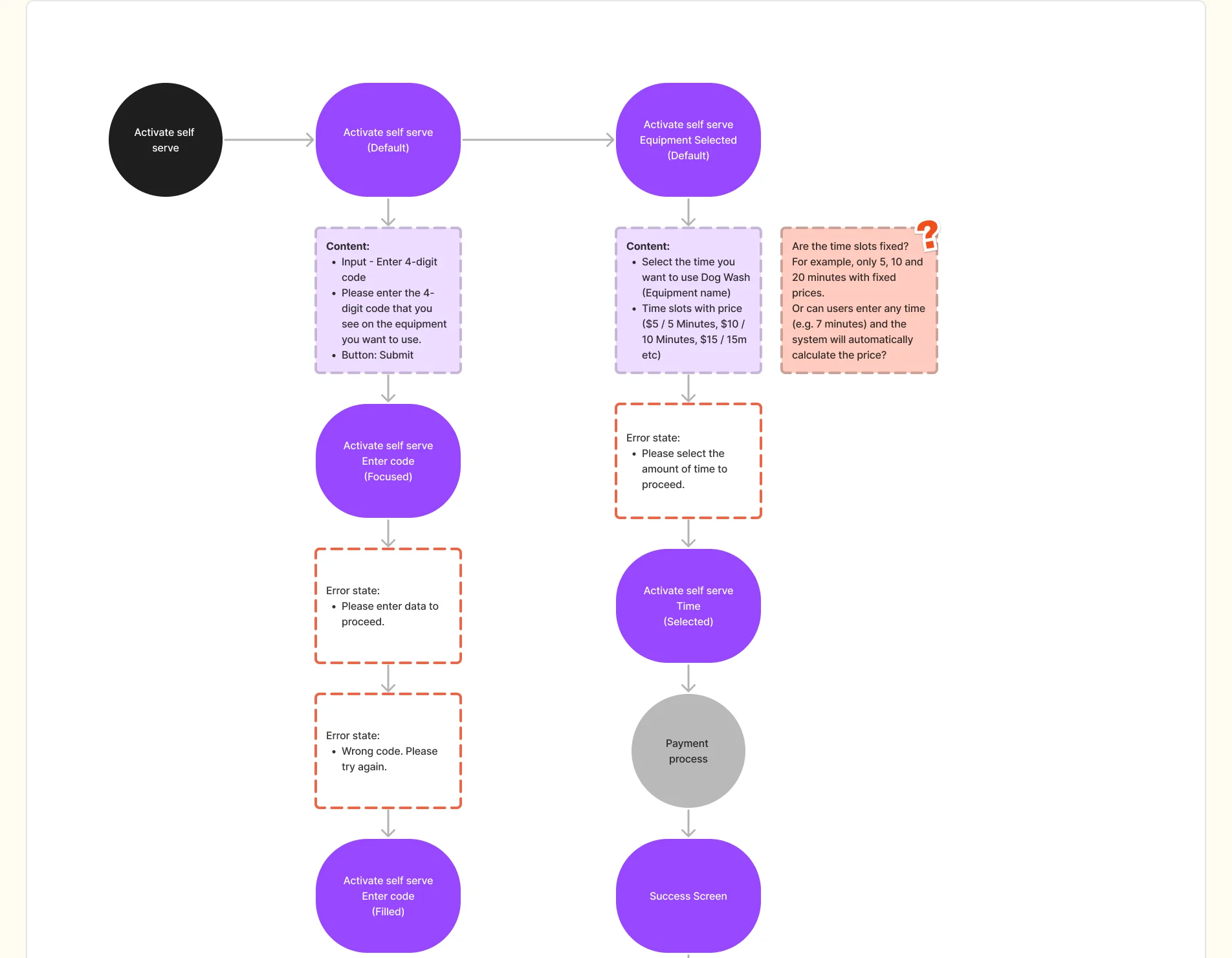
-
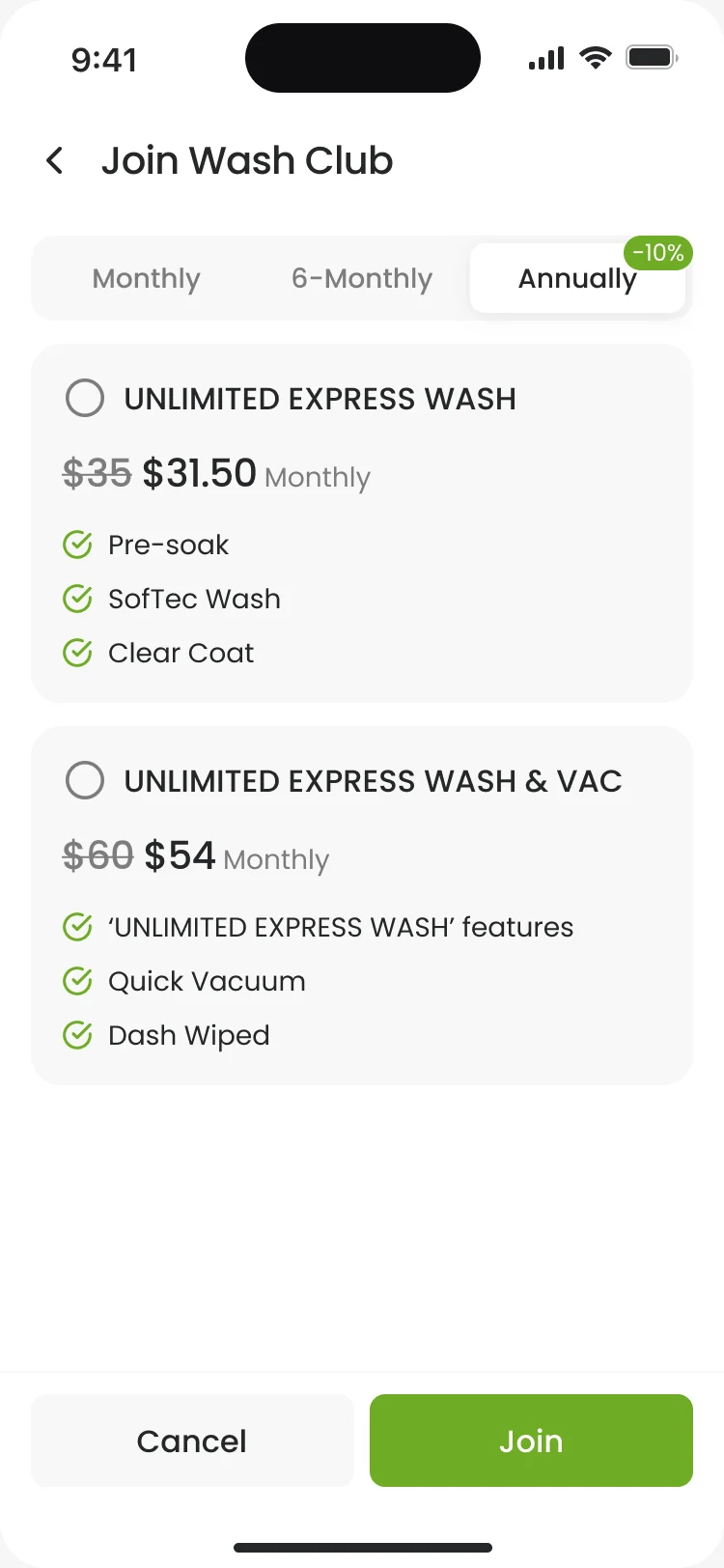
Managing Wash Club
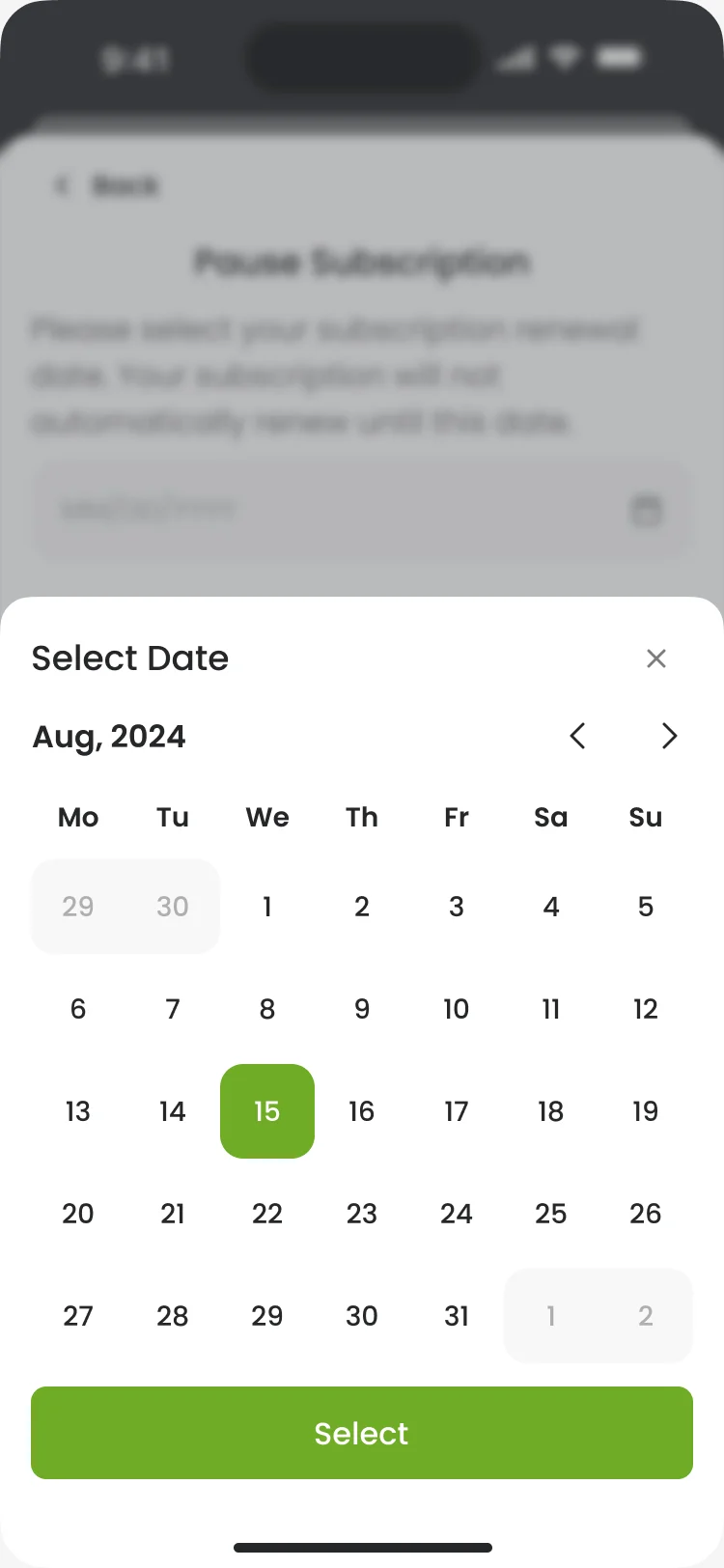
Joining, then changing the plan or its frequency and pausing to a date, each with its confirmation, a system error and the success message.
Open the full map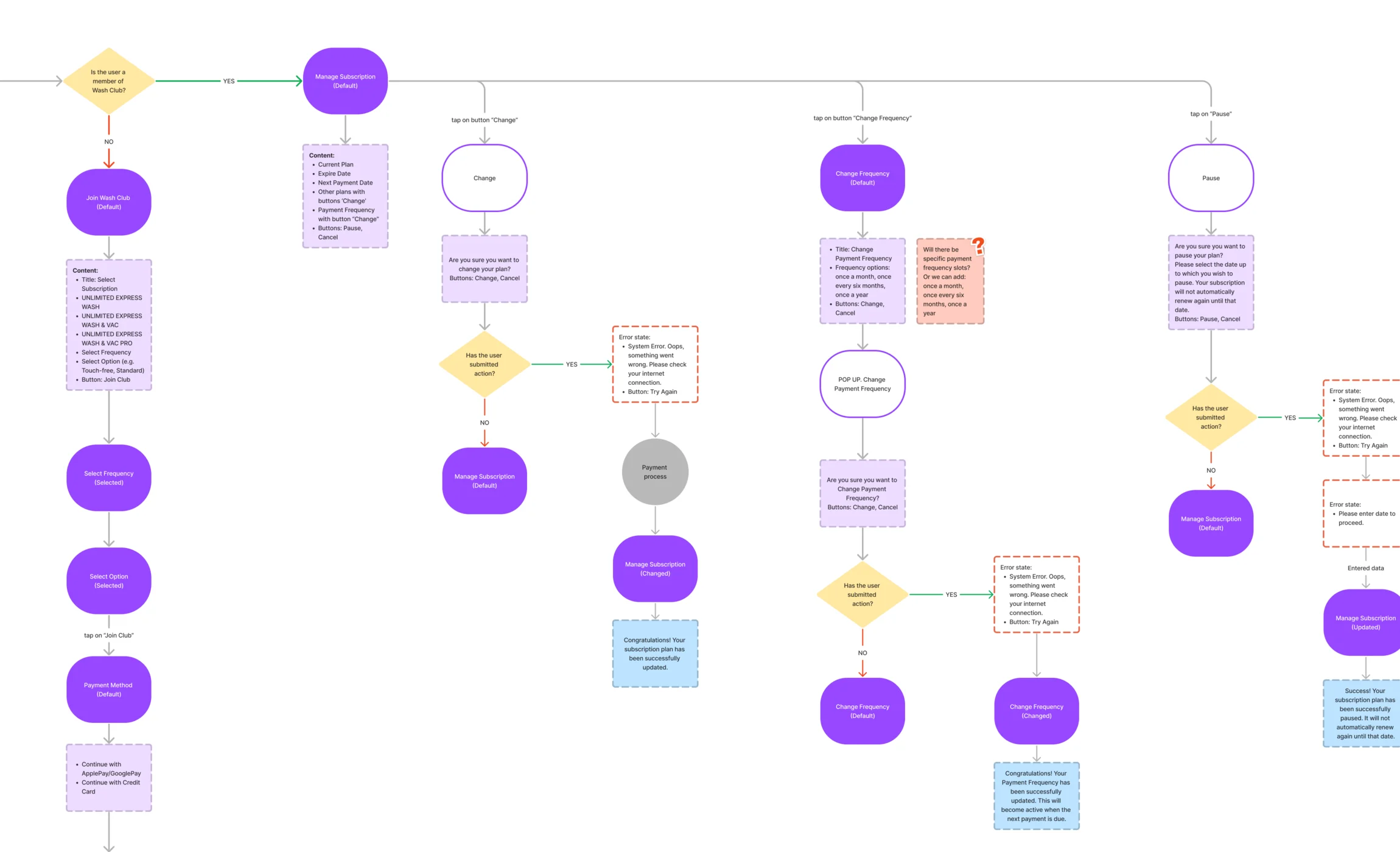
Six jobs the app does
From the first car on the account to the membership that pays for the next wash.
A car, added by its plate
- Found
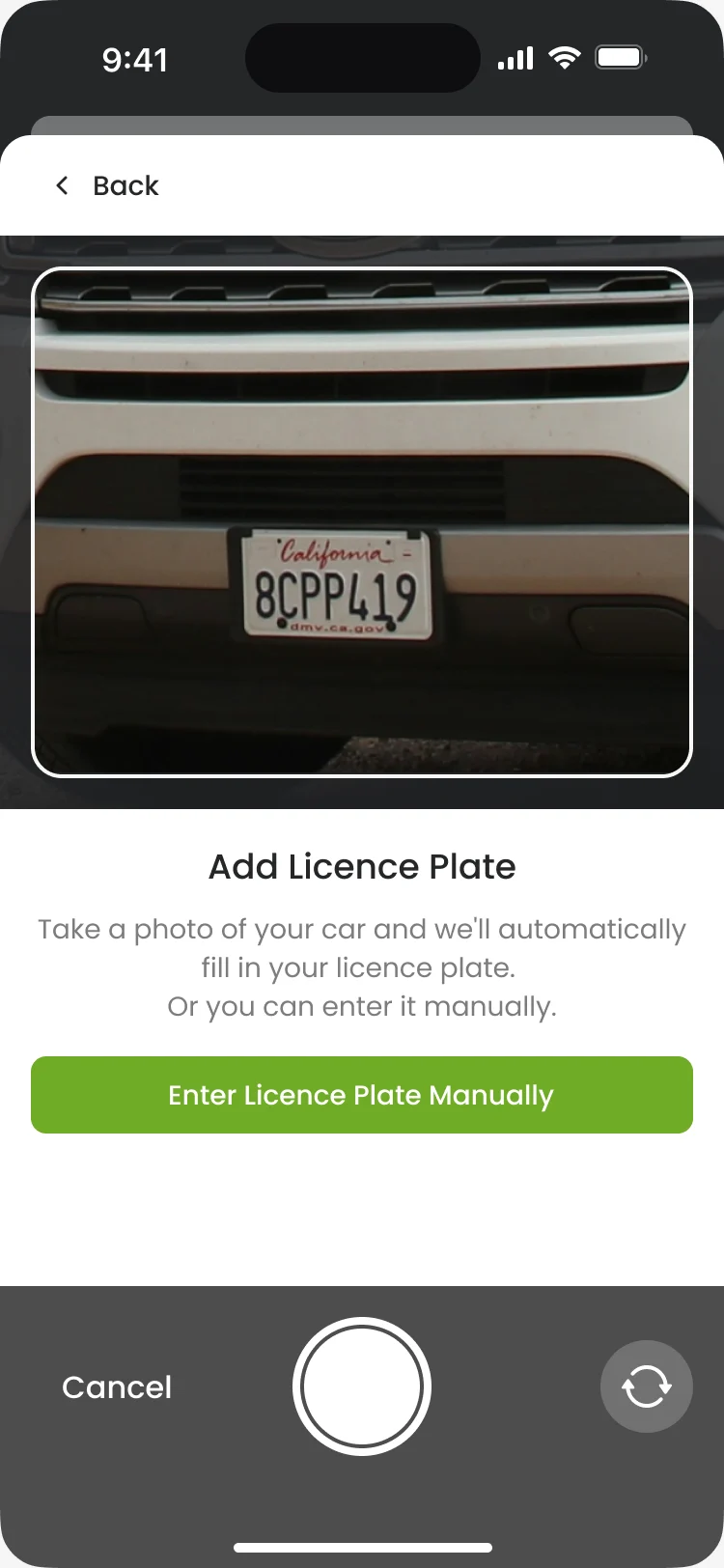
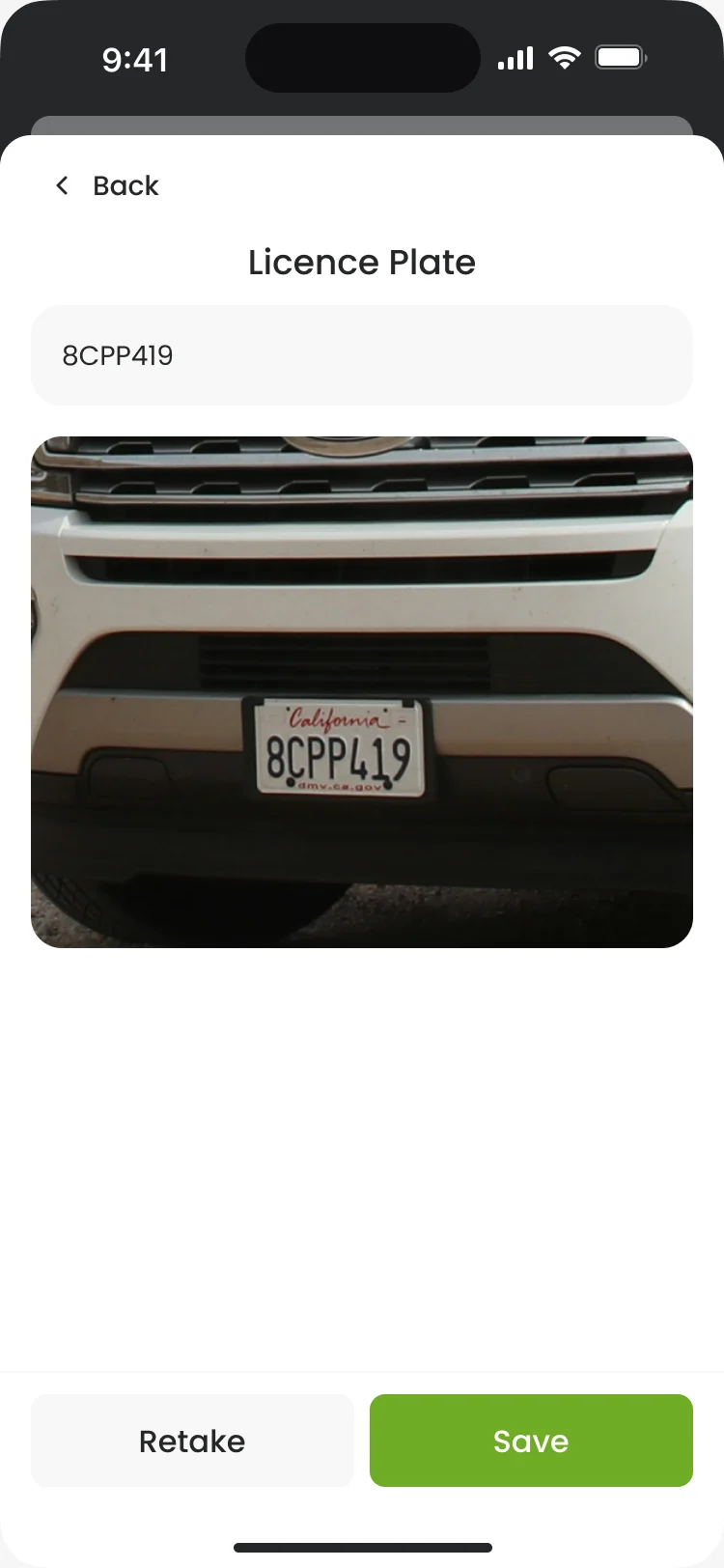
- Typing a plate on a phone at the bay is slow and easy to get wrong, and a wrong plate means a wash for the wrong car.
- Decided
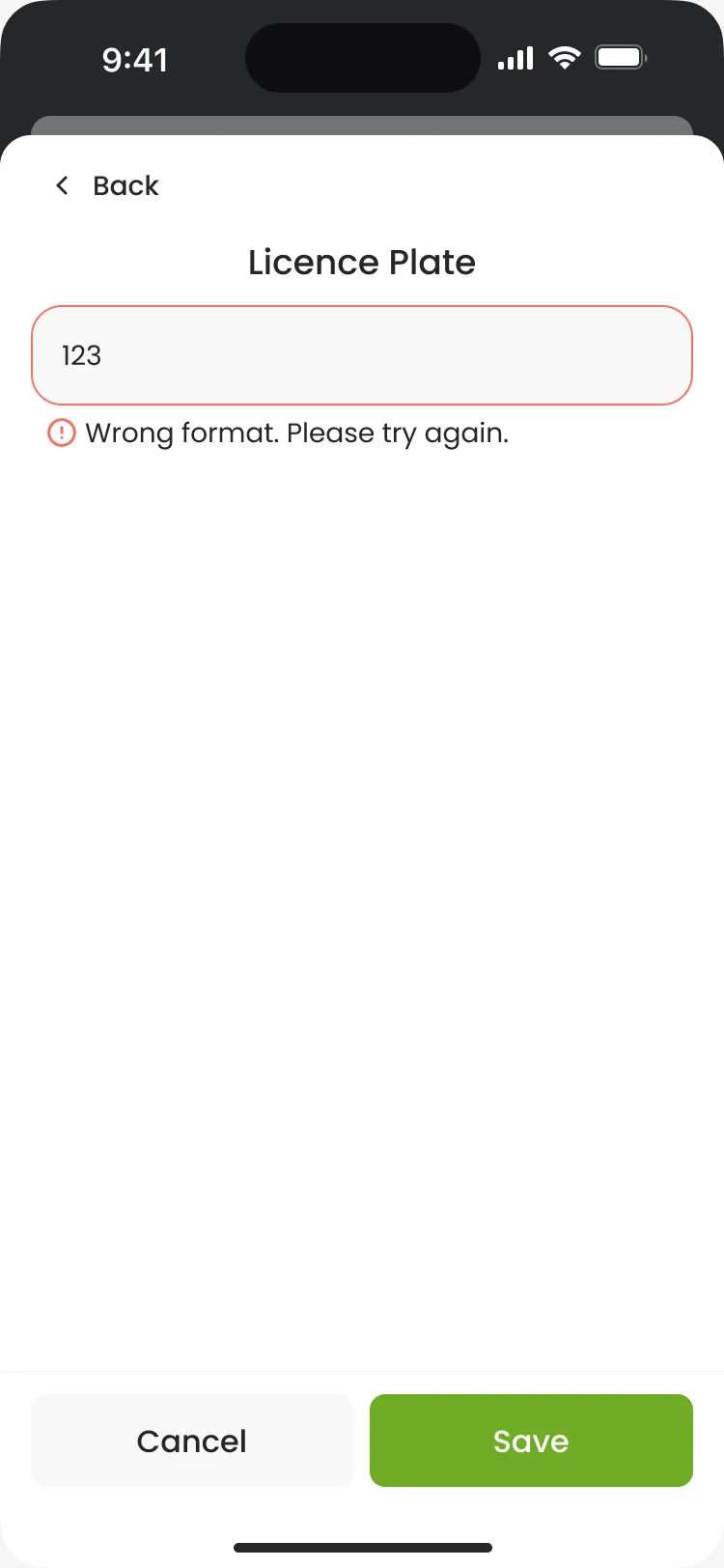
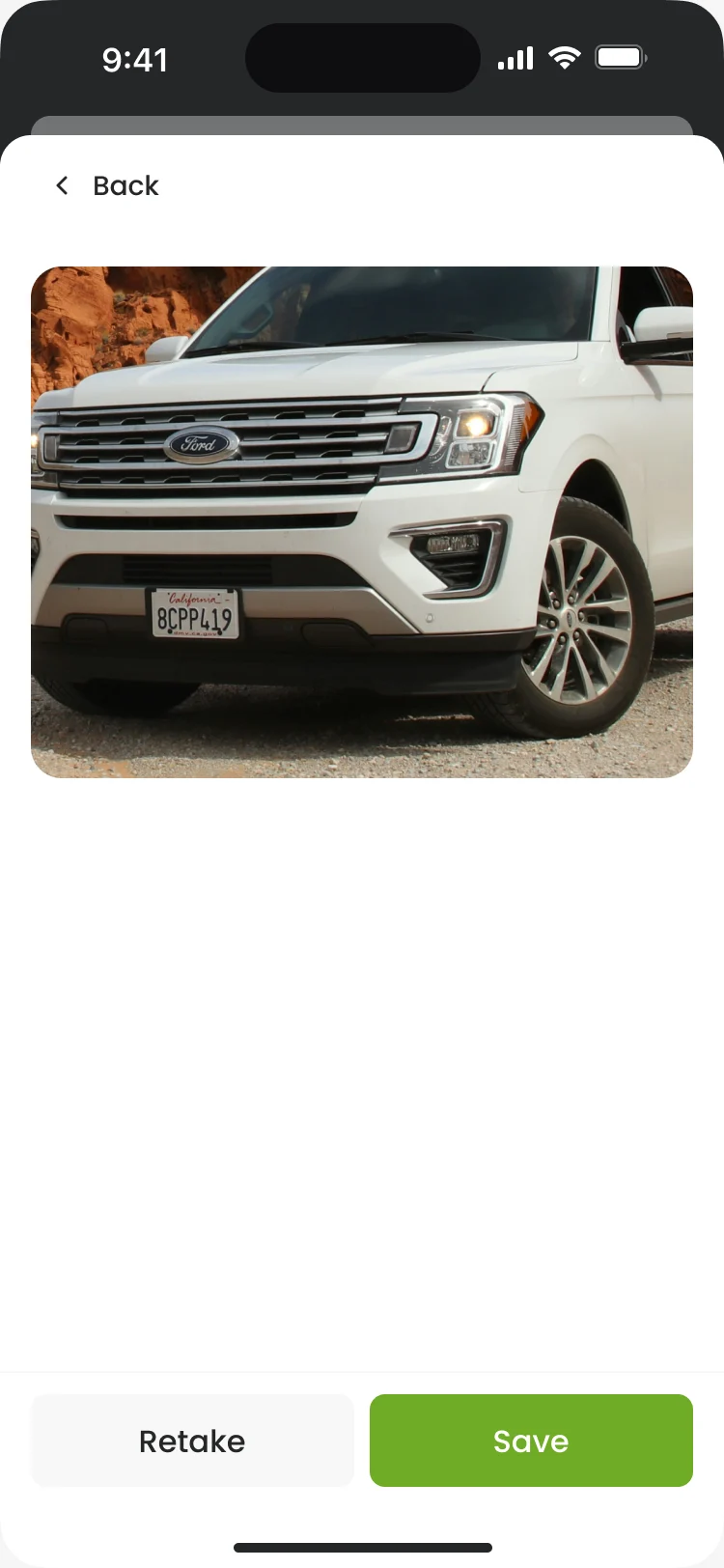
- A photo of the car fills in the plate; the driver checks it, retakes it or types it by hand, and a wrong format is caught before it’s saved.
The right wash at the right site
- Found
- Sites, equipment, wash tiers and add-ons: the driver had to know where and what before paying, not after.
- Decided
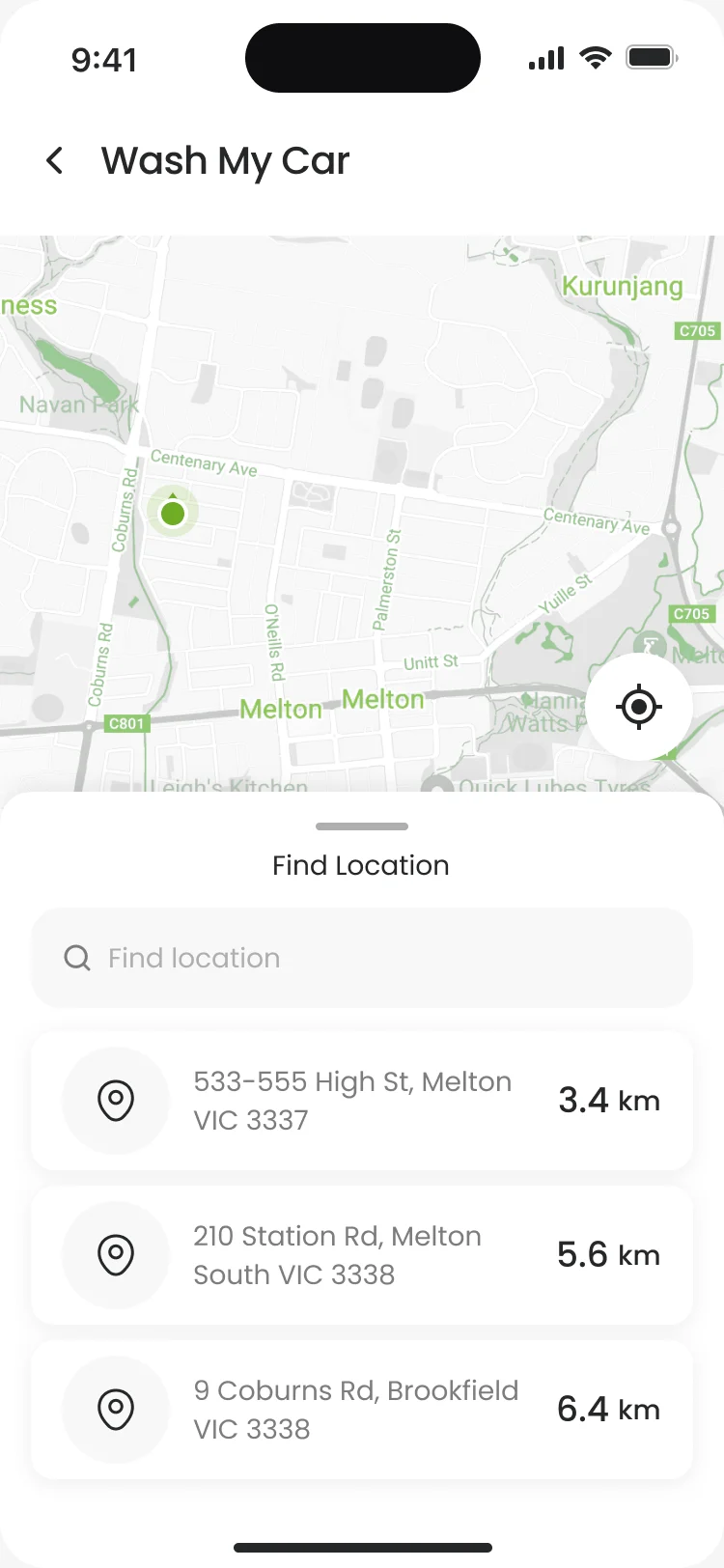
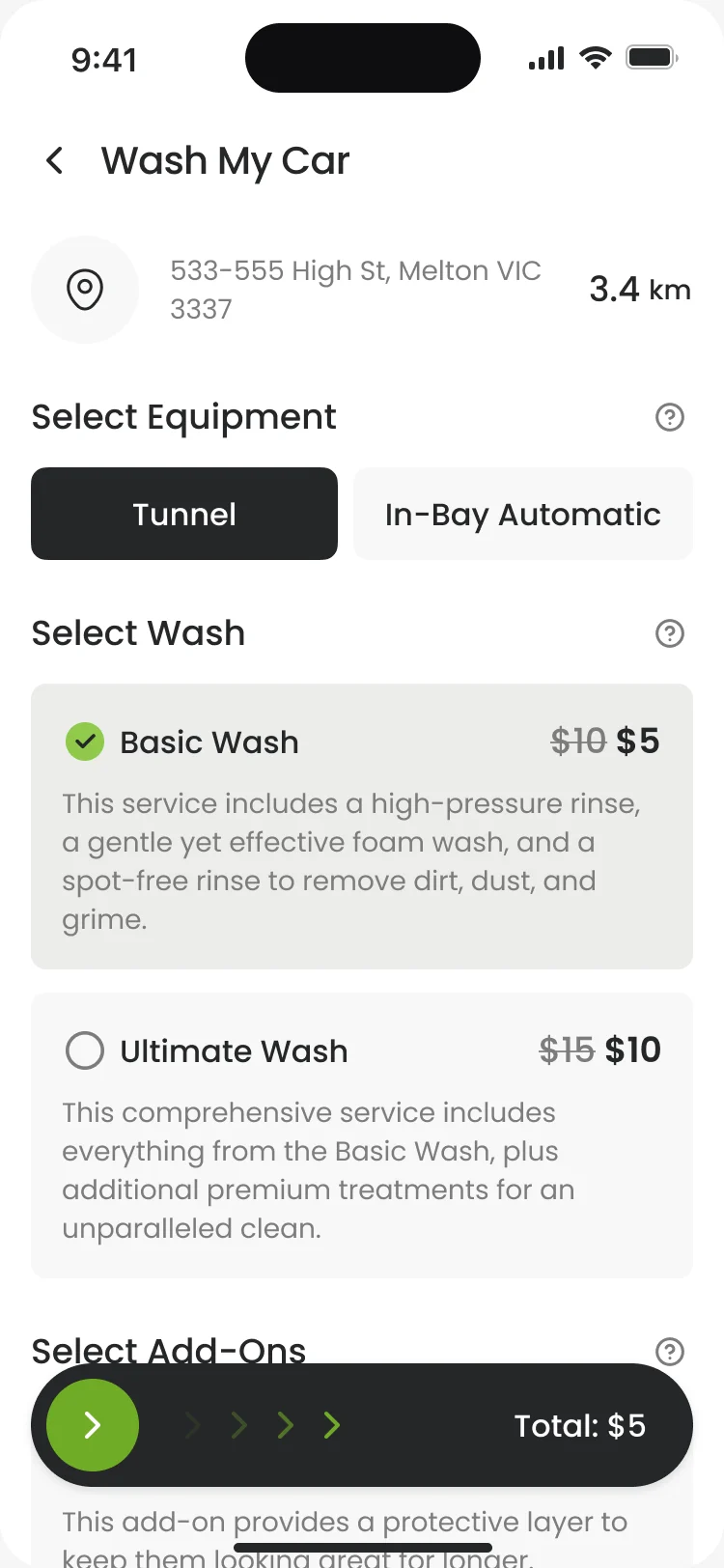
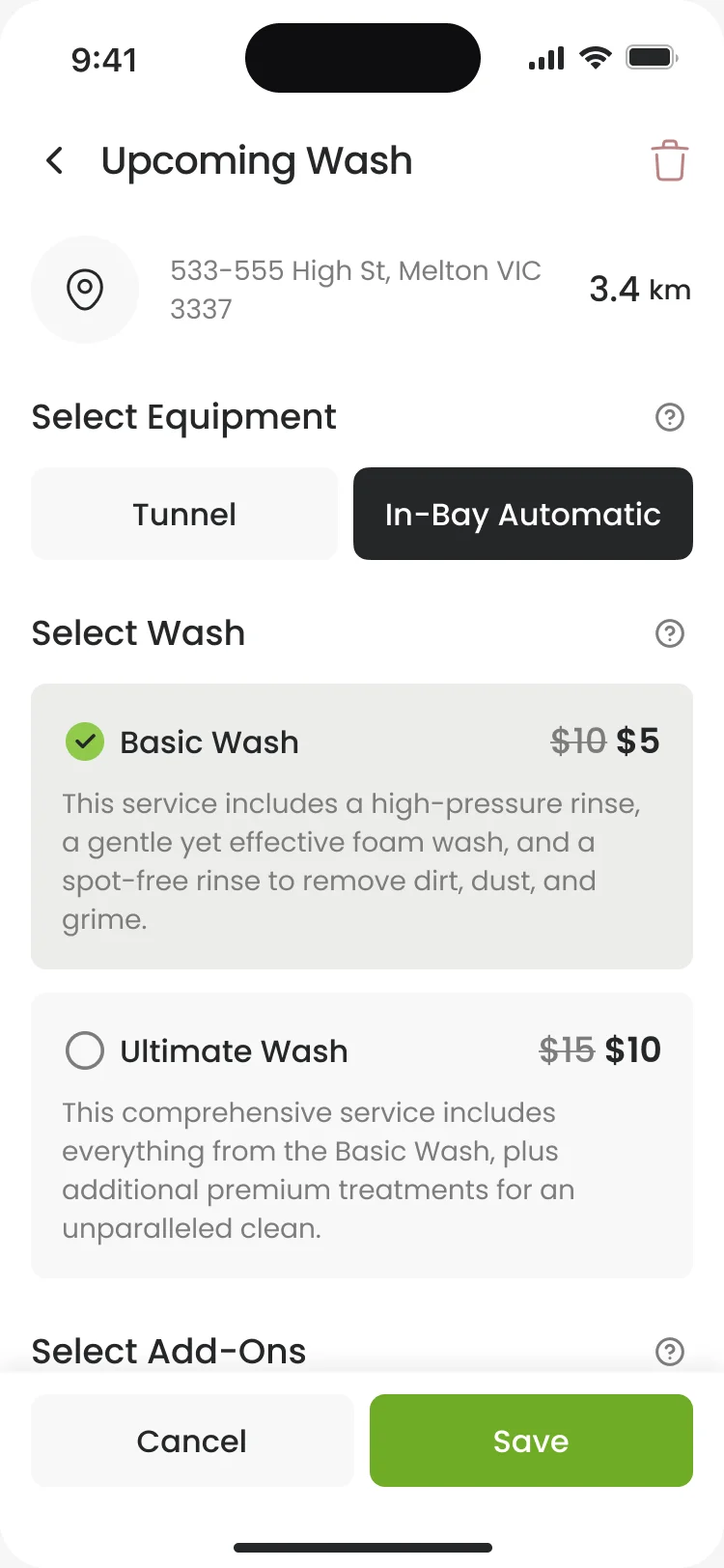
- Sites on a map and in a list by distance, the equipment first, then the wash with its price and add-ons, and a booked wash that can still be changed or cancelled.
A self-serve bay started from the phone
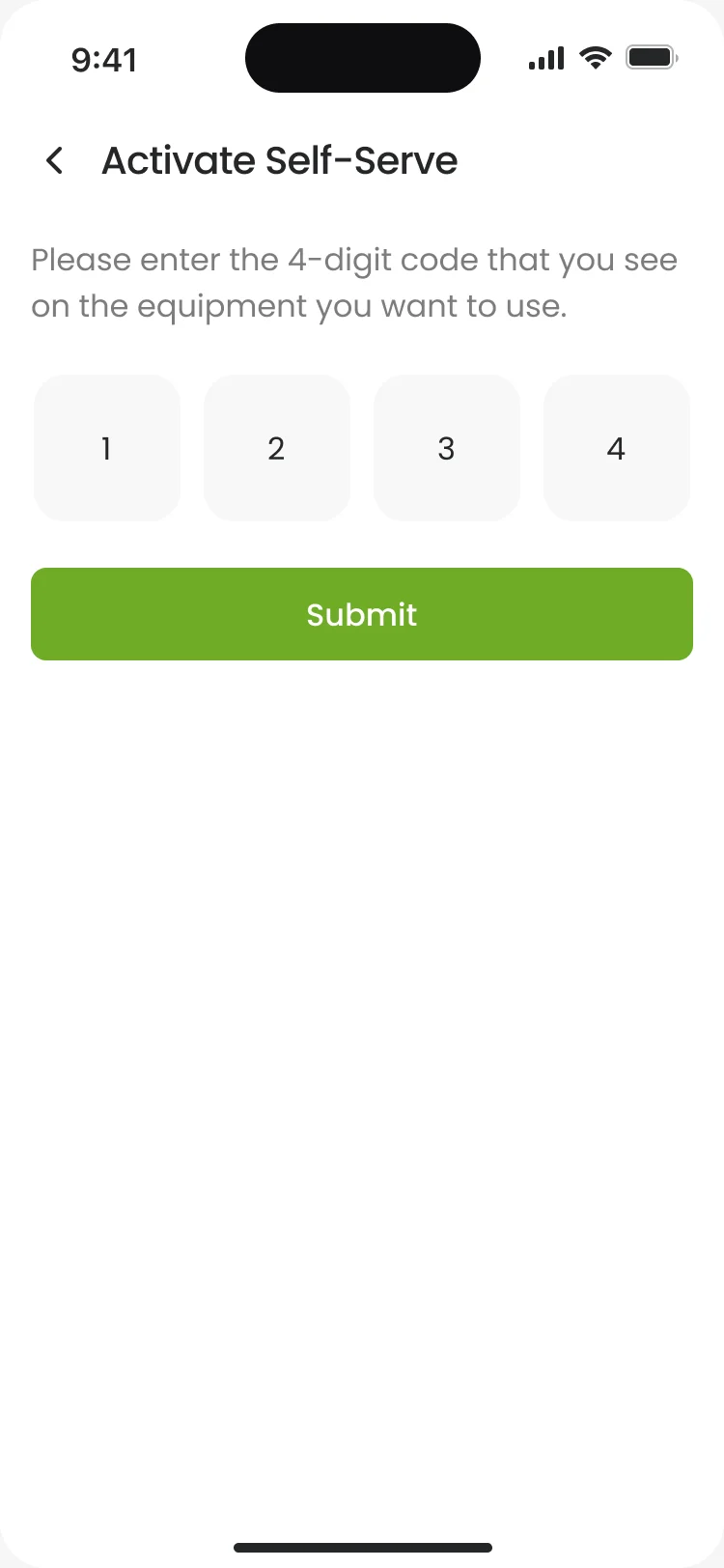
- Found
- At a self-serve bay the driver has a code on the machine, a timer that costs money, and nobody to ask when it fails.
- Decided
- Four boxes for the bay’s code, an error that says the code wasn’t found, the minutes with their prices, then the running bay with its time left and Add Time.
A membership without surprise charges
- Found
- Recurring billing is where trust breaks: a change that bills twice or a cancel button no one can find turns into a support call.
- Decided
- The annual price next to the monthly one, every change confirmed with when it takes effect, a pause to a chosen date, and cancel one tap away with a way back.
Several cars, several drivers
- Found
- A family car, a work car and a partner who drives both: every wash had to be tied to the right car and the right person.
- Decided
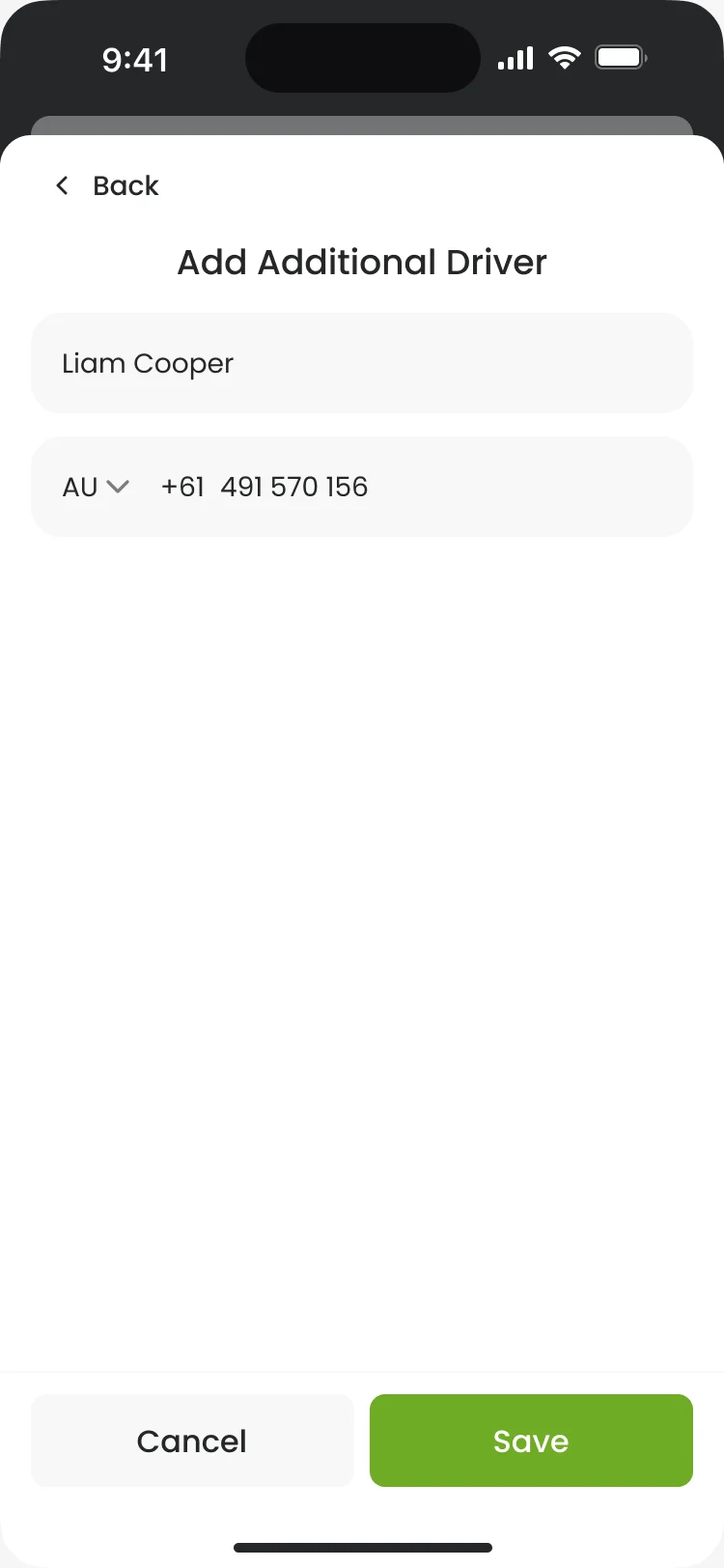
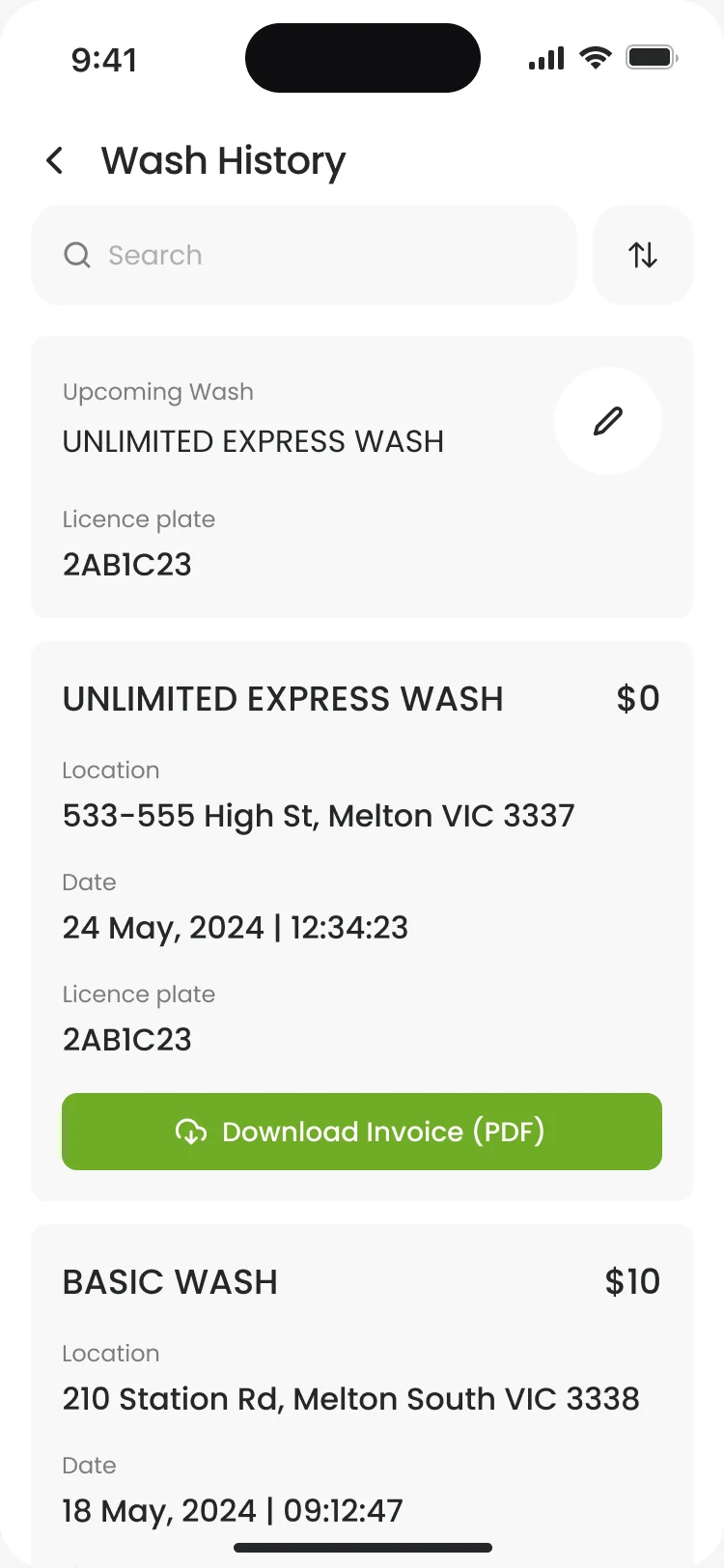
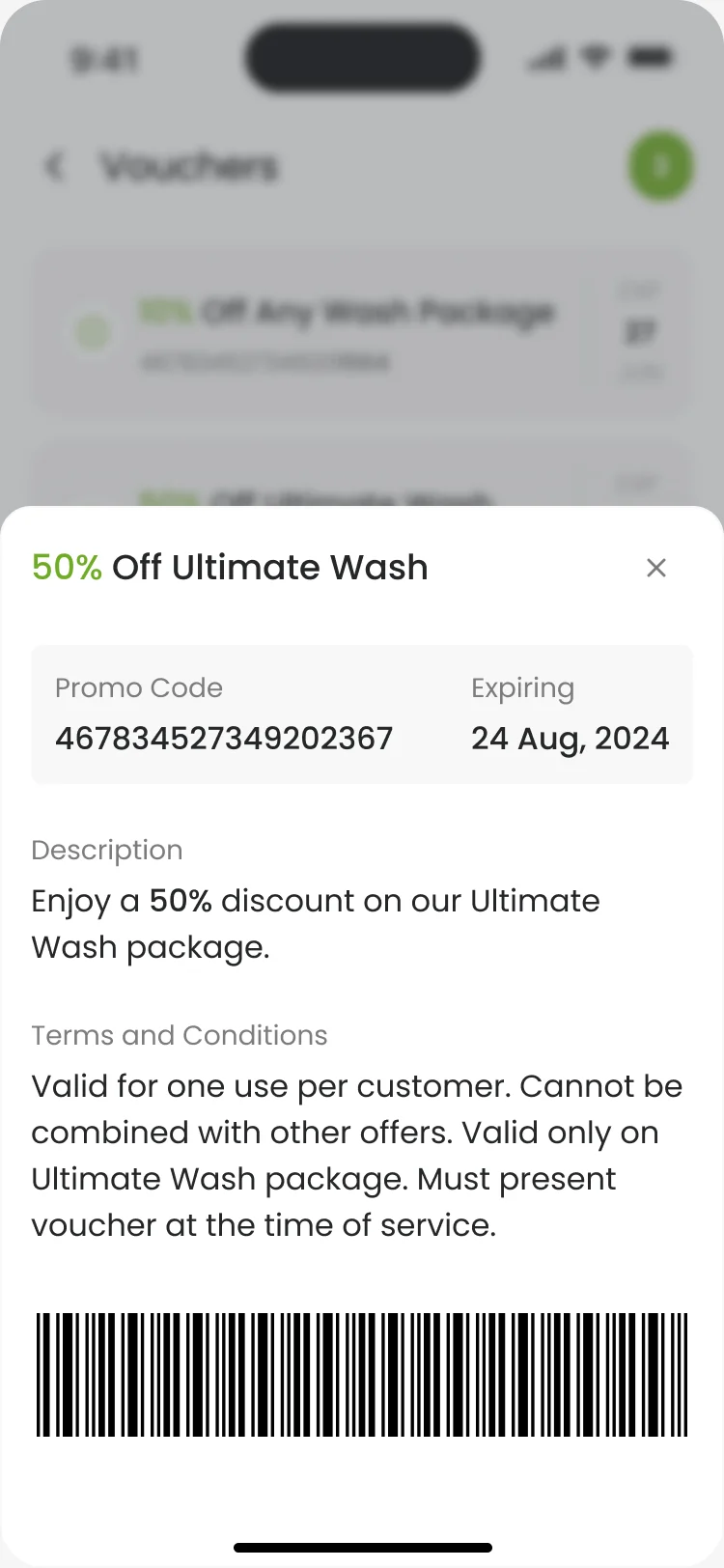
- Extra drivers added per car, a photo so each car is recognisable, a wash history across all cars with the plate on every entry, and vouchers with their terms.
An account that stays out of the way
- Found
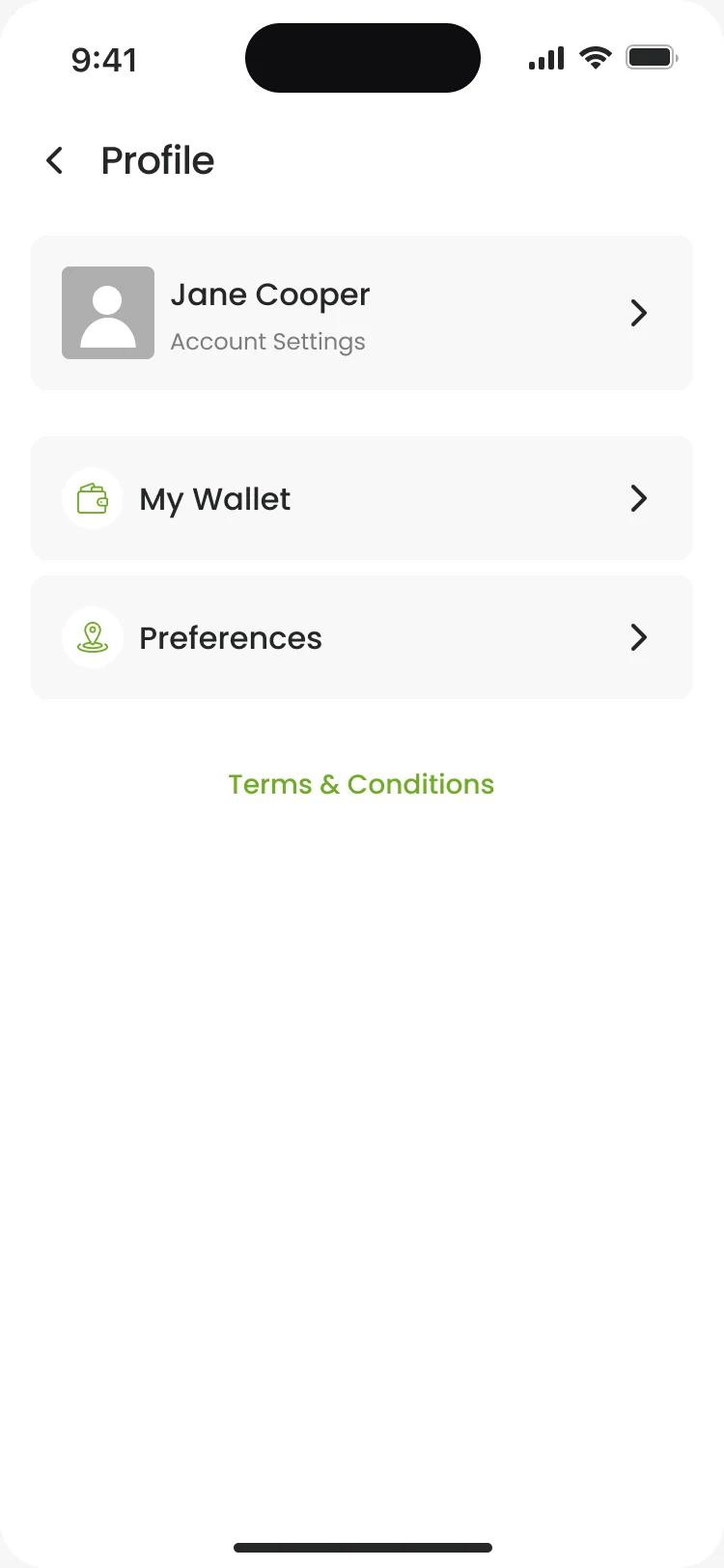
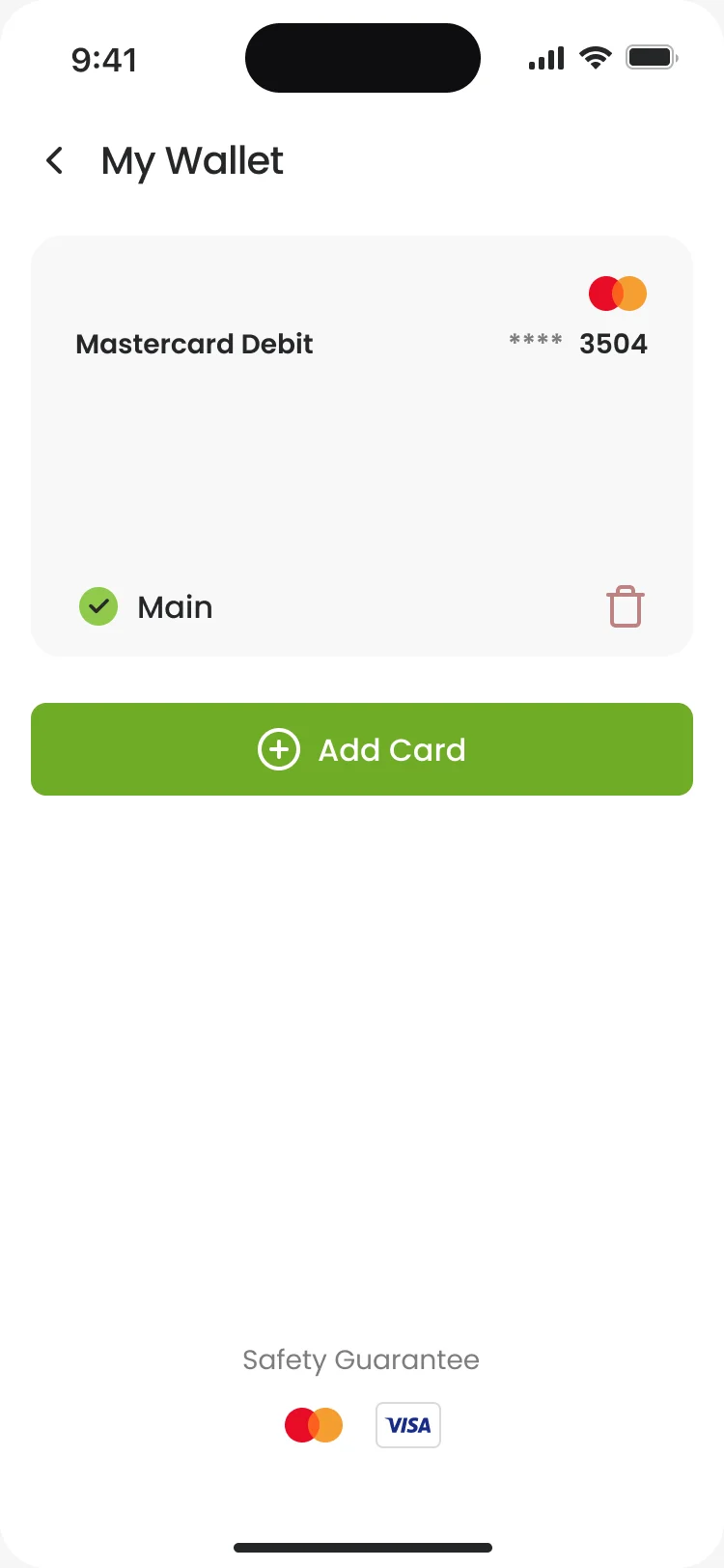
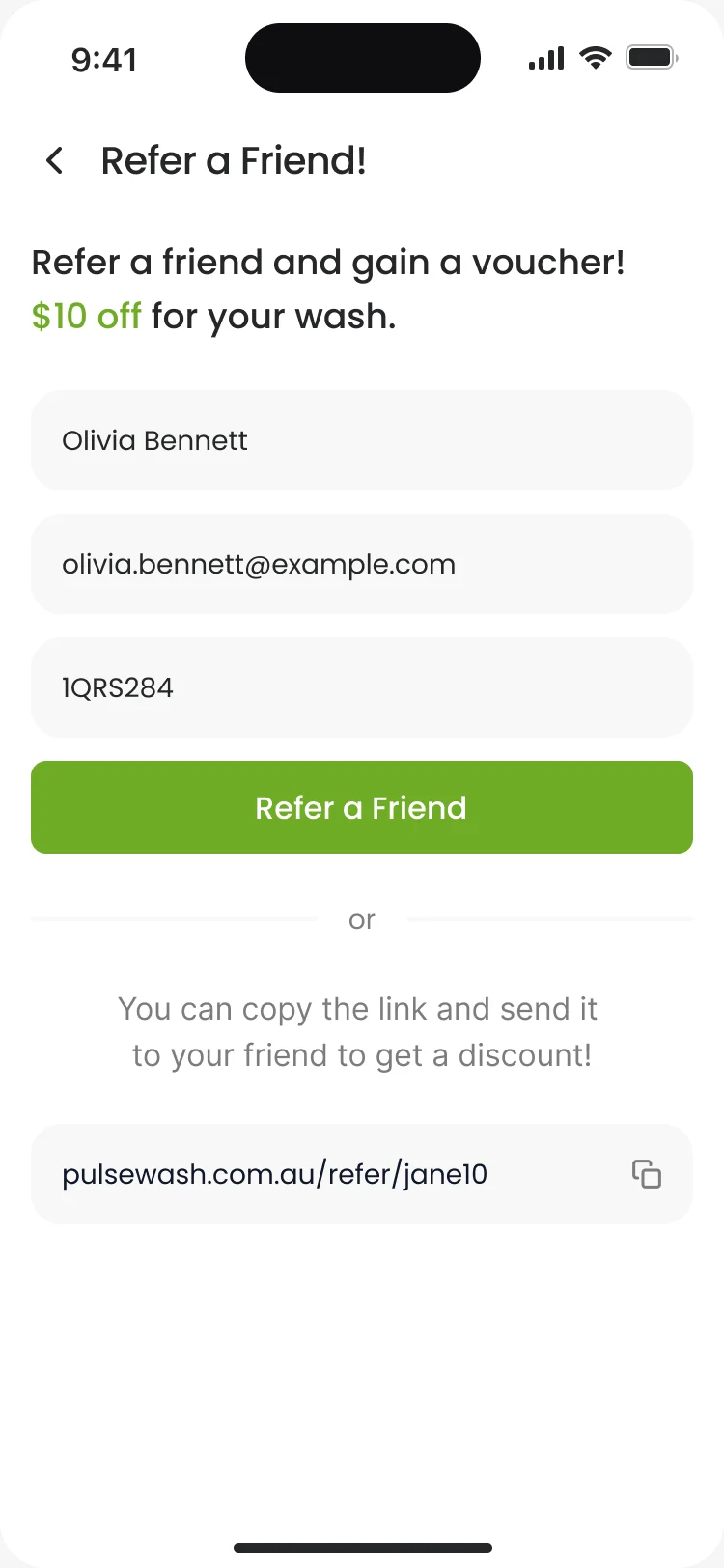
- Profile, cards and referrals are rarely opened, so they have to make sense the first time.
- Decided
- A short profile menu, a wallet with the main card marked, and a referral form with a link to copy.
One kit for every purchase and every failure
- Found
- A wash, a bay’s minutes and a membership are three purchases; if each paid differently, drivers would hesitate at the one moment they shouldn’t.
- Decided
- One payment sheet wherever a driver pays, and a system screen for each failure the app can name, every one with a next step.
The same payment sheet wherever a driver pays
Apple Pay or a card, in the same place and order.
-
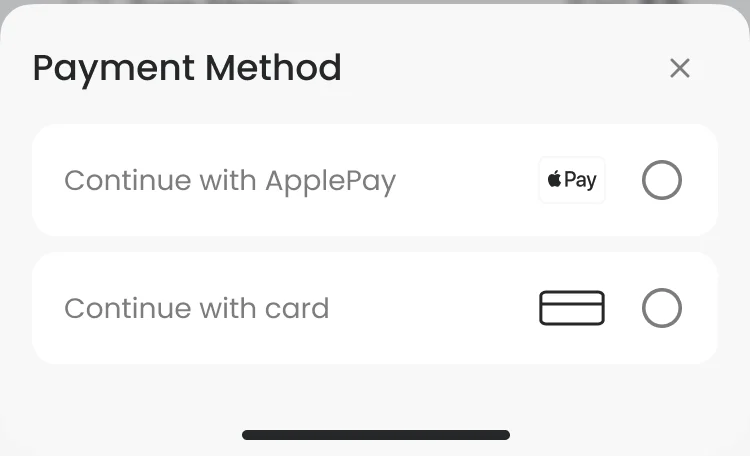
Buying a wash: After the wash and its add-ons. -
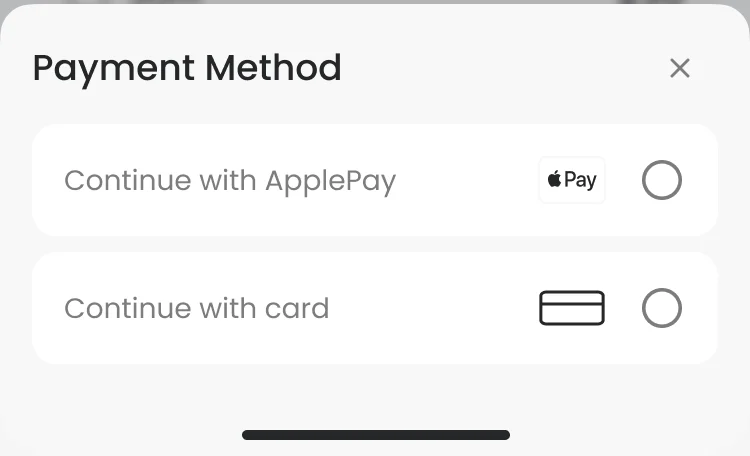
Self-serve minutes: After the time for the bay.
Drawn for the moments that go wrong
No signal, a server error or an outdated app: each screen says what happened and offers the next step.
-
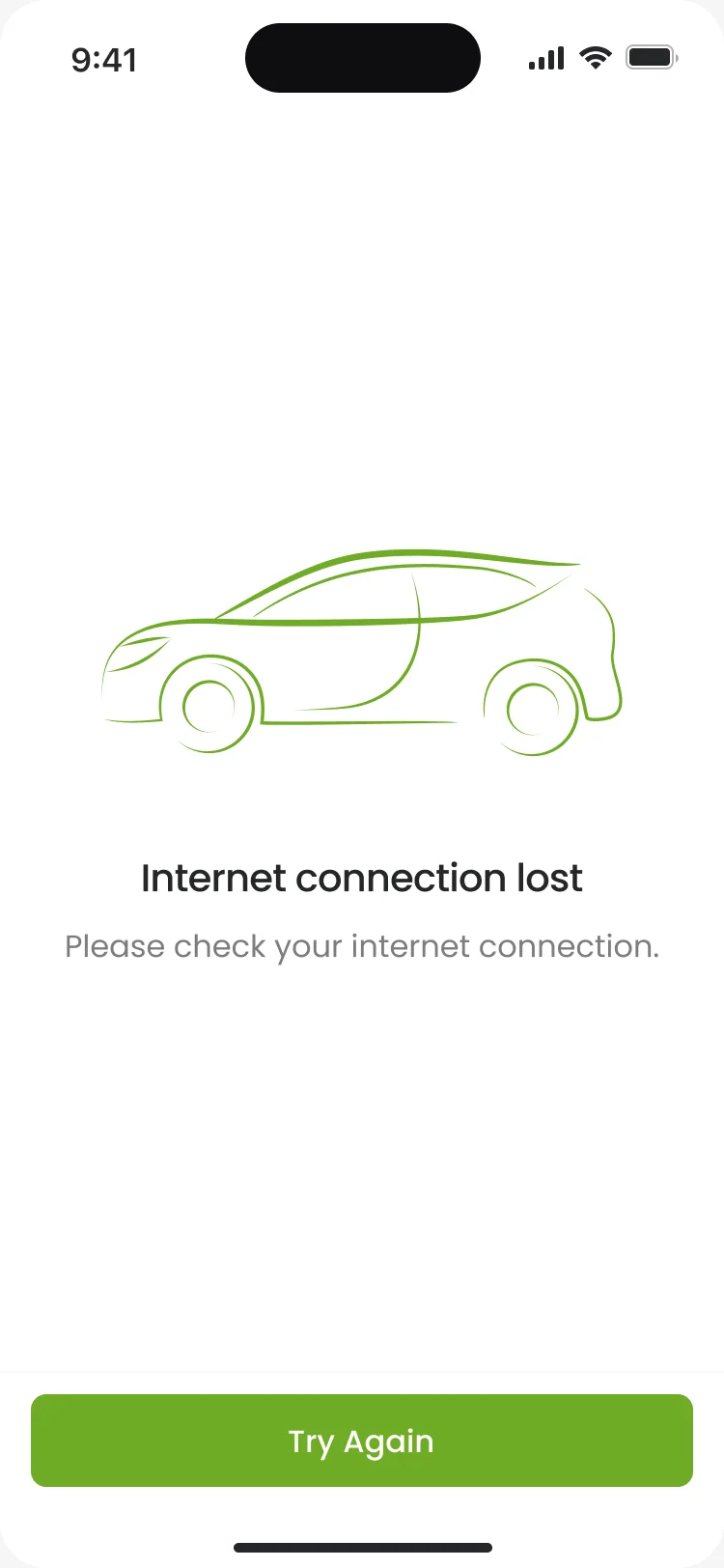
No connection -
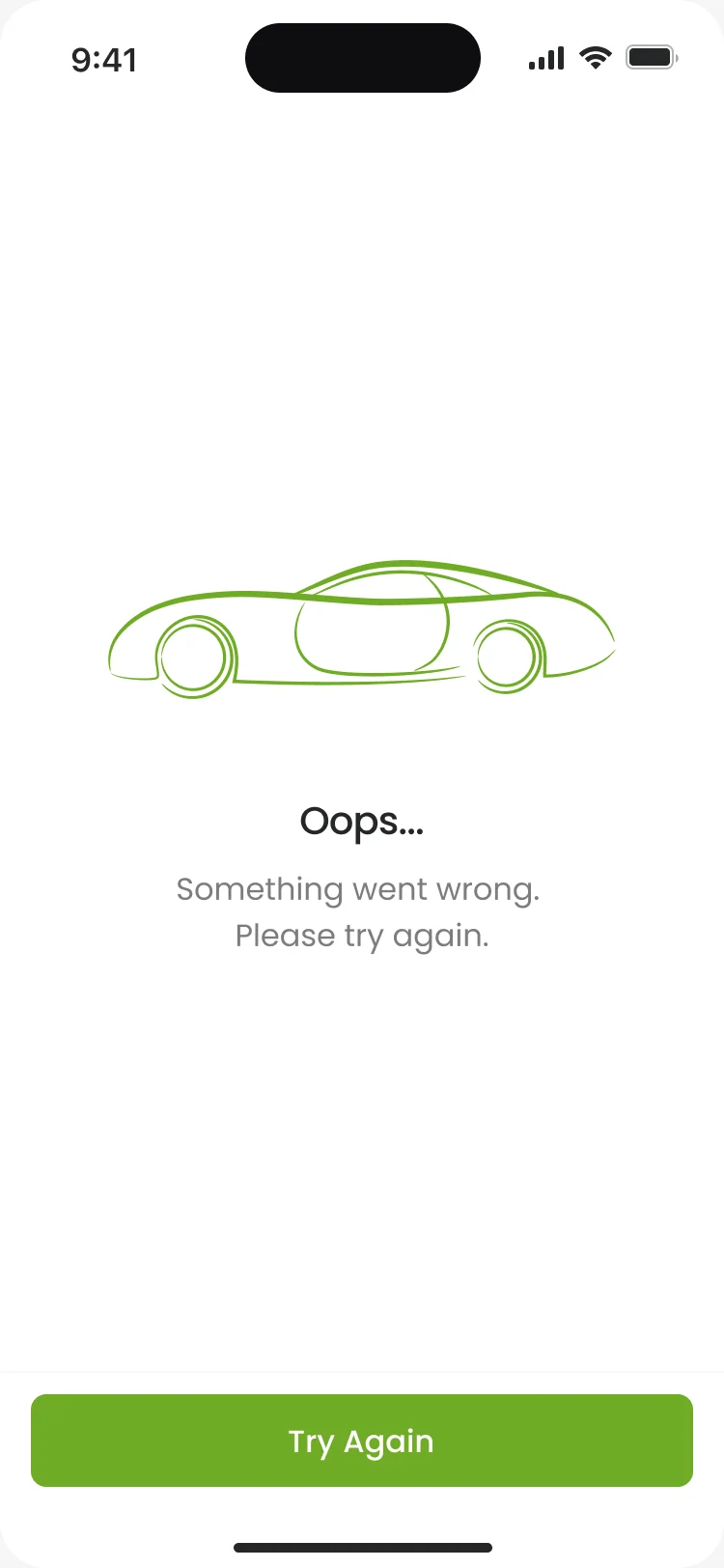
Something went wrong -
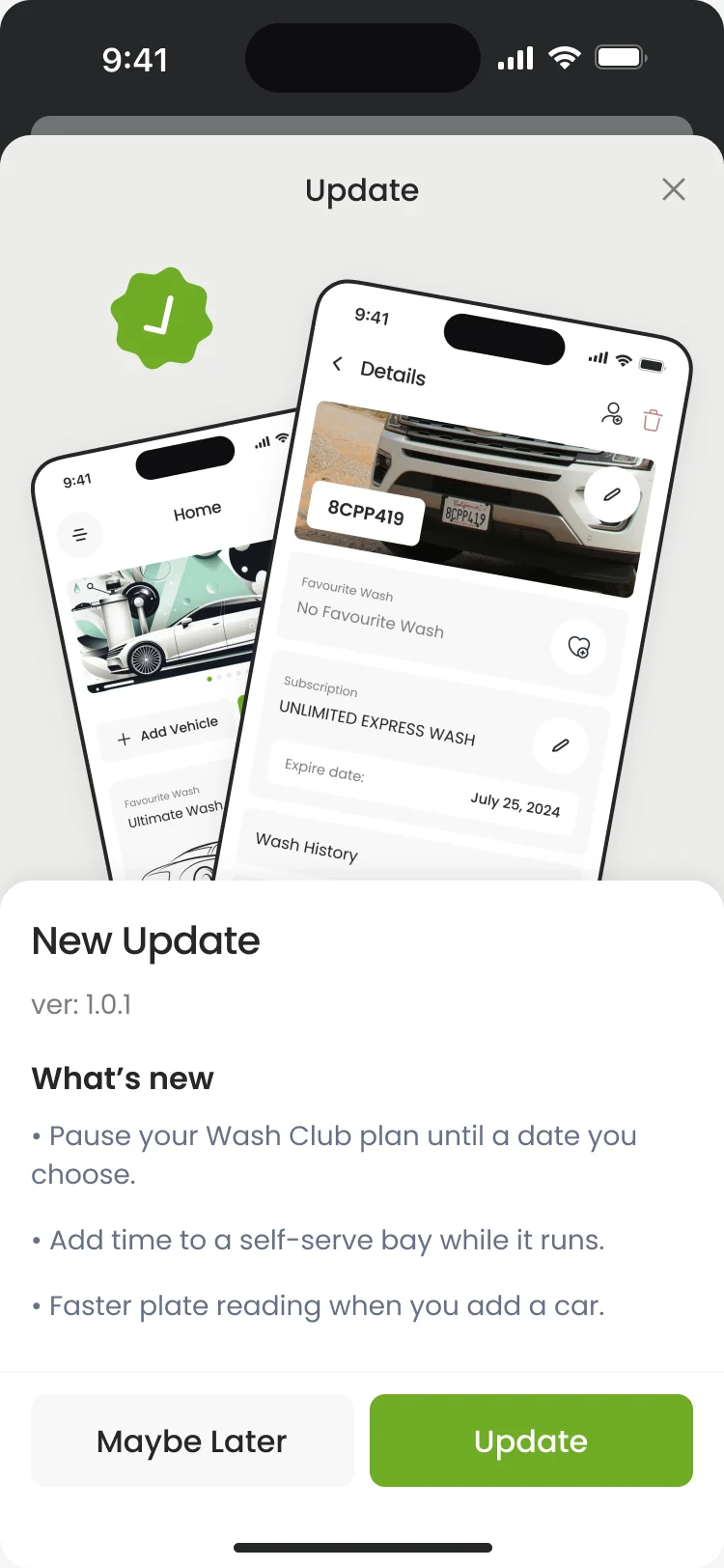
An update
What the developers received
The client’s team got a screen map, a clickable prototype, a UI kit and a Zeplin export at the end of the third milestone.
- Screen map
- Every screen and state in order, grouped by flow, with notes on the errors.
- Clickable prototype
- The main flows, clickable end to end.
- UI kit
- Colours, type, inputs, cards, pop-ups, navigation, icons and illustrations.
- Zeplin export
- Specs and assets, handed over in groups.
Flows in the handoff
- Moodboard and three UI style directions
- Wireframes: every branch of the driver app
- App UI: cars, washes, self-serve bays, Wash Club and account
- Screen map: every screen and state, grouped by flow
- Clickable prototype of the main flows
- UI kit: colours, type, components, icons and illustrations
Where the product ended up
A driver app designed from zero for Pulse’s car-wash platform: cars added by their plate, washes bought for the right car at the right site, self-serve bays started and extended from the phone, and a Wash Club membership people can change, pause or cancel on their own.
The client’s team took it into development.
- screens in one design for iOS and Android
- 84
- experts on the team
- 3
- visual directions on the key screens
- 3

When a wash fails, will your customer know why?
At the bay, a declined card, a lost signal and a stuck machine all look like your brand’s fault. Pulse names the car and the site before every purchase and gives a wrong code, a lost connection and a server error their own screens. Send us your on-site flow; we’ll show you where it leaves people guessing.
More work like this
Three more products where an app meets the physical world: a device, a venue, a storage unit.
-
Wellness · Healthcare
Clearwater Wellness Co.
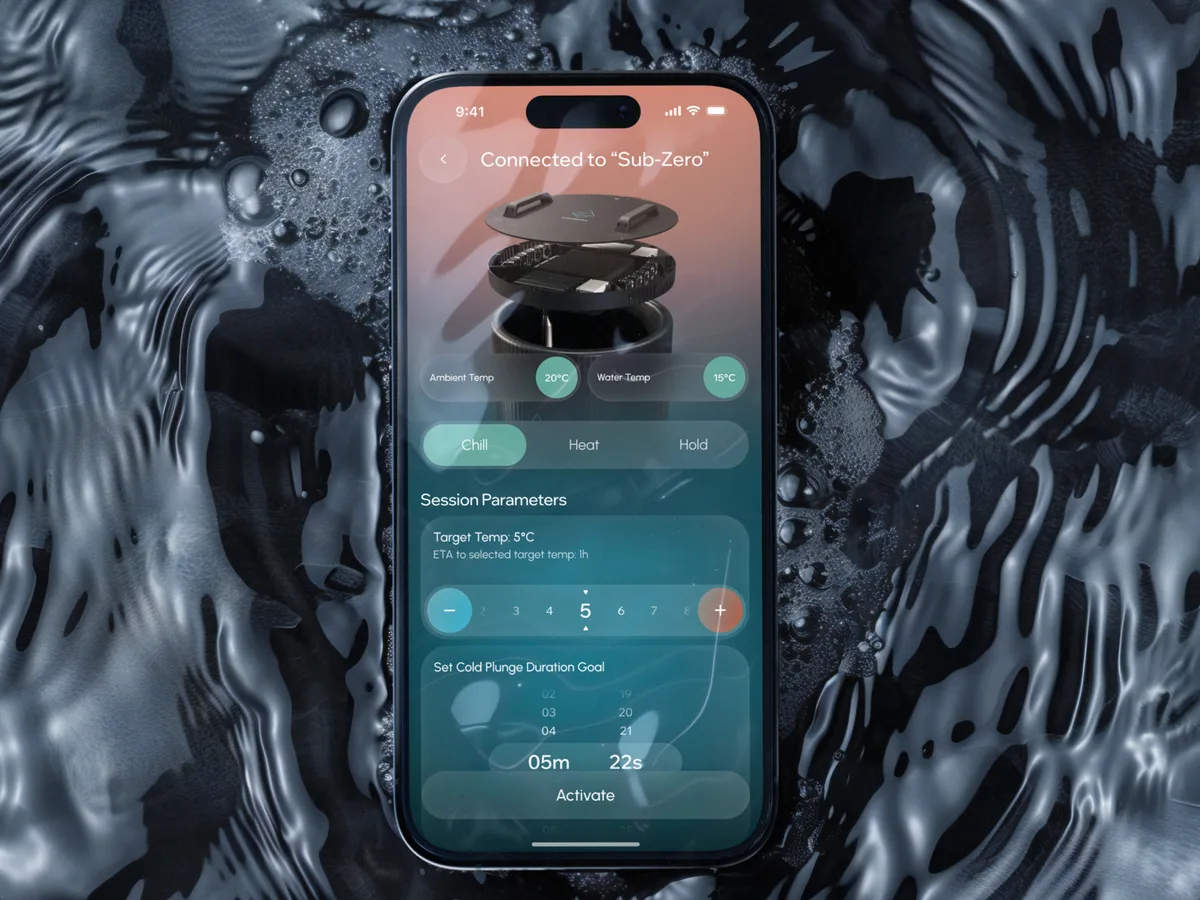
Designed a cold-plunge wellness app from scratch: bath control, session tracking and a community around the ritual.
- 306 Screens designed
- 4 Experts on the team
-
FoodTech · SaaS
Glimix
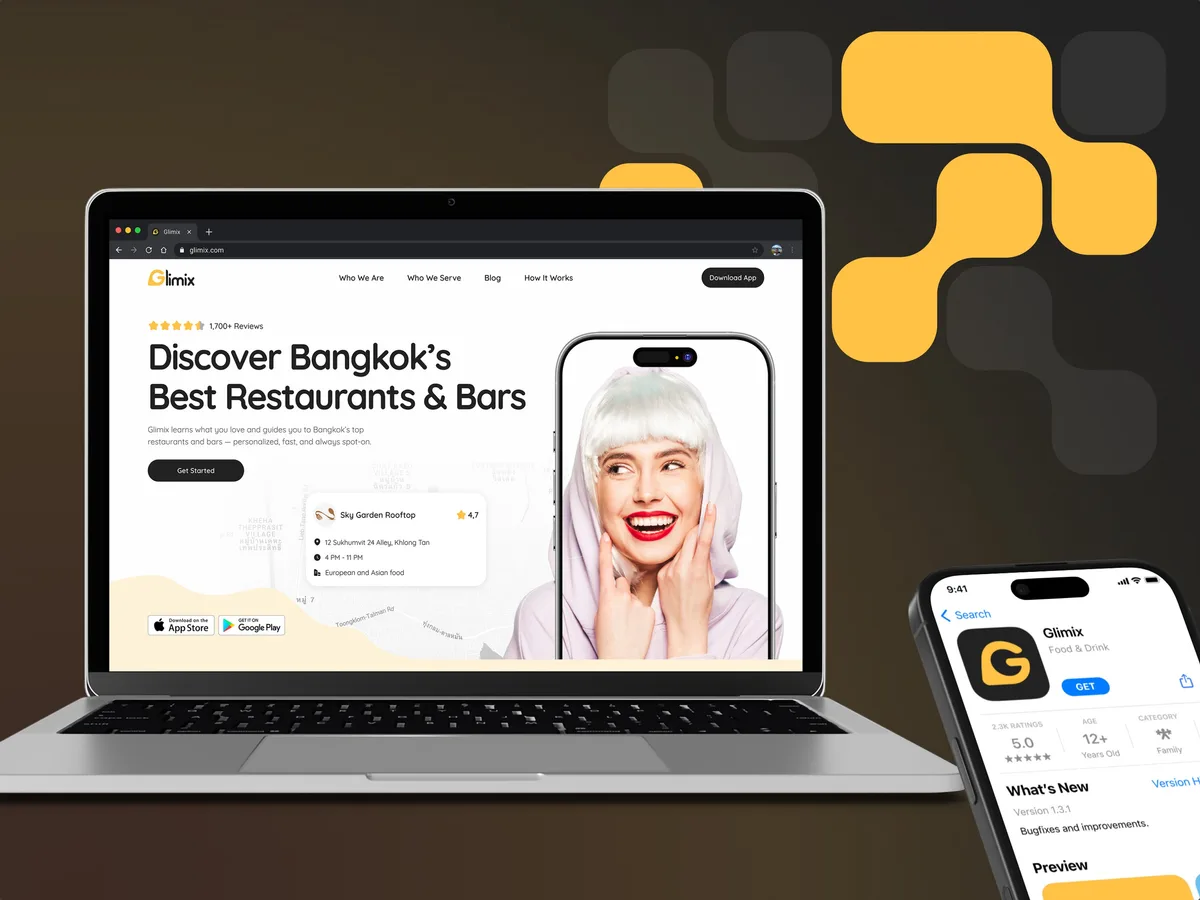
Redesigned a two-sided hospitality app for diners and venue owners, with an AI assistant, a new brand and the landing page.
- 200+ Screens designed
- 5 Experts on the pod
-
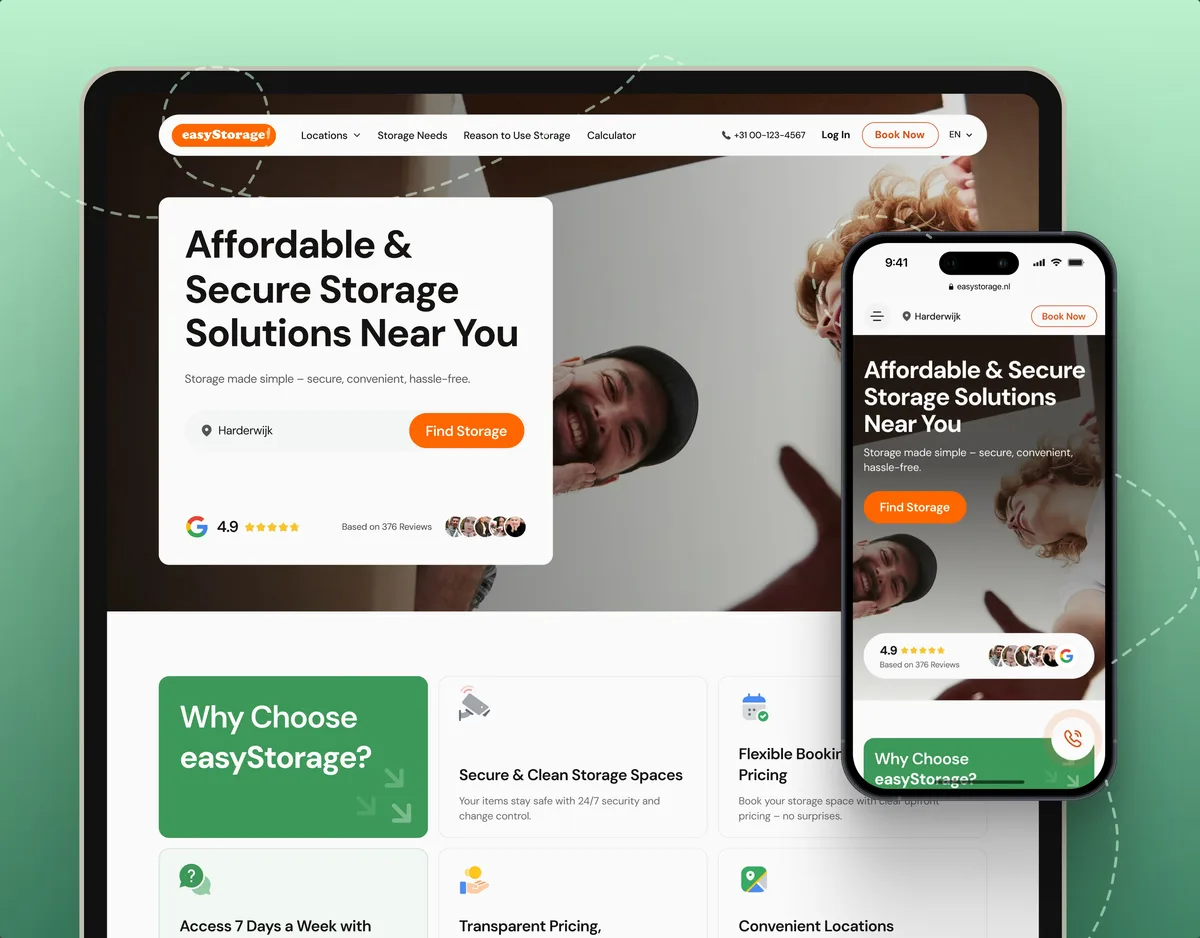
E-commerce · Website
easyStorage Netherlands
Designed and built a self-storage website and redesigned its inherited booking app, from a map pin to a booked unit.
- 300+ Screens designed
- 880+ Project hours