

When a Business Should—and Should Not—Build a Mobile App
Evaluate a business app through recurring tasks, native capabilities, audience behavior, adoption, operations, ownership cost and alternatives such as web.
Design business software for the people who buy it and the people who work in it — the admin who sets up the account, the teams who pass work to each other, and the manager who has to show it was worth it.

Business software every role can work in, from the admin's first setup to the handoff between teams.
How one account activates, pays and renews.
B2B Product Design
How an organisation sets up, divides and hands off work.
Not included
B2B products are bought by one person and used by many. The work starts with who does what, then designs each role's view of the same work.
Who buys, sets up, works and approves, and what each can see.
The admin's first hour: workspace, teams, invites and imported data.
Requests, reviews, approvals and handoffs, with who acts at each step.
The same product drawn for each role, clickable before the build.
You receive
In B2B the person who signs the contract rarely uses the product, and the people who do depend on each other's work. Every screen is drawn for the role in front of it and for the one waiting next.
Platforms where several roles share one piece of work, and each needs its own view of it.
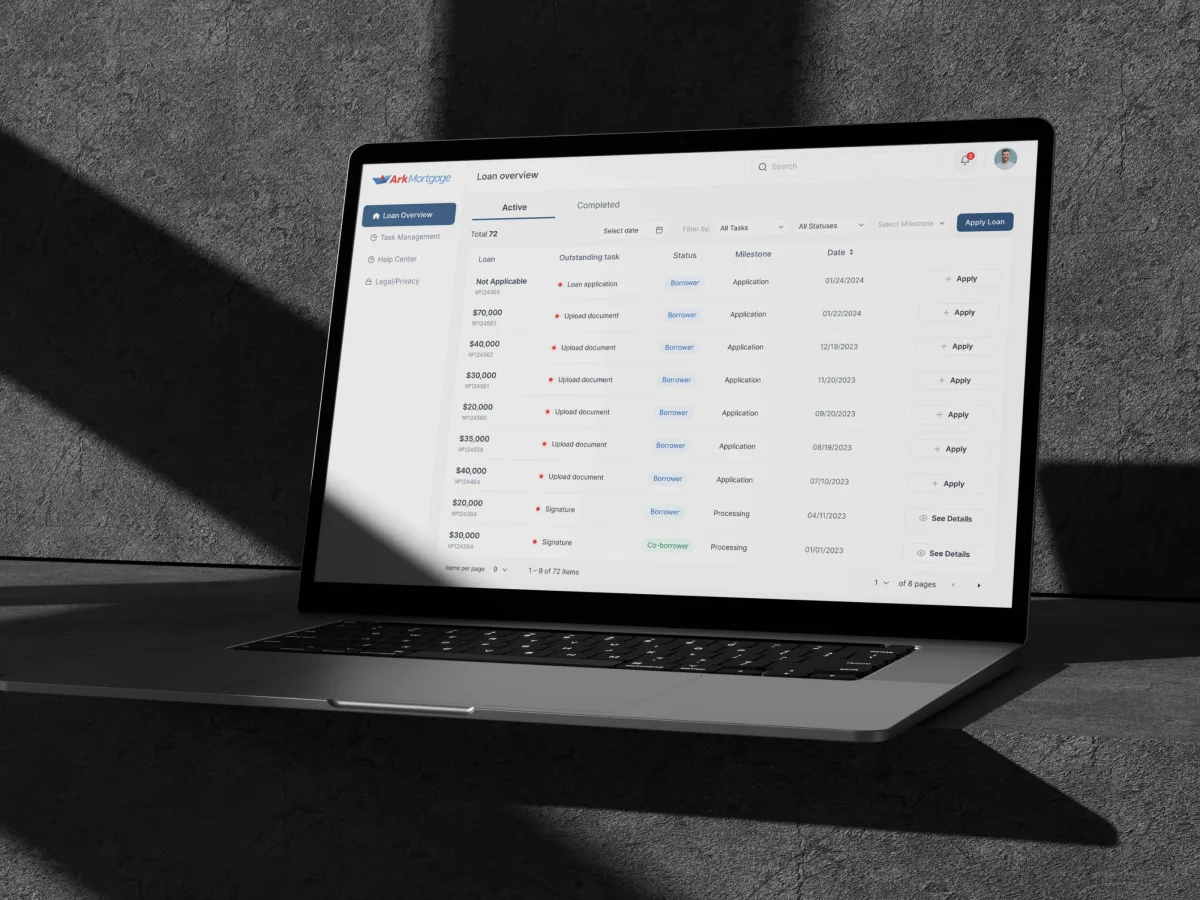
FinTech · AI · Web + Mobile
Designed a mortgage borrower portal where homebuyers apply for a loan and follow it to closing — the same stage and tasks on the web and on a phone.
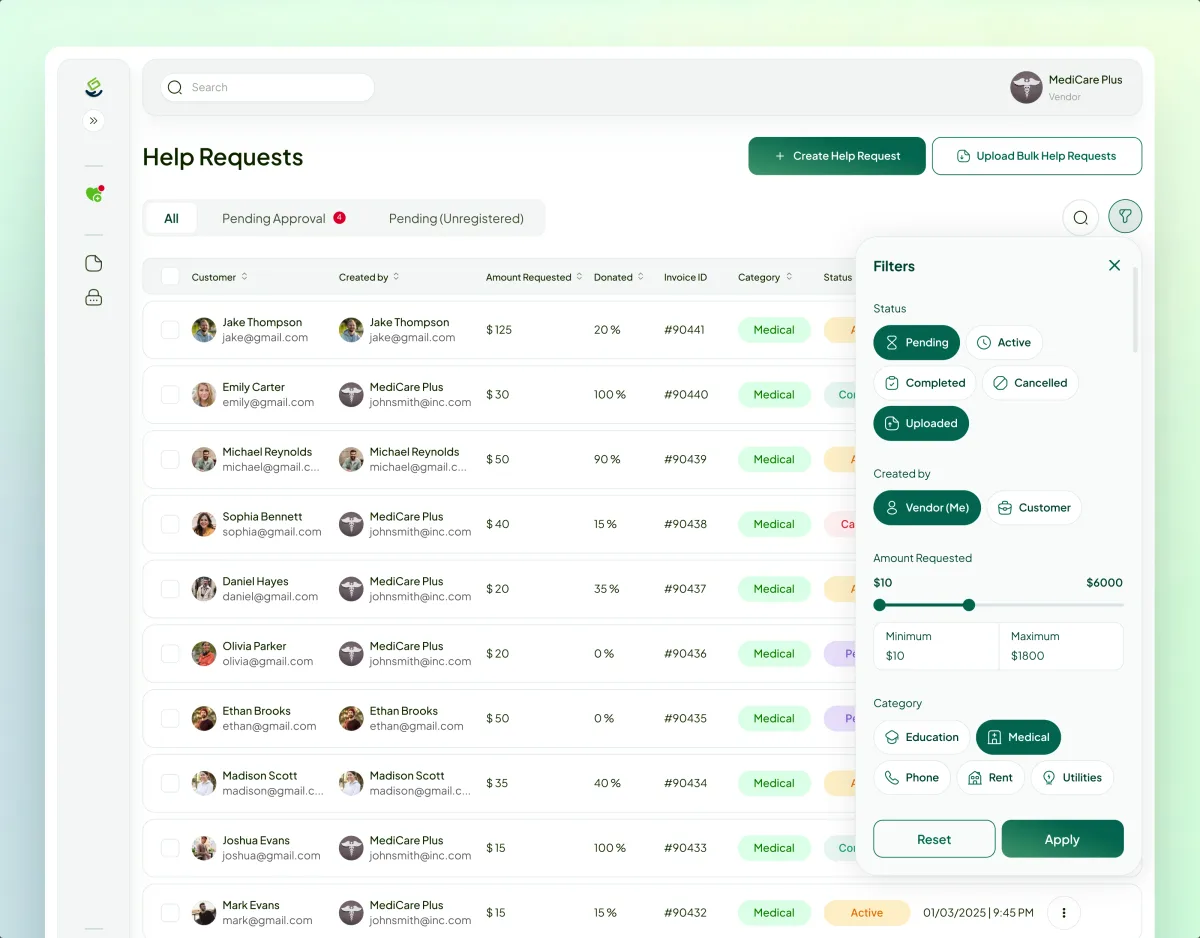
FinTech · Charity · Web platform
Designed, then built, a four-role platform for people asking for help, donors, vendors and a Super Admin, with most attention on where the roles hand off.
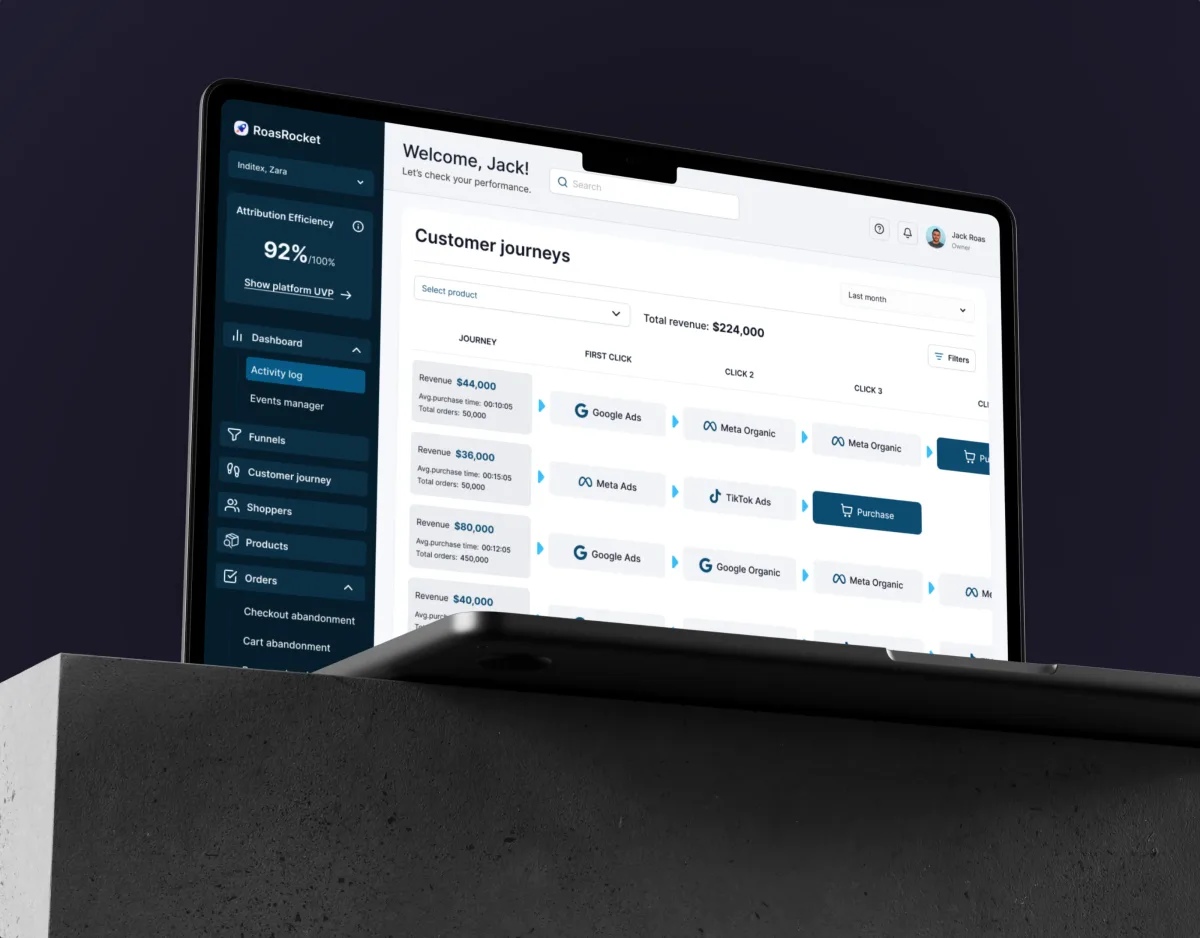
Marketing · Analytics · Web SaaS
Designed an attribution CRM whose screens serve both an analyst's hour of drilling and a manager's thirty-second morning check.
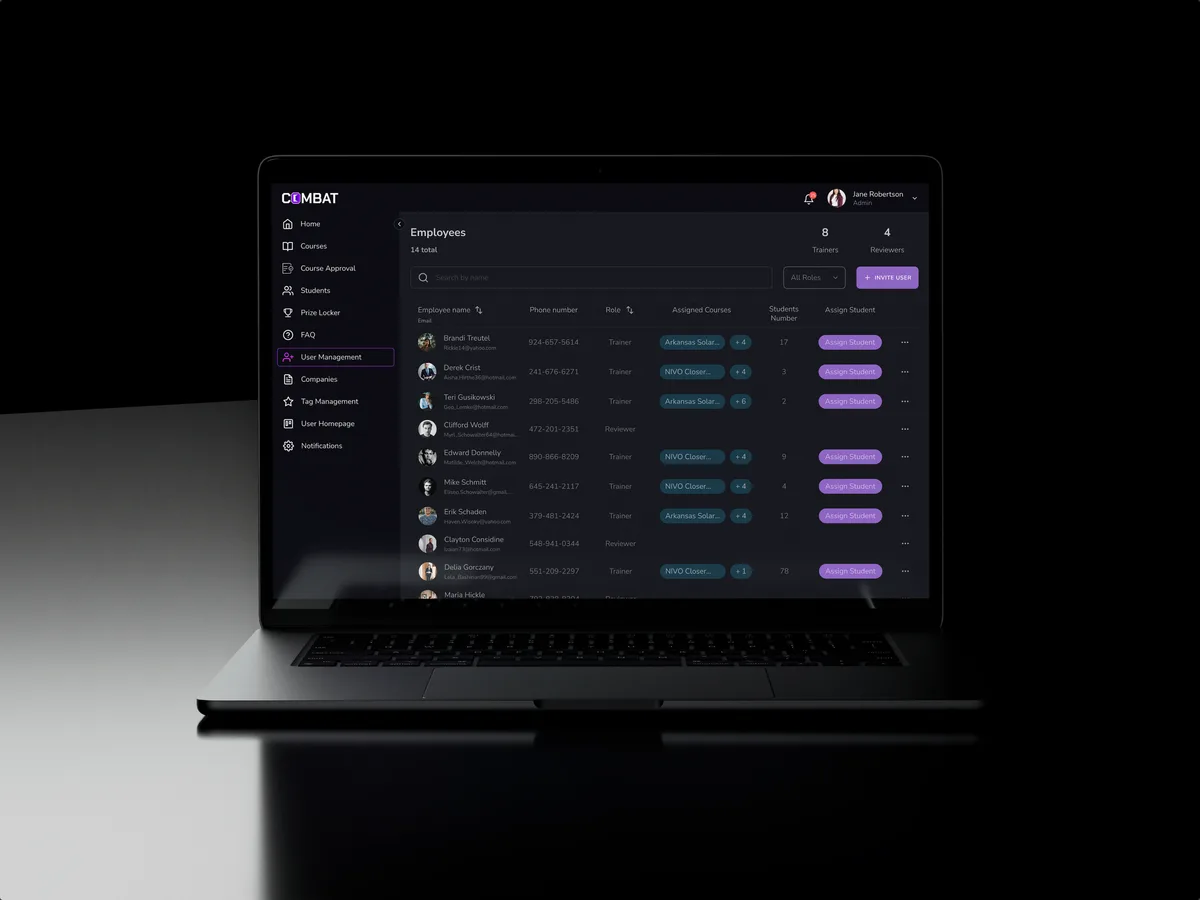
Sales training · Desktop web platform
Redesigned selected areas of a desktop sales training platform shared by five roles, from Superadmin to Student, without moving what they used every day.
It fits when a company buys the product and several of its people have to work in it together.
A manager signs the contract; a team lives in the product every day.
Requests, reviews and approvals pass between people and teams.
An admin configures the account before anyone else gets value.
An in-house or partner team will develop the product from the design.
A different starting point

Tell us who buys it, who uses it and where work gets stuck between them. We will come back with the service that fits and a realistic next step.
B2B work starts with the service that matches the product: new, live but not adopted, or outgrowing its roles. Its proposal sets the terms.
The design connects the mortgage manager’s view with the borrower’s next steps. What we appreciated is the attention to document requests, case status and role-specific screens, so the two sides of the process can be discussed as one experience.
Tell us who buys the product, which roles work in it, and where accounts stall after the contract is signed.
Message received.
Within 15 minutes, we’ll email you initial feedback and follow-up questions.
Evaluate a business app through recurring tasks, native capabilities, audience behavior, adoption, operations, ownership cost and alternatives such as web.
Design enterprise software around real roles, workflows and constraints. Learn how to simplify complexity, drive adoption and measure meaningful UX outcomes.
Ask to see one piece of work followed through several roles: who creates it, who reviews it, who approves it and what each of them sees. A team that has done this can show its role model, its permission matrix and the states between the handoffs, not only a polished dashboard. Ask which products were live and what the admin's setup looked like, and meet the designers who would map your roles. Our Payyro and Combat Sales cases each follow four or five roles through one product.
Start from the work, not the org chart. Each step gets an owner, the people who can see it, the people who can change it, and what happens when the owner is away. Permissions are then grouped into a few roles an admin can understand, with custom roles only where customers need them. At every handoff the next person should see what arrived, from whom and what is expected — and the sender should see where the work went. A denied action explains who can do it instead.
The buyer or sponsor who signs, the admin who sets up the account, team leads, everyday users, external guests such as clients or suppliers, and your own support staff. The workflows are the ones an organisation runs together: setting up a workspace and inviting teams, importing data, creating and assigning work, reviewing and approving it, reporting on it, and offboarding people without losing what they owned. Sales-led onboarding — a demo, a pilot, then a rollout — gets its own path.
It depends on the stage. UI/UX & Product Design takes a new B2B product from the first role map to the handoff; a UX Audit finds why a live one is sold but not adopted; Product Redesign rebuilds one that has outgrown its roles. Web App Design, Mobile App Design and Dashboard Design cover each surface. When the product grows into enterprise software design — many modules, legacy screens, a rollout across departments — Enterprise UX Design takes over, and staff-facing operational screens belong to ERP & Internal Tools Design.
With the flows, not after them. Every screen is drawn for an empty workspace, an invitation nobody accepted, work waiting for an approval, a denied permission, two people editing one record, an import with errors, a seat limit and a person who leaves the company. Tables are designed for the real volume of data, with filters, bulk actions and saved views. The permission matrix and the state list go to engineering with the screens, so the build can be checked against them.
Access to the product or staging with a test account for each role, admin included; the evidence you have on onboarding and stalled accounts; a product owner who can decide, and someone from sales or customer success who knows the buyers. Early contact with engineering lets your sign-in, permission setup and integrations shape the design from the start.
Ark Mortgage, a mortgage platform — 100 unique screens on 2 platforms, web and mobile. Payyro, a platform we designed and built — 400+ unique screens and 4 roles in one platform. ROAS Rocket, a marketing attribution CRM — 148 unique screens. Combat Sales, a desktop sales training platform for five roles — 80+ final desktop screens and interaction states. Each case study sets out who the roles were and what each of them sees, flow by flow.
Yes. Combat Sales was a redesign of selected areas in a platform people already used every day, and every change had to land as the same product, only clearer. Our designers join yours and your engineers in your own files and component library, and we settle with your team how admins and existing accounts hear about each change. Everything we make is handed over.