

What Is a Website Dashboard? Types, Design, and Examples
Learn what a website dashboard is, which dashboard types fit different decisions, and how to design useful data views without overwhelming users.
Marketing software built around your campaigns and your data — reporting, campaign tools, integrations and automation — with the owner of every number and connection agreed before the build.

Marketing software built on your data, with an owner for every connection.
Designs what the reports show and how people read them.
MarTech Development
Builds the software, its data connections and the release.
Not included
What you hold at the end, from the written scope to the handoff.

Data sources, integrations, screens and acceptance criteria, agreed in writing first.
Ad platforms, CRM and analytics connected, with retries and a log of every sync.
Reporting screens, campaign tools and automation, built and deployed.

Test results, a runbook, alerts and a map of who owns what after release.
You receive
In martech development most of the risk sits between systems: an API that changes, a field two tools count differently, a sync that fails overnight. So who owns what, the order of work and when each part counts as done are written down first.
Repository, environments, sign-in, roles and the data model set up once, with a deploy path from day one. Needs A cloud account, or a decision on where the product will run.
Done when A first build deploys to staging and a test user signs in with the right role.
Each workflow built end to end — screen, API, data and tests — and shown working before the next. Needs One person who approves each slice, and sample data from real accounts.
Done when The workflow runs on real data in staging and its tests pass.
Ad platforms, CRM, analytics and email connected, with retries, rate limits and a log of every sync. Needs Sandbox or test access to each platform, and the owner of each account.
Done when Figures match the source platform within the agreed tolerance, and a failed sync is flagged and can be re-run.
Accessibility, security, speed and data accuracy tested against the written criteria; logging and alerts switched on. Needs The metric definitions to test against, and anyone who must review security.
Done when Keyboard use, permissions, load times and alerts meet the criteria agreed in writing.
Released with a tested way back; your engineers walked through the code, the runbook and the alerts. Needs A release window and the people who will run the product afterwards.
Done when The release is live, rollback has been tried, and your team deploys on its own.
ANODA builds
Your team owns
Platforms and tools provide
It fits when the workflow is clear and the tools you pay for stop short of it. Four signs it is the right step now.
Someone rebuilds the same numbers from several exports every week.
Ad platforms, CRM and analytics each tell a different story about the same lead.
Approvals, audiences or rules are specific enough that a generic tool fights them.
An adtech or martech company needs its own platform, not an internal report.
Tell us which tools hold your data and what your team still does by hand. We will come back with a first-release scope and a realistic next step.
Data sources, integrations, the first release and its acceptance criteria are agreed before the build.
Tell us which platforms hold the data, what the team does by hand today, and who will run the product after release.
Message received.
Within 15 minutes, we’ll email you initial feedback and follow-up questions.
Learn what a website dashboard is, which dashboard types fit different decisions, and how to design useful data views without overwhelming users.
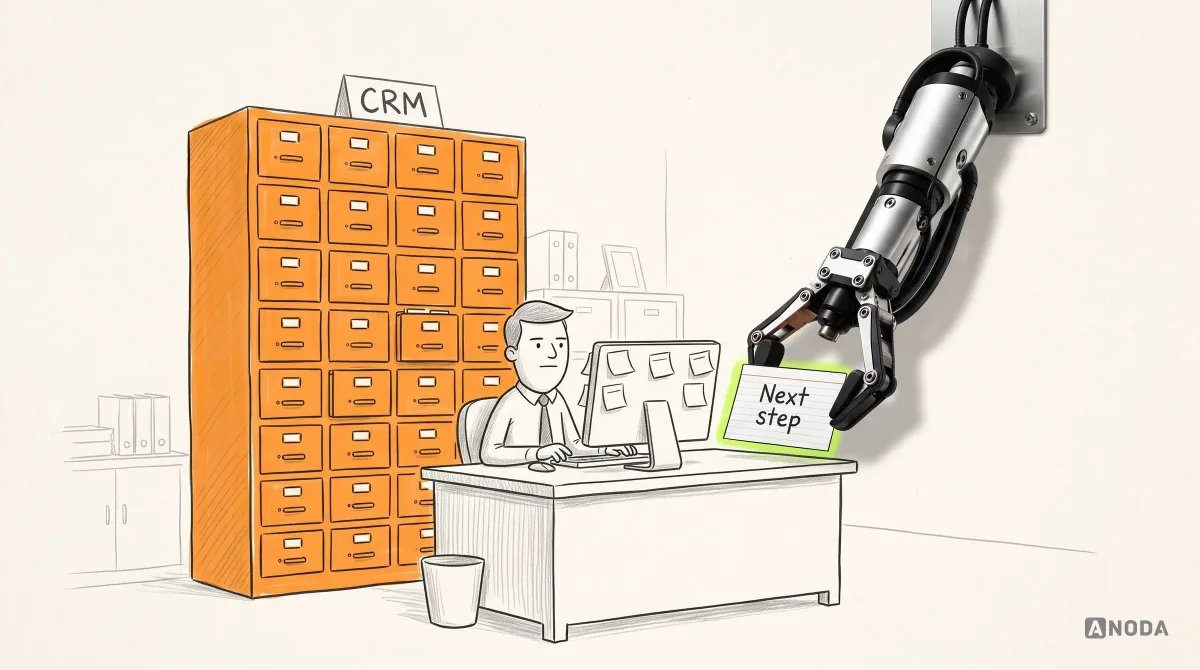
Learn how to design a CRM around real sales, service and operations workflows, from research and data structure to dashboards, automation, testing and rollout.
A team that can build the whole path: the screens marketers use, the backend and jobs behind them, and the connections to ad platforms, CRM and analytics. Ask how they handle an API that changes or rate-limits, how they prove a number matches its source, and who holds the accounts and keys. Ask to see builds, not only design work — a well-designed dashboard says nothing about how its data pipeline was engineered. On your project, the written scope with its data owners is the first thing you see and approve.
A written technical scope; the architecture and data model; the frontend — reporting screens, campaign tools and admin views; the backend — APIs, background jobs, roles and audit logs; the integrations in scope with ad platforms, CRM, analytics and email; tests, monitoring and alerts; a release with a tested rollback; and a handoff with a runbook and a walkthrough. Work is delivered one workflow at a time, so you see real data in staging long before the whole product is finished.
Connect or configure when an existing platform covers the workflow and the gap is a report or a missing sync — that is cheaper and faster, and we say so in scoping. Build when the workflow is specific to your business, when several tools must share one definition of a lead or a conversion, or when the software is your product. Often the answer is both: keep the ad platforms and CRM, and build the reporting layer and the rules that sit across them.
Yes. Marketing automation software development covers rules that pause or adjust campaigns, audience syncs between your data and the ad platforms, lead routing into the CRM, alerts when spend or performance crosses a limit, and approval flows for creatives or budgets. Each rule gets a log of what it did and why, a way to switch it off, and a test against real data before it acts on a live account.
The workflows in the first release and who uses each one; every data source and who owns its account; the definitions behind each metric; the integrations and what happens when one fails; roles and permissions; the stack and where it runs; and the acceptance criteria for accuracy, speed, accessibility and security. If the workflow or the users are still unclear, start with Product Discovery; if the reports need designing first, start with Dashboard Design.
A walk through the workflow as it runs today, access or test accounts for each platform the product connects to, the owner of each account, your metric definitions, and one person who approves each workflow as it lands. We also need to know your stack, hosting and any security review or consent rules the data falls under. If some access is slow to arrive, the foundation and the first workflow can start on sample data.
The code in your repository, the product deployed to your cloud account, test results, a runbook for deploys, alerts and failed syncs, and a map of who owns each account, integration and part of the system. Your engineers get a walkthrough and deploy on their own before we step back. After release your team runs the product, or support, new integrations, Usability Testing and product design can continue with us on a separate scope.
By the number of workflows and user roles, the integrations and how well-documented their APIs are, how much data moves and how often, the accuracy and security criteria, and whether an existing system has to be migrated or kept running alongside. We set a custom scope and estimate in the proposal, fixed or phased, and agree the timeline once scope, access, dependencies and acceptance criteria are clear. A phased scope often suits: the foundation and one workflow first, then the rest.
Media buying and ad spend, campaign strategy, and the fees for ad platforms, CRM, analytics and hosting, which stay in your accounts. Provider approvals — API access, app reviews, account verification — are yours to request, though we prepare what they ask for. Legal review of consent and privacy is yours too. We do not guarantee ROAS, revenue, uptime or security beyond the acceptance criteria agreed in writing.
We have designed them: ROAS Rocket, a marketing attribution CRM; Concussion Media, a platform where paid traffic teams run ads and creatives; and SEOSpace, an SEO web app and Chrome extension. Those cases show design work — structure, screens and handoff — not a build, and we present them that way. On a development project you judge us on the written scope, the first working workflow in staging and the tests behind it, before the rest is committed.