
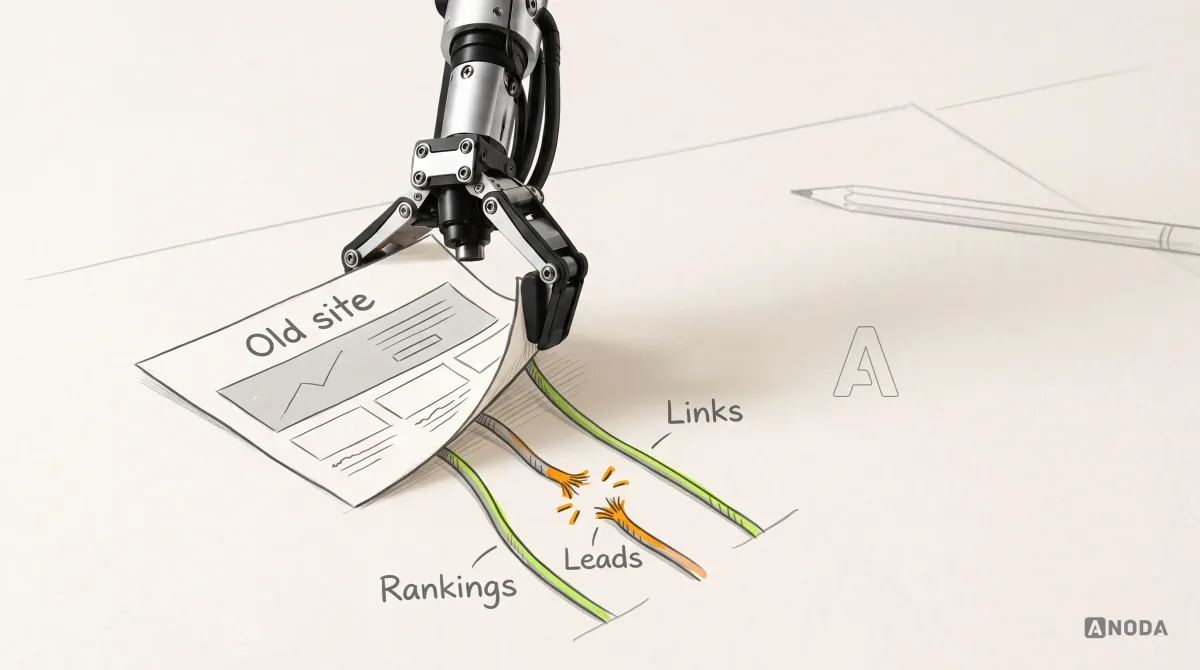
How to Build a Website Redesign Strategy That Protects What Works
Plan a website redesign around evidence, business goals, user journeys, content, SEO migration, testing, launch, and post-launch measurement.
Move your website to a platform your team can run — content, URLs, forms and integrations carried across, and the switch rehearsed so the old site stays ready until the new one has proved itself.

Your site on a new platform, with its content, URLs and forms carried across.
Reworks the site's structure, pages and look.
Website Migration & Replatforming
Moves the site you have to a platform that suits it.
Not included
What you walk away with, from the site inventory to the cutover runbook.
Every URL, content type, form, script and integration, each with its fate.
The new platform, how content is structured in it, and who edits what.
Templates rebuilt, content moved, and forms and tools reconnected.

Old address to new, the switch steps, the checks, and the way back.
You receive
Website migration services earn their keep in the gaps: a URL nobody listed, a form that fed the CRM, a script marketing forgot. Before anything moves, we put in writing who owns what, what each step needs, and how each step is checked.
The old site crawled and its exports read: every URL, template, content type, form, script and integration, and which pages earn visits and links. Needs Admin access to the current platform, analytics and search console.
Done when Every URL and function has a verdict — move, rebuild, merge or retire — that you have approved.
Candidate platforms weighed against how your team edits, what the site connects to and what it costs to run; the content model drawn for the chosen one. Needs Who edits, how often, and which tools must stay connected.
Done when You approve the chosen platform, the content model drawn for it and who edits what, in writing.
Shared components first, then one template at a time with its real content, compared page by page with the old site on staging. Needs A staging environment or a seat on the new platform.
Done when Each template carries the old page's content, headings and metadata, passes keyboard and contrast checks, and meets the agreed speed budget.
Content moved by script where the export allows and by hand where it does not; forms, analytics and tools reconnected and tested with real submissions. Needs Test accounts or sandbox access for each connected tool.
Done when Item counts match the source, media resolves, and every form reaches the right inbox or tool.
Redirects loaded and tested, a content freeze agreed, the domain switched in a quiet window, then errors, redirects and search coverage watched. Needs Access to the domain's DNS, a quiet window with content frozen, and one decision-maker for go or no-go.
Done when Each old URL answers with its new page or a single redirect, error alerts reach a named person, and the previous platform can be switched back until you sign off.
The runbook, redirect map and test record handed over, and editors walked through the new workflow. Needs The people who will edit and run the site.
Done when Your team publishes a change on its own and knows who to call for what.
ANODA builds
Your team owns
Platforms and tools provide
It fits when the platform, not the message, holds the site back. Four signs it is the right step now.
A new page or a price change waits in a queue because the platform makes it risky.
Plans, plugins, seats or hosting cost more each year while the site does the same job.
Languages, speed, integrations or code your engineers must own are hard or impossible where you are.
Search traffic, links and leads come in, and a careless move would throw them away.
Tell us what the site runs on and why it has to move. We will come back with a useful scope and a realistic next step.
The pages, content types, integrations and the cutover window are agreed before anything moves.
Tell us its address, the platform, why it has to move, and the tools it feeds.
Message received.
Within 15 minutes, we’ll email you initial feedback and follow-up questions.
Plan a website redesign around evidence, business goals, user journeys, content, SEO migration, testing, launch, and post-launch measurement.

Learn how accessibility fits UX research, interaction design, content, handoff and testing—and how product teams can prioritize and verify barriers.
Ask how they find out what the old site does before they build anything. A good answer names a crawl, the platform's exports, analytics and search console, and a written verdict for every URL and form. Ask to see a redirect map and a cutover runbook, who holds the rollback, and how they check the site in the days after the switch. Be wary of a team that is excited about the new platform and never asks about your old URLs.
An inventory of the old site — URLs, templates, content types, forms, scripts and integrations — and a comparison of platforms against how your team works. Then the content model on the chosen platform, the rebuilt templates, the content transfer, forms and tools reconnected, redirects, metadata and sitemaps carried over, and a rehearsed cutover. It ends with a handover: the runbook, the redirect map, the test record and a walkthrough for your editors.
A move loses traffic when pages vanish, URLs change without redirects, or titles and headings are rewritten by accident. So every URL that earns visits or links gets a destination before the build, metadata and structured data are carried across, redirects are tested on staging, and errors and search coverage are watched after the switch. Search engines re-crawl a moved site in their own time, so positions can wobble for a while. Nobody can guarantee rankings, and we do not.
It should not. The new site is built and checked on staging while the old one keeps serving visitors. The switch is a domain change in a quiet window, after a short content freeze, with redirects already loaded. The old site stays restorable until you sign off, so if something important breaks, going back is a planned step, not a scramble.
The one that suits the people who edit the site and the tools it must talk to. A visual builder such as Webflow suits marketers who publish without developers. WordPress suits large editorial teams that live in its editor. A coded site on a framework like Astro, with a headless CMS or content in files, suits teams that want speed, low running costs and full ownership. We compare the options in writing before anything is built.
Stay when the platform still fits and the pain is elsewhere: a UX Audit will show where. Choose Website Redesign when the structure, pages and look need rework, whether or not the platform changes. Choose a migration when the platform itself is the limit and the site is worth keeping. If the site runs on Webflow, WordPress or Framer, the page for leaving that platform goes into the specifics.
The site's address and admin access to its platform, or a full export. Analytics and search console access, to find the pages that bring in traffic and links. A list of the forms, scripts and tools the site feeds, and the reason it has to move. Then one person who approves the platform, the redirect map and the go-live date, and access to the domain and DNS before cutover.
The live site on your own accounts, the migration inventory, the redirect map with its test record, the cutover runbook and a walkthrough for the people who edit and run the site. After cutover your team owns publishing. We can stay on for fixes and new pages, test the key paths with real visitors, or take on a redesign or a next phase, each scoped separately.
The number of URLs and templates, how many content types and items there are, how clean the old platform's export is, the forms, scripts and integrations to reconnect, whether languages or member areas are involved, and how many redirects the site needs. We set a custom scope and estimate in the proposal, fixed or phased, and agree the timeline once scope, access and dependencies are clear.
A new structure or visual redesign, copywriting, a new brand, paid media and SEO campaigns, and platform, hosting or third-party fees, which stay in your accounts. Traffic cannot be promised through a move, and uptime and security are held to the written criteria. We have no published migration case yet; our easyStorage NL case shows a website we designed and built in Webflow, not a move. On your project you judge us first by the inventory and the redirect map.