
An energy customer portal, no phone call needed
heimWatt’s customer portal lets homeowners follow their heat-pump or solar installation.We designed it from scratch and built its frontend.
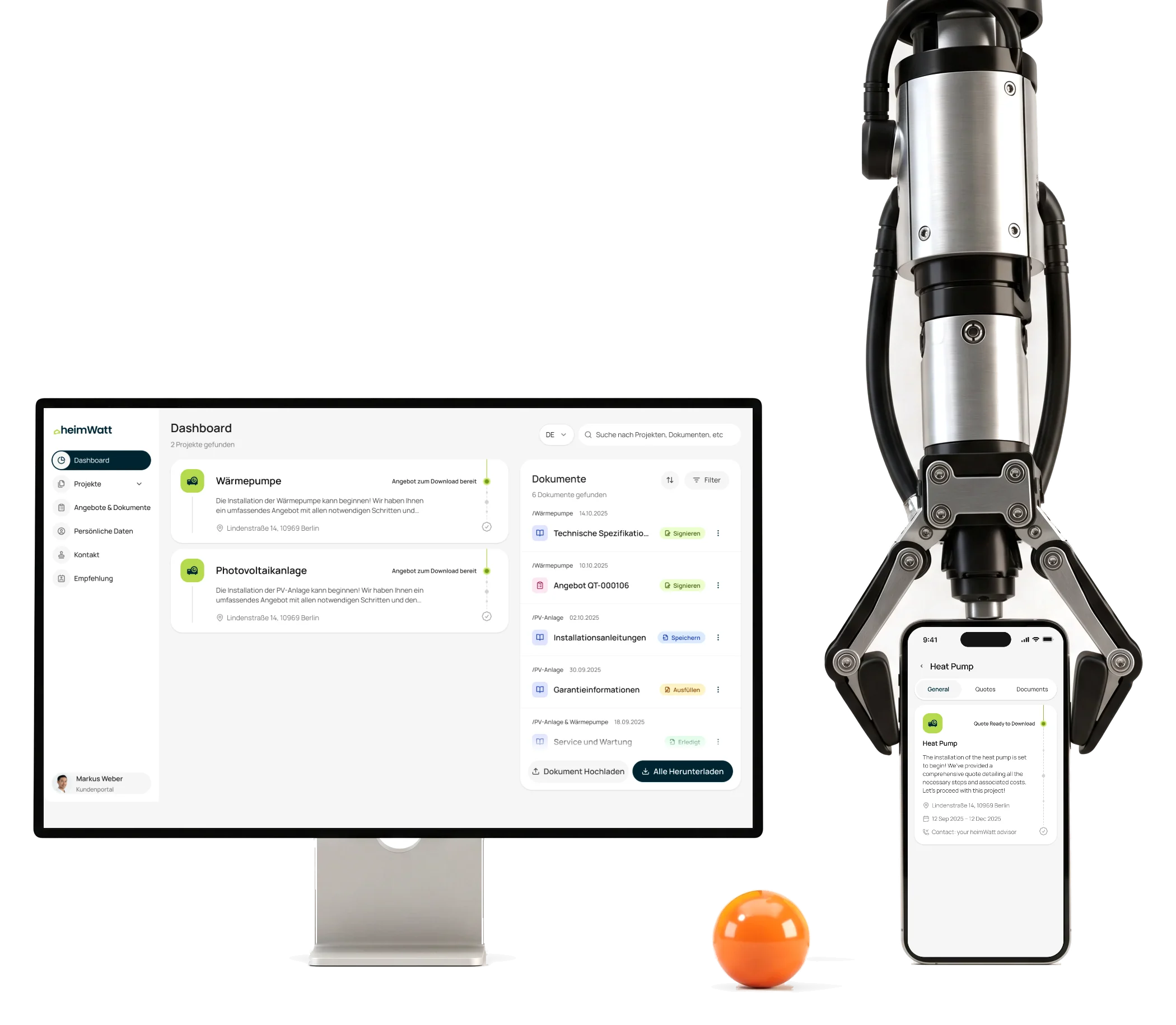
- Design
- + frontend from the first flows to the tested code handover
- 2
- languages German first, and English
- 375
- px and up every screen designed down to a phone
Project summary
heimWatt plans and installs heat pumps and photovoltaic systems for homeowners. An installation runs for months, and customers need to know where theirs stands between visits. We designed a self-service customer portal from scratch and built its frontend , with sign-in, magic-link invitations and the project data heimWatt keeps in HubSpot.
How we worked together
- Start
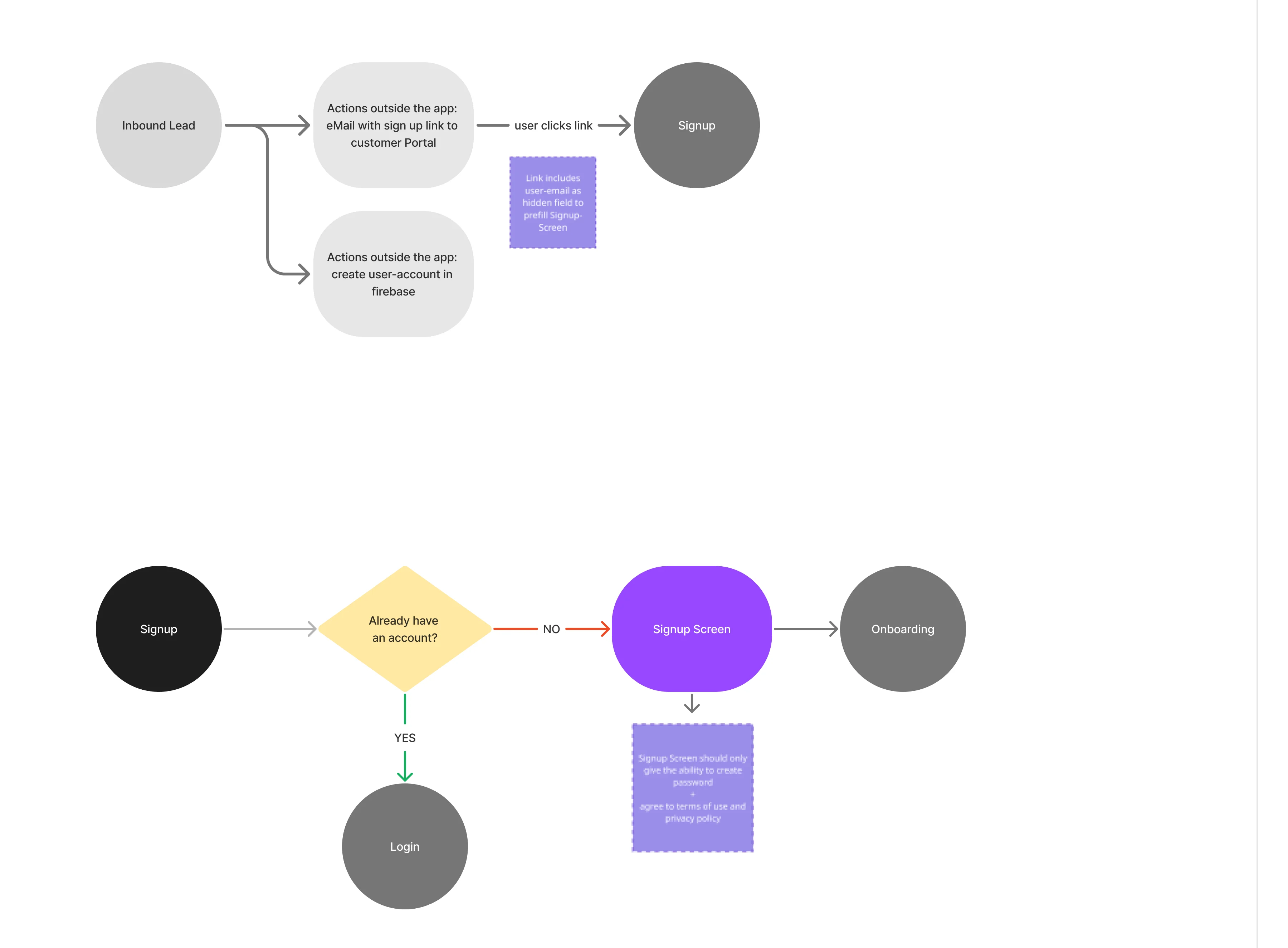
- Competitor analysis, then the information architecture and user flows
- Design
- Moodboards, two visual approaches, desktop and mobile wireframes, then the UI
- Languages
- German first, English as well
- Build
- The responsive frontend and Firebase sign-in, against heimWatt’s HubSpot adapter
- Rescue
- We rebuilt the frontend after a first implementation by another contractor fell short
- Handover
- Tested source code, UI exports, the Figma file and a design-system tutorial
The customer’s side of a heat-pump project
A homeowner meets the portal through an invitation and then returns to it at every step of the installation:
-
Invitation
- Magic-link sign-up
- Login and reset
-
Projects
- Heat pump
- Photovoltaics
-
Status
- Where the project stands
- What comes next
-
Quotes and documents
- Offers
- Project files
-
Profile
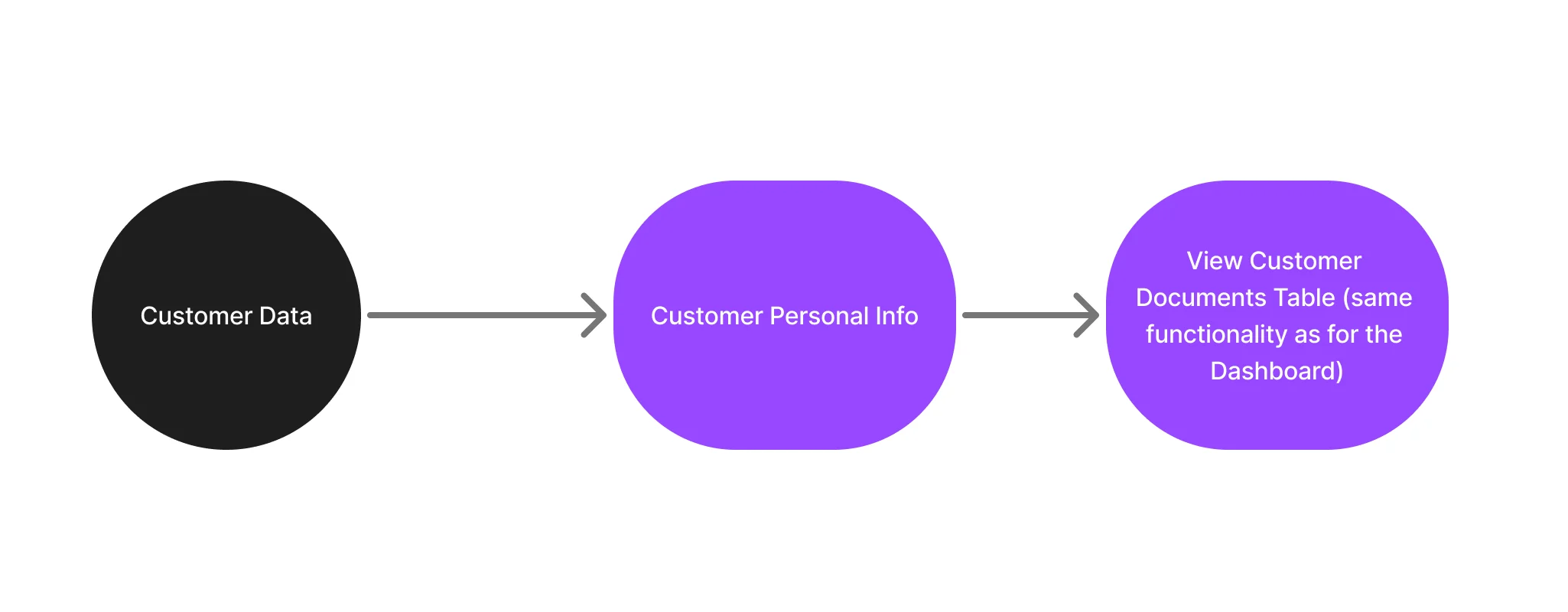
- Personal data
- Contact heimWatt
- CRM truth and customer language
- HubSpot stages mapped to statuses a homeowner understands, without the portal inventing its own.
- German and English
- Layouts that hold longer German words, with German as the default.
- Desktop and phone
- Every screen down to 375 pixels, not a desktop page squeezed.
Where the project stands, before anything else
- Found
- A homeowner opens the portal with one question: what’s happening with my installation?
- Decided
- Status and the next step first, then quotes and documents, then the project’s details.
- For the user
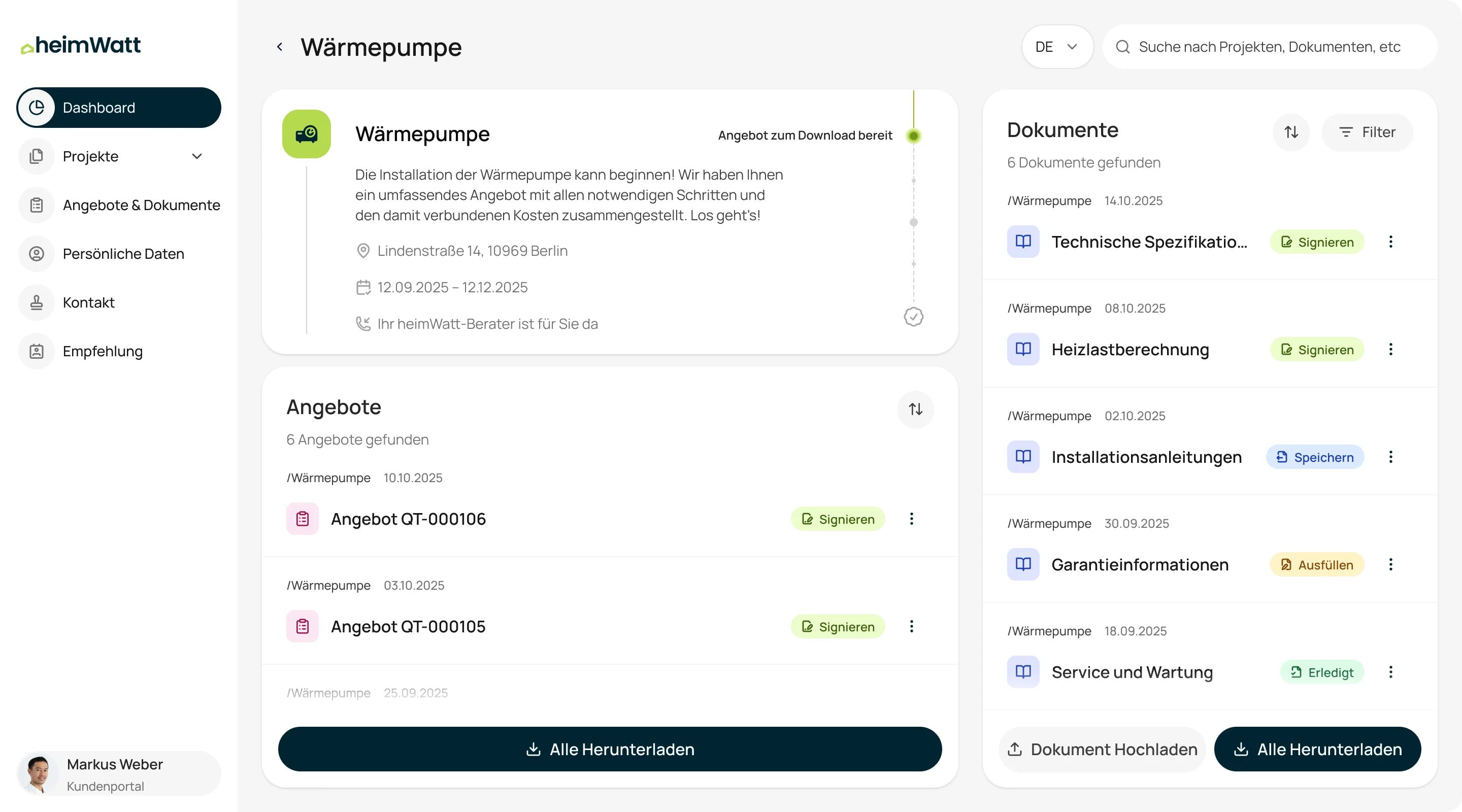
- The stage of the installation and what is waiting for the customer are on the first screen of every project.
-
Where it stands
The project, its stage on the timeline, the address, the dates and who to ask.
-
What it needs from you
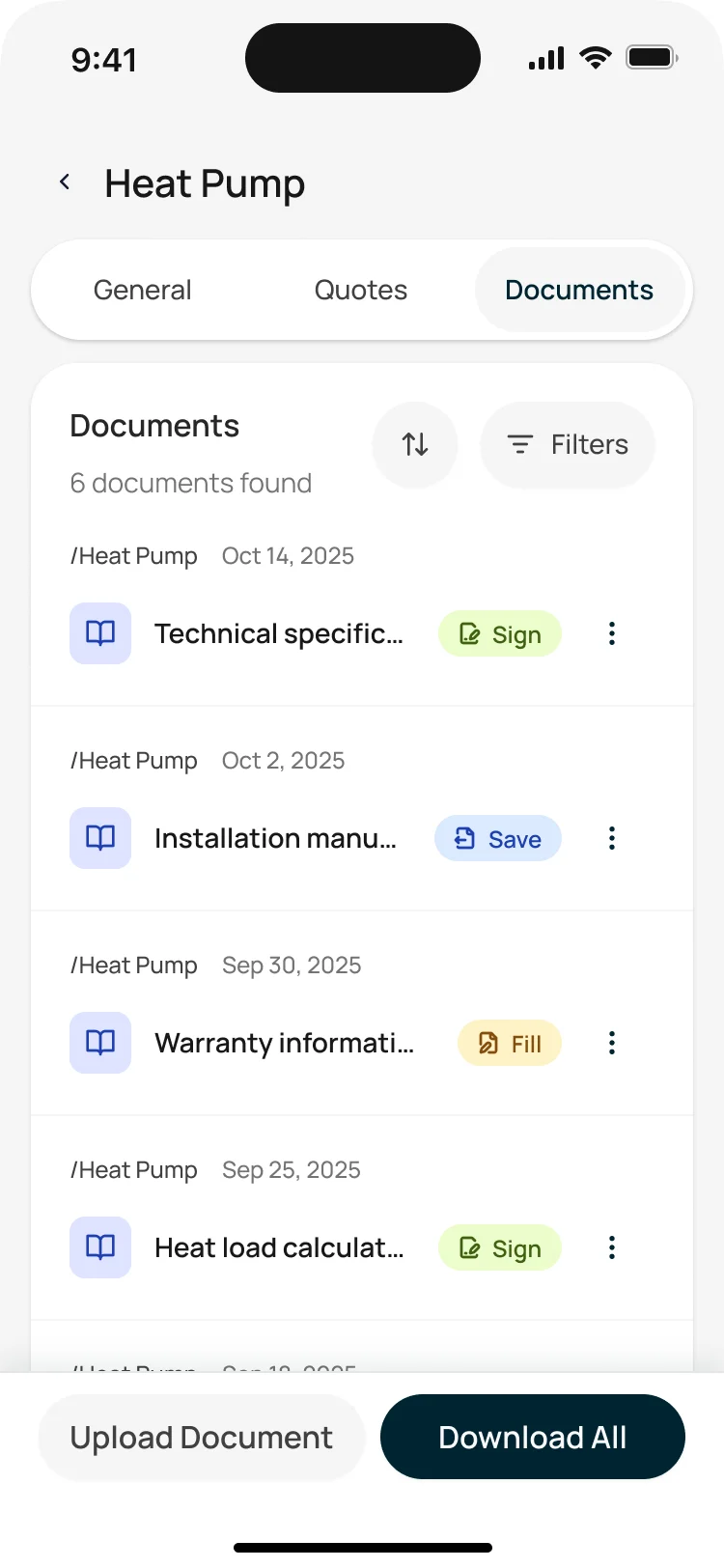
Quotes and documents, newest first, each marked with what it needs: sign, save or fill in.
From flows to a handed-over frontend
Phase 1, designed and built by the same team.
-
Research and IA
What customers need to see, and how the portal maps onto heimWatt’s CRM.
Artifact Competitor analysis, information architecture and user flows.
-
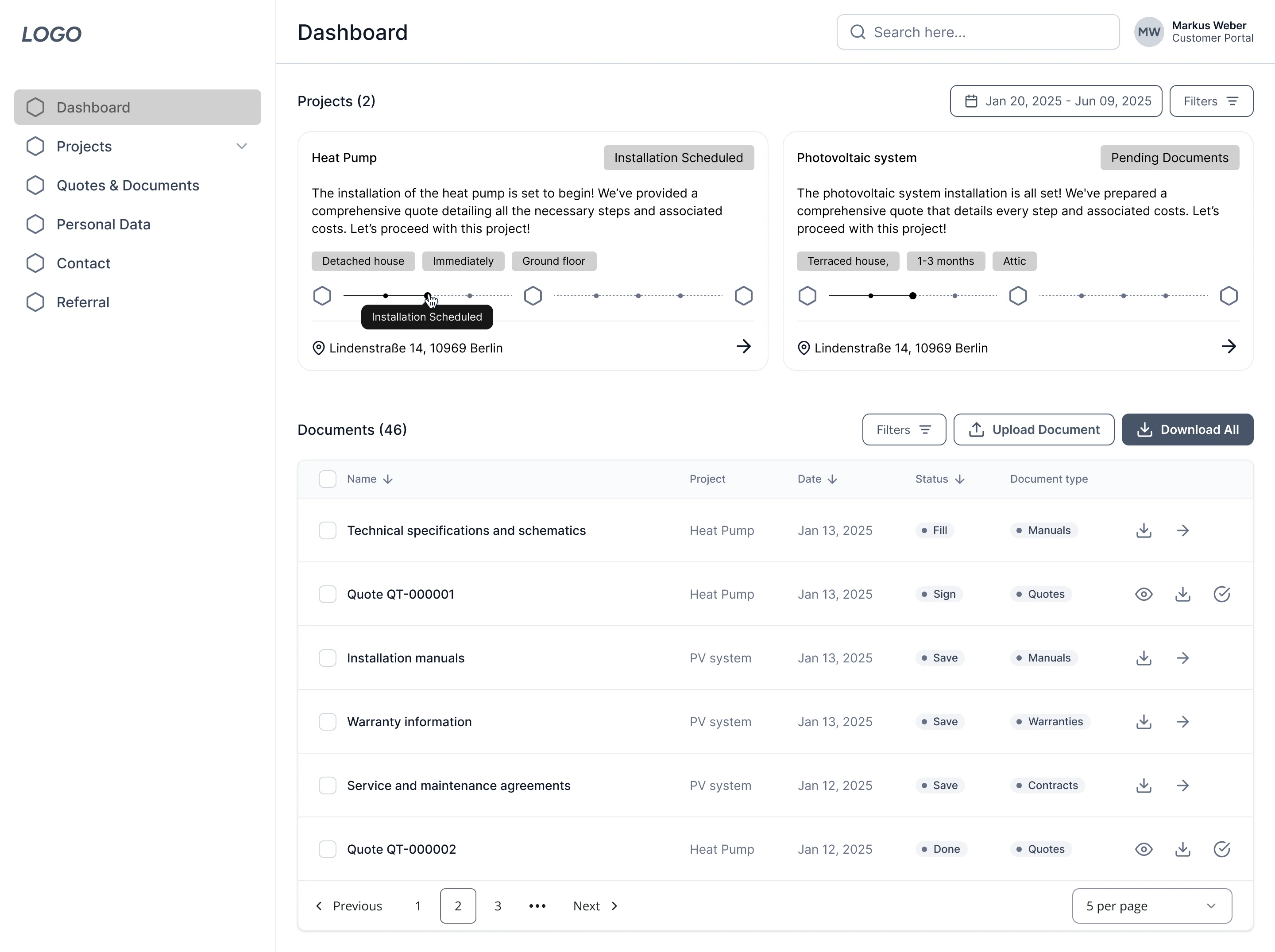
Wireframes
The dashboard, project pages and onboarding, on desktop and phone.
Artifact Desktop and mobile wireframes.
-
UI and design system
The look, from two approaches, and the components the frontend is built from.
Artifact Responsive UI in German and English, and the design system.
-
Frontend
A working portal on real CRM data, rebuilt after the first implementation.
Artifact The responsive frontend with Firebase sign-in and magic-link onboarding.
-
QA and handover
What heimWatt’s team needs to run and extend it.
Artifact QA and fixes, source code, UI exports, the Figma file and a design-system tutorial.
An invitation, then one place for every project
- Found
- Customers arrive from an email, not from a sign-up page, and may have more than one project.
- Decided
- Invitation-based onboarding into a dashboard of the customer’s projects, each opening to its own status, quotes and documents.
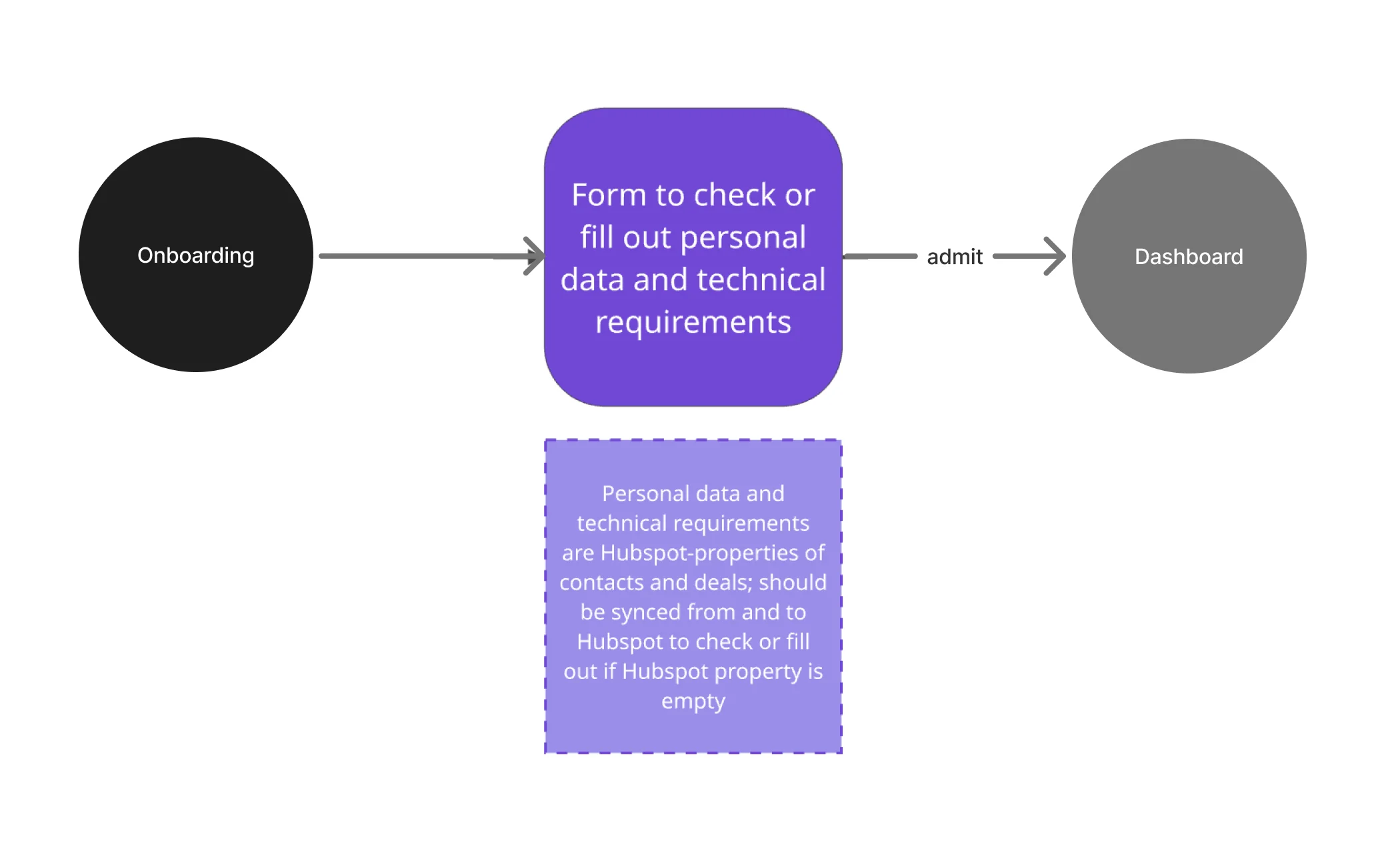
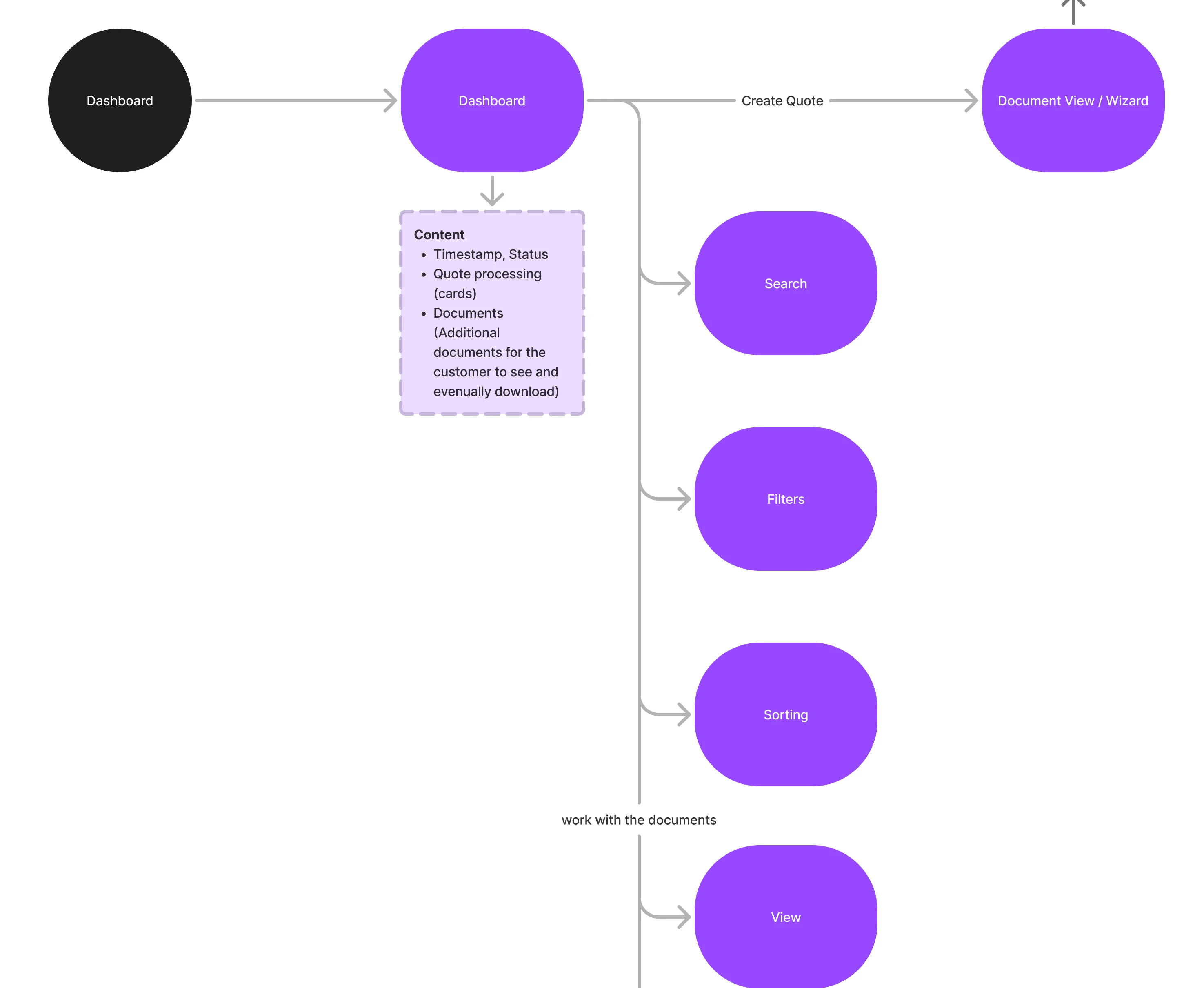
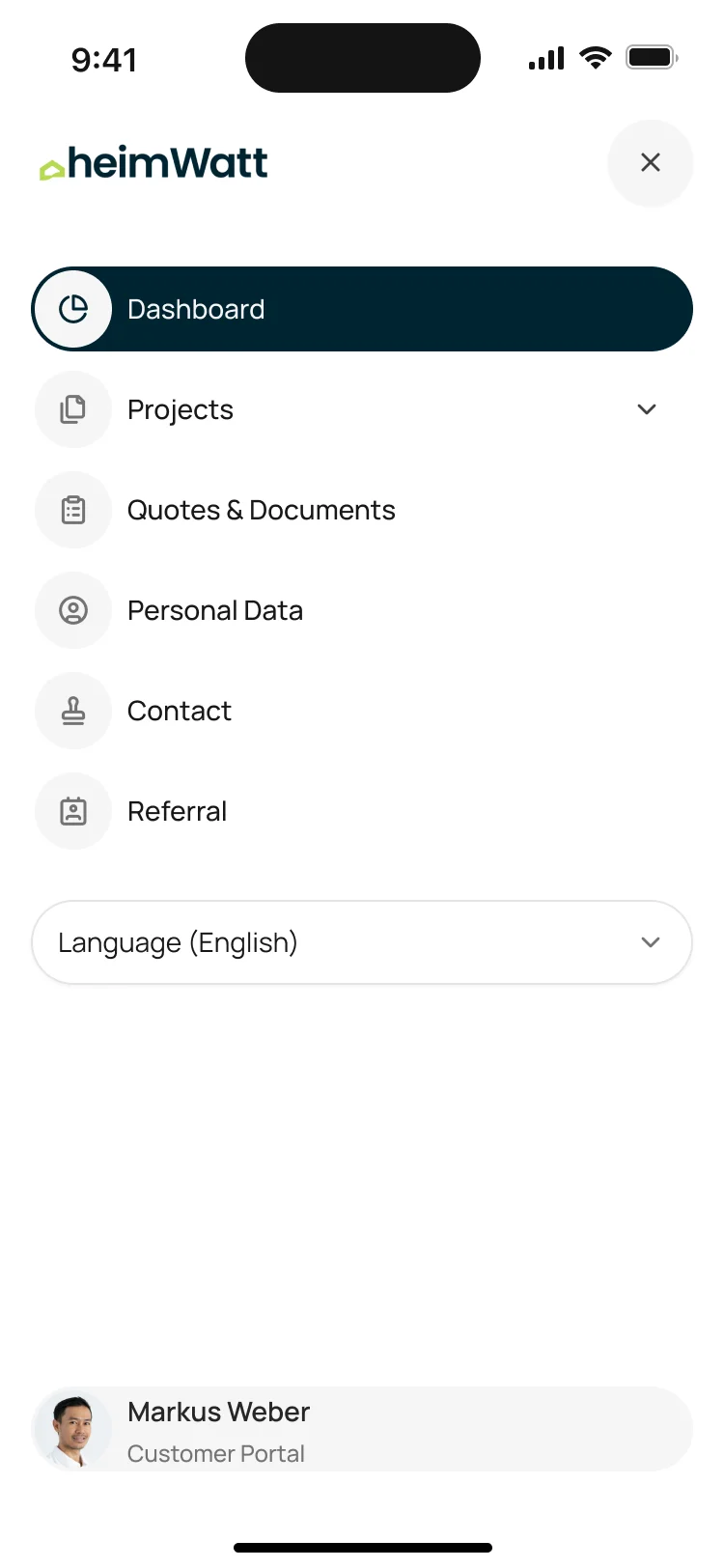
What a heimWatt customer does in the portal
In the order a customer meets it.
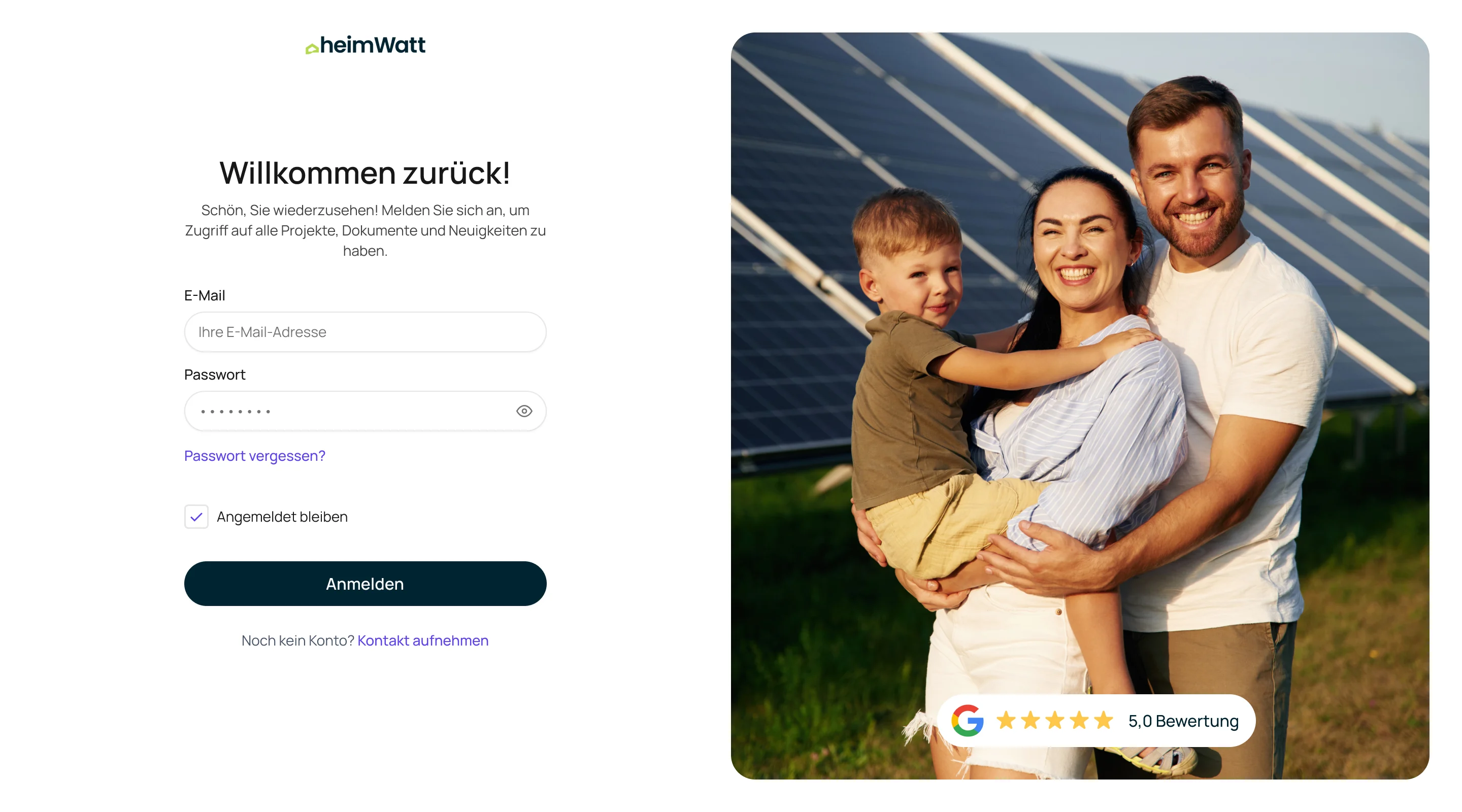
Invitation and sign-in
- Found
- Accounts belong to existing CRM contacts, not to anyone who signs up.
- Decided
- A magic-link invitation tied to the customer’s record, then a normal login and reset; open sign-up became a Contact Us route.
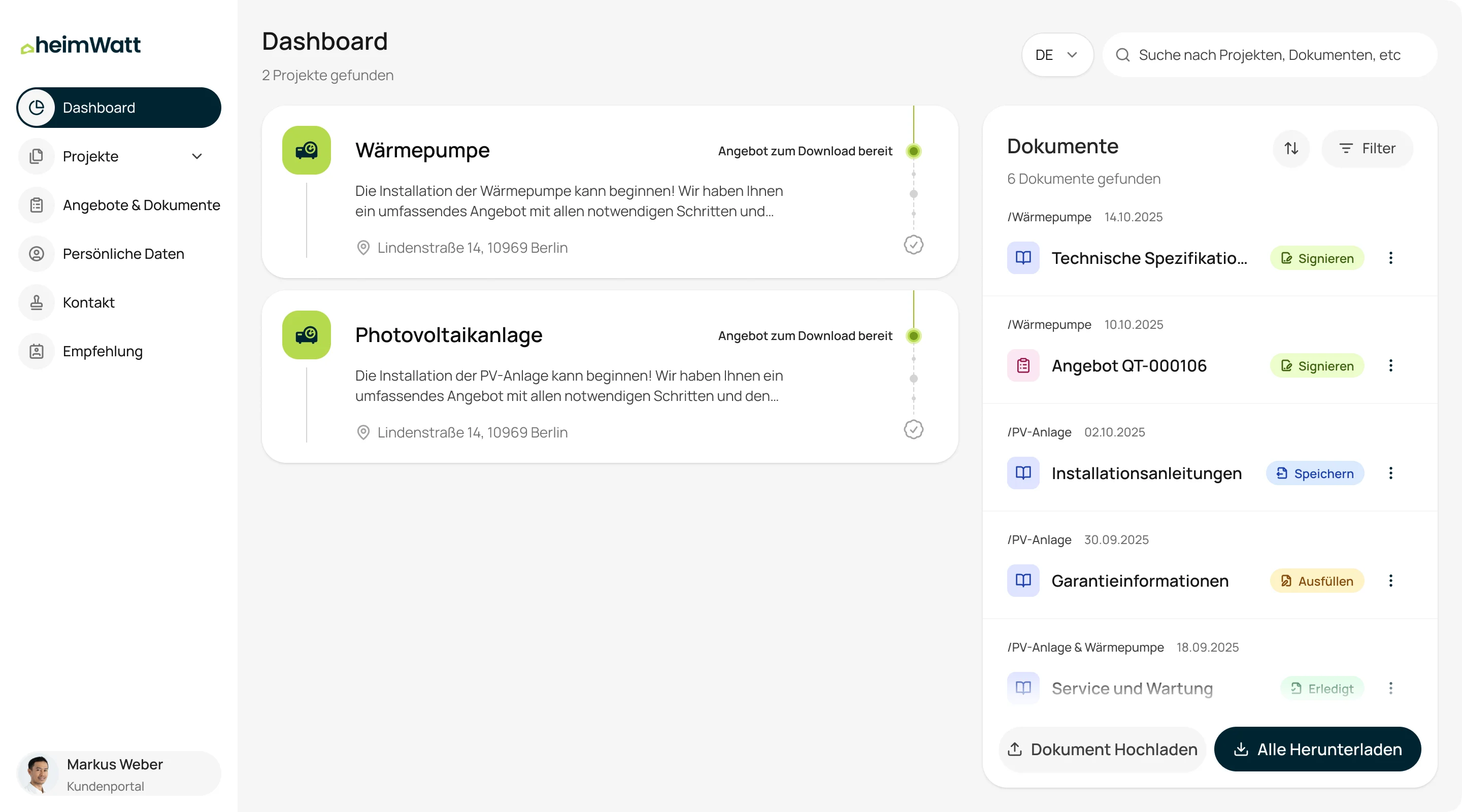
Project status
- Found
- Installations run for months with long quiet stretches.
- Decided
- Each project shows its stage and what comes next, in the customer’s words.
Quotes and documents
- Found
- Offers and files were scattered across emails.
- Decided
- One list per project, with each document’s type, date and the action it needs.
Profile and contact
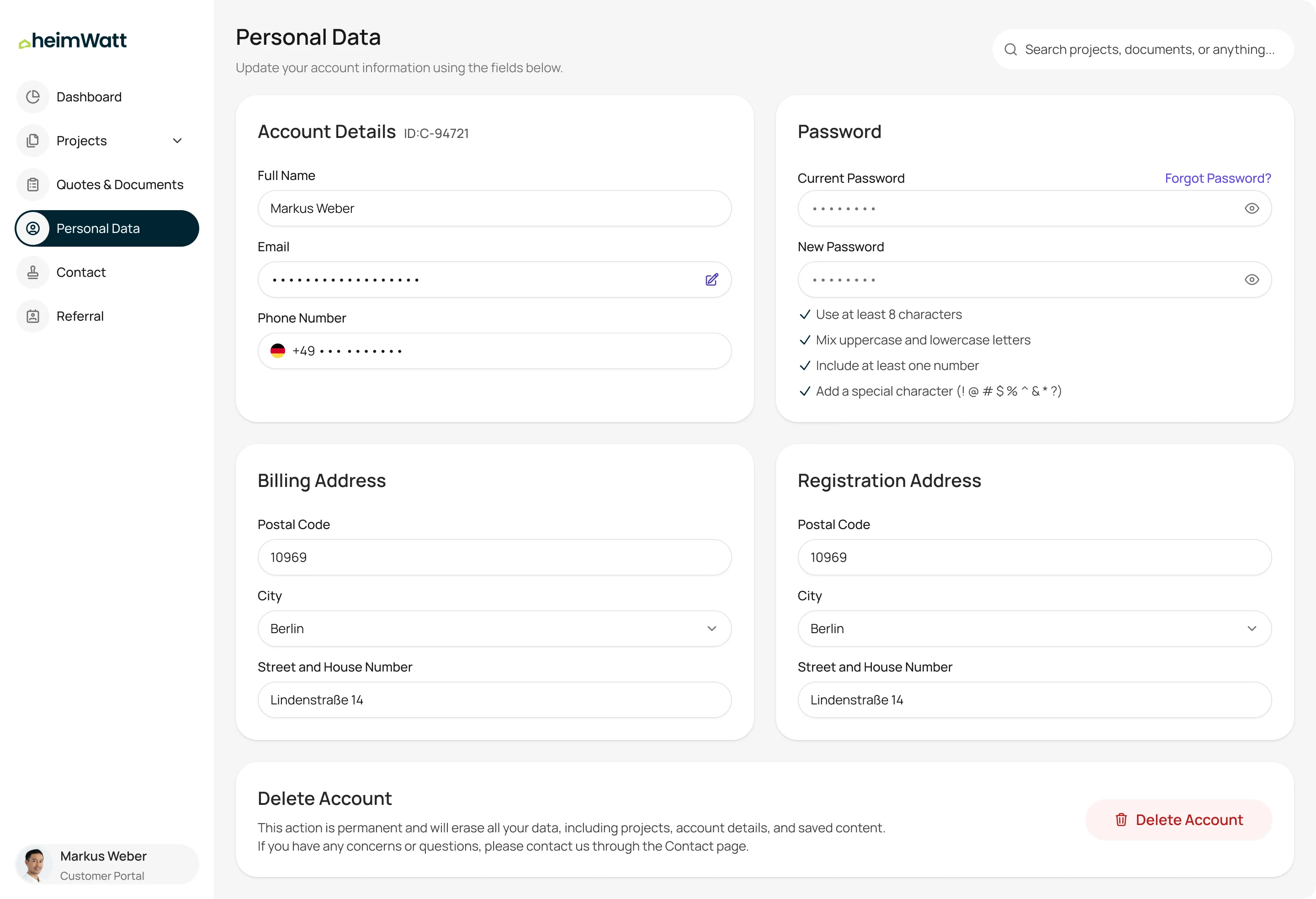
- Found
- Customers need to check their details and reach a person.
- Decided
- Personal data to view, and one clear route to heimWatt.
A small system, ready for a second language
- Found
- German labels run long, and the frontend needed components it could build once.
- Decided
- A simple design system for navigation, project cards, documents, buttons, fields, selectors and progress, sized for German.
Two components carry the portal
Every project is the same card, and every quote or file is the same row, on the dashboard and on the project page.
-
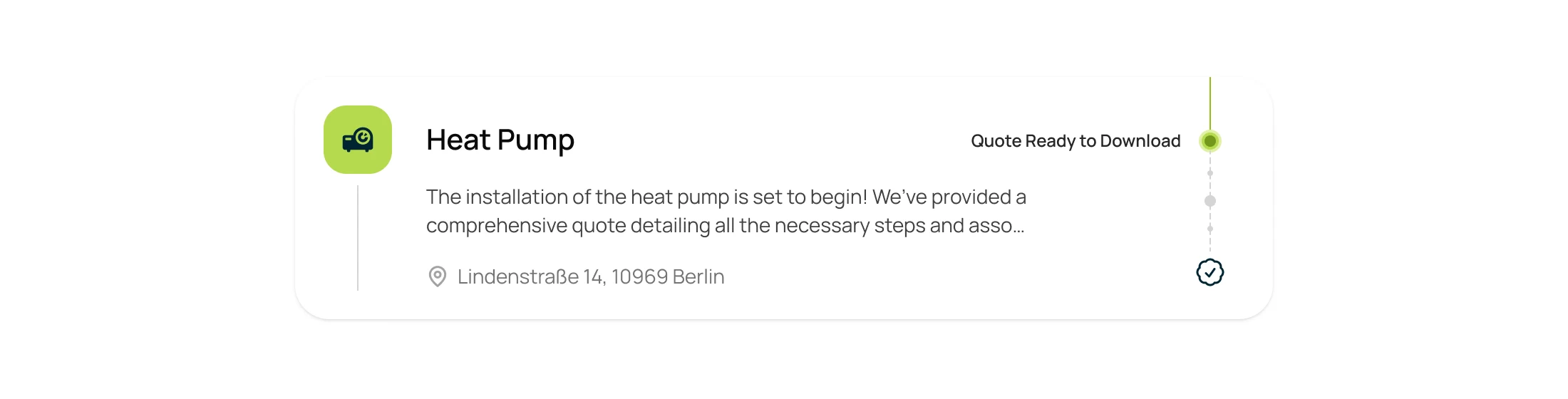
Project card: The kind of project, its status, a short note and the address, with the timeline beside it. -

Document row: Project, date, the document and the one thing it needs from the customer.
Nine statuses a document can be in
Each tells the customer what to do or what already happened: sign, save, fill in, or done.
-

Document statuses
Handed over to run without us
heimWatt received everything its team needs to operate and extend the portal.
- Source code
- The tested frontend
- Figma file and UI exports
- The design, German and English
- Design-system tutorial
- How to extend the components
Flows in the handoff
- Moodboards and UI styles
- Wireframes
- Portal UI: invitation, project status, quotes, documents and profile
- Prototypes for desktop and phone, in German and English
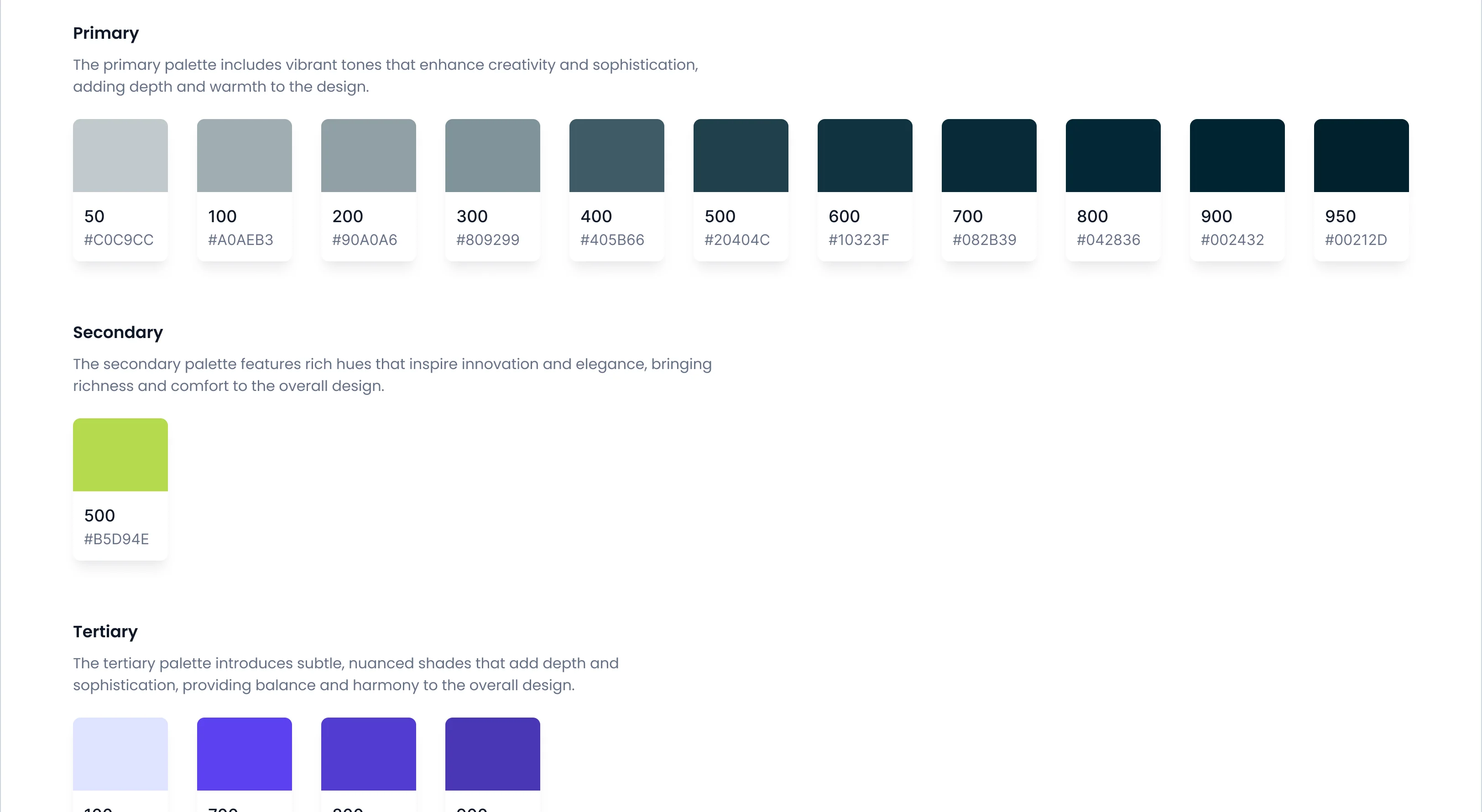
- Design system: colours and components to extend
A portal designed, built and handed over
Phase 1 was completed and handed over: the design, the tested frontend source, the Figma file and a tutorial for the design system.
- languages, German first
- 2
- team for design and frontend
- 1
Customers calling to ask where their project stands?
Tell us what your CRM knows and what your customers keep asking. We’ll design and build the portal between them.
More work like this
Other products built around a long job and more than one side
-
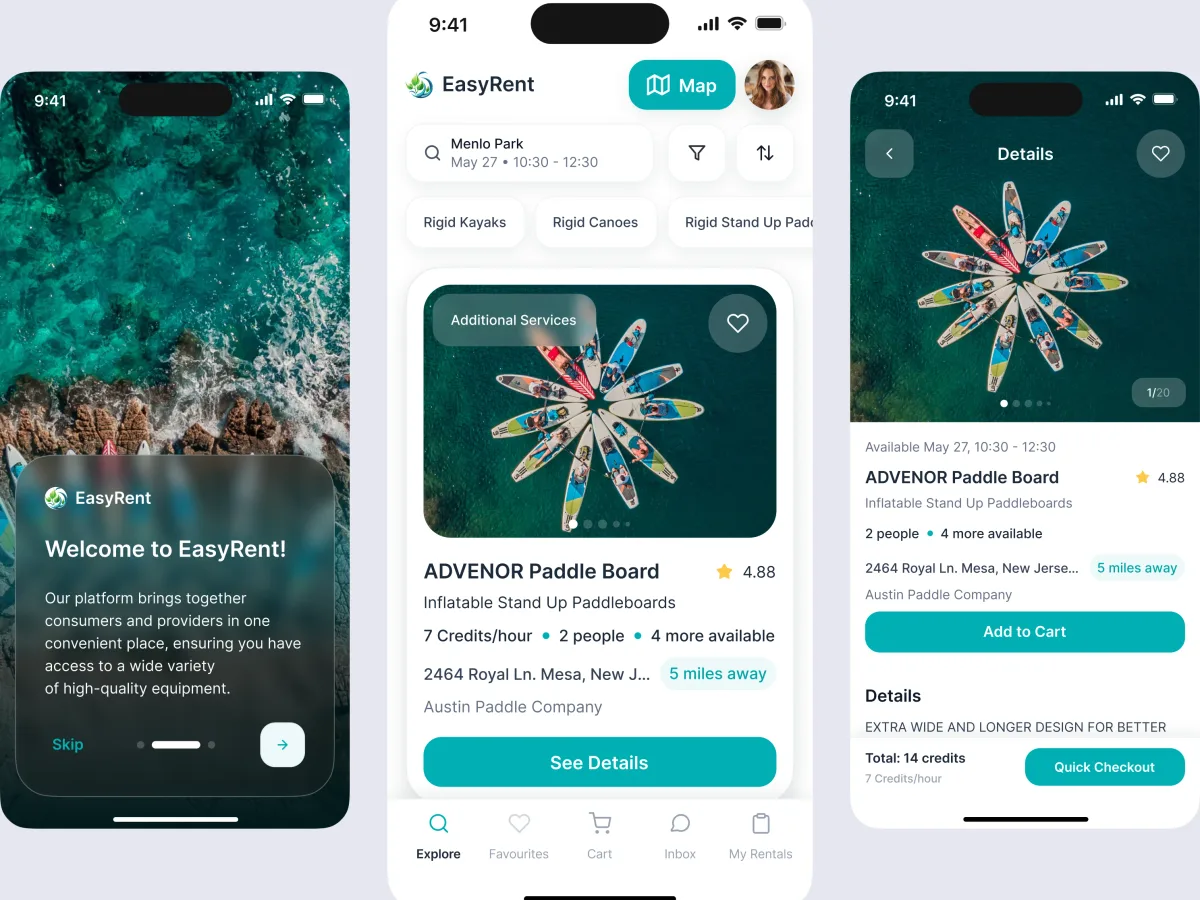
Marketplace design · Water sports
EasyRent
Designed a rental marketplace for renters, suppliers and admins, and built it to launch.
- 3 User roles — renters, suppliers and administrators
- Mobile + web Consumer journeys and marketplace management
-
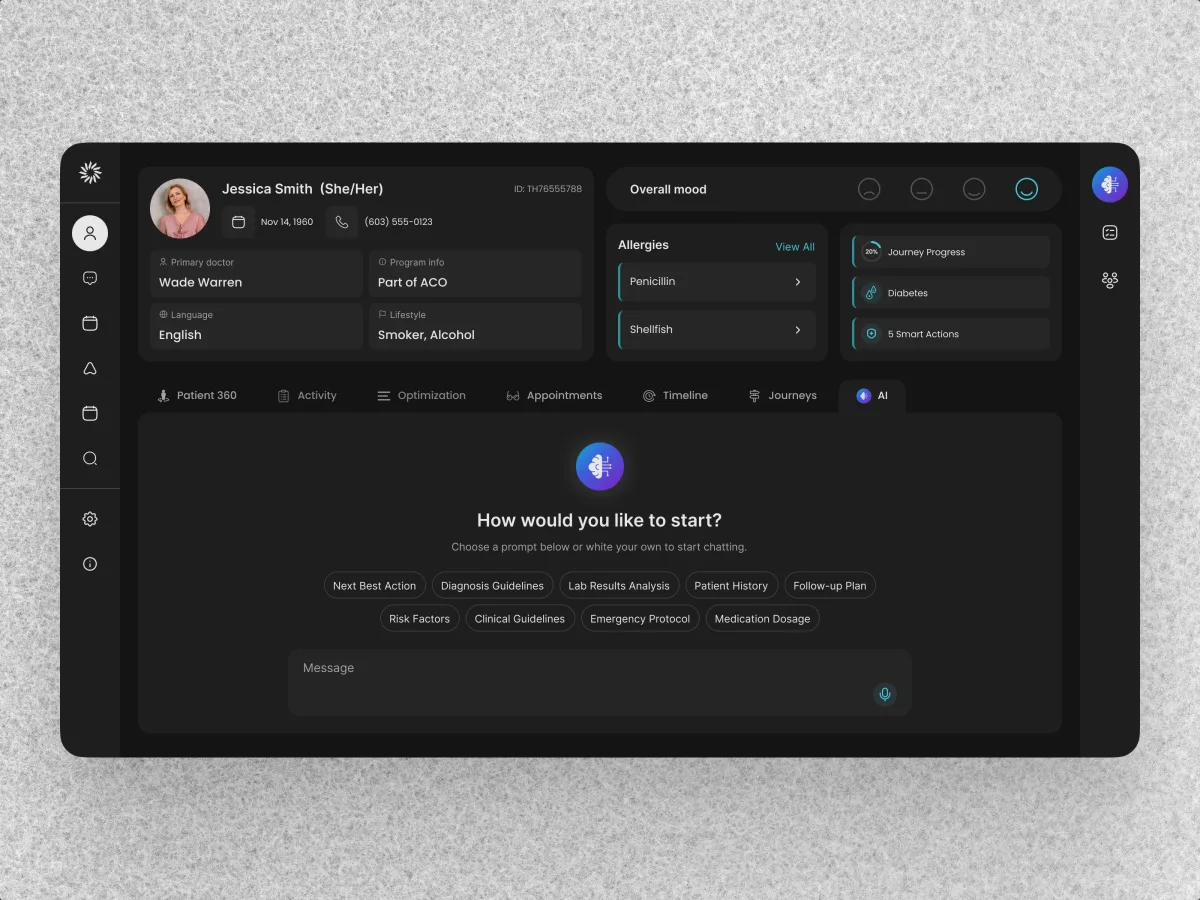
HealthCare · AI SaaS · Web + Mobile
Clay
Redesigned a care-team CRM and designed its patient app on the same system.
- 342 Unique screens
- 5 Experts on the team
-
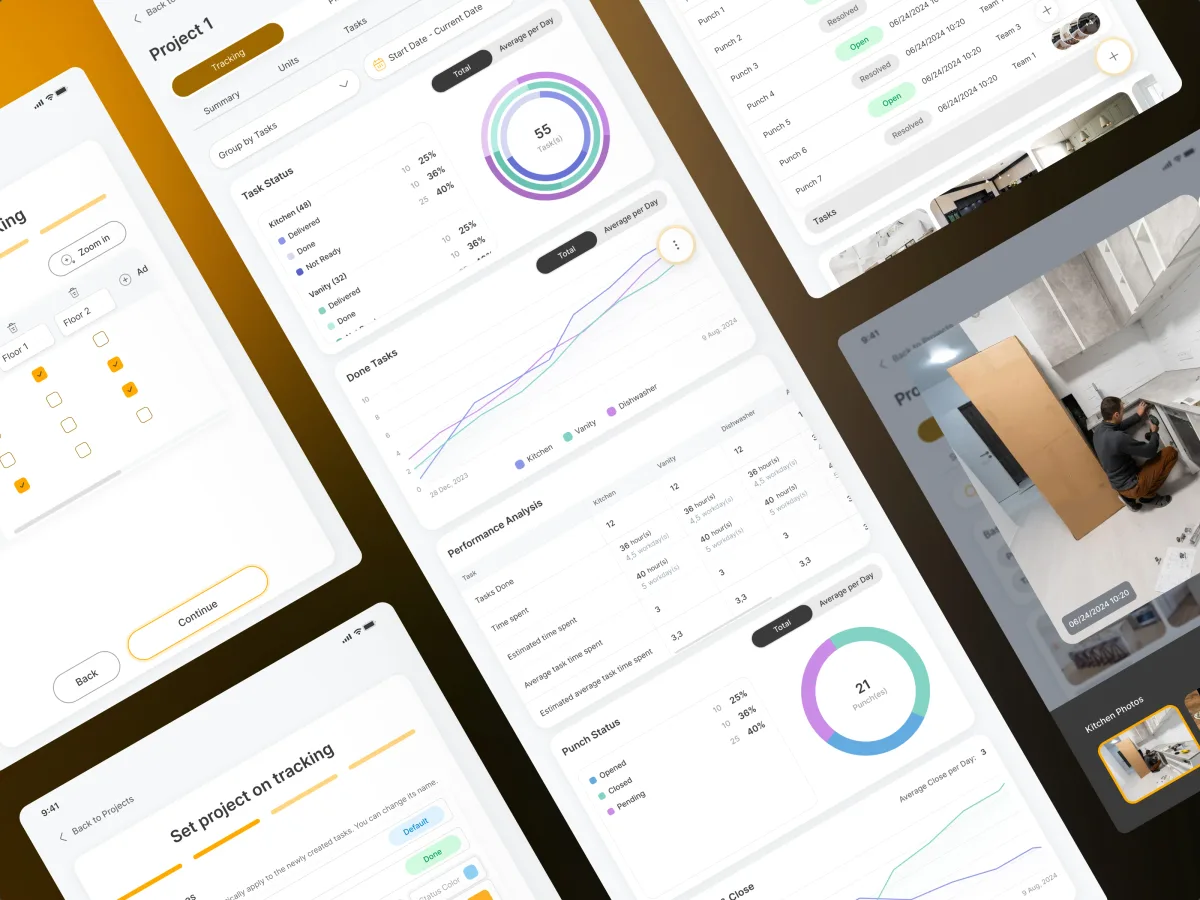
PropTech · Construction · Tablet app
Cabinit
Designed a tablet app that follows a kitchen installation from the office to the customer.
- 250 Unique screens
- 4 Experts on the team