
Live zoo streaming, and the cameras behind it
ZooPlus lets subscribers watch live and recorded streams from zoo habitats.We designed it from zero for viewers and zoo staff, and built its landing.
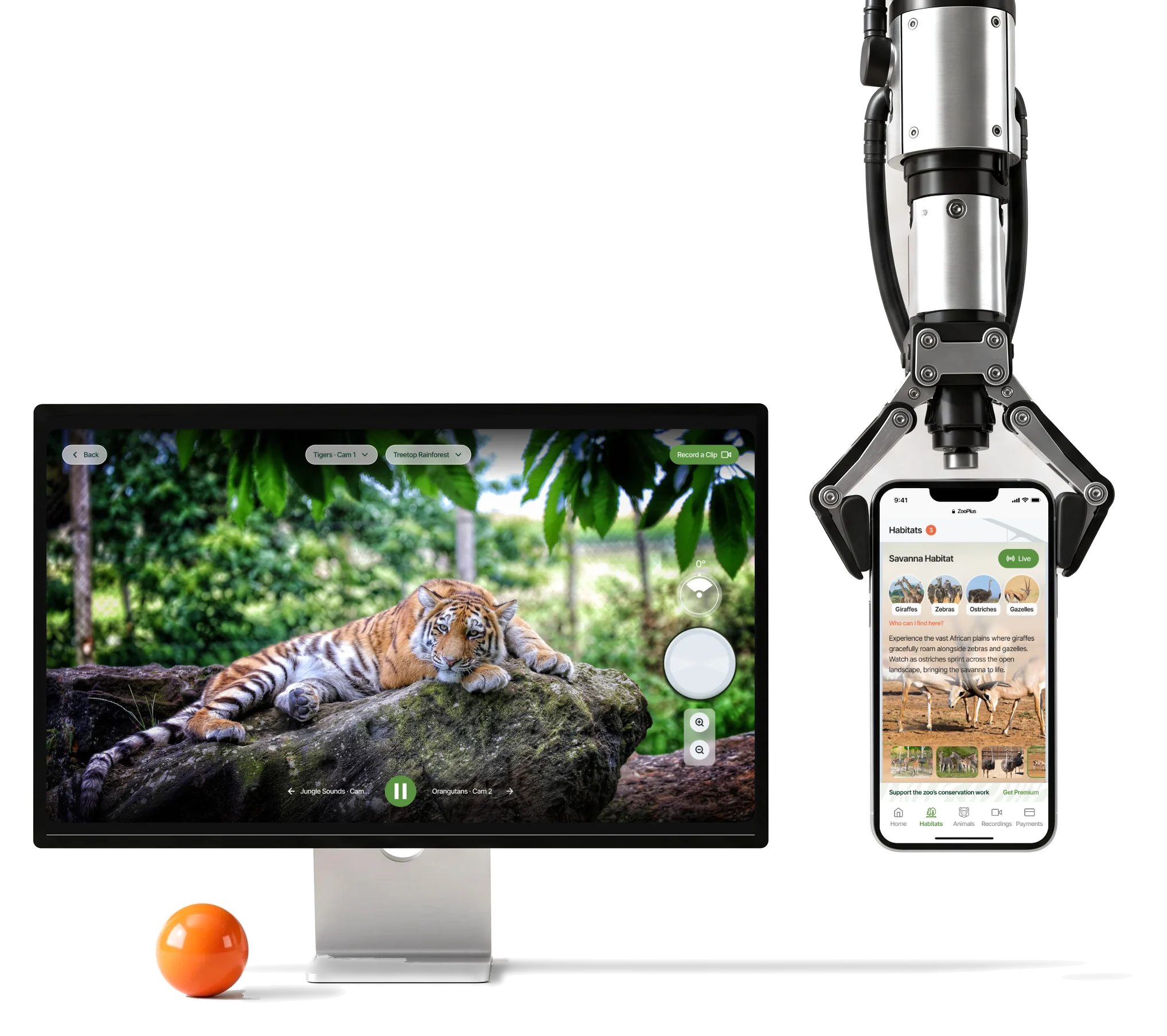
- 3
- roles viewer, Zoo Admin and Super Admin, in one system
- 3
- screen sizes the viewing side on desktop, tablet and phone
- Webflow
- landing structured, written and built by us on a chosen template
Project summary
ZooPlus is a subscription platform for live and recorded animal streams from zoo habitats, founded by Marc Billings. Viewers and teachers browse habitats and animals; the zoo’s staff manage the cameras, habitats, recordings and clips behind it. We designed the product from zero for all three roles, on one design system extending Untitled UI, and built the marketing landing in Webflow .
How we worked together
- Start
- The information architecture: every role, what it sees and what it can change
- Roles
- Viewers and teachers, Zoo Admins, and a Super Admin over the cameras
- Surfaces
- The web product at desktop, tablet and phone sizes, and a Webflow marketing landing
- Scope
- Focused on the first zoo and trimmed as the budget changed, on Untitled UI foundations and a Webflow template
- Delivery
- Flows, wireframes, screen maps, a clickable prototype, the UI and the design system, handed to the developers
- Tools
- Figma, FigJam, Untitled UI, Webflow
One zoo, two sides of the glass
A viewer meets the zoo through its habitats and animals; the staff meet it through cameras and clips. The same things, named and grouped differently for each side:
-
Onboarding
- Sign-up and login
- Password recovery
-
Habitats
- Who lives there
- What’s live now
-
Animals
- Each animal’s story
- Where to watch it
-
Live stream
- The feed
- The next camera
-
My Recordings
- Saved clips
- Private or shared
- Live and recorded
- Recordings fill the quiet hours without being mistaken for the live feed.
- Viewer and operator
- One data model, told as habitats and animals to viewers and as cameras and clips to staff.
- Zoo Admin and Super Admin
- Each admin level sees and changes only its own part, so the wrong feed is never exposed.
The stream first, everything else at its edges
- Found
- A live feed can be busy, quiet or offline. Titles, pickers and controls compete with the one thing people came for.
- Decided
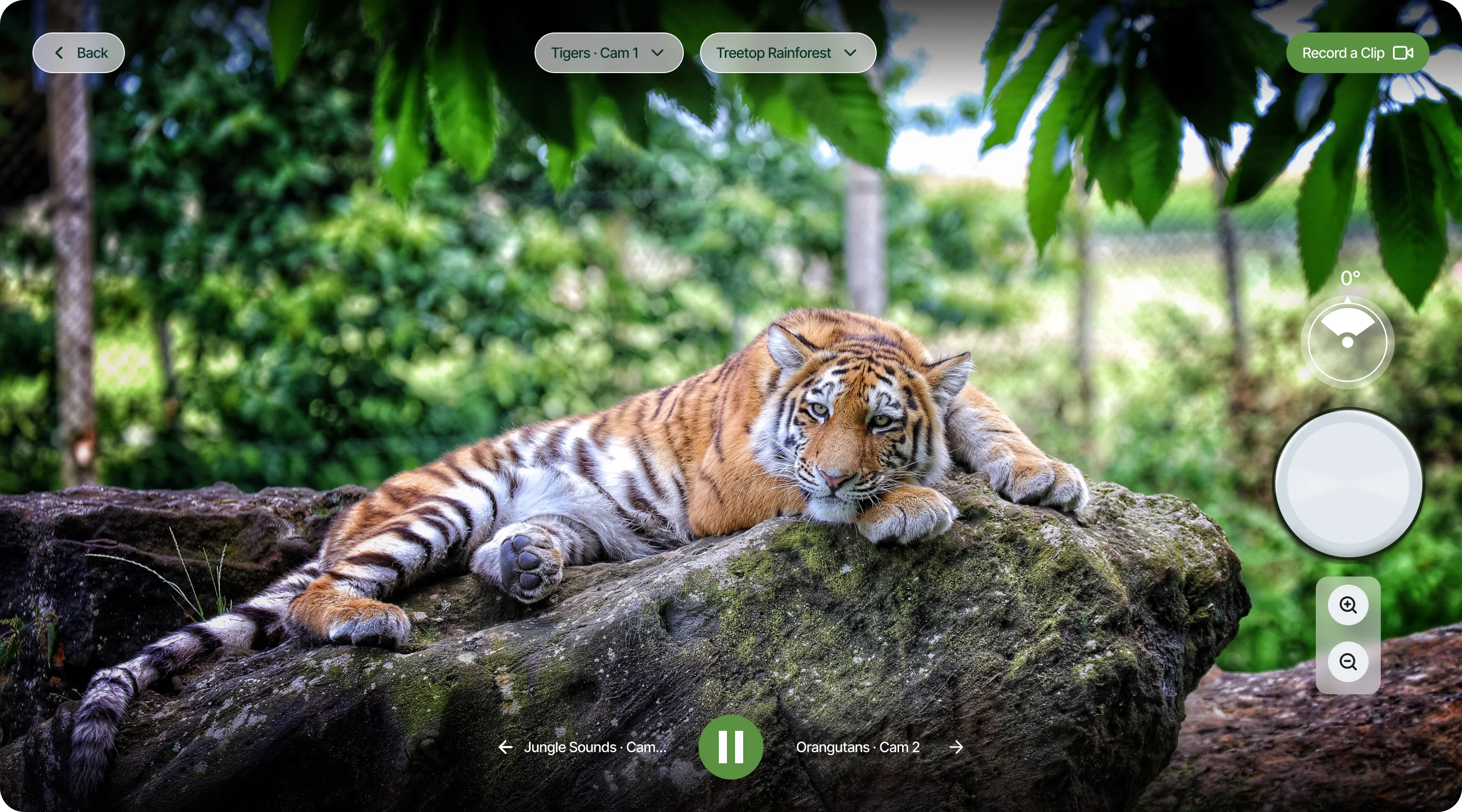
- The picture fills the screen; where you are sits in a thin row on top, the view controls at the side, the next camera at the bottom.
- For the user
- A viewer always knows which camera and habitat they are watching, and where the next one is, without the picture being covered.
-
Where you are
The camera, the habitat, a way back and Record a Clip, in one thin row.
-
The feed
The picture, edge to edge, with the view controls kept to its side.
-
What’s next
The neighbouring cameras on either side of pause.
From a camera list to a product people watch
Each phase settled one layer, and the scope stayed on the first zoo as the budget changed.
-
Information architecture
Who the product is for and which roles exist: viewers and teachers on one side, Zoo Admins and a Super Admin on the other.
Artifact The information architecture board: every role’s areas and what each can change.
-
User flows
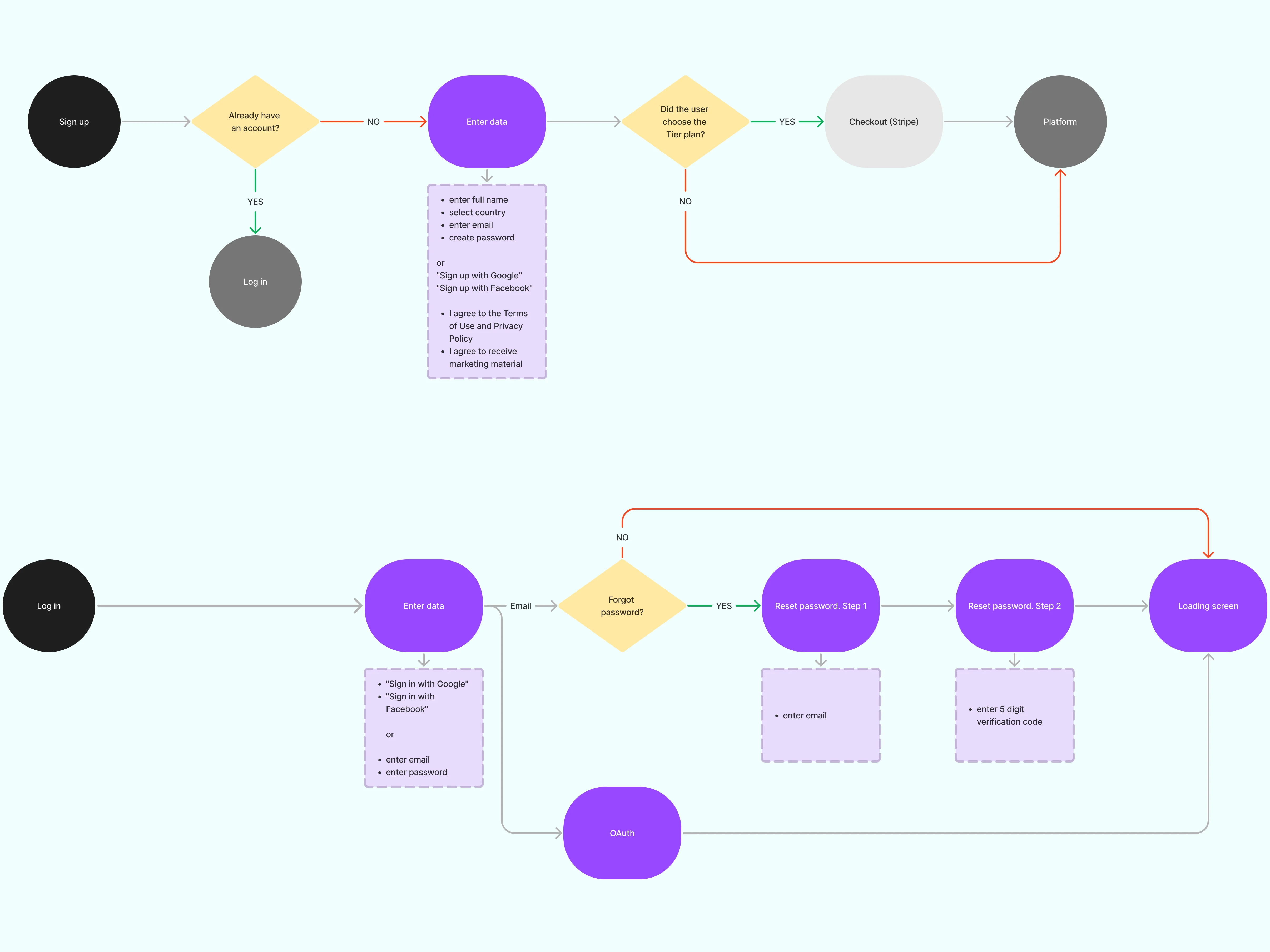
Each role’s journeys, from sign-up to a live stream, and from adding a camera to sharing a clip.
Artifact User flows for viewers, Zoo Admins and the Super Admin.
-
Wireframes
Where the video sits, and what the player, habitat pages and admin tables hold, before any style.
Artifact Desktop wireframes for the three role contexts, and role-based screen maps.
-
Visual directions
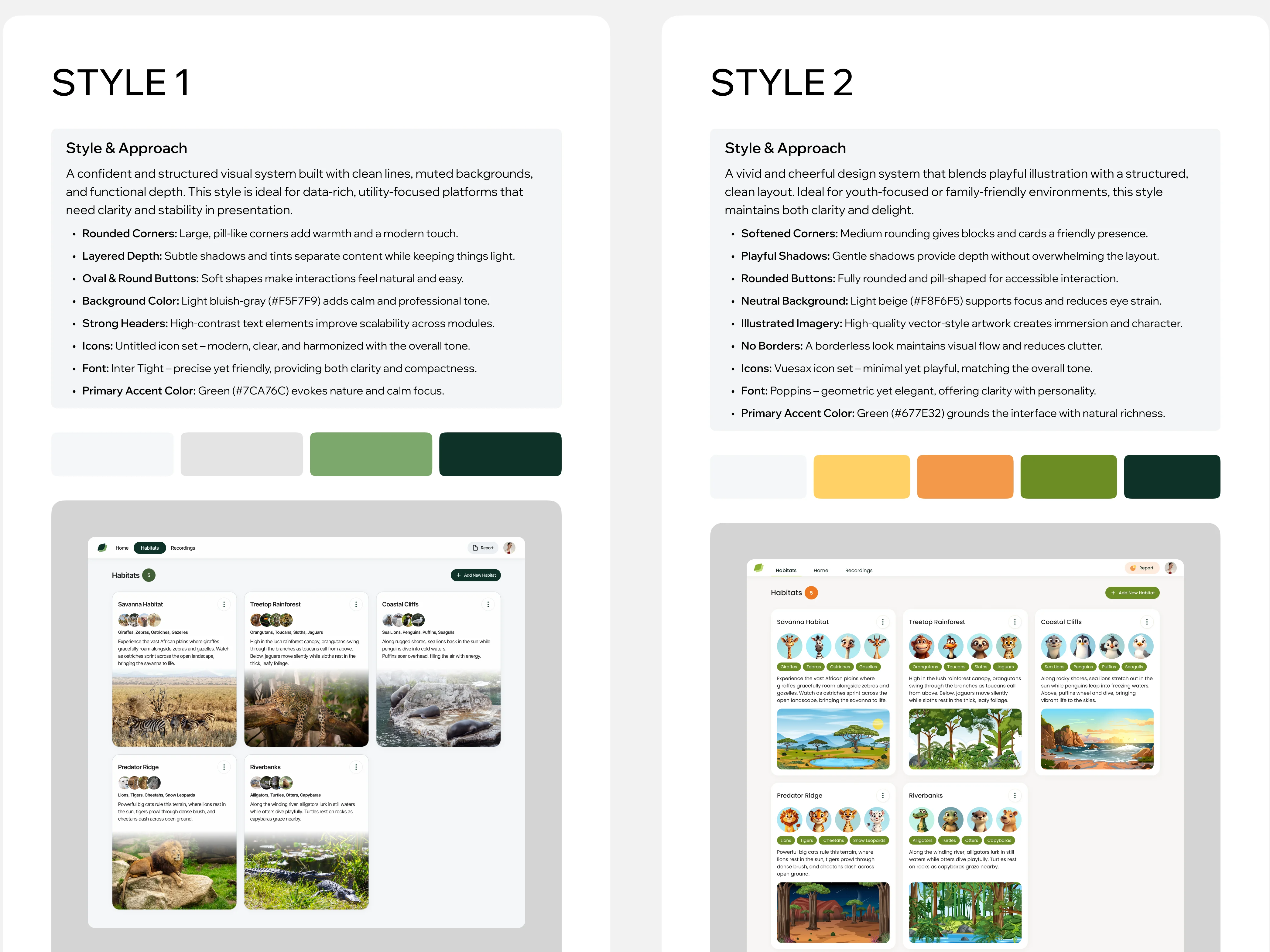
The look, from moodboards and two directions tried on the same two screens.
Artifact Two style boards: a muted photo-based style and a cheerful illustrated one.
-
UI and design system
Every role’s screens in the chosen style, and the viewing side at tablet and phone sizes.
Artifact High-fidelity UI, tablet and phone adaptations, a clickable prototype and the design system on Untitled UI.
-
Landing page
How a visitor learns what ZooPlus is before paying for it.
Artifact The landing’s structure, copy and images, built in Webflow on a chosen template.
-
Handoff
What the developers needed to build the product.
Artifact Flows, screen maps, the prototype, the UI and the design system.
Three roles, three ways into the same zoo
- Found
- Viewers, Zoo Admins and the Super Admin all touch the same cameras and habitats, but each needs a different door and a different set of rights.
- Decided
- One model underneath; each role gets its own menu, and the viewer’s is named after what people come to see.
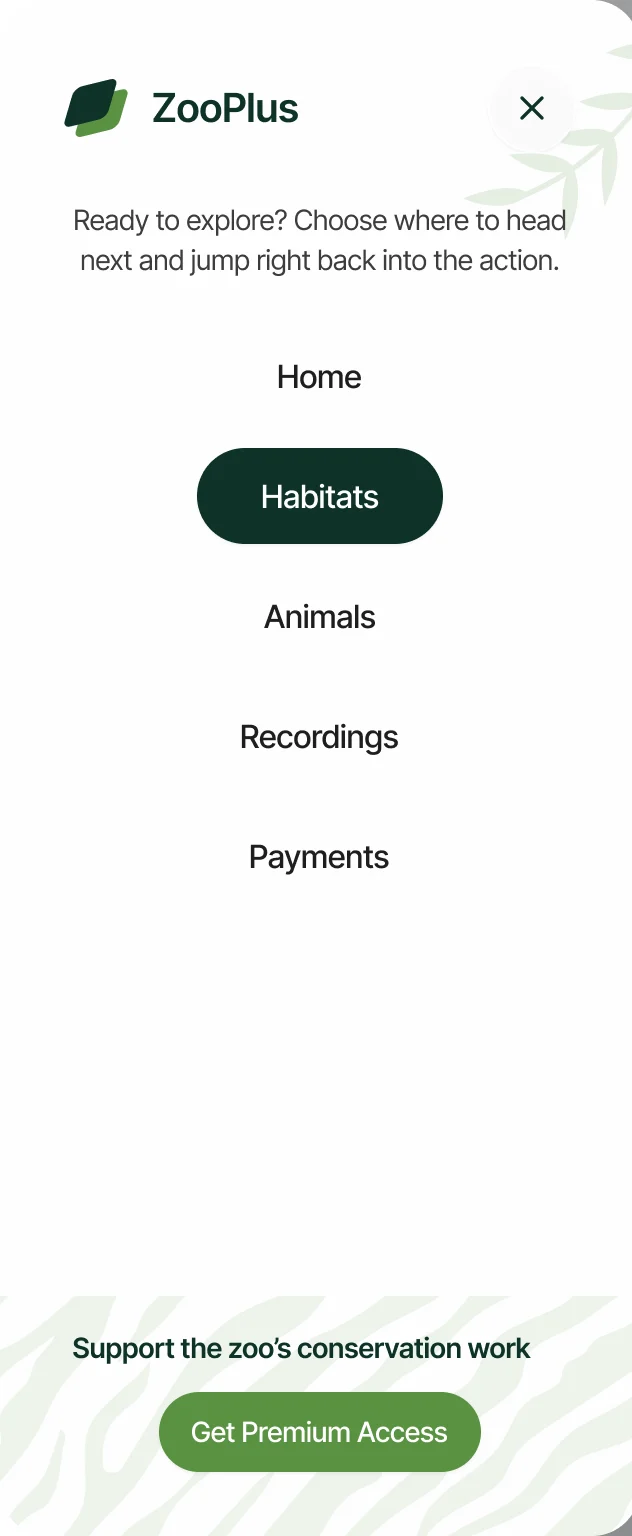
What viewers and staff do in ZooPlus
Viewing first, in the order a subscriber meets it, then the admin work that keeps it running.
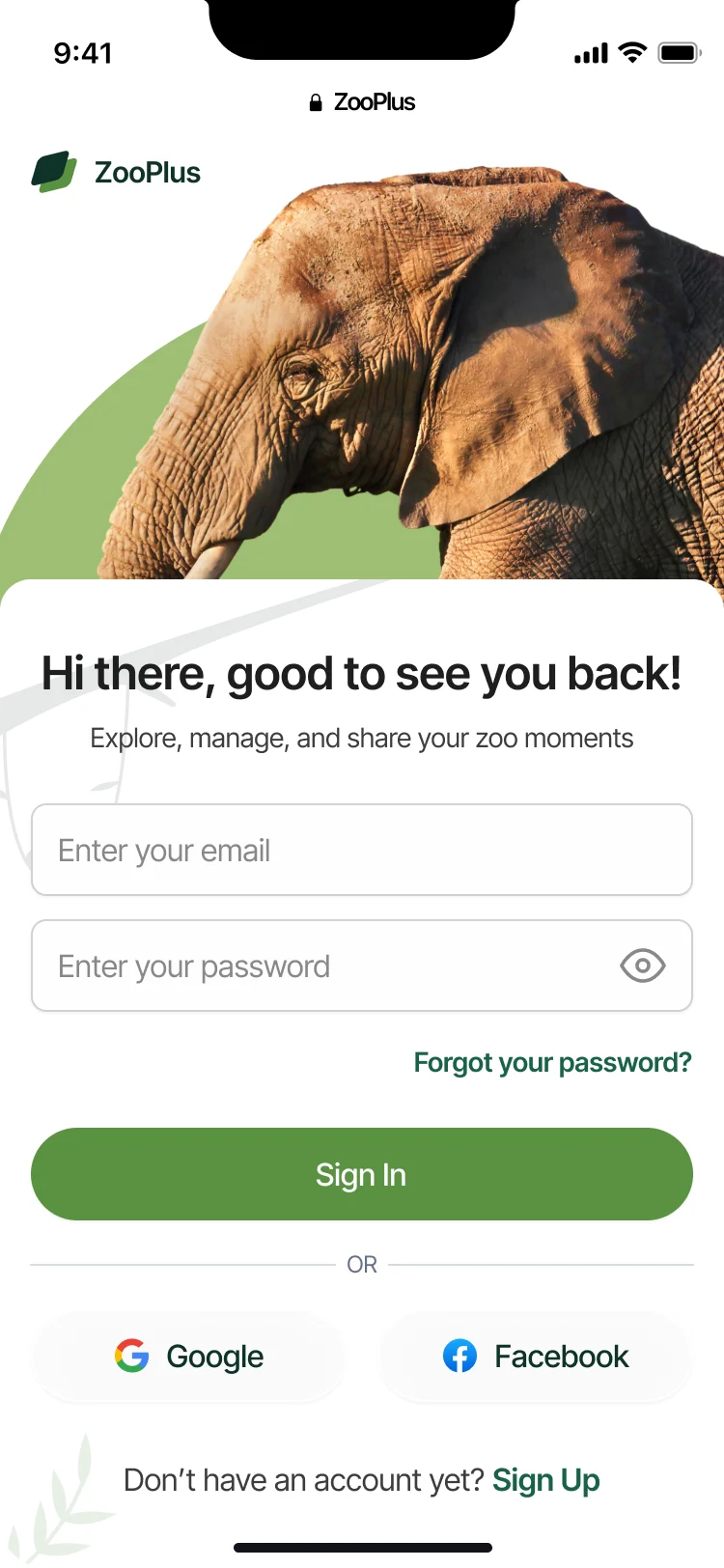
Sign-in
- Found
- Paid access depends on animals and cameras the viewer can’t control; the door in shouldn’t add to that.
- Decided
- A short sign-in with email or Google and Facebook, recovery one tap away, and sign-up linked below.
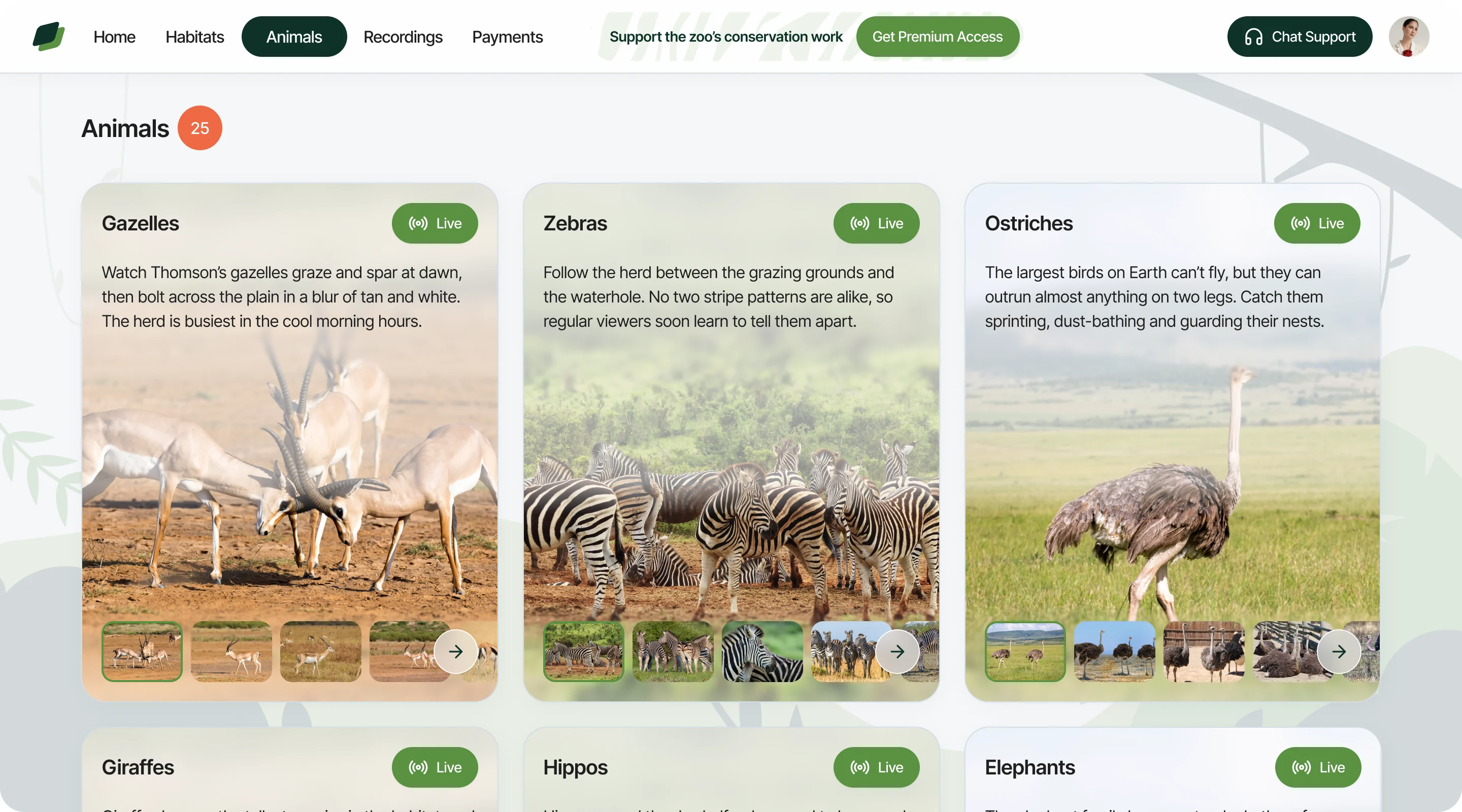
Animals
- Found
- People come for an animal, not a camera number.
- Decided
- Every animal gets its own live card with a short story and photos, and leads to the cameras where it can be seen.
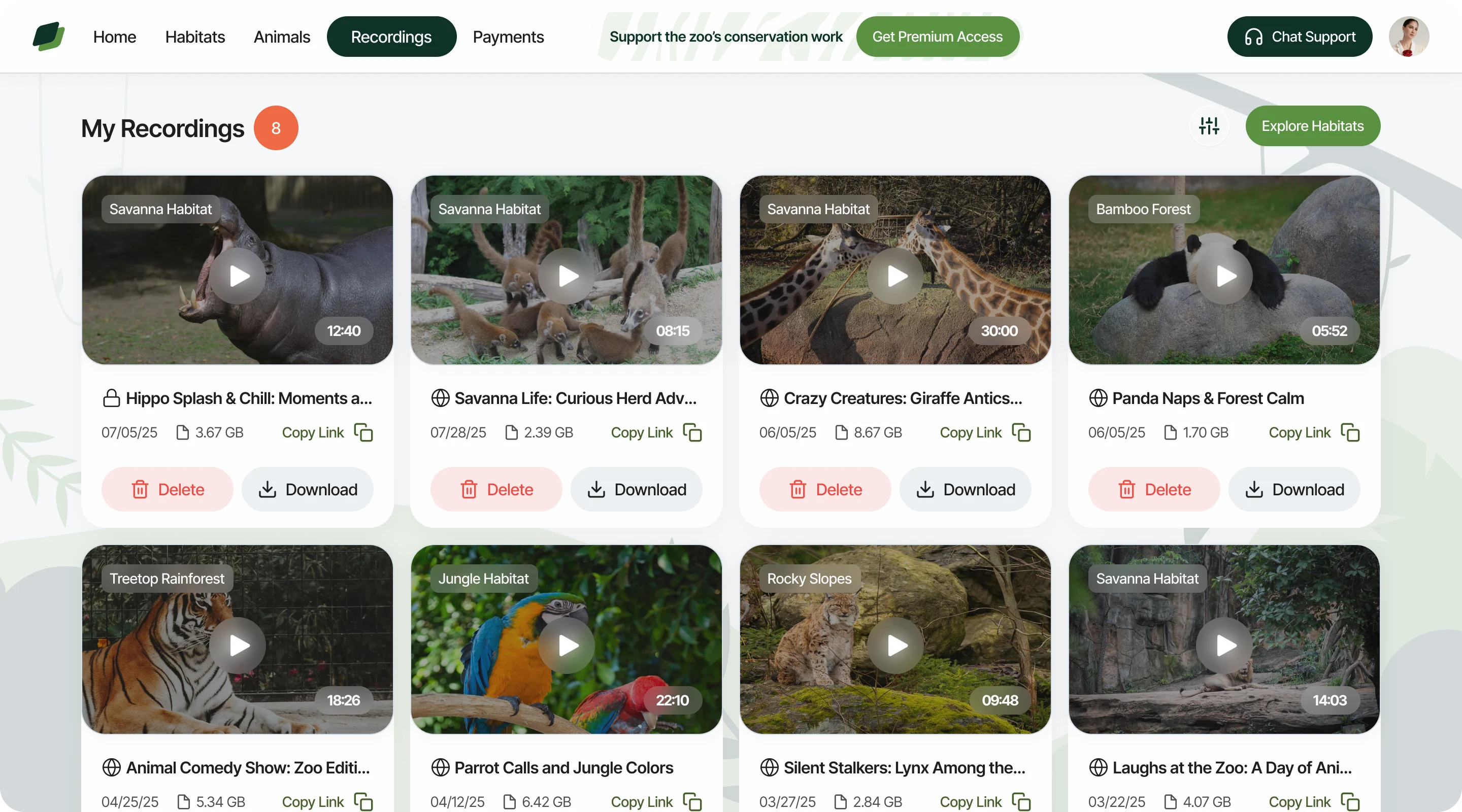
Live and recorded, kept apart
- Found
- When the live feed is quiet, recordings help, but only if nobody mistakes them for live.
- Decided
- My Recordings is its own place: every clip carries its habitat, length, date and size, and can be shared or downloaded.
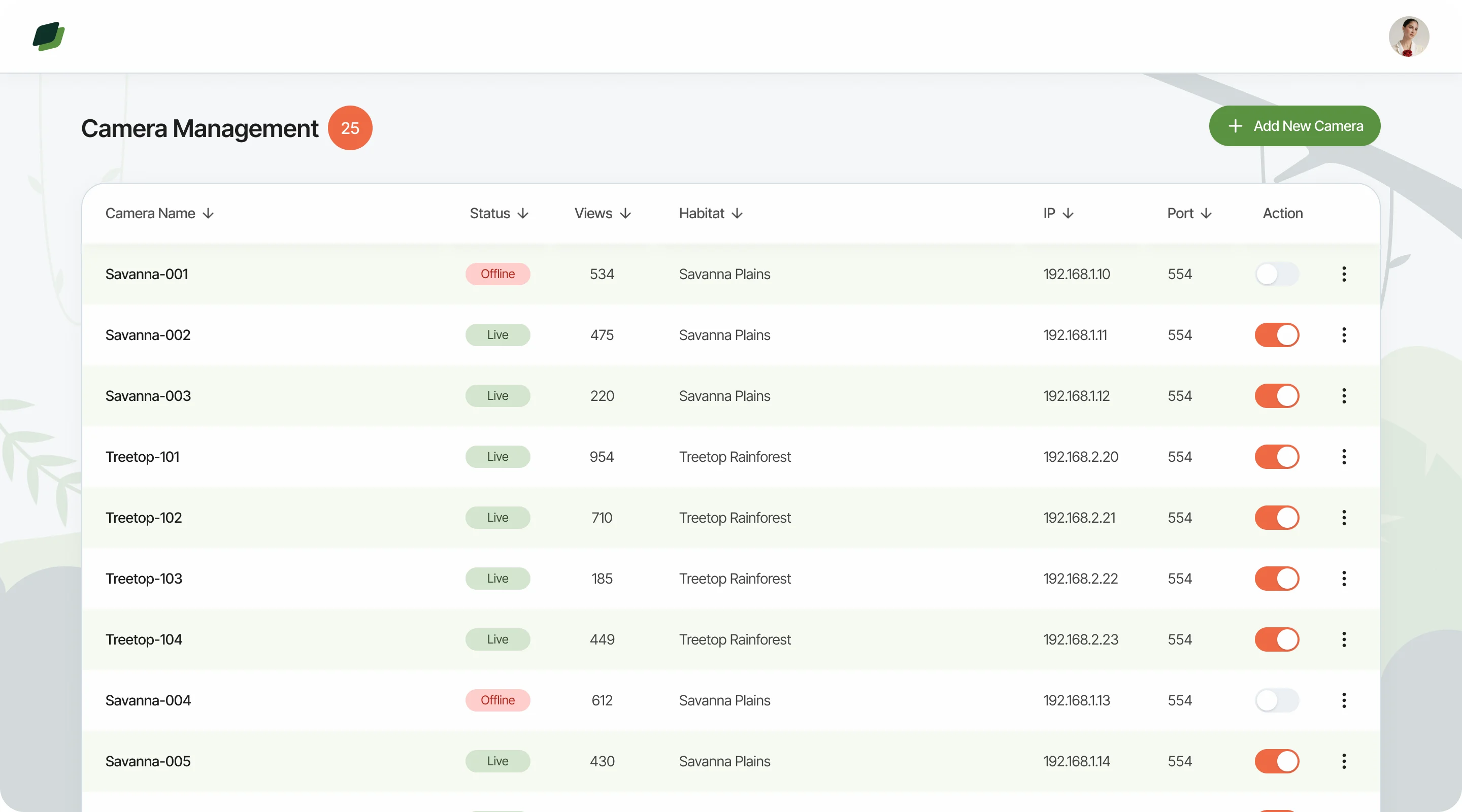
Camera management
- Found
- Staff need to know which camera shows which habitat, and whether it is working.
- Decided
- One list of cameras with their status, views, habitat and address, each switched on or off in its row.
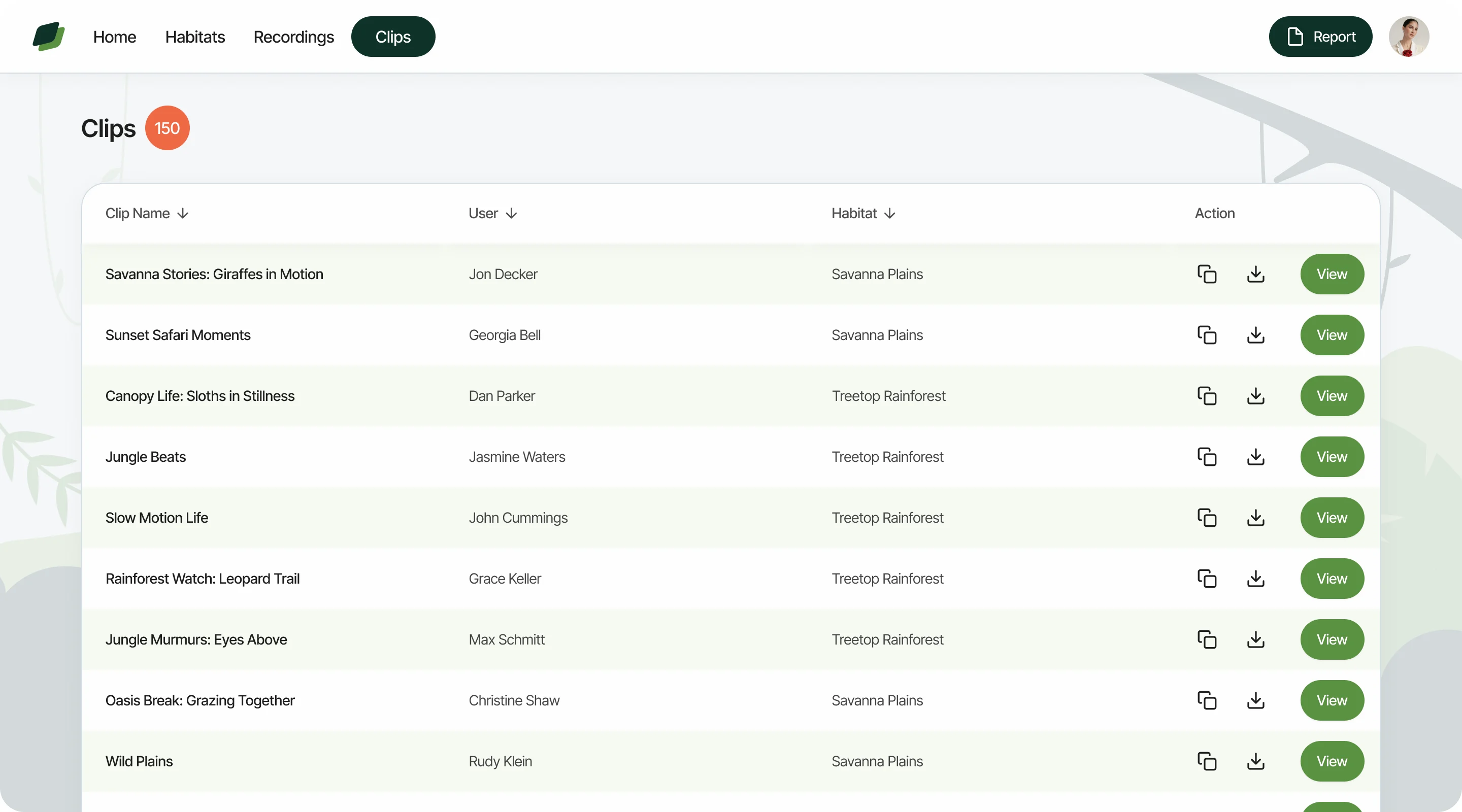
Recordings and clips
- Found
- Visitors’ clips pile up; staff need to find, check and share them without touching the live feed.
- Decided
- Clips in their own table by name, user and habitat, sortable, with copy, download and view in each row.
Untitled UI foundations, extended for animals and cameras
- Found
- The budget didn’t allow a system from scratch, and stock components know nothing about habitats, live feeds or camera states.
- Decided
- We extended Untitled UI with ZooPlus components: habitat and animal cards, recording cards, camera rows and their states.
One card for habitats and animals
The same card carries a habitat and an animal: a name and Live badge, a short story, a big photo and a strip of more.
-
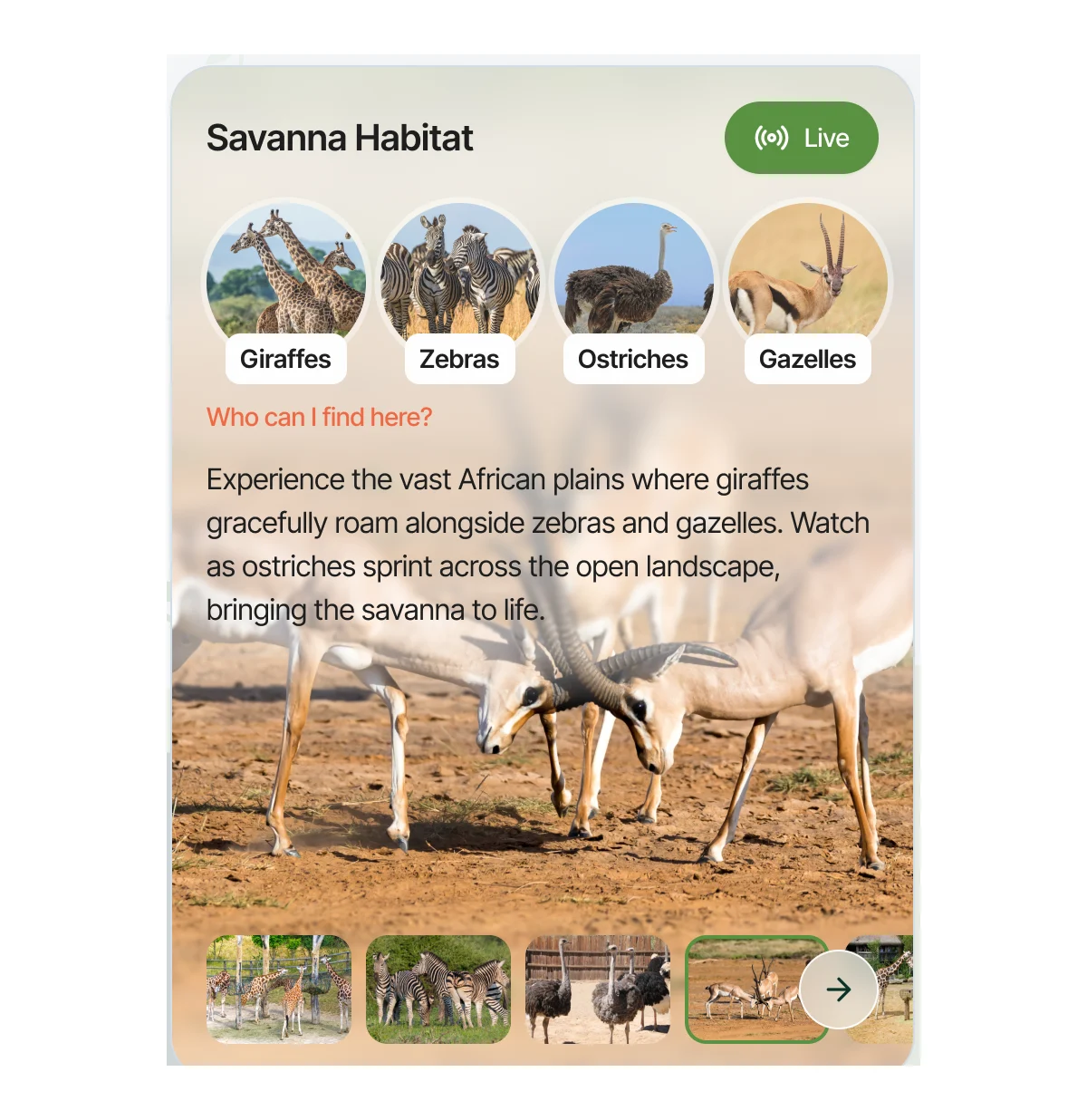
Habitat card: Who lives there, as round chips, above the story. -
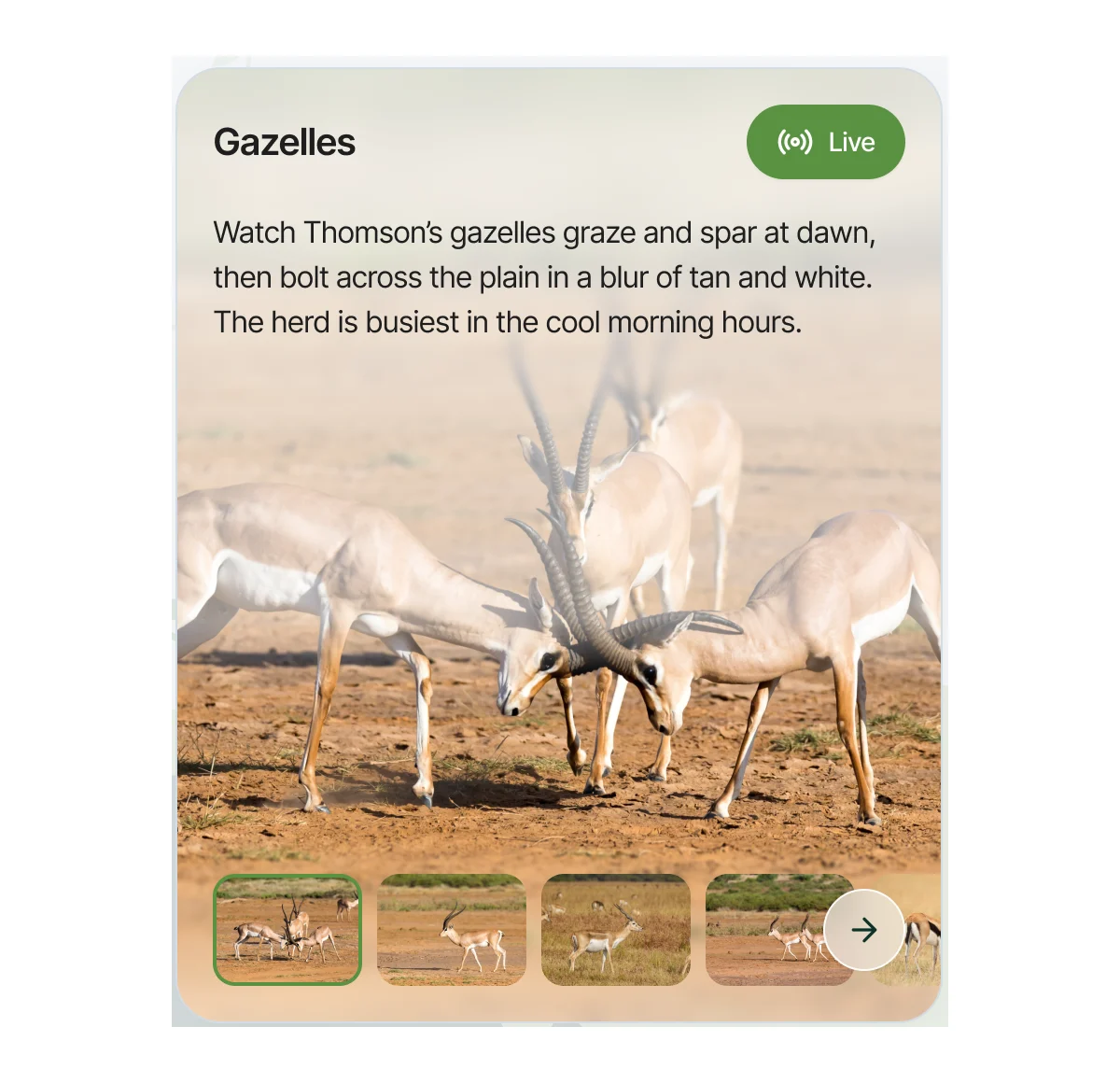
Animal card: The same card for one animal, without the chips.
States a viewer and an admin can read at a glance
A camera is live or offline, with its switch beside it; a recording is private or shared, marked before its title.
-

Camera: offline and live -
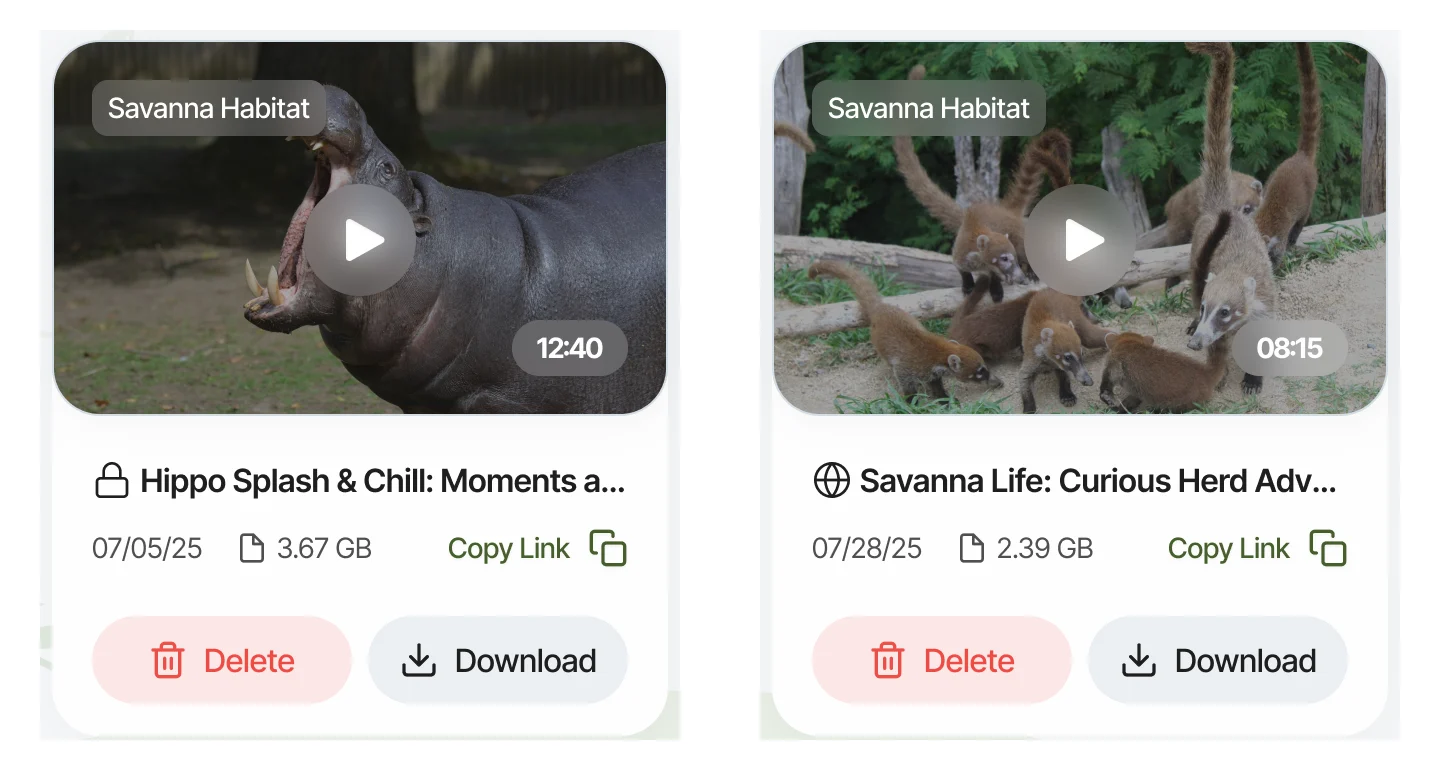
Recording: private and shared
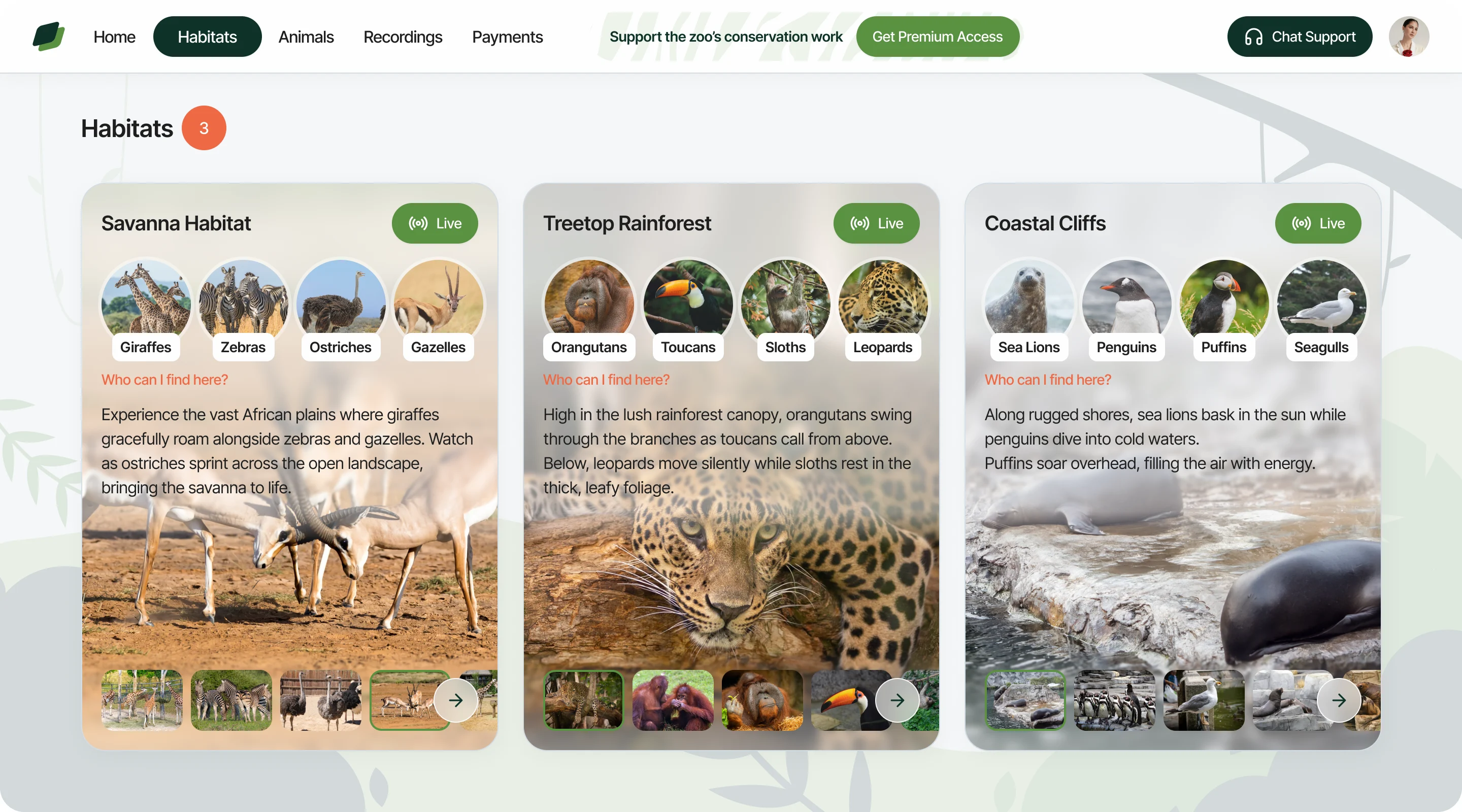
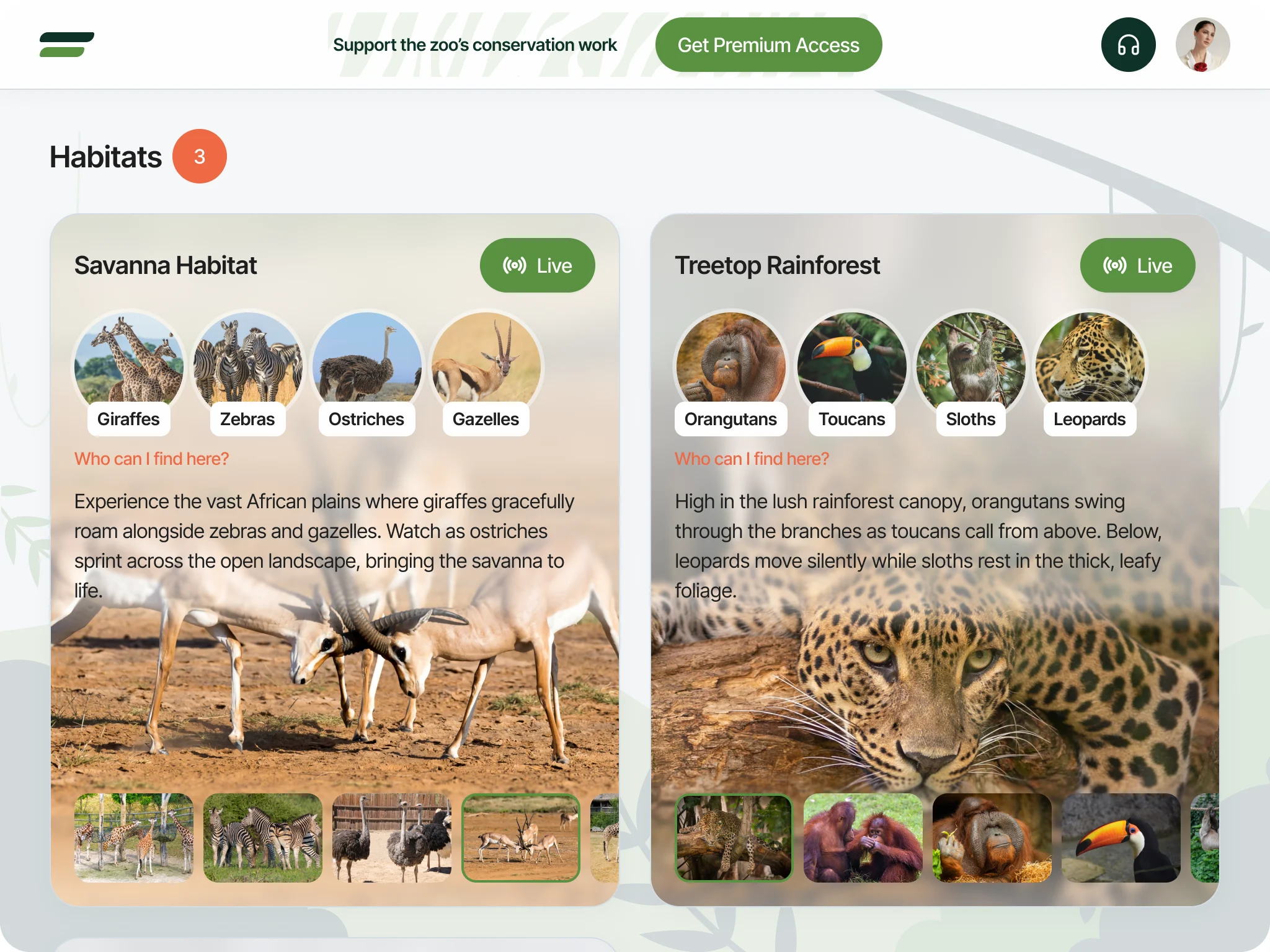
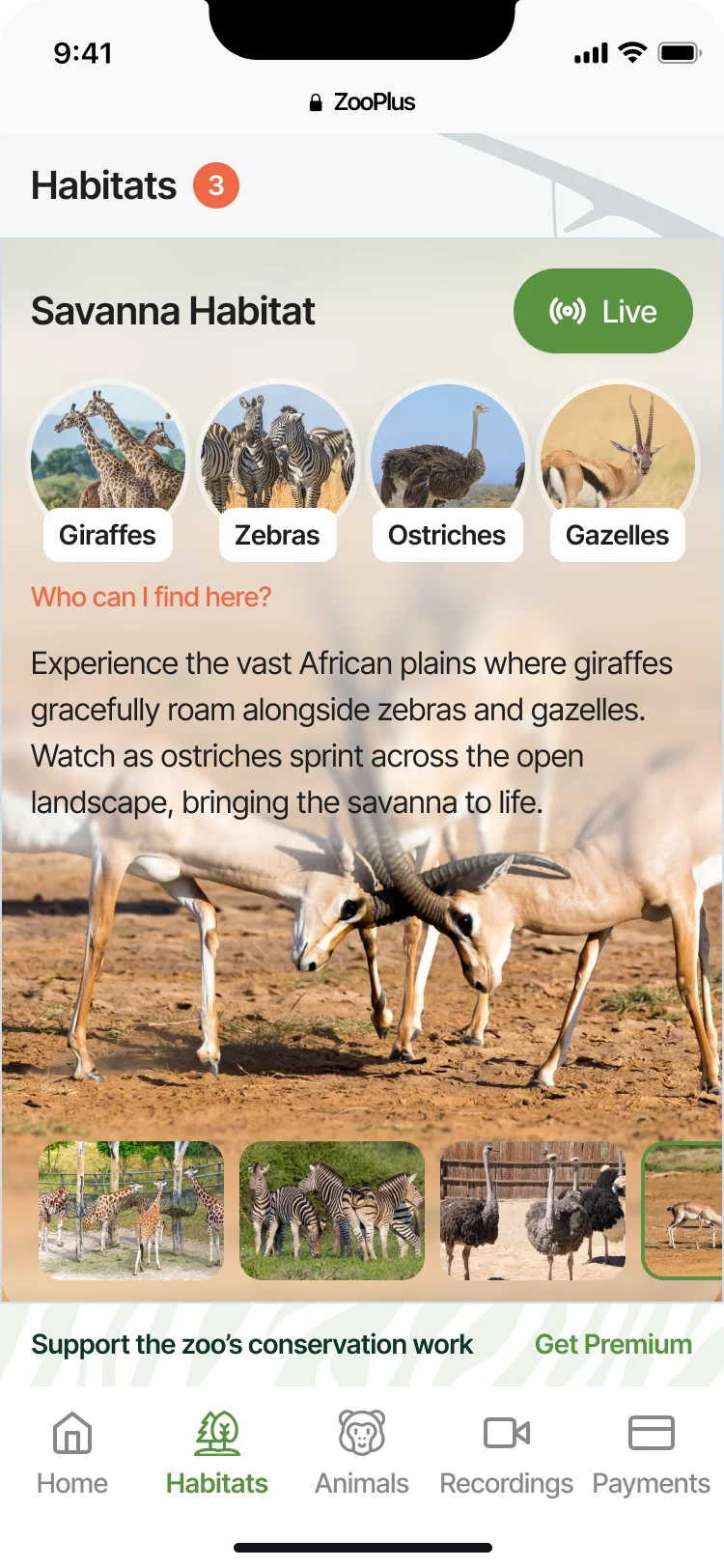
The same habitats on a laptop, a tablet and a phone
- Kept
- The card keeps its order everywhere: name and Live, who lives there, the story, the photos.
- Changed
- Three cards in a row on a laptop, two on a tablet, one on a phone; the top menu becomes a side panel and then a tab bar.
A landing that explains the zoo before the subscription
- Found
- Visitors had to understand live and recorded animal streams, and why they are worth paying for, before signing up.
- Decided
- We structured and wrote the landing, chose its images, and built it in Webflow on a selected template.
-
Content structure and copy
The zoo and recording context, benefits, pricing, calls to action and FAQ.
-
Webflow build
The marketing landing only; the product was built separately.
A product ready to build, and a landing to sell it
ZooPlus left with the platform designed for all three roles, the viewing side at three sizes, a design system for its developers, and its landing built in Webflow.
- roles designed
- 3
- screen sizes for viewing
- 3
- Webflow landing built
- 1
Turning a technical system into a product people pay for?
Show us what runs behind it. We’ll design what your customers see and what your team runs, and tell you what we’d do first.
More work like this
Other products built around watching, and a subscription on top
-
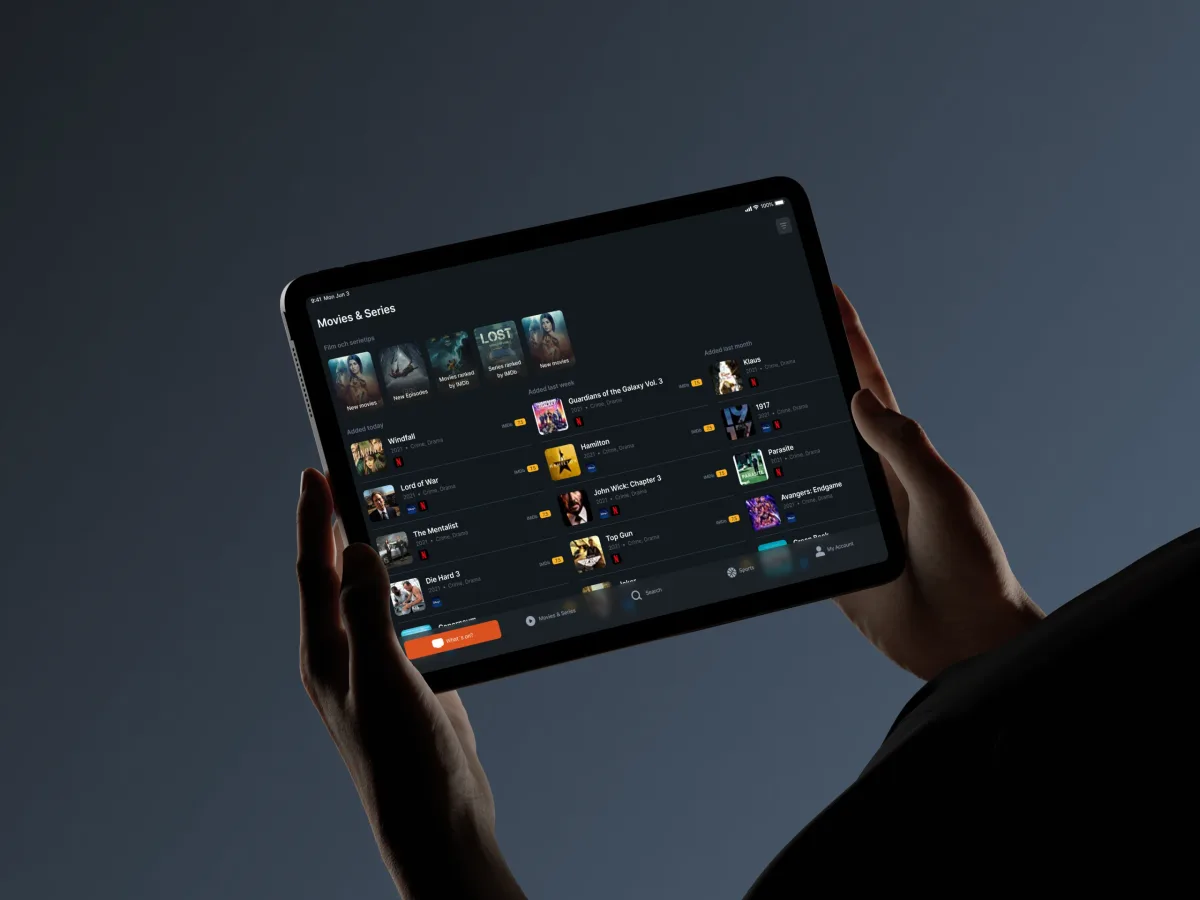
TV guide · iOS & Android · Phone & tablet
TV24
Designed a mobile TV guide that finds tonight’s programmes across more than 18,000 channels.
- 79+ Screens designed
- 3 Experts on the team
-
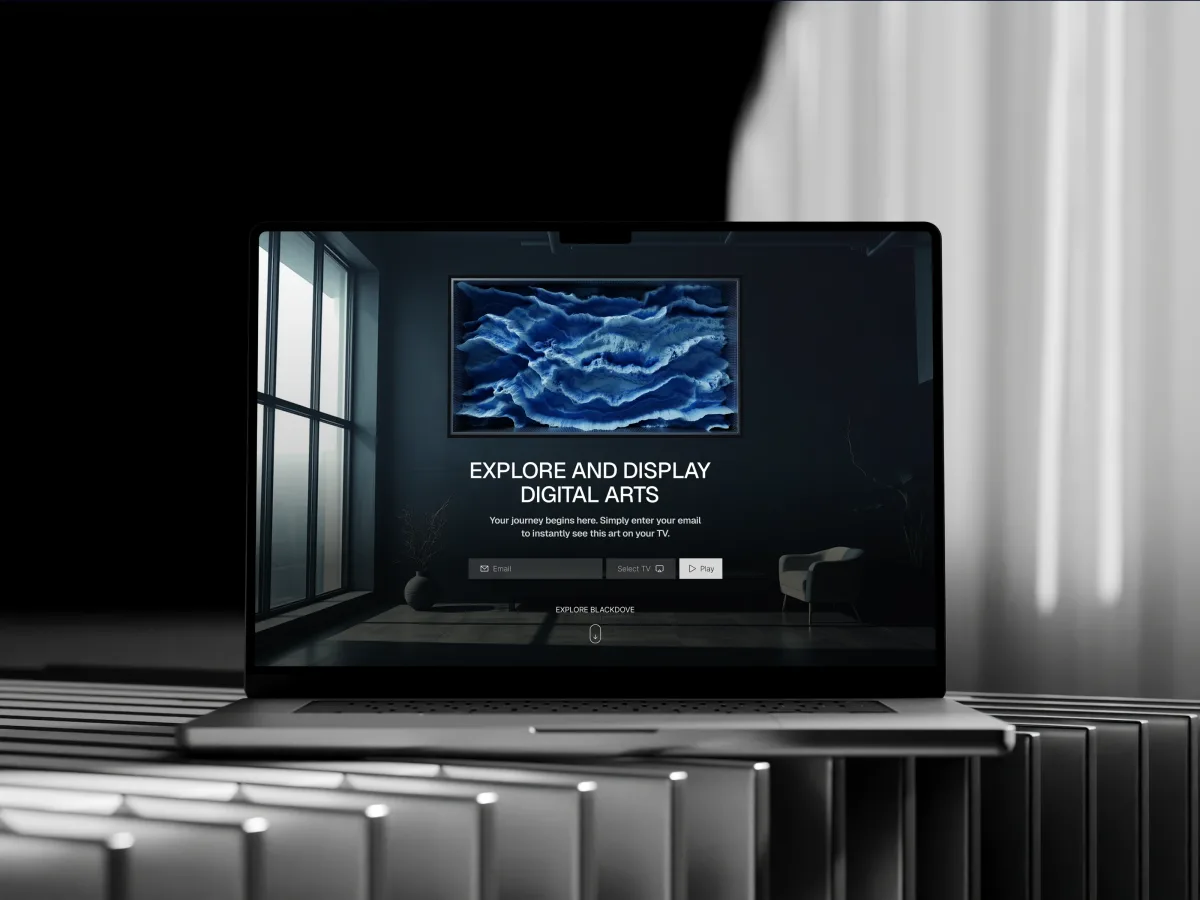
Digital Art · Streaming · Web + Mobile
Blackdove
Designed digital art discovery, its store and the pairing of the screens that show it.
- 300+ Unique screens
- 2 Platforms — web & mobile
-
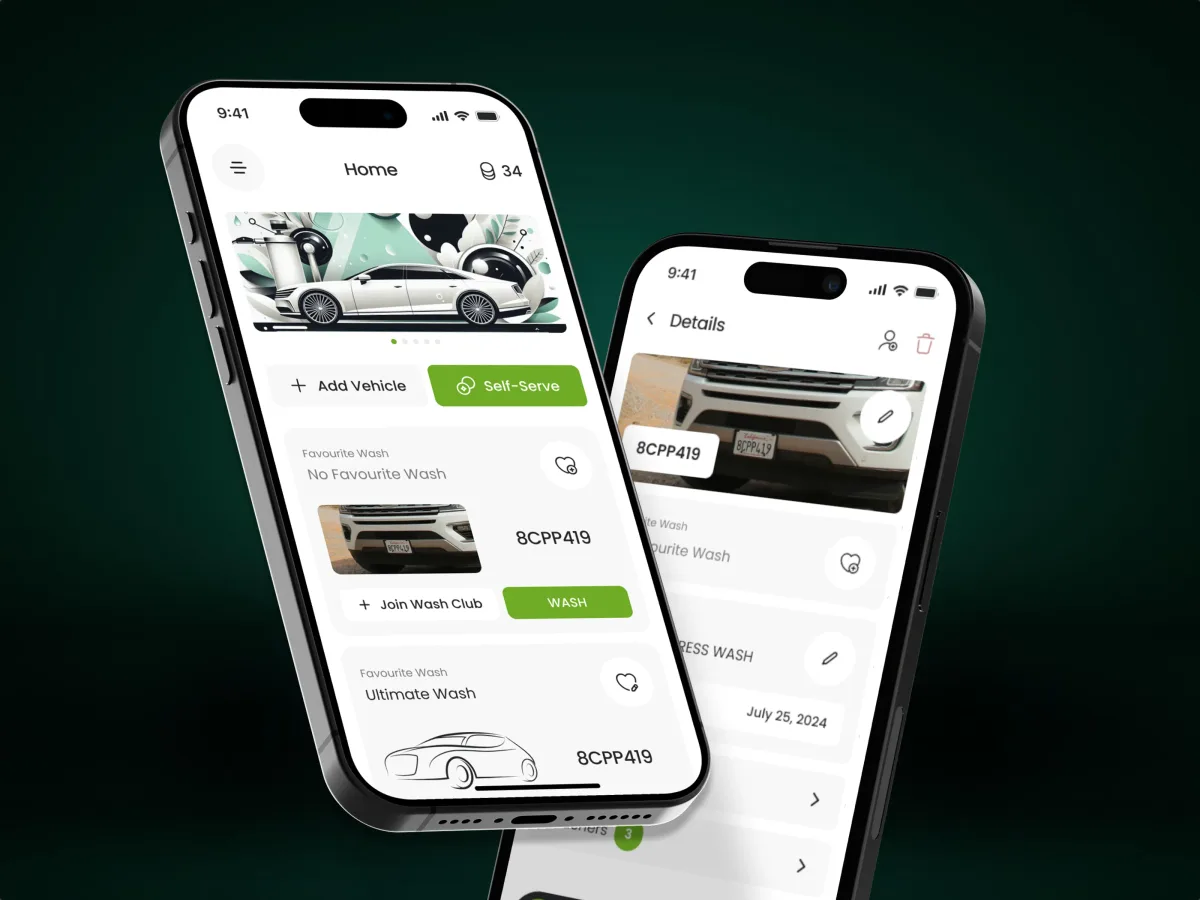
Automotive · Subscriptions · Mobile app
Pulse
Designed a car-wash subscription app for customers with more than one vehicle.
- 84 Unique screens
- 3 Experts on the team