
Quality inspections, from phone to decision
Qarma is a quality and compliance platform for brands, retailers and their suppliers.We designed its web product, inspector app and marketing site.
- Web + mobile
- a management platform and one app for iOS and Android
- Product
- then site the product first, the marketing site after
- 2021–22
- releases one continuing engagement
Project summary
Qarma helps brands and retailers check the quality and compliance of what their suppliers make: inspections, audits, defects, reports and the fixes that follow. We did end-to-end SaaS product design for its web platform and one mobile app for inspectors , with a style guide and UI kit on Qarma’s existing identity, then the marketing site . Development was not part of our work.
How the work ran
- Order
- The product first: the web platform and the inspector app. The marketing site after.
- Releases
- Updates in 2021 and 2022, as one continuing engagement.
- Files
- A work file for exploration, a client file for each release and the UI kit.
- Our part
- Design. Development and integrations are Qarma’s.
What runs through the product
One chain, from an order at a supplier to a problem fixed:
-
Planning
- Suppliers
- Orders
- Inspectors
-
Inspection
- Checklists
- Photos
- Comments
-
Defects
- Severity
- Quantity
- Category
-
Report
- AQL
- Conclusion
- Approval
-
Follow-up
- Corrective actions
- Evidence
- Approver
-
Insight
- Defect analytics
- Supplier audits
- Exports
- Floor and Desk
- The same inspection captured on a phone and read on a desktop.
- Specific and Consistent
- A checklist per product category, in one shared structure.
- Found and Fixed
- A defect stays attached to its evidence, its owner and its approval.
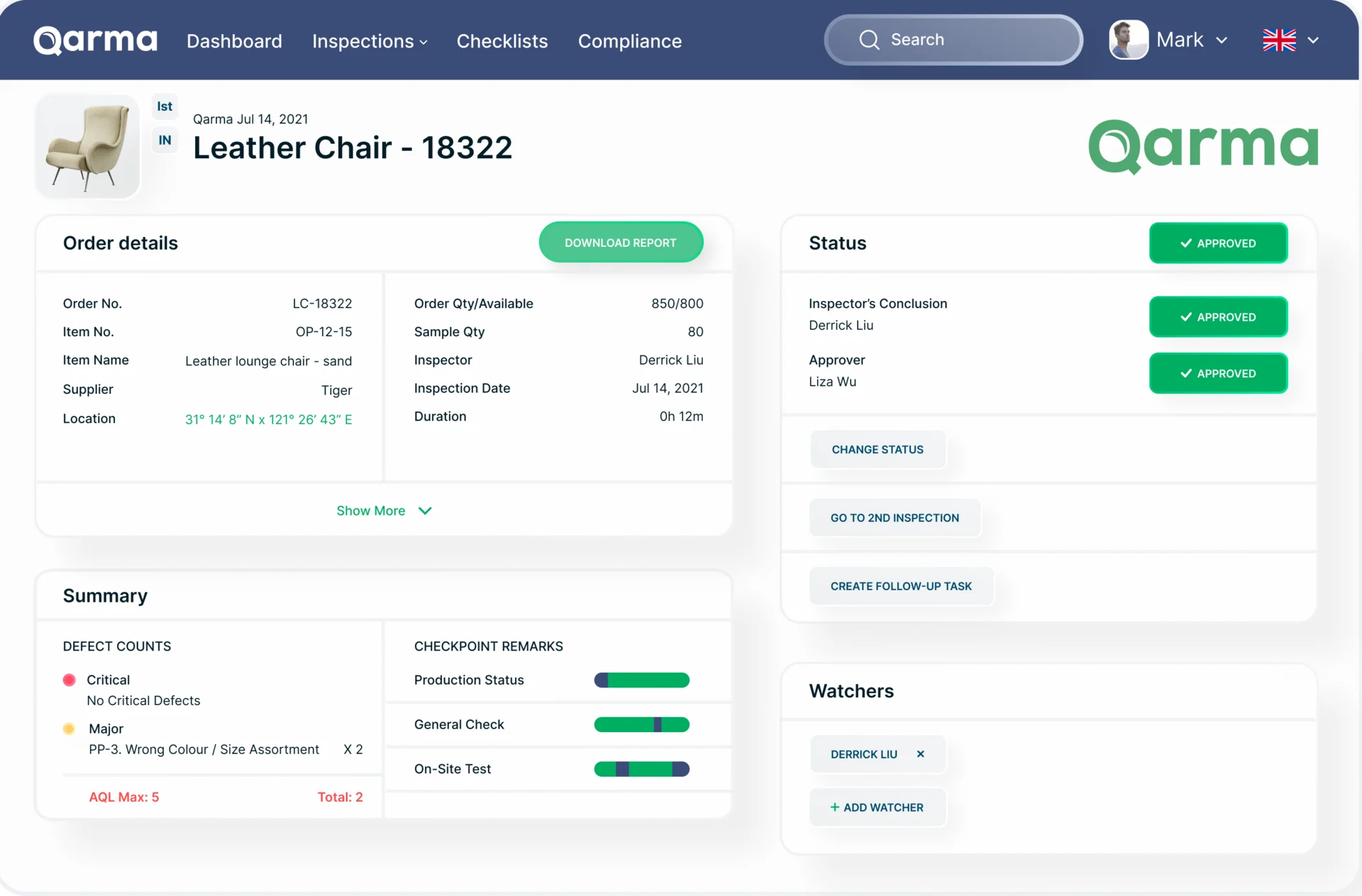
An inspection report, read before it is approved
- Found
- A quality manager approves or rejects an order from the report, and a page where the item, the defects and the approvals weigh the same hides the decision.
- Decided
- A report that reads in order: which item and order, who inspected it and when, the status with each approval, then the defects against the AQL limit and the checkpoint results.
- For the user
- A manager sees whether the order passed, and why, before downloading the full report.
-
Which item
The product, its order number and the inspection type.
-
The order and the verdict
Supplier, quantities and inspector beside the status, the inspector’s conclusion and the approver.
-
What happens next
Change the status, send it to a second inspection or create a follow-up task.
-
Defects against AQL
Critical and major defects, the AQL maximum and the total, then checkpoint results.
How the work progressed
The product’s structure first, then its screens and style, then the files for each release and the site built on them.
-
Information Architecture
How planning, inspections, checklists, reports and follow-ups connect across the web and the phone
Artifact The product structure and its main flows
-
UI & Design System
How dense quality data reads at a desk and in a factory, in Qarma’s own identity
Artifact Web and mobile screens, a style guide, a UI kit and an illustration style
-
Delivery
What each release needed, and how the site should explain the product
Artifact Client files per release, the marketing site, product-feature visuals and a motion set
Two ways into an inspection
- Found
- An inspection starts in the field with an order, a barcode or several inspections at once, and it belongs to a stage of production that decides what gets checked.
- Decided
- On the phone, one list of planned, in-progress and reported inspections with every way to start one; on the web, a top menu for the dashboard, inspections, checklists and compliance.
-
Starting an inspection on the phone
Scan a barcode, pick an order or item, or combine inspections and choose their type.
Open the full map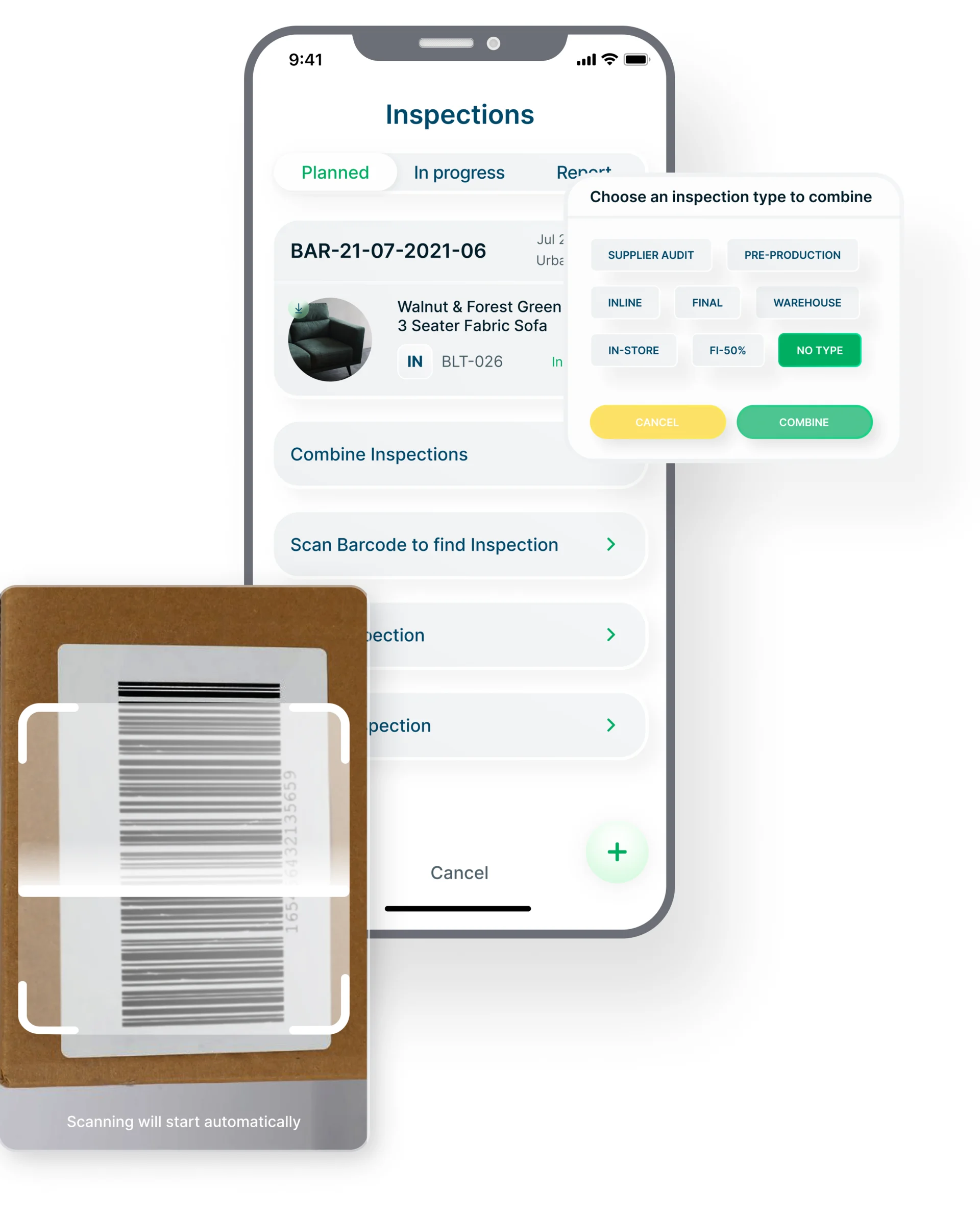
-
Inspection types along the supply chain
Pre-production, inline, final, container loading, warehouse, end-user and headquarters audits.
Open the full map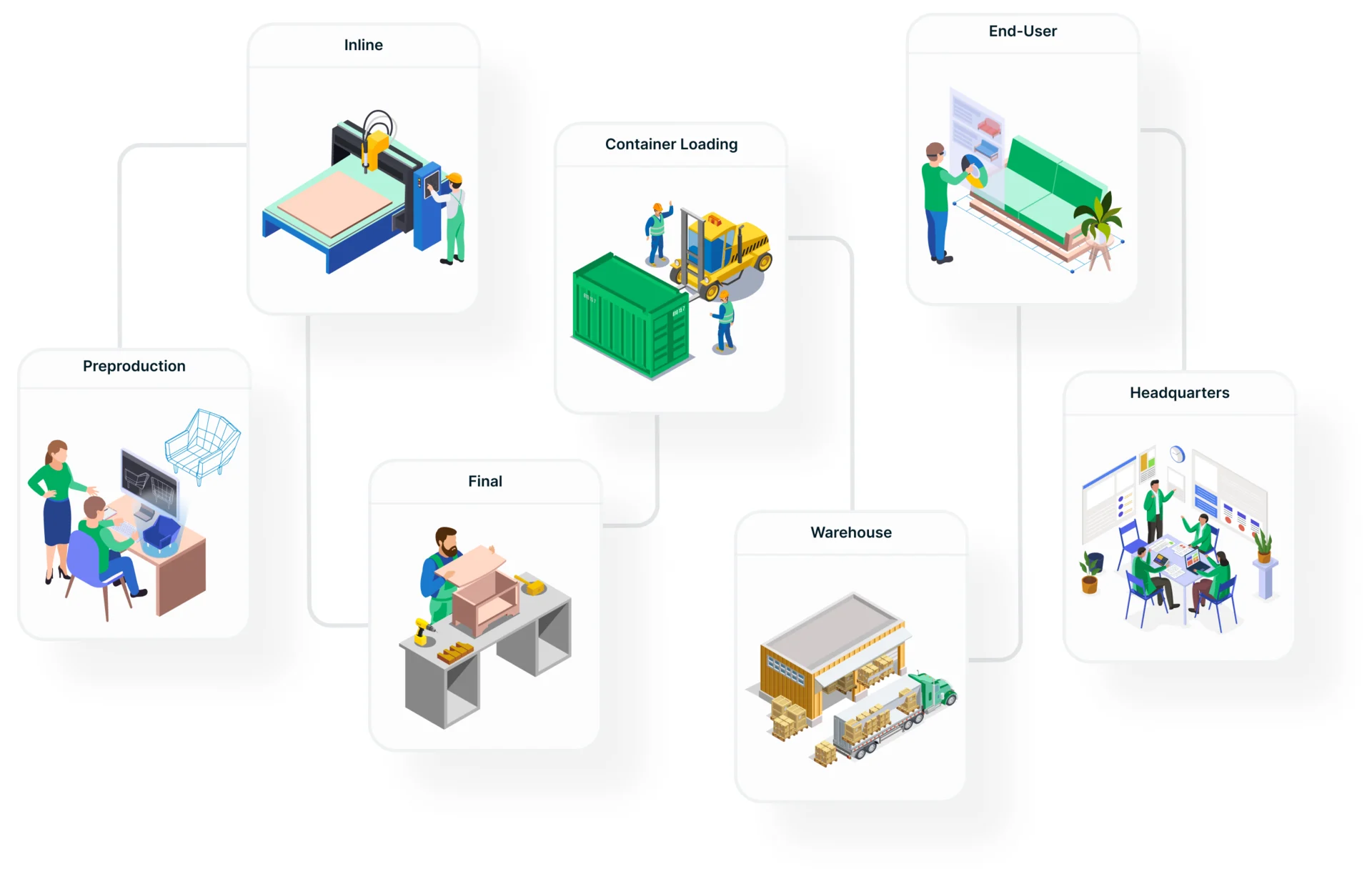

Nine jobs, from the plan to the fix
Planning first, then the inspector’s and the auditor’s work on the phone, then what quality teams do with the results. Every name, figure and date on these screens is example data.
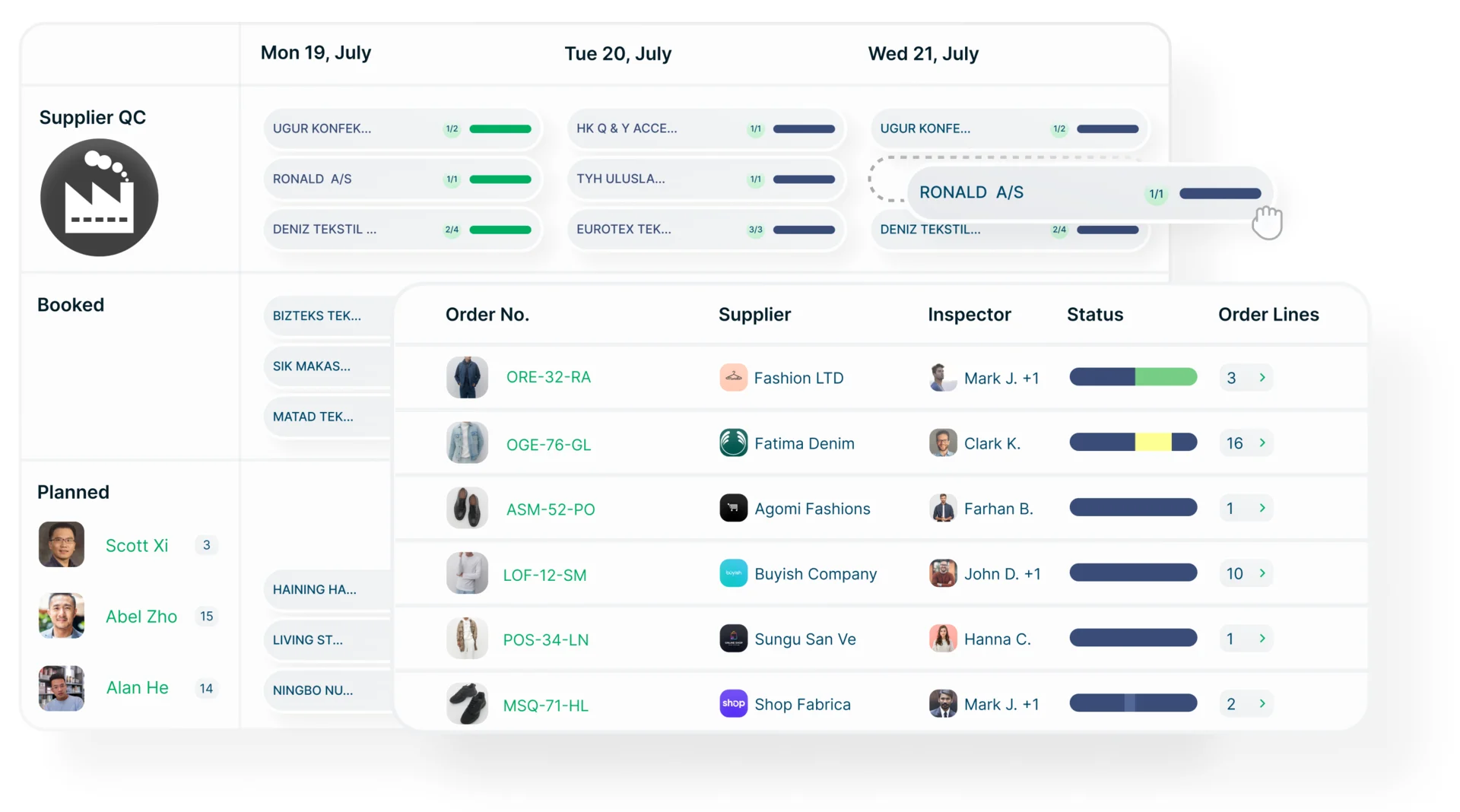
Inspections planned by supplier, order and inspector
- Found
- A quality team books inspections across many suppliers and orders, and a list of dates doesn’t show who is where, or which orders are still waiting.
- Decided
- A week calendar split into supplier self-QC, booked and planned inspections, each supplier with its progress, and an orders table below with the supplier, the inspector, the status and the order lines.
The inspection itself, on the phone
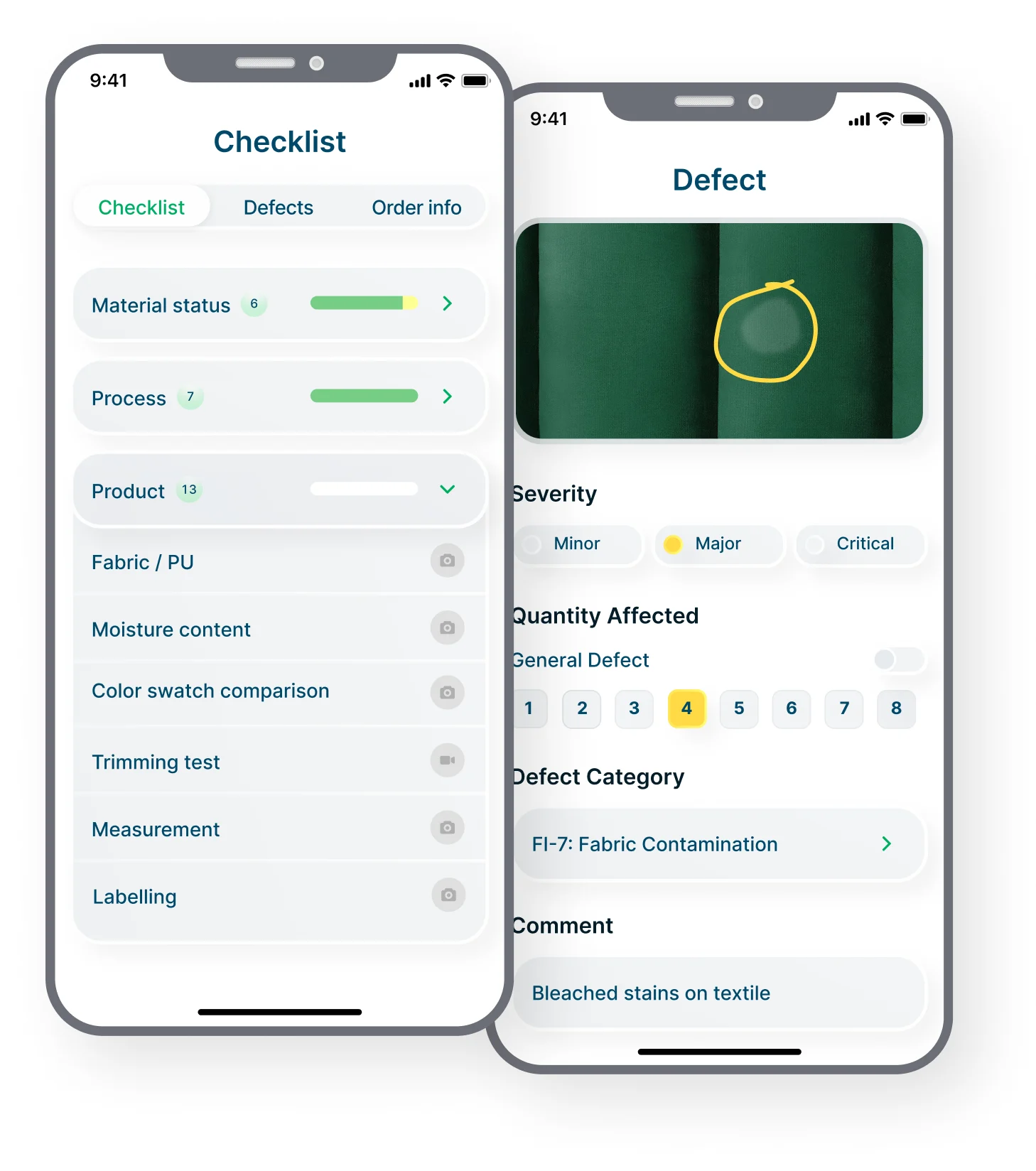
- Found
- An inspector works through dozens of checkpoints on a factory floor, and a defect written up later loses its photo, its severity and its count.
- Decided
- A checklist grouped by section with each section’s progress and a camera on every checkpoint, and a defect screen that takes the photo, the severity, the quantity affected, the category and a comment in one place.
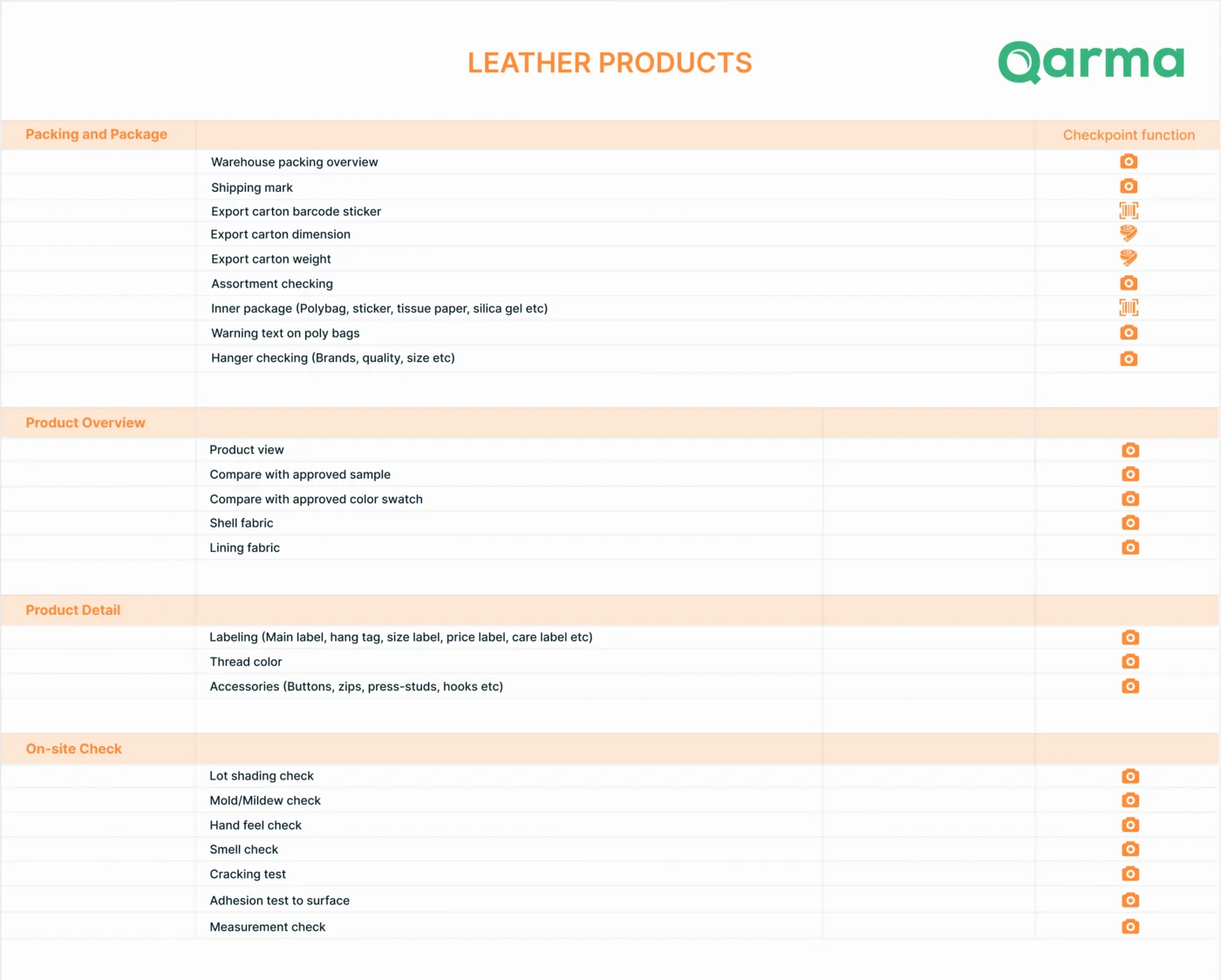
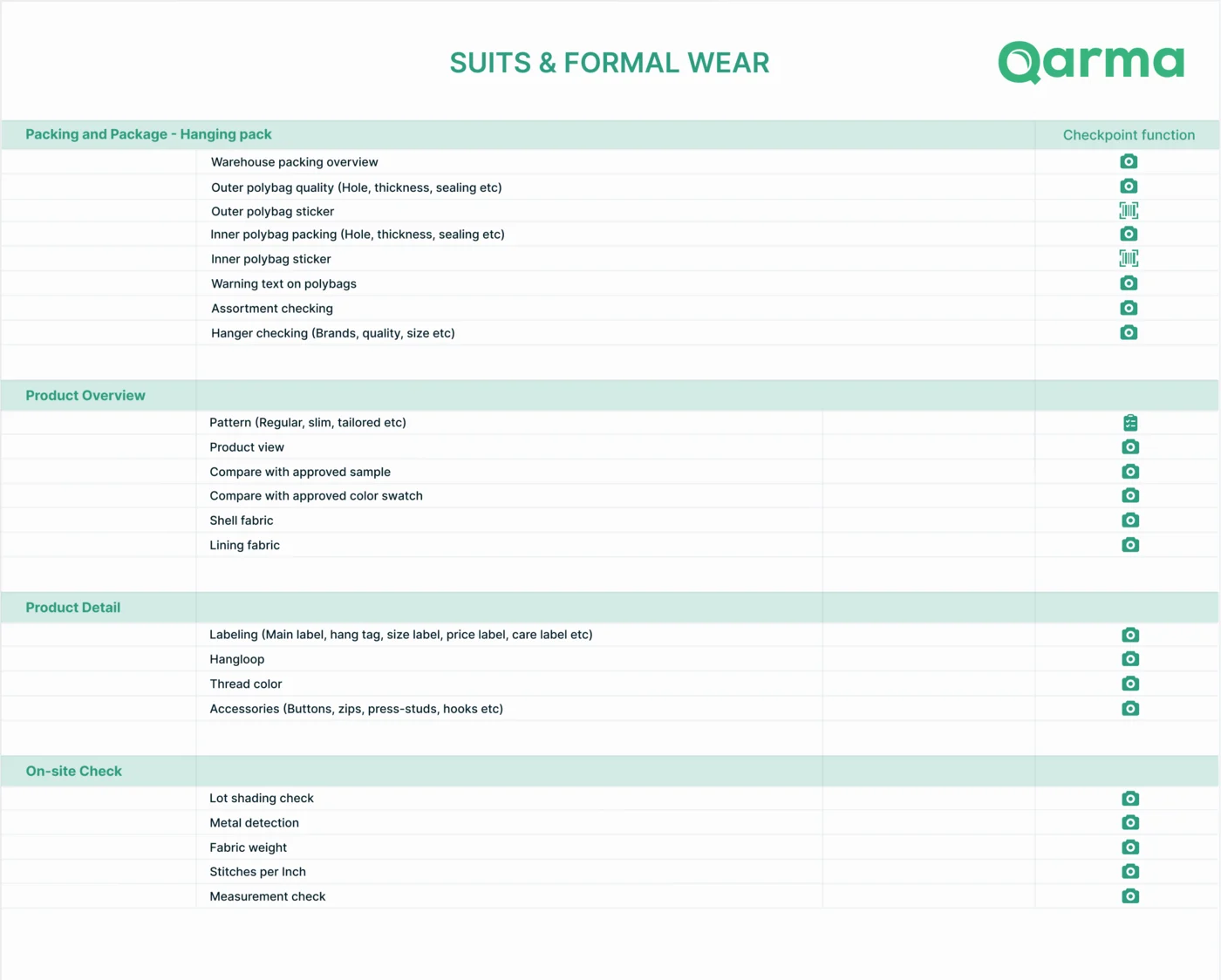
A checklist for each product category
- Found
- Leather goods, suits, outerwear and socks fail in different ways, and one generic checklist either misses those checks or buries them.
- Decided
- Checklists built per category in one shared structure: packing, product overview, product detail and on-site checks, each with the checks that category needs and whether it takes a photo or a scan.
Supplier audits, planned and walked on the phone
- Found
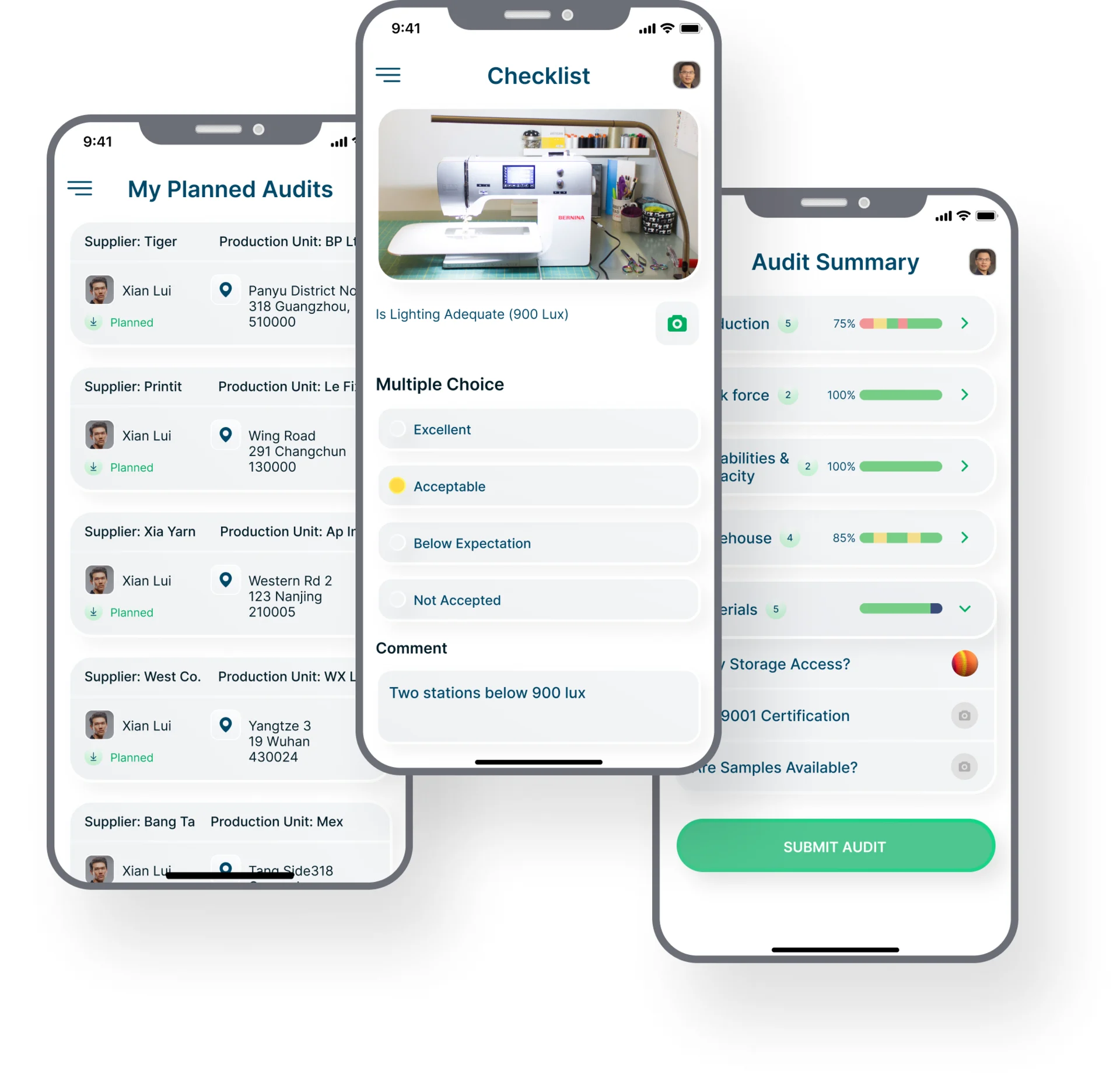
- An auditor visits several factories, and each audit needs its address, its checklist and a score that adds up by section.
- Decided
- The auditor’s planned audits with each supplier, unit and address; a checkpoint with a photo, a rating and a comment; and an audit summary that scores each section before it is submitted.
The audit report, for the office
- Found
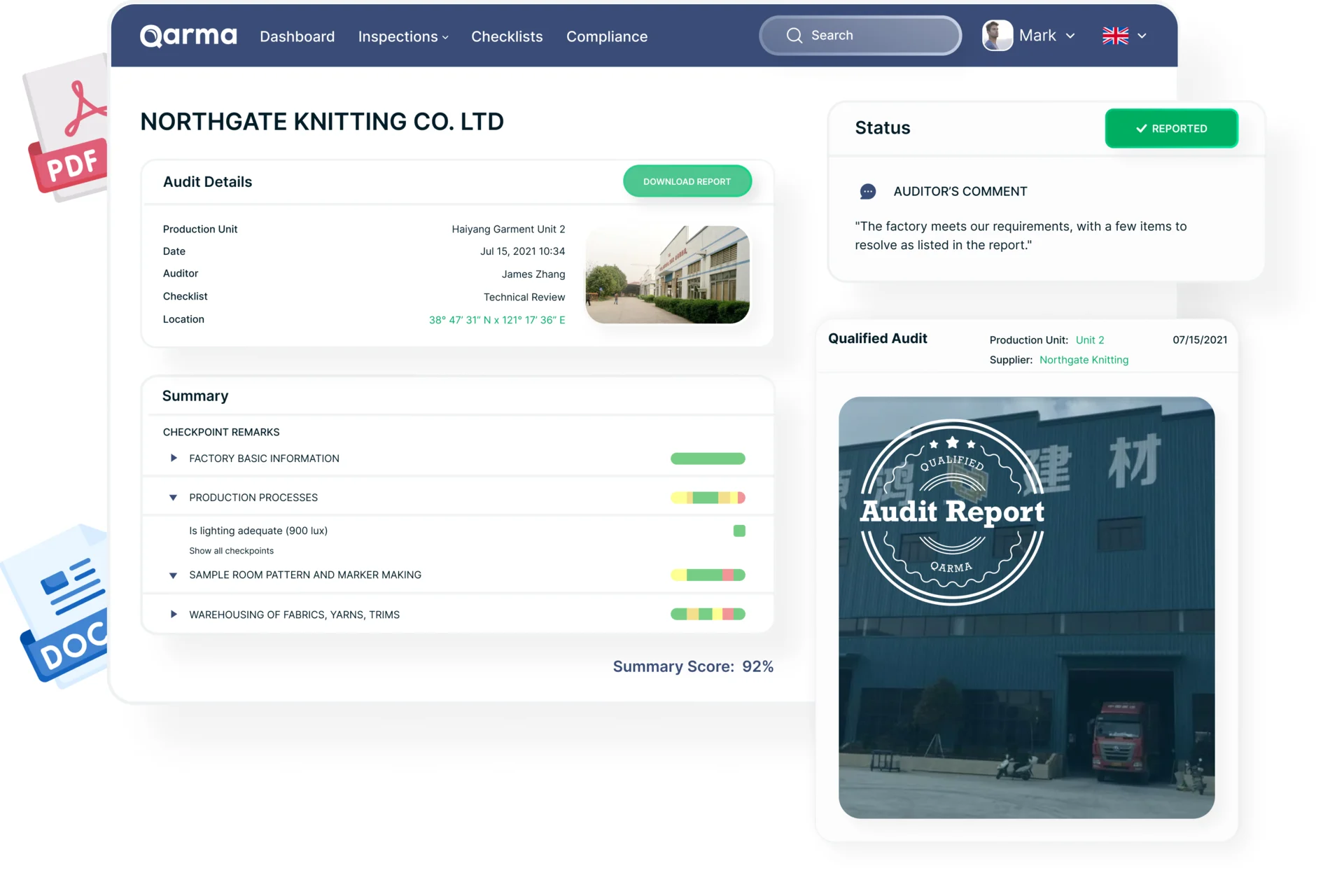
- A factory audit ends as a document, and a quality team reading it on the web needs the verdict before the details.
- Decided
- The audit’s details, the auditor’s comment and status first, then each section’s checkpoints with their results and a summary score, and the qualified-audit report to download.
Defects, counted across inspections
- Found
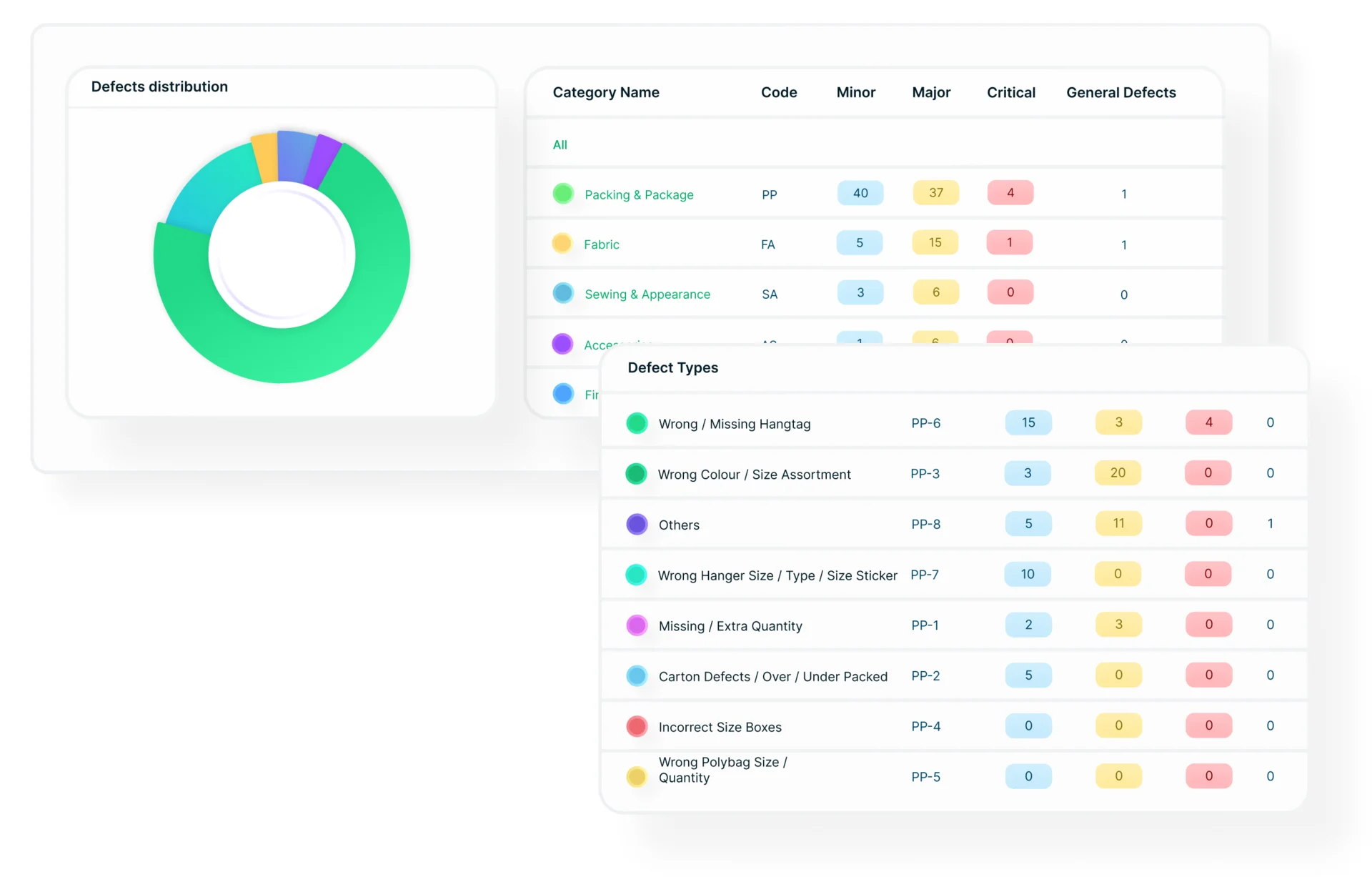
- Hundreds of defects across suppliers mean nothing as a list; a quality team needs to see which categories and which defect types keep coming back.
- Decided
- A distribution of defects by category, a table of categories with minor, major and critical counts, and the defect types behind each category.
Messages across countries and languages
- Found
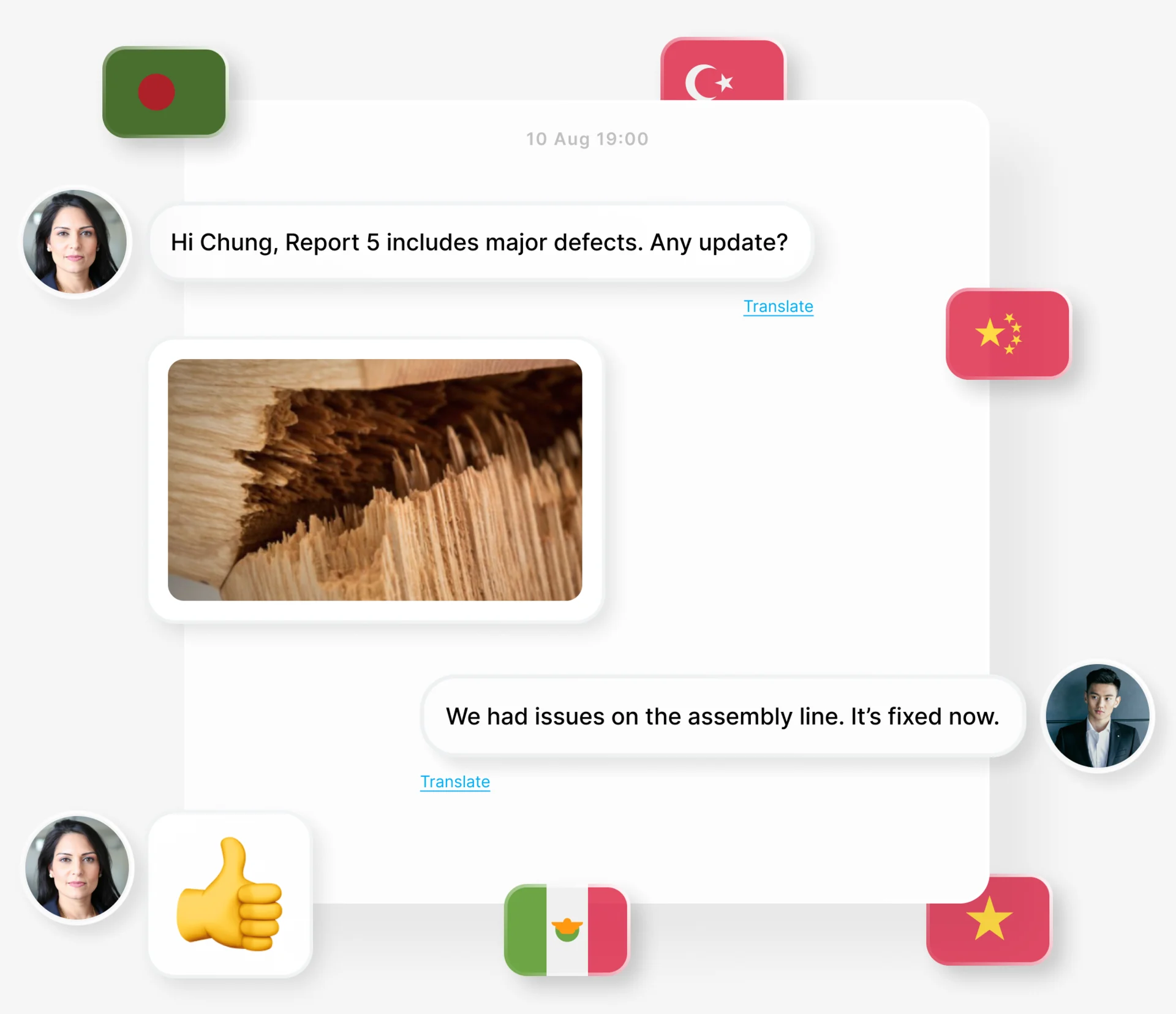
- Quality teams and suppliers work in different countries and languages, and a question about a defect that nobody can read stalls the fix.
- Decided
- Messages attached to the work, with photos, and a Translate link under every message.
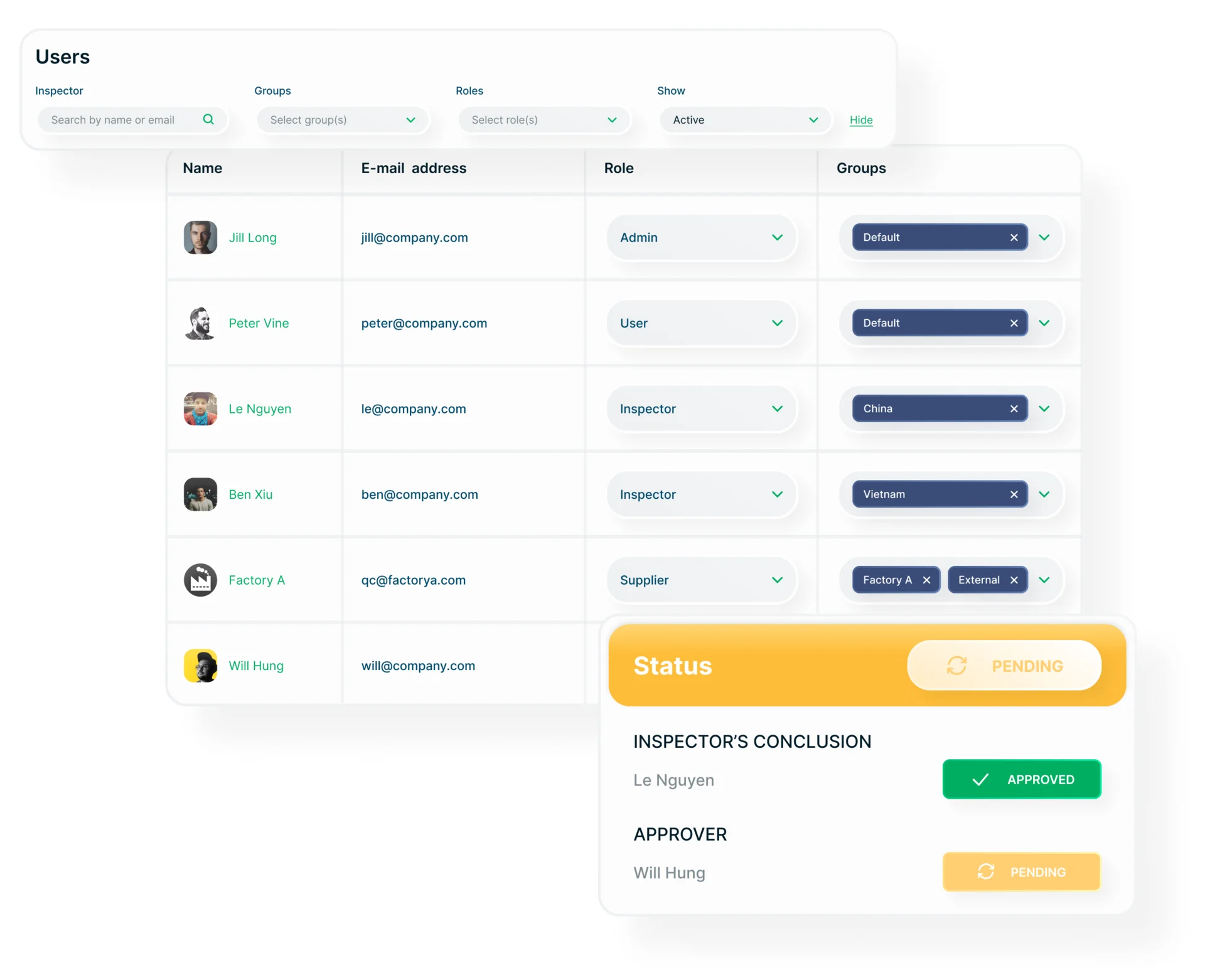
Users, groups and roles
- Found
- Admins, inspectors, suppliers and local admins see different things, and access set one person at a time goes wrong as teams grow.
- Decided
- A users table with each person’s role and groups, filters by group, role and status, and an approval card that shows who concluded and who still has to approve.
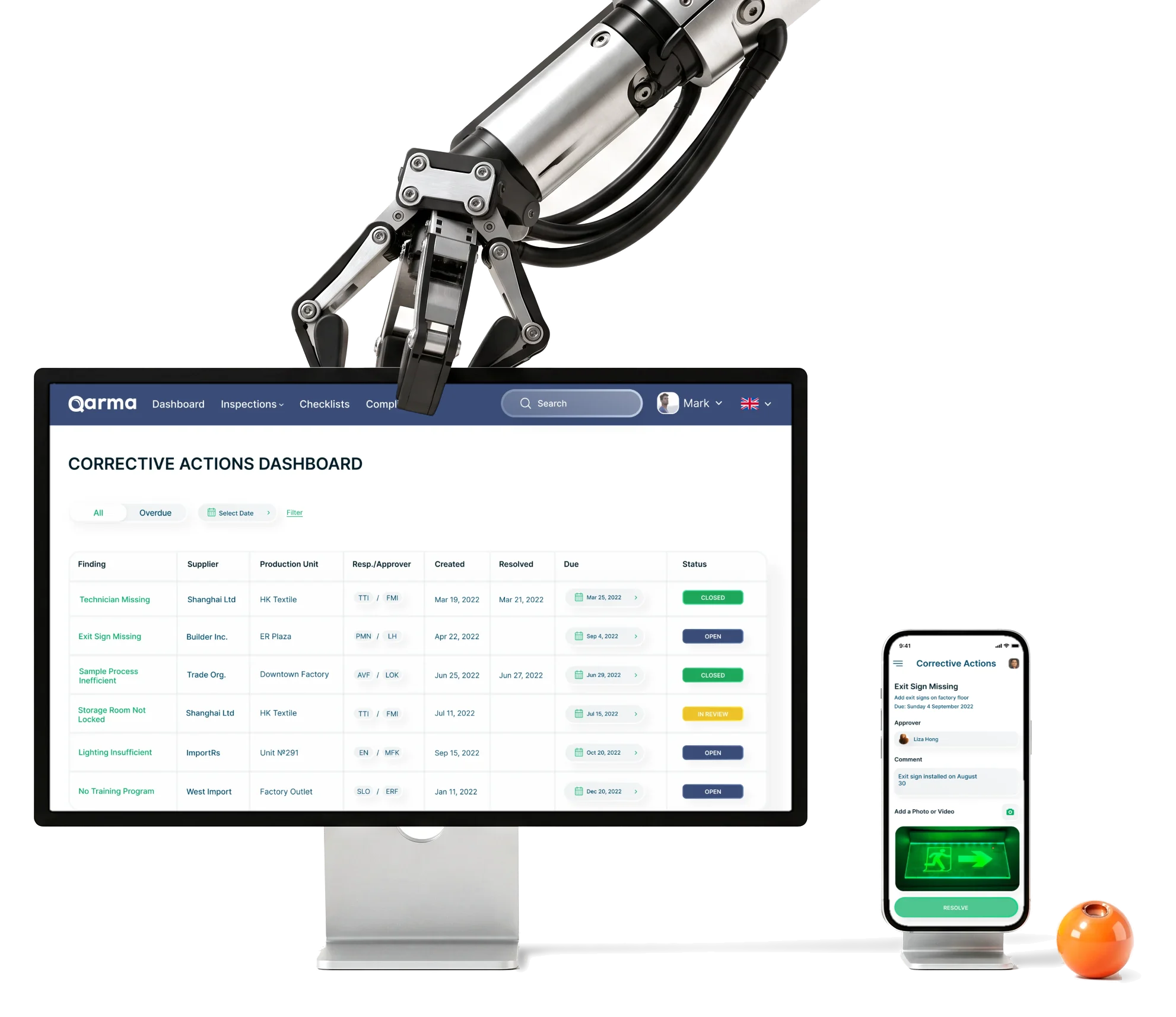
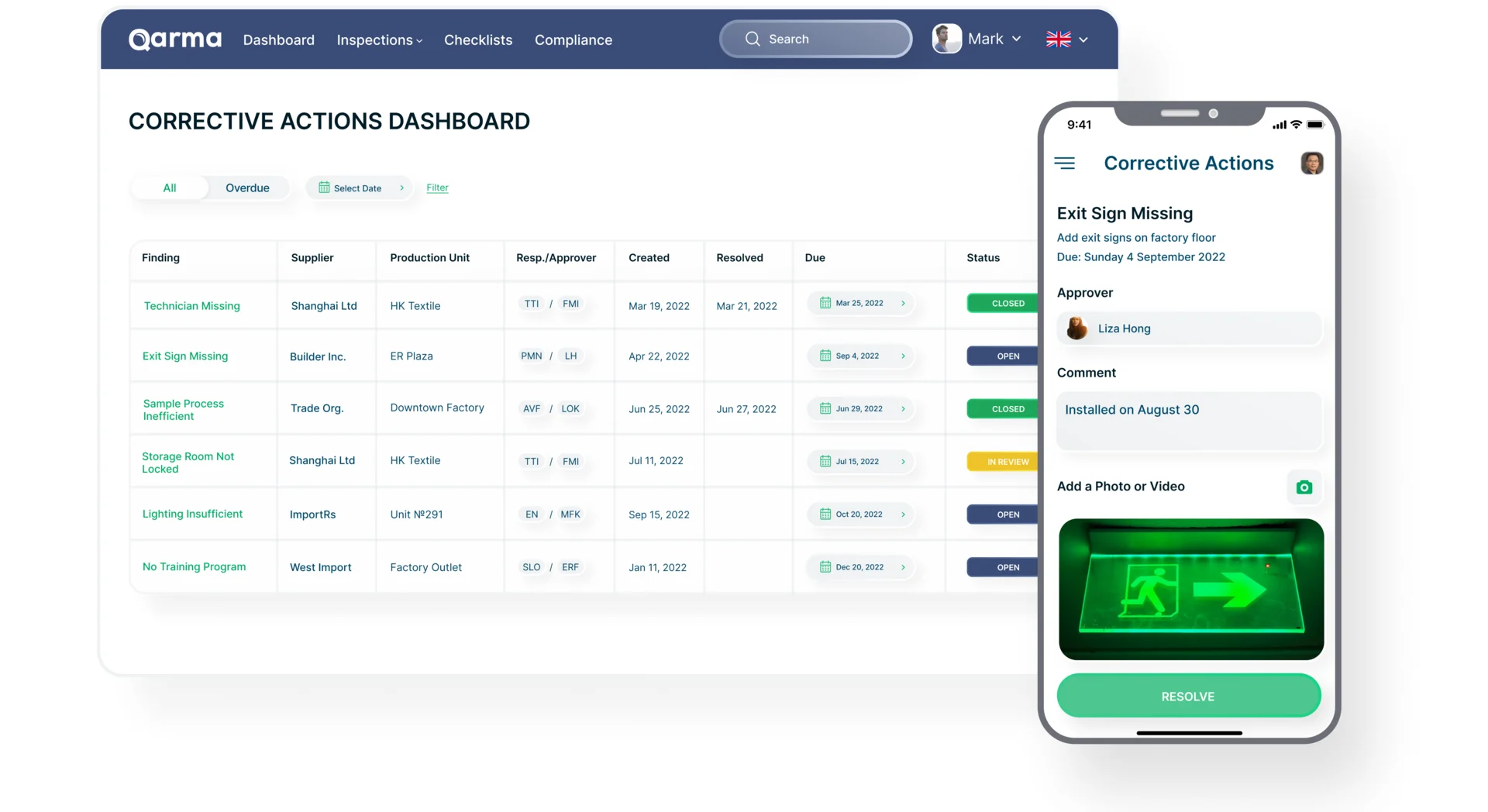
Corrective actions, from finding to fix
- Found
- A finding without an owner, a due date and proof of the fix stays open, and nobody knows until the next inspection.
- Decided
- A corrective actions dashboard with every finding’s supplier, unit, responsible and approver, dates and status, and on the phone the action itself: what to do, by when, the approver, a comment, a photo and Resolve.
A style guide on Qarma’s own identity
- Found
- The web product, the reports, the mobile app and the site had to look like one Qarma, built on the identity Qarma already had.
- Decided
- A style guide and UI kit built on the existing identity: type, colours, a background blur, buttons and an illustration style, reused across the web, the phone and the site.
Type and colour, set once
Inter in every weight, and a palette of Qarma’s greens and navy with red, yellow and violet as additional colours.
-
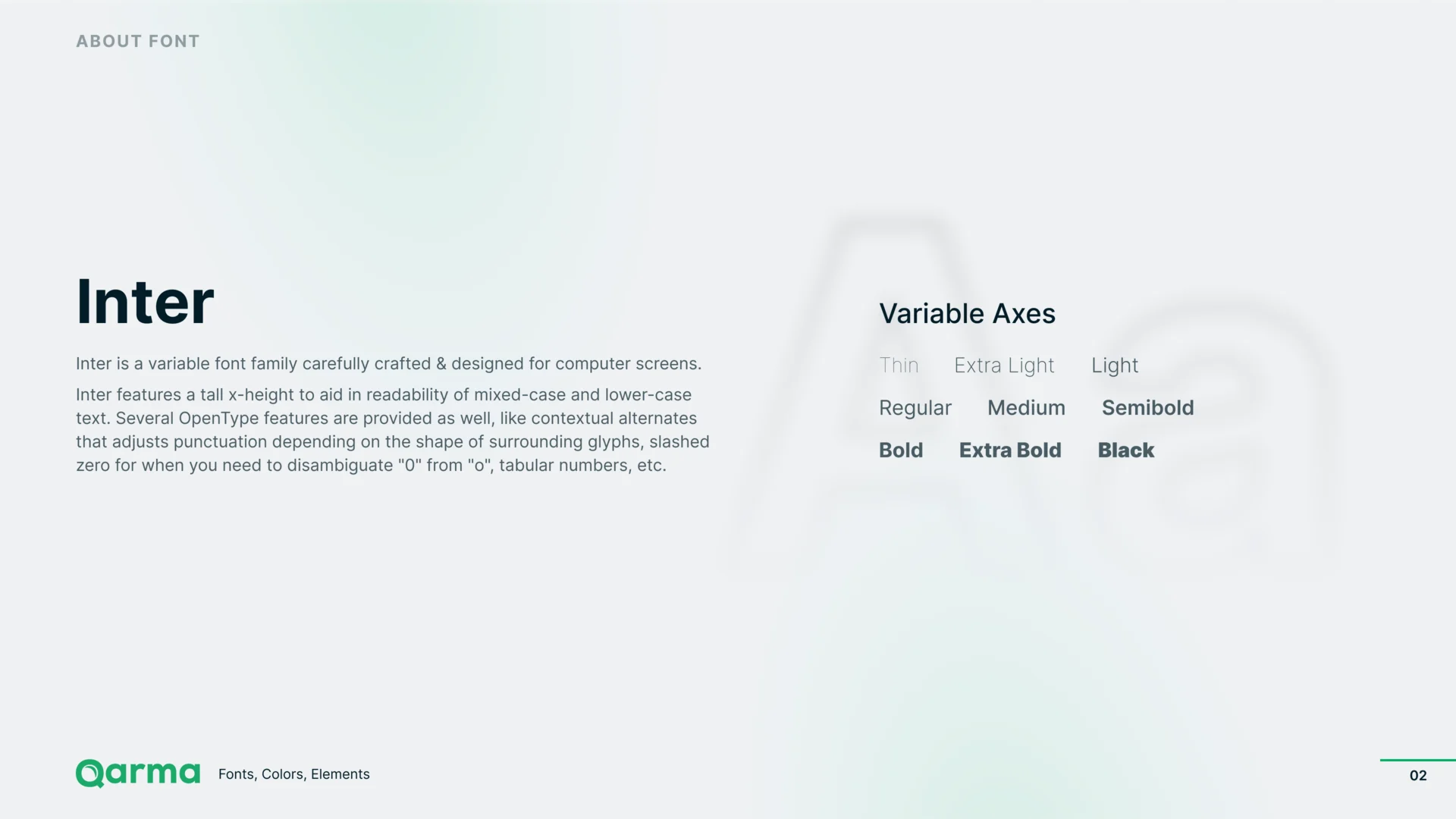
Type: One variable family for the web, the app and the site. -
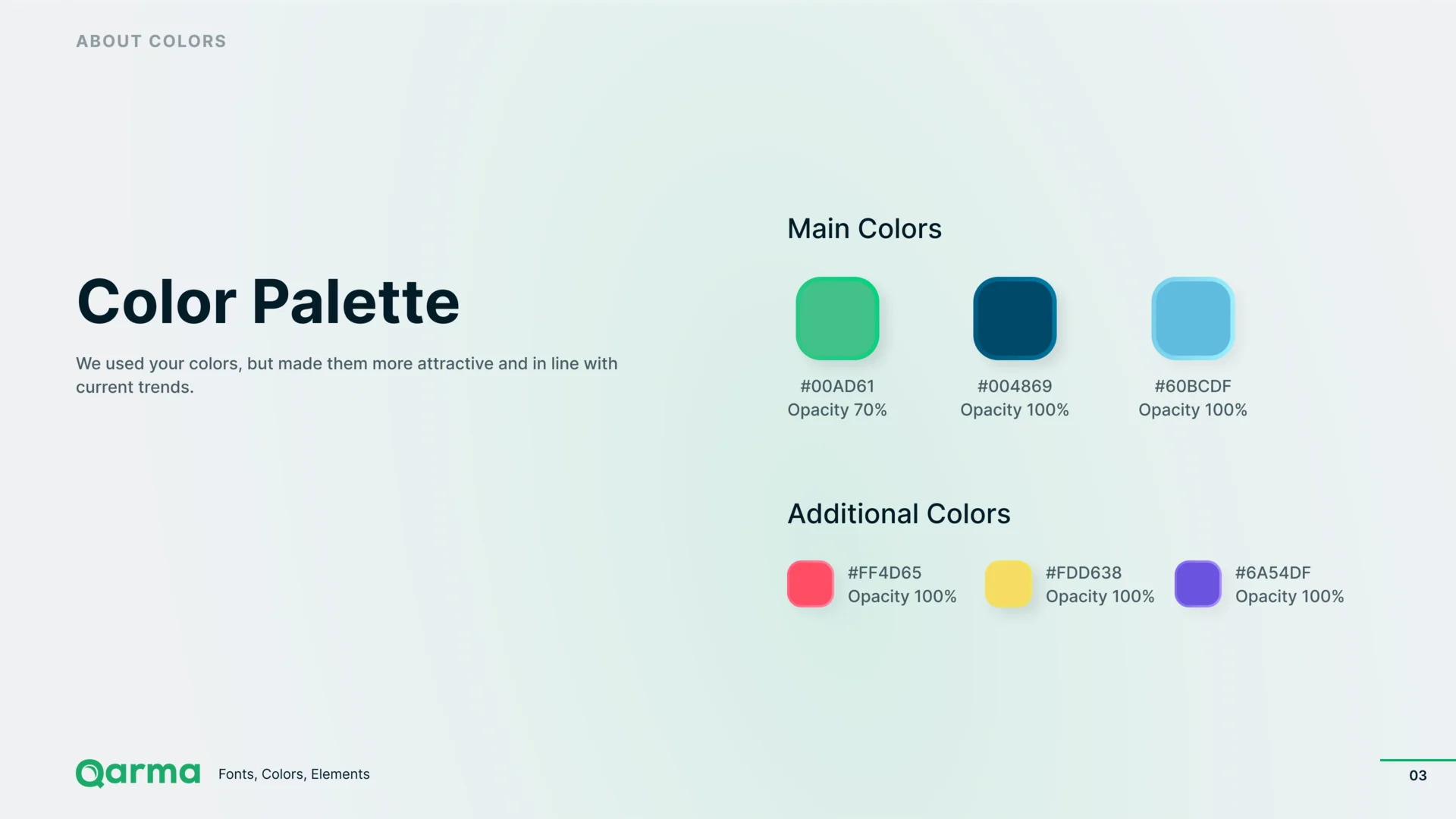
Colour: Main colours, then the additional ones.
Buttons in each state
Round add and remove buttons and the main button, each inactive, active and on hover.
-
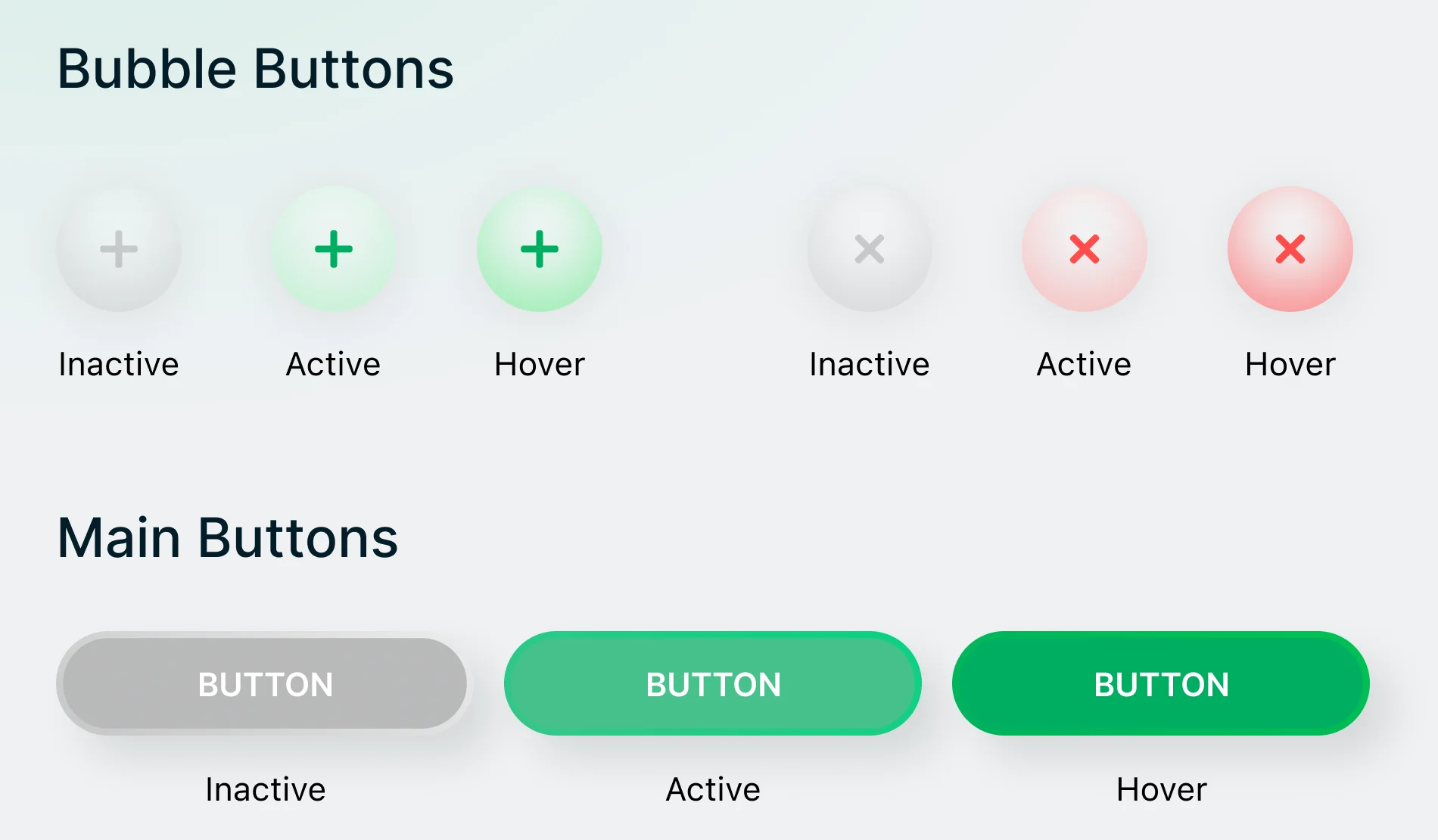
Inactive, active, hover
Where the product ended up
Qarma’s web product and its mobile inspector app designed end to end: planning, inspections on the phone, category checklists, defects, reports with AQL, supplier audits, analytics, users and roles, multilingual messages and corrective actions, on a style guide and UI kit built on Qarma’s identity.
Then the marketing site and its product-feature visuals, and a motion set.
- a management platform and one inspector app
- Web + mobile
- releases in one continuing engagement
- 2021–22

Afraid your quality data won’t fit a phone in a factory?
In Qarma, checklists, defects and reports read on an inspector’s phone and on a quality team’s desktop, and stay connected from the photo to the fix. Show us yours, and we’ll tell you where it breaks.
More work like this
Three more products with many roles, dense data, or work split between a desk and a phone.
-
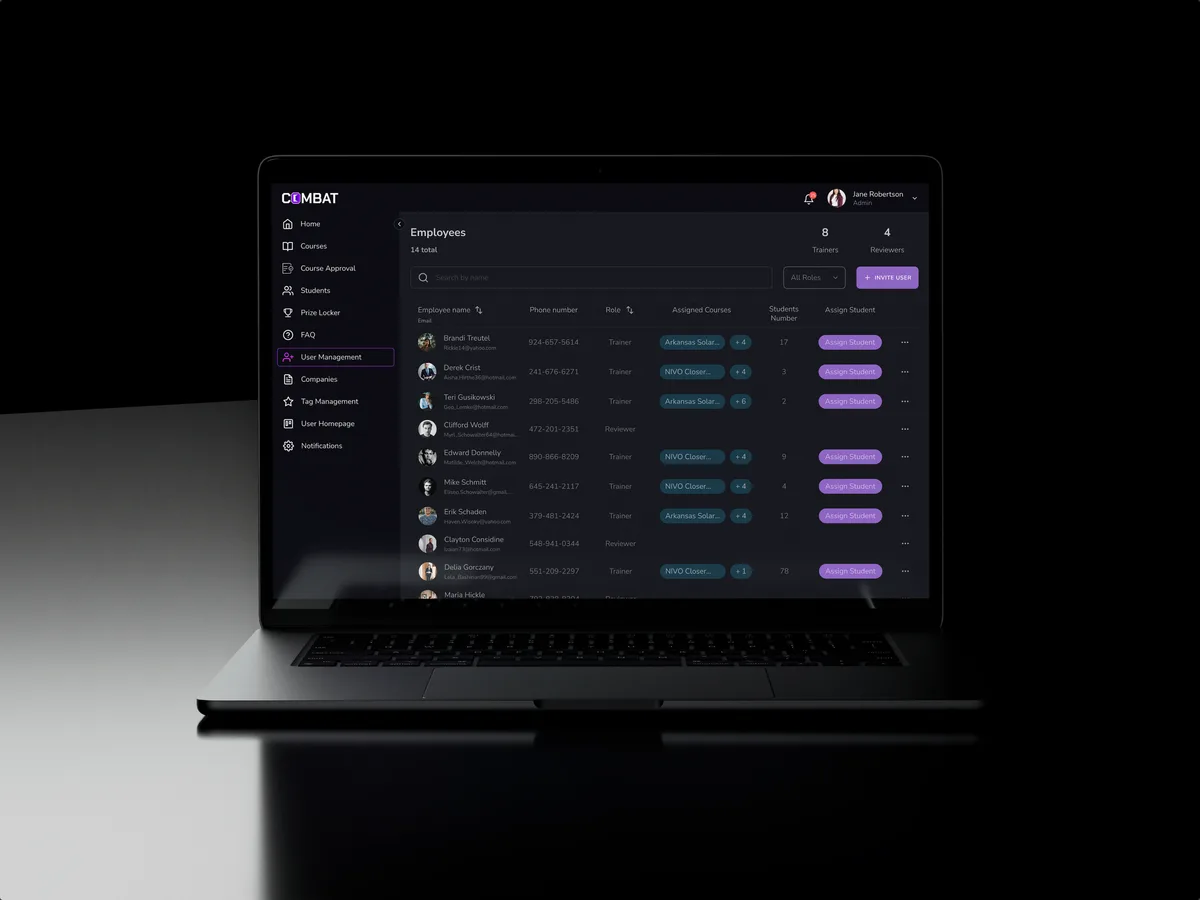
Sales training · Desktop web platform
Combat Sales
Reworked a sales-training platform people already used and designed new features into it, for five roles.
- 80+ Final desktop screens and interaction states
- 5 Roles in one platform
-
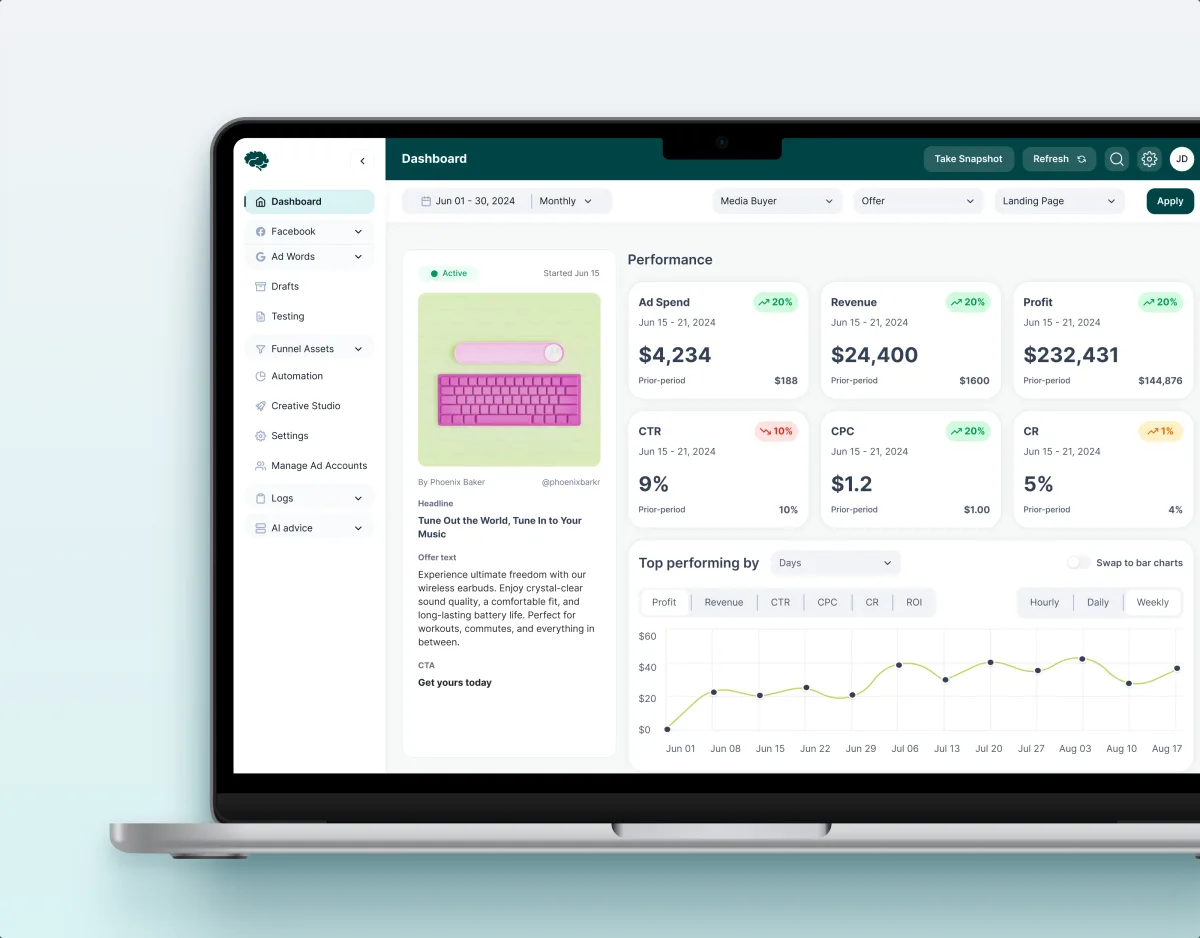
MarTech · Ads analytics · Web SaaS
Concussion Media
Redesigned a paid-traffic analytics platform: dashboards, funnels, automation rules and creative approval as one system.
- 400+ Screens and states
- 11 Modules designed and approved by the client
-

FoodTech · SaaS
Glimix
Redesigned a hospitality app for diners and venue owners, with its brand, from a new logo to the store listing.
- 200+ Screens designed
- 5 Experts on the pod