
SEO software a site owner can act on
SEOSpace’s Chrome extension, web app and landing page, redesigned as one product: audits that end in tasks, keywords, Local SEO and AI Visibility.
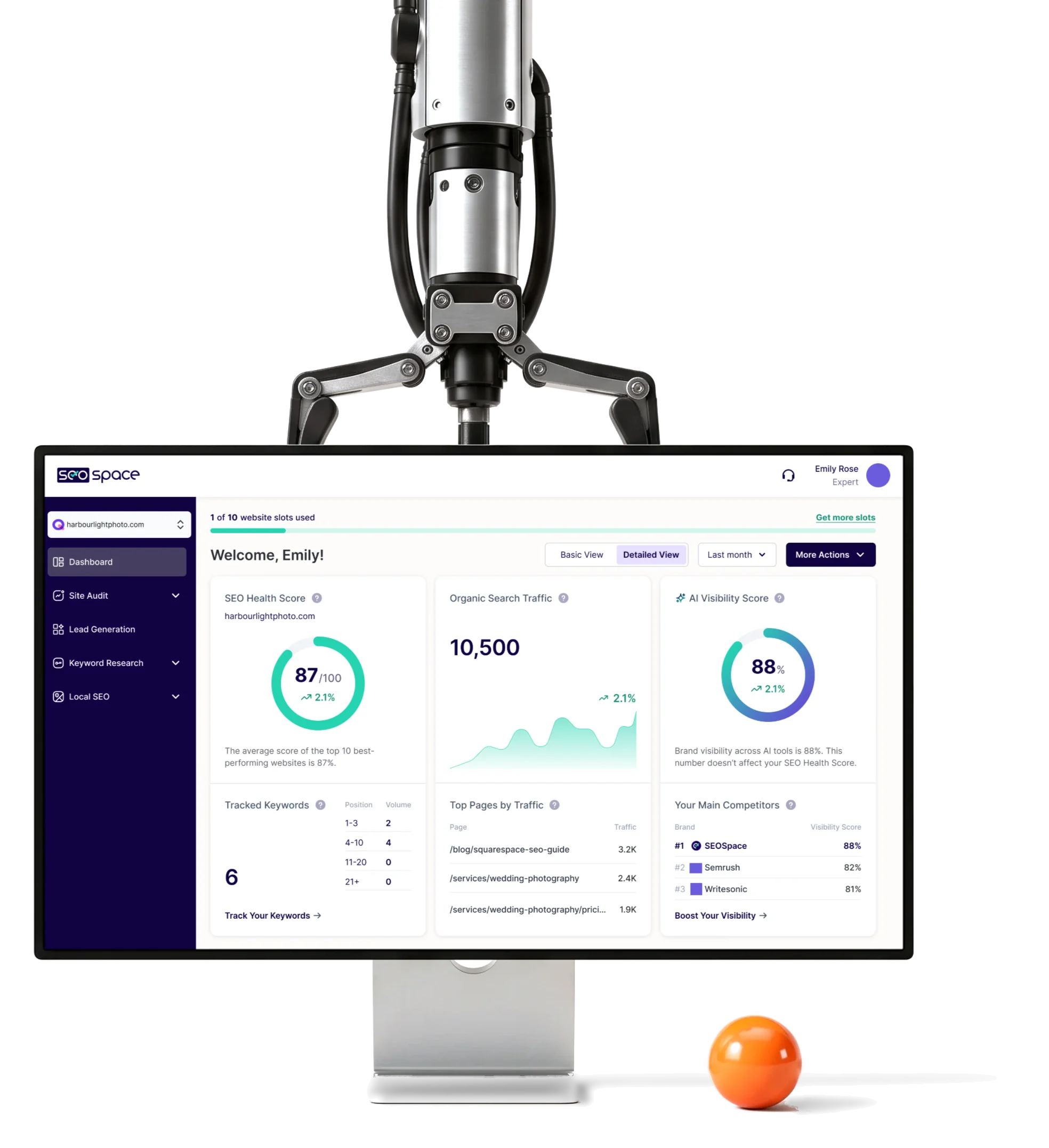
- 30,000+
- active users up from about 100, as SEOSpace’s founder reports
- 400+
- screens across the extension, the web app and the landing page
- 5
- experts from the ANODA team
Project summary
SEOSpace is SEO software built for Squarespace websites: a Chrome extension that checks a page inside the editor, a web app, and the site that sells both. Its users run from a photographer doing their own SEO to agencies with many clients. We audited the product SEOSpace already had, then redesigned it across the extension, the web app and the landing page, on one design system .
How we worked together
- Our team
- Five experts, from UX audit to design QA
- Surfaces
- Chrome extension, responsive web app, landing and pricing pages, product emails
- Start
- A UX audit of the live product, written finding by finding, each with a recommendation
- Rhythm
- Phase after phase: each new scope, such as Local SEO or AI Visibility, began with its own flows
- Evidence
- User interviews and testing, competitor analysis and the support team’s tickets
- Delivery
- Figma files, Loom walkthroughs and PDF audits for SEOSpace’s developers, then design QA of the build
- Tools
- Figma, FigJam, Loom
Everything SEO, in the order a site owner meets it
SEOSpace covers the whole job, from one page in the editor to how AI assistants describe the business. Each area came with its own data and its own vocabulary:
-
Extension
- A score for the open page
- Fixes, issue by issue
-
Site audit
- Scanned pages
- Tasks by priority
-
Keywords
- Research and ideas
- Rank tracking
-
Local SEO
- Business Profile
- Reviews, posts, maps
-
AI Visibility
- What AI engines say
- AIO tasks
-
Agency tools
- Lead forms
- SEO reports
- Guidance and depth
- A beginner is told what to do next; a professional still gets the filters, numbers and exports.
- Side panel and full app
- The extension does real work in a narrow panel and hands the rest to the web app.
- AI search and SEO identity
- AI Visibility joined as one more part of the SEO product, with its own score beside the SEO one.
The dashboard, before and after
- Found
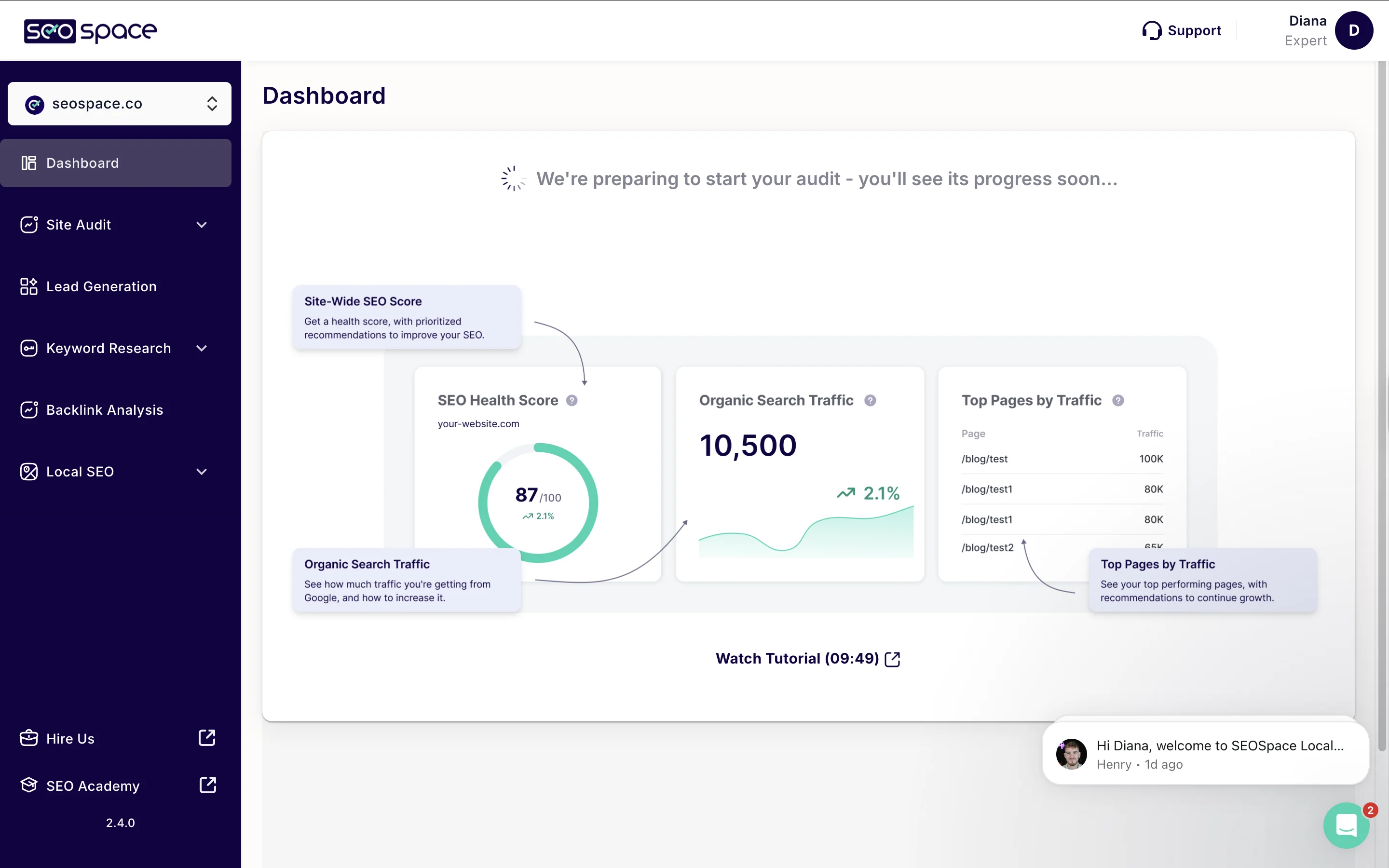
- A new account opened on a spinner, a sample preview of three cards and a ten-minute tutorial. The page explained the product instead of the site.
- Decided
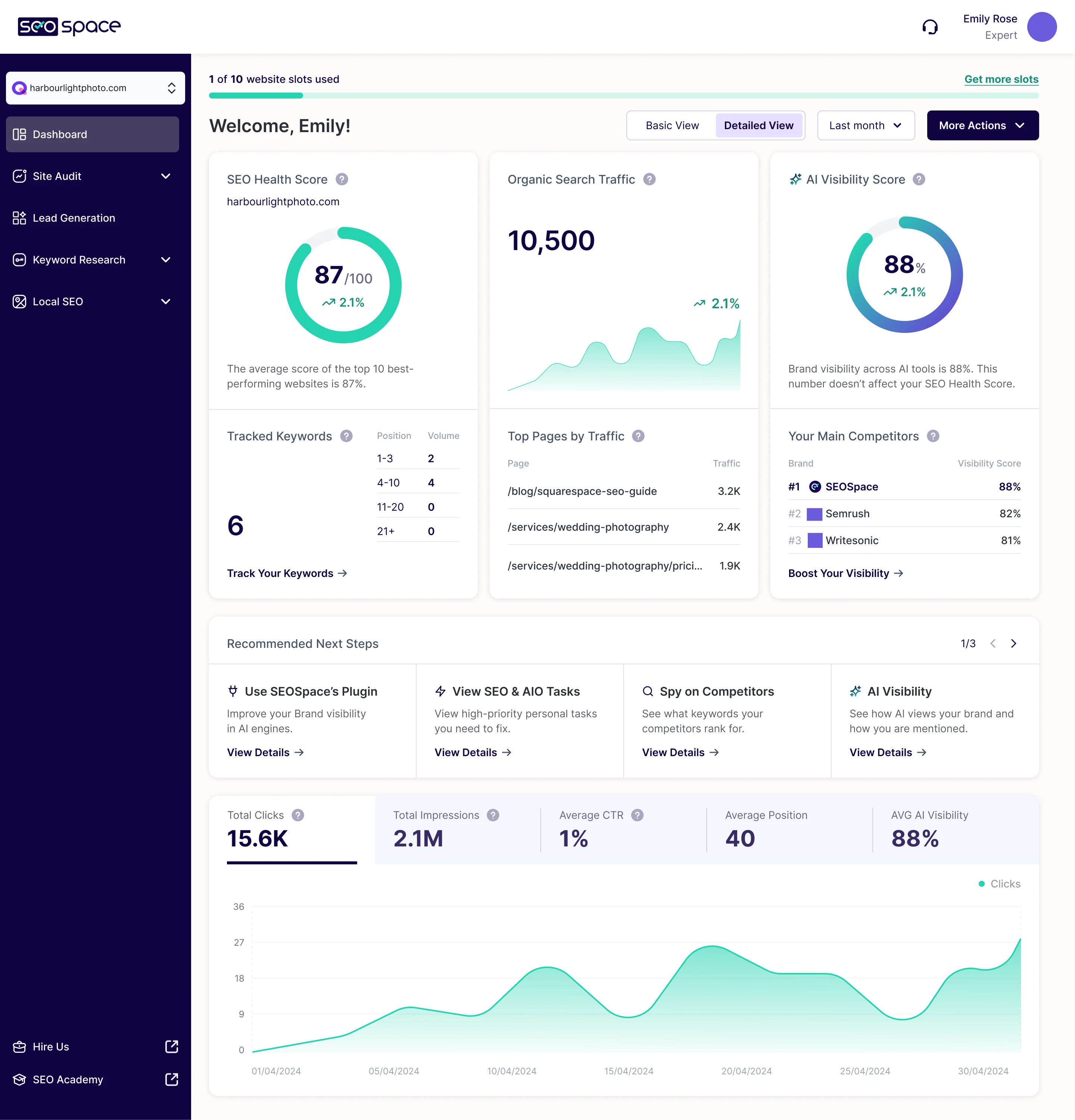
- One reading order for every site: where it stands, what sits behind each number, what to do next, then how it trends.
- For the user
- An owner sees the SEO and AI Visibility scores side by side, then the next step, without reading a report first.
- In the way
- While the first audit ran, the page showed a waiting message and sample pages. Nothing said how long it would take or what to do meanwhile.
-
Where the site stands
SEO health, organic traffic and the AI Visibility score, each with its trend.
-
What is behind each number
Tracked keywords by position, the pages that bring traffic, and the brands AI mentions first.
-
What to do next
Recommended next steps, each a link into the tool that does it.
-
How it trends
Clicks, impressions, CTR, position and AI visibility over the chosen period.
How the work progressed
Four phases, each closing a question before the next one opened, with the audit steering the rest.
-
UX Audit
11 hrs
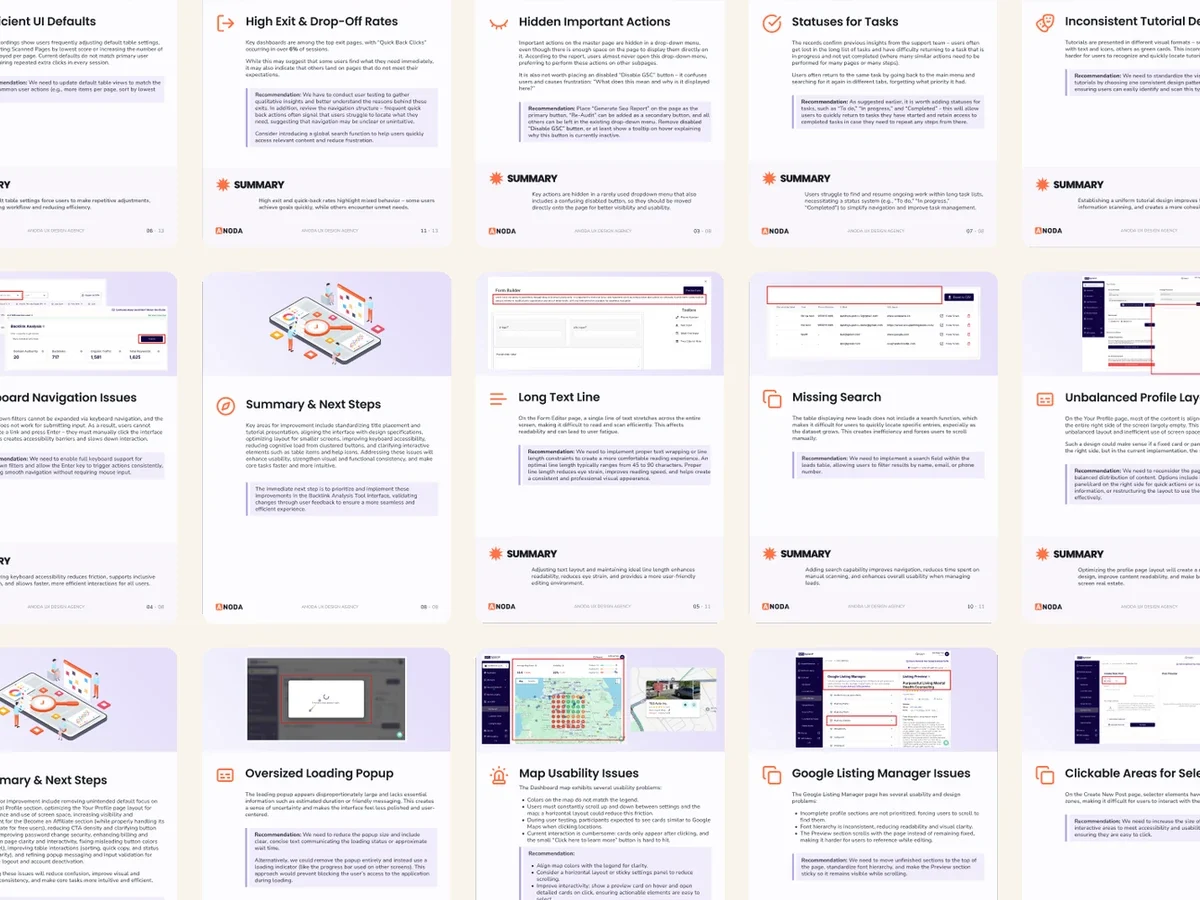
Where the live product lost people, tool by tool, and what to change first
Artifact Usability reviews written finding by finding, each with a recommendation
-
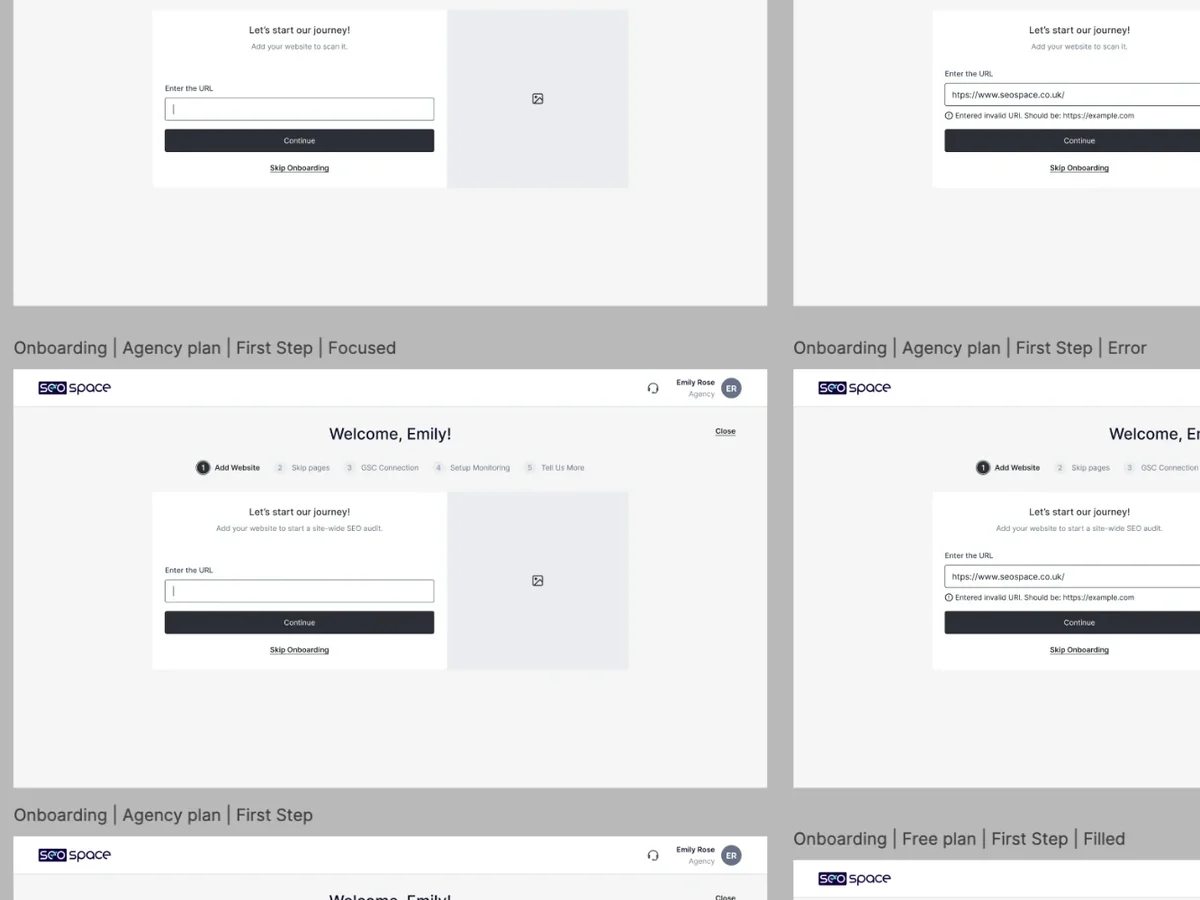
Wireframes
114 hrs
The structure of every flow, including the states a demo never shows
Artifact Grey wireframes for onboarding, the extension, dashboards, keywords and lead capture
-
UI & Design System
941 hrs
One visual language across the extension, the web app and the landing page
Artifact Style explorations, then the final UI and a dedicated design system
-
Delivery
34 hrs
A build SEOSpace’s developers could follow, and checked once built
Artifact Figma handoff, Loom walkthroughs and design QA of each release
From separate tools to one navigable product
- Found
- Site audit, keywords, lead generation, backlinks and Local SEO had grown as separate tools, each with its own entry point and its own words for the same action.
- Decided
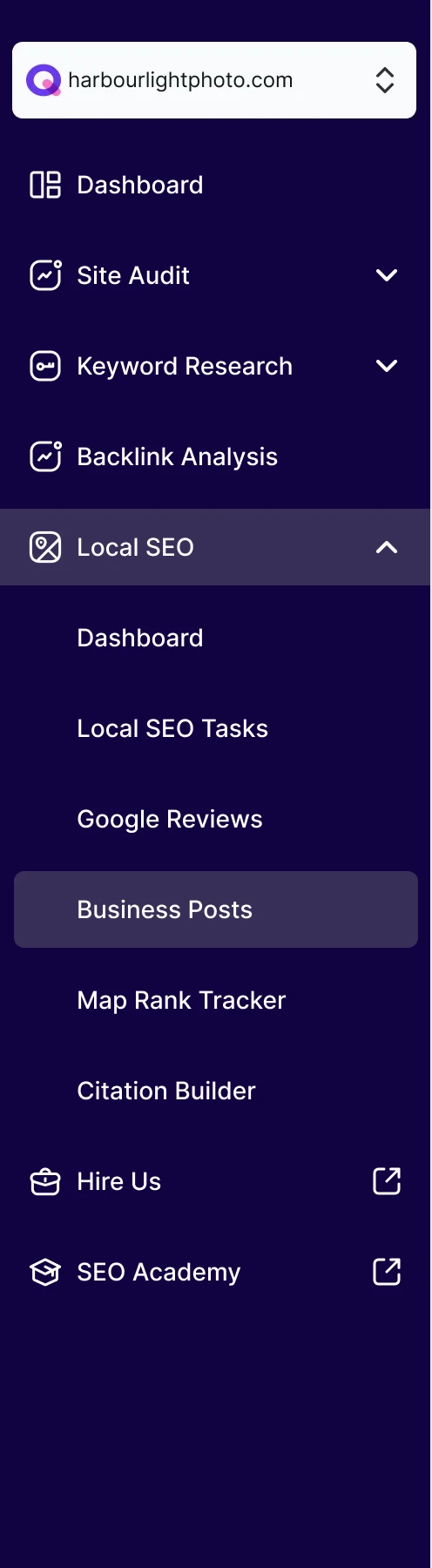
- Every flow was drawn end to end with its empty, error and loading states first, then the tools were grouped under one sidebar that opens only the section in use.
-
AI dashboard
From the AI Visibility tab to the overview, then the AI dashboard, with every hover state and content block named beside its node.
Open the full map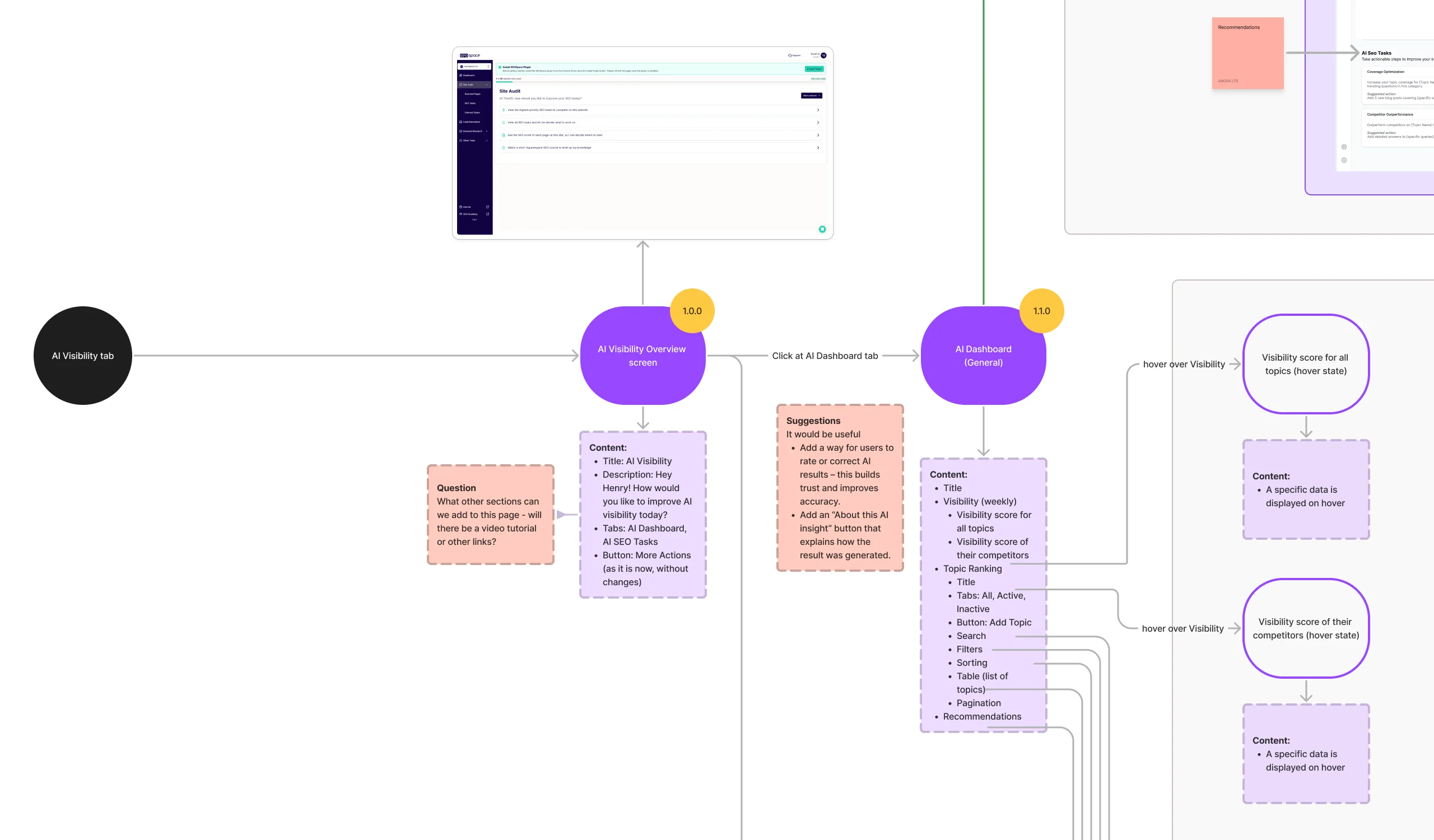
-
Adding a topic
Topics are what AI Visibility tracks, so adding one has its own path: the form, a loading screen, then the dashboard updated.
Open the full map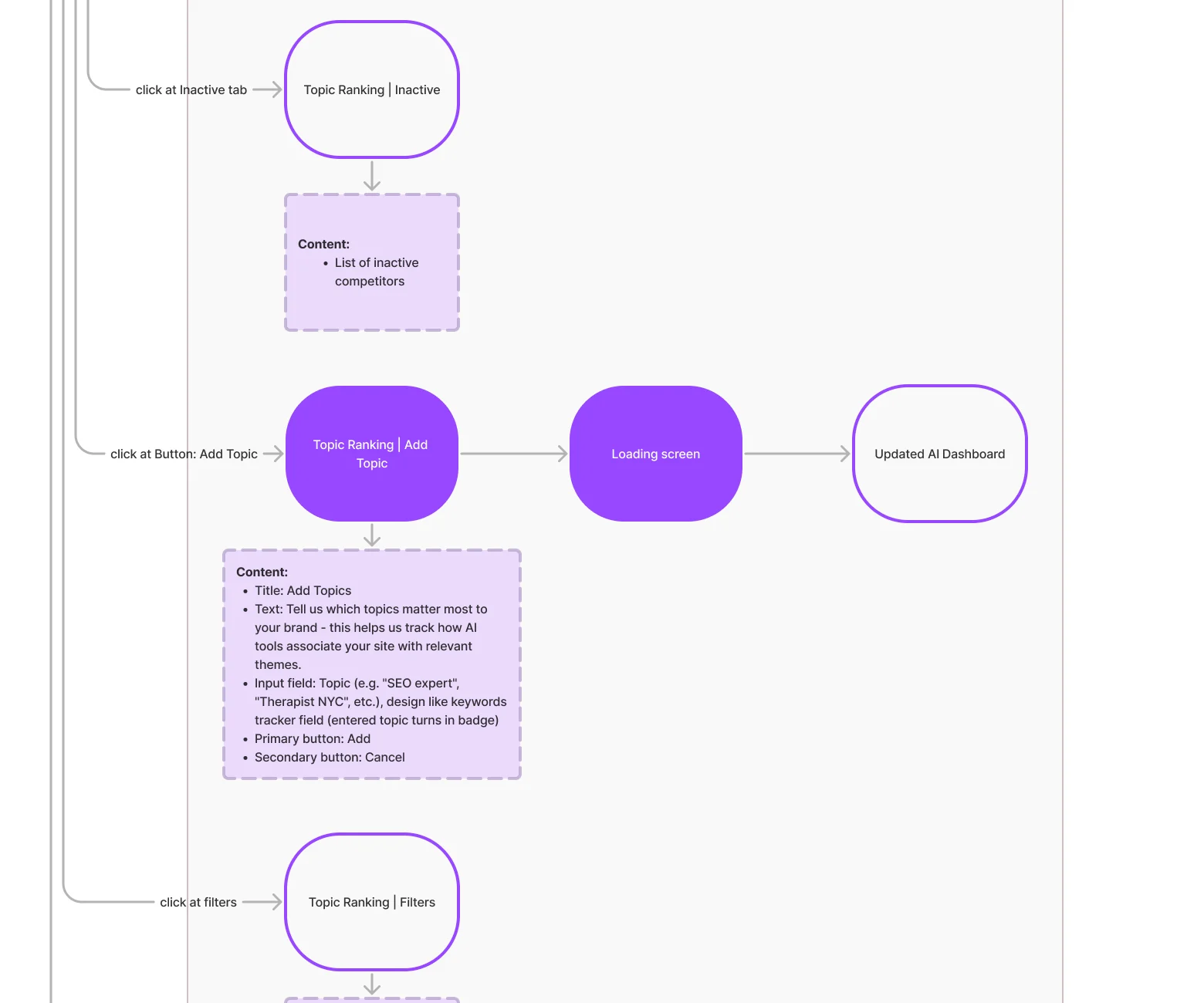
Six jobs SEOSpace does for its users
In the order the product grew around them: AI search first, because it is the newest question owners ask, then the SEO work underneath it.
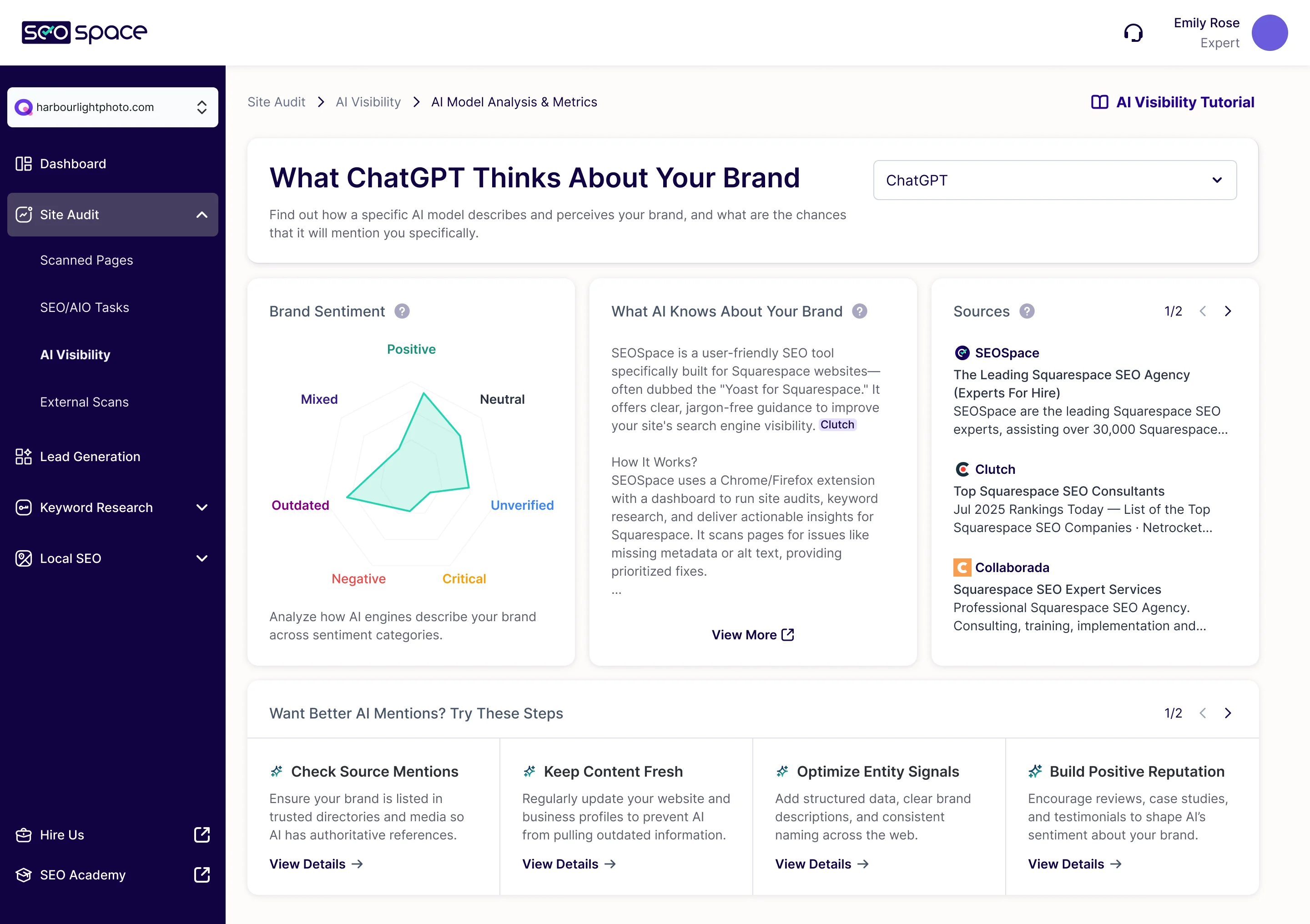
Seeing how AI search describes the business
- Found
- Owners started asking whether ChatGPT and Google’s AI answers mention them. A score alone would have been a novelty widget.
- Decided
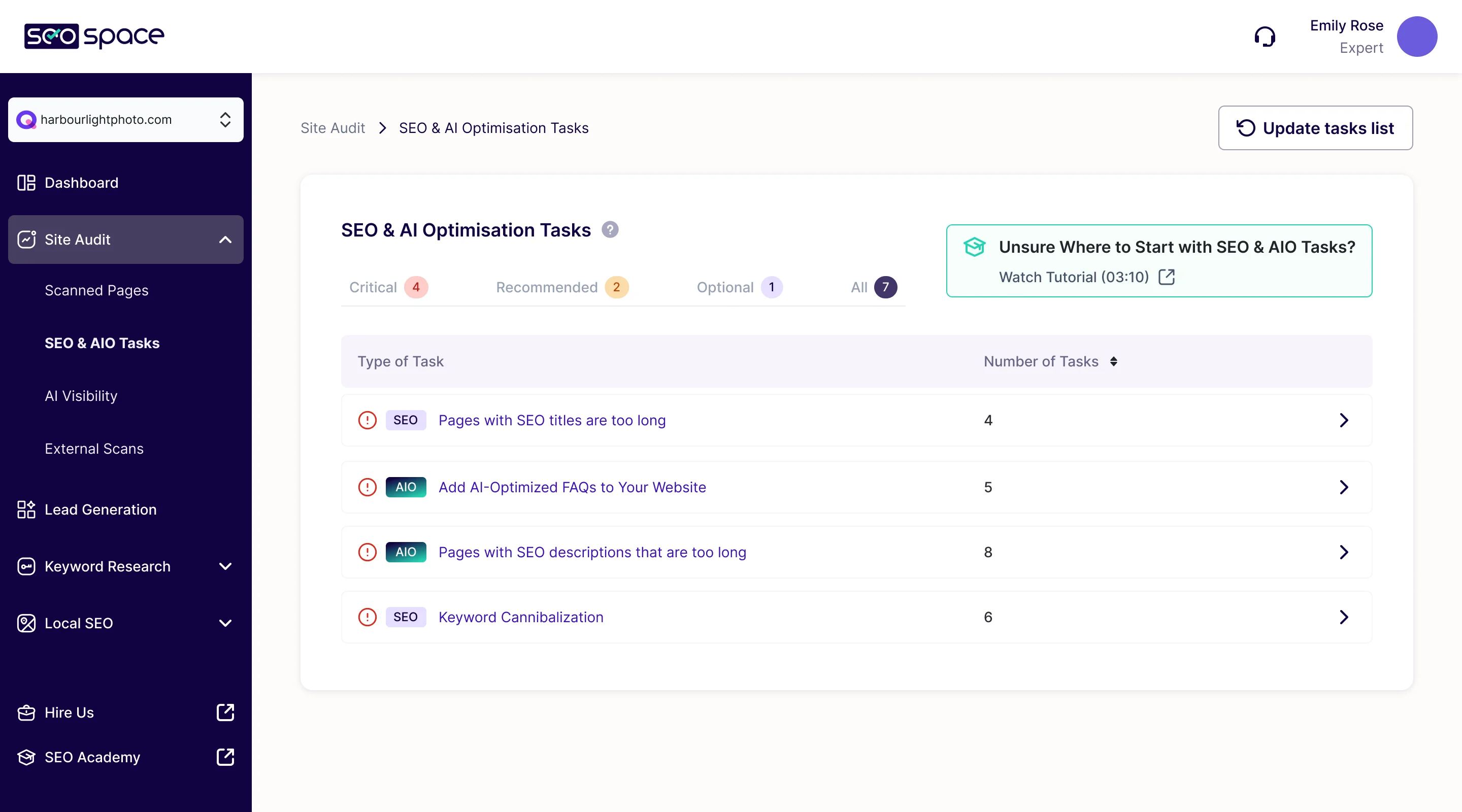
- AI Visibility reads like the rest of the product: what a chosen AI model says about the brand, the sentiment and the sources behind it, then steps to improve. Its tasks sit in the same list as SEO tasks, tagged AIO.
Turning an audit into work, not a report
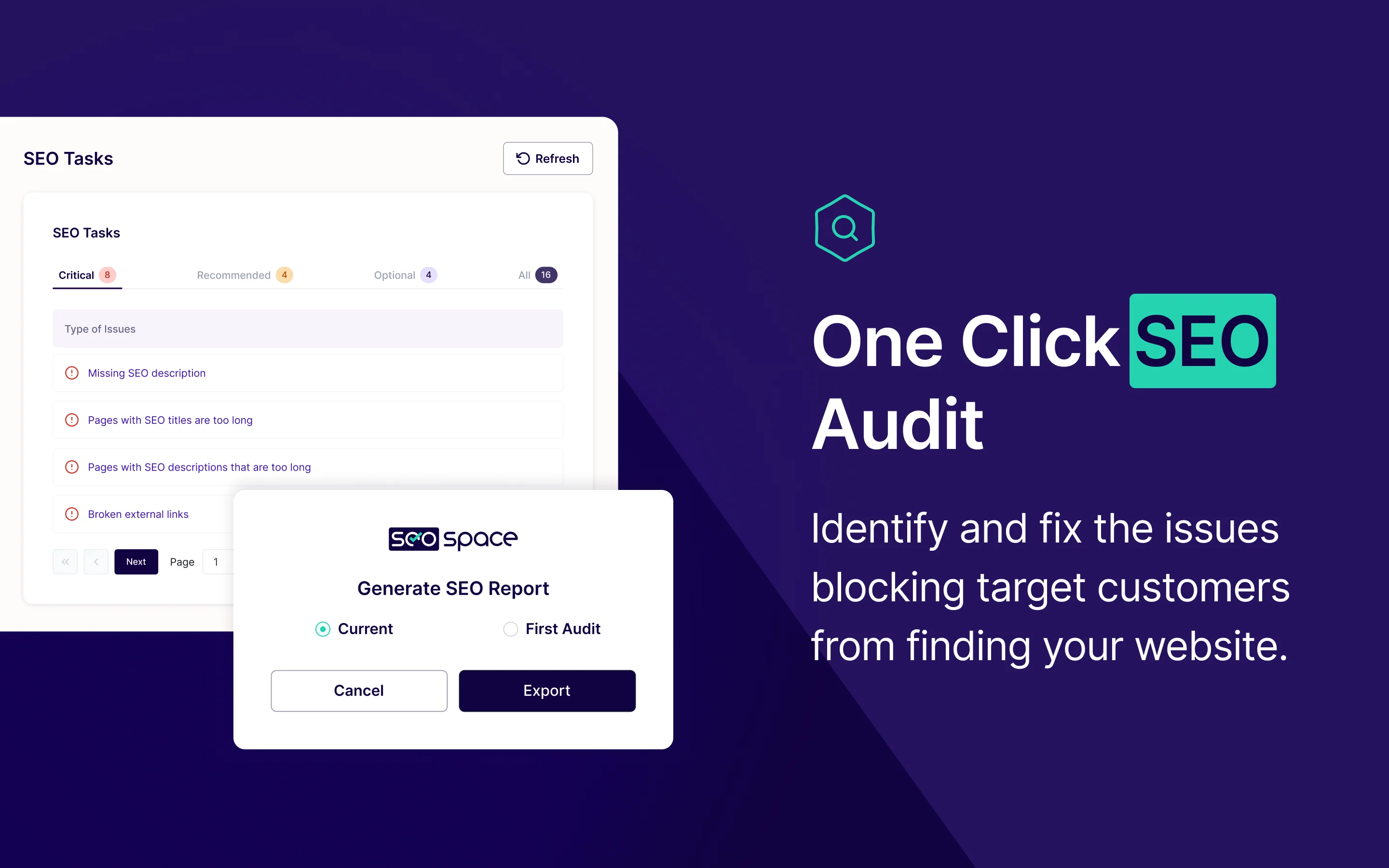
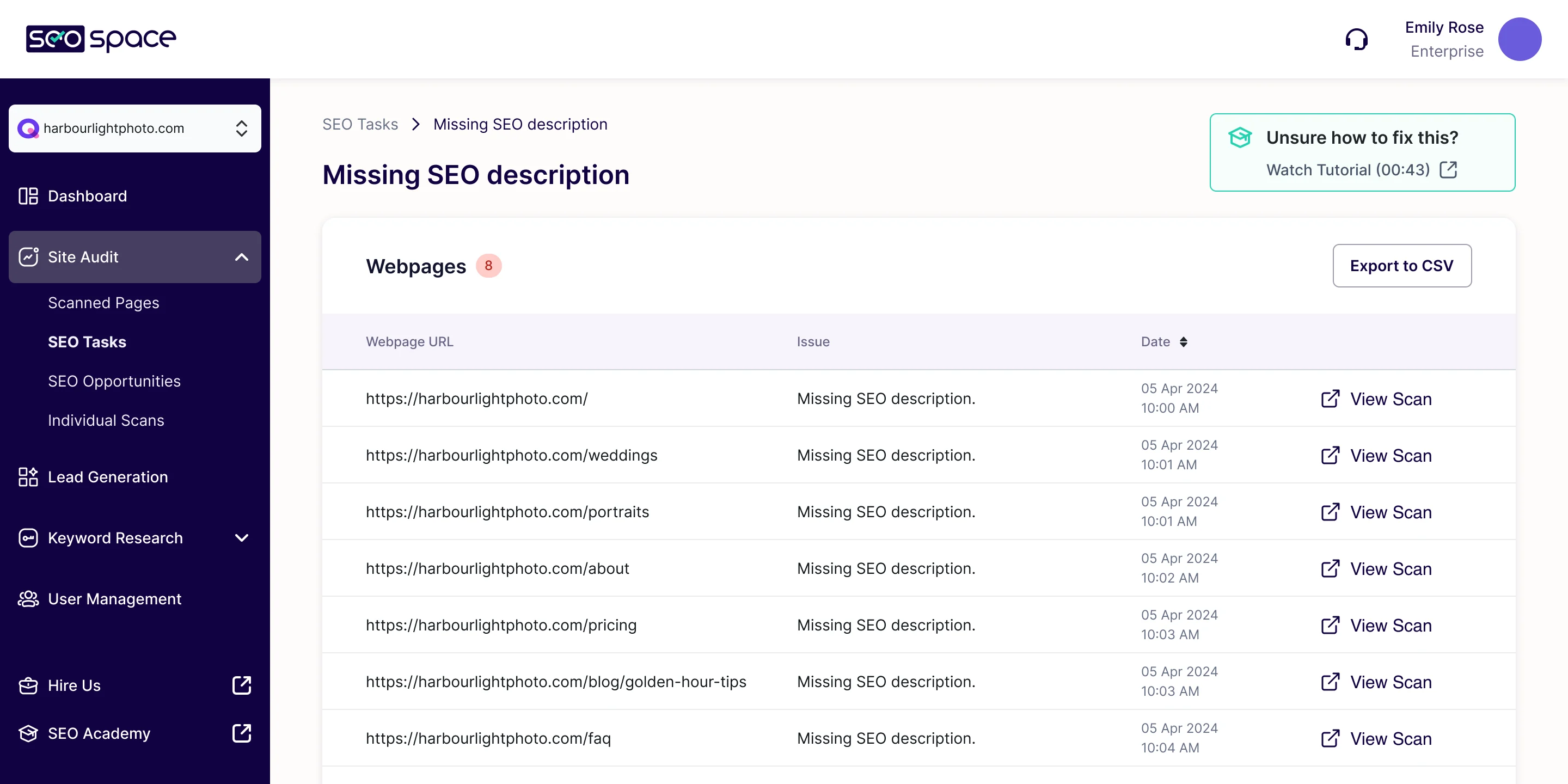
- Found
- An audit that returns sixty findings in one list tells a beginner that SEO is hopeless, and tells nobody where to start.
- Decided
- Findings become tasks ranked critical, recommended or optional. Each task opens on the pages it affects, with a short tutorial on the fix, and the extension shows the same tasks right in the editor.
Local SEO without another dashboard
- Found
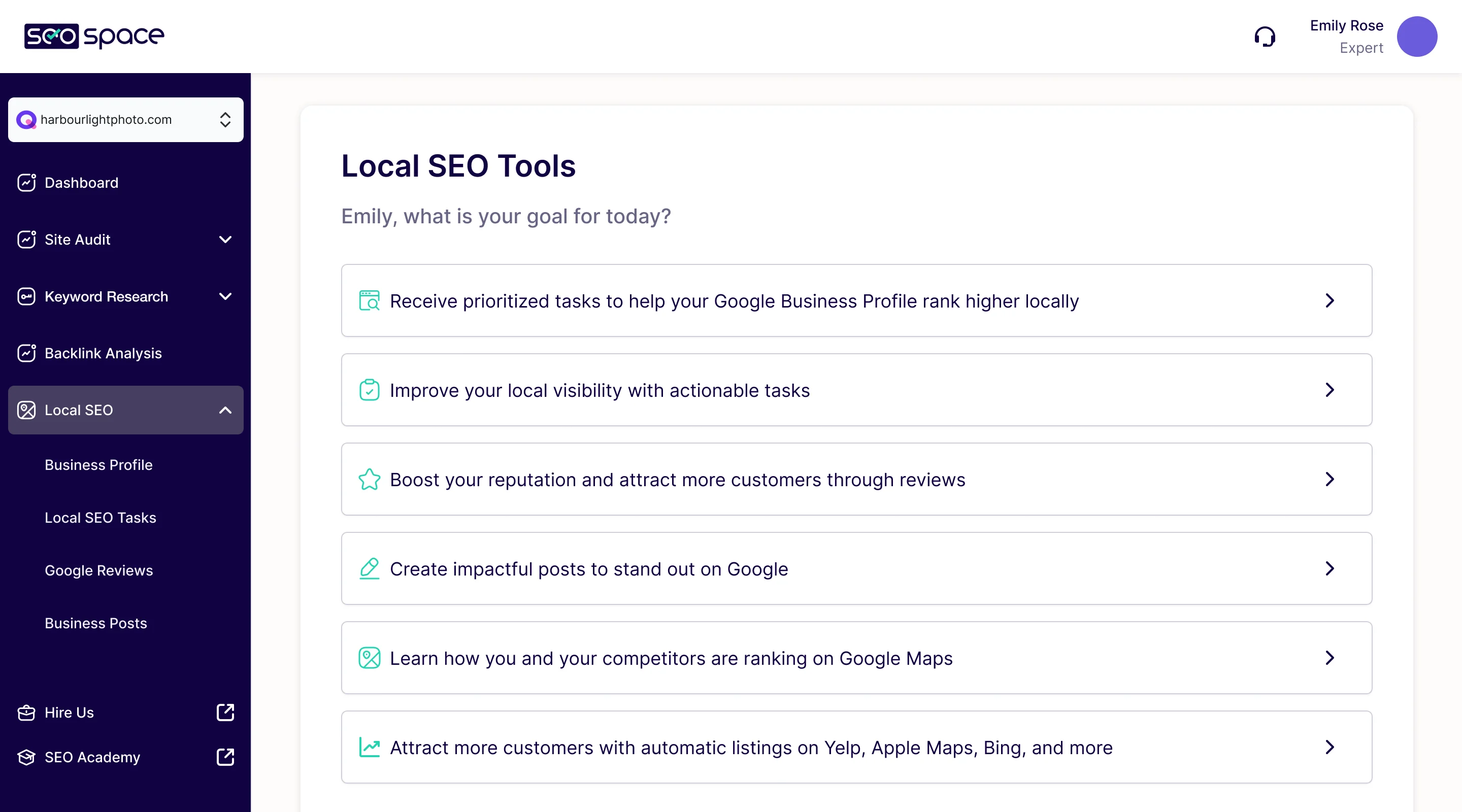
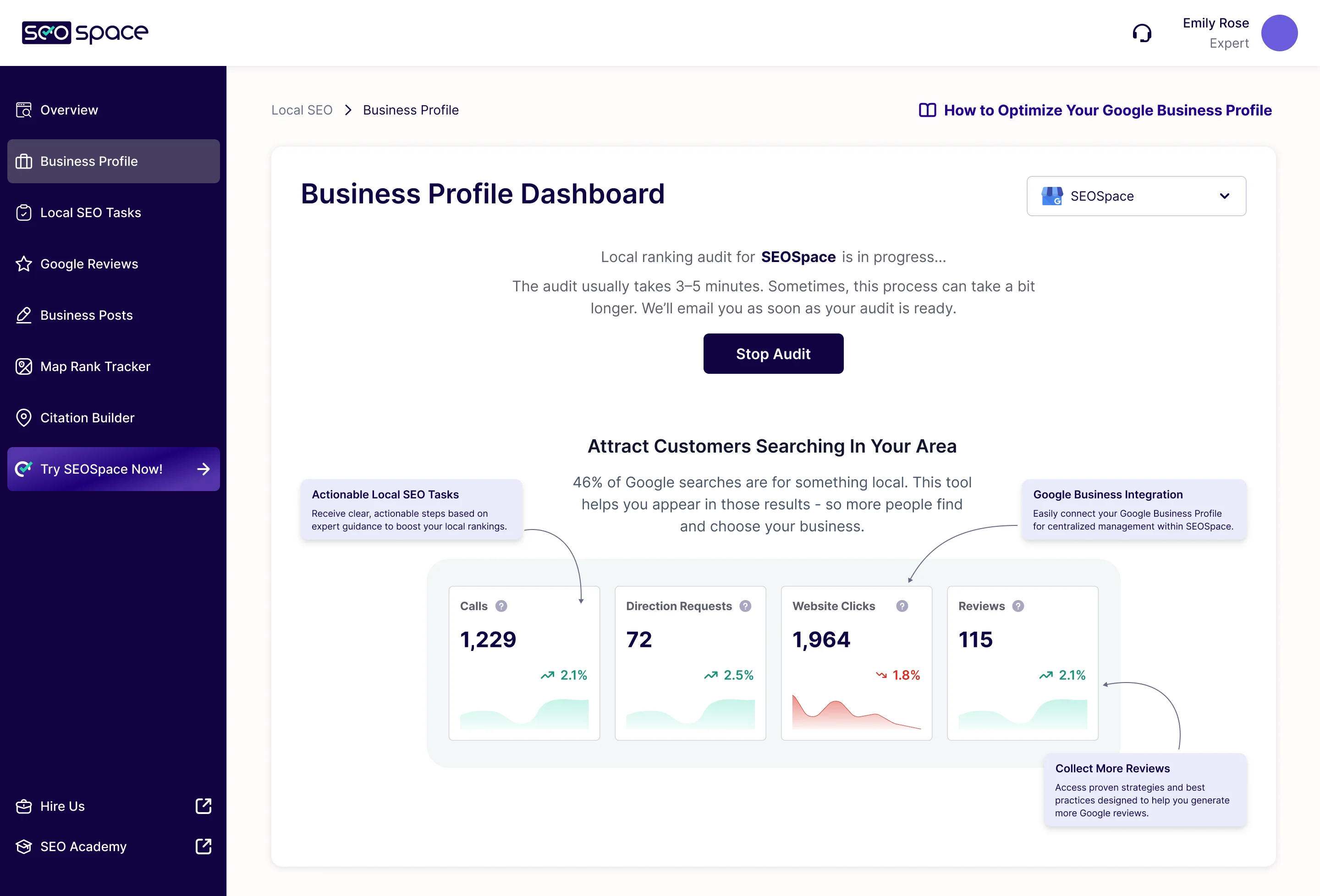
- Business Profile, reviews, posts, citations and map rankings are separate chores, and a list of metrics doesn’t say which one to do.
- Decided
- Local SEO starts from the owner’s goal, in plain words, and each goal opens the tool for it. While the local audit runs, the page says how long it takes and shows what the dashboard will hold.
Keywords and content, explained as they go
- Found
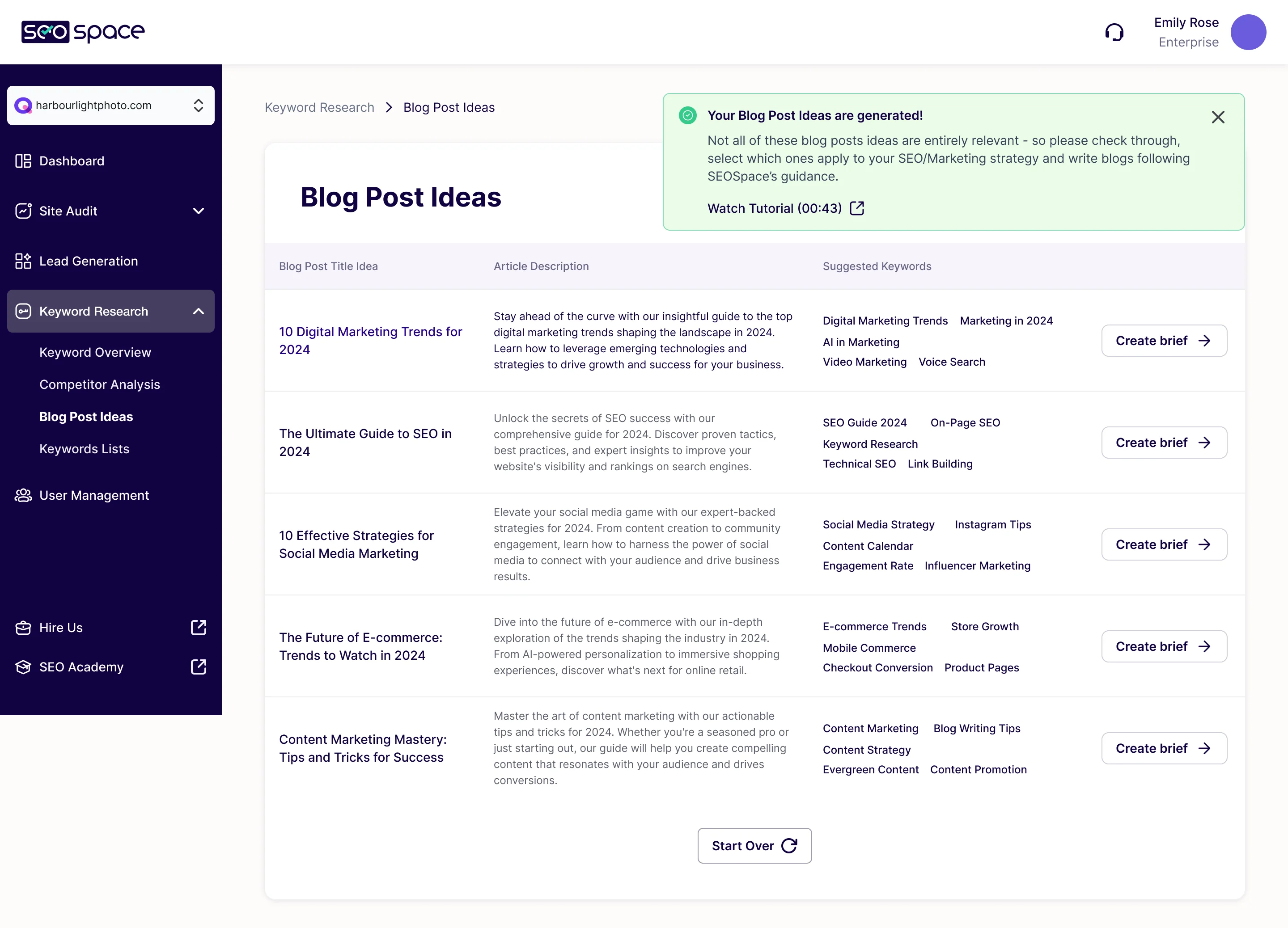
- Search volume, difficulty and intent are daily words for an SEO specialist and noise for everyone else.
- Decided
- Keyword research explains each metric where it appears, and blog post ideas come with a description, their keywords and a brief to start writing, marked plainly as suggestions to check.
Onboarding that ends on a working audit
- Found
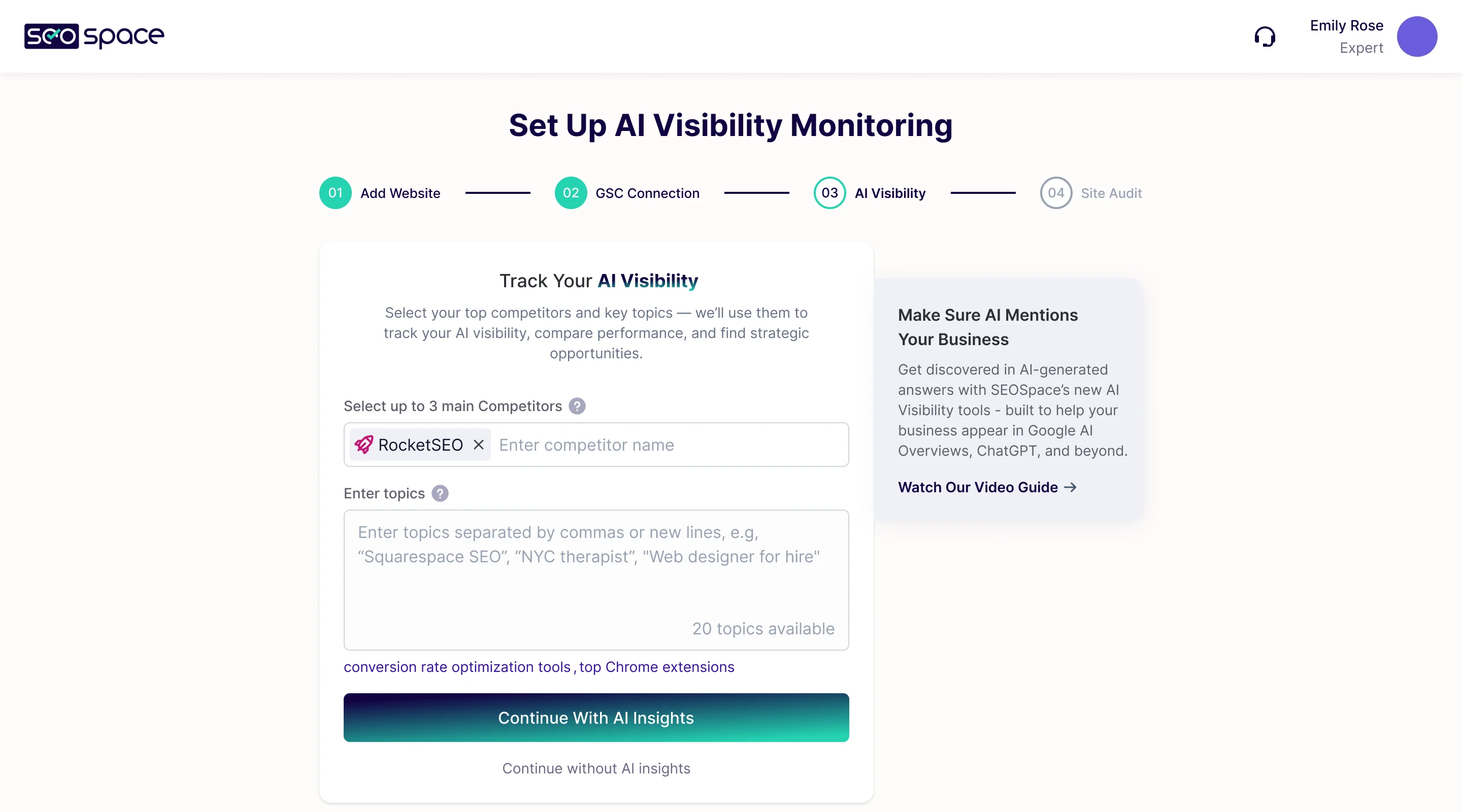
- A new account had to add a site, connect Search Console and choose what to track before the product could say anything useful.
- Decided
- Setup runs in four numbered steps, and AI Visibility asks for its competitors and topics inside the same stepper, with a way to continue without it.
One product for beginners and agencies
- Found
- A beginner wants one next step and a sense of progress; an agency wants tools to win clients and serve them. Two products would have split the team.
- Decided
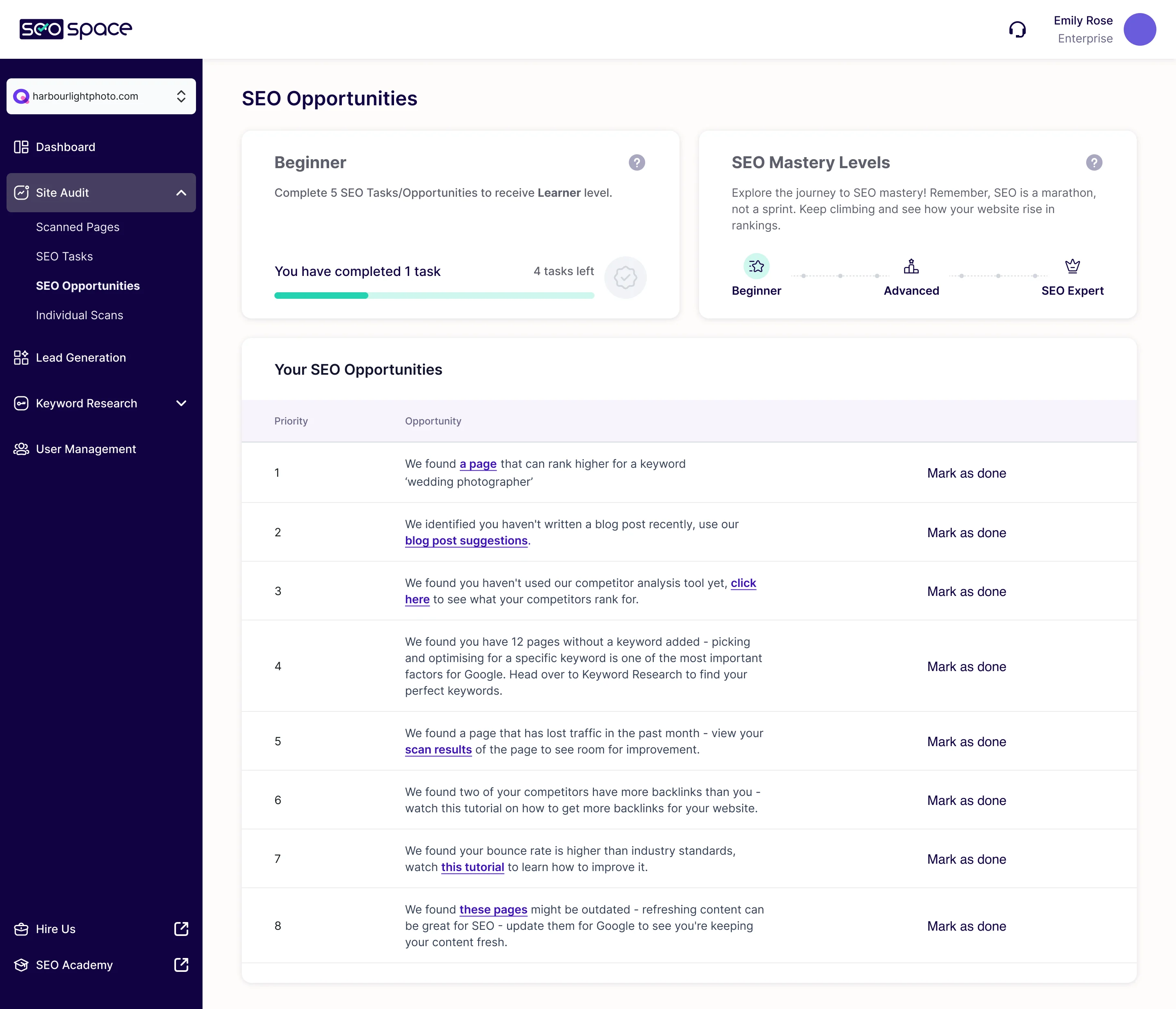
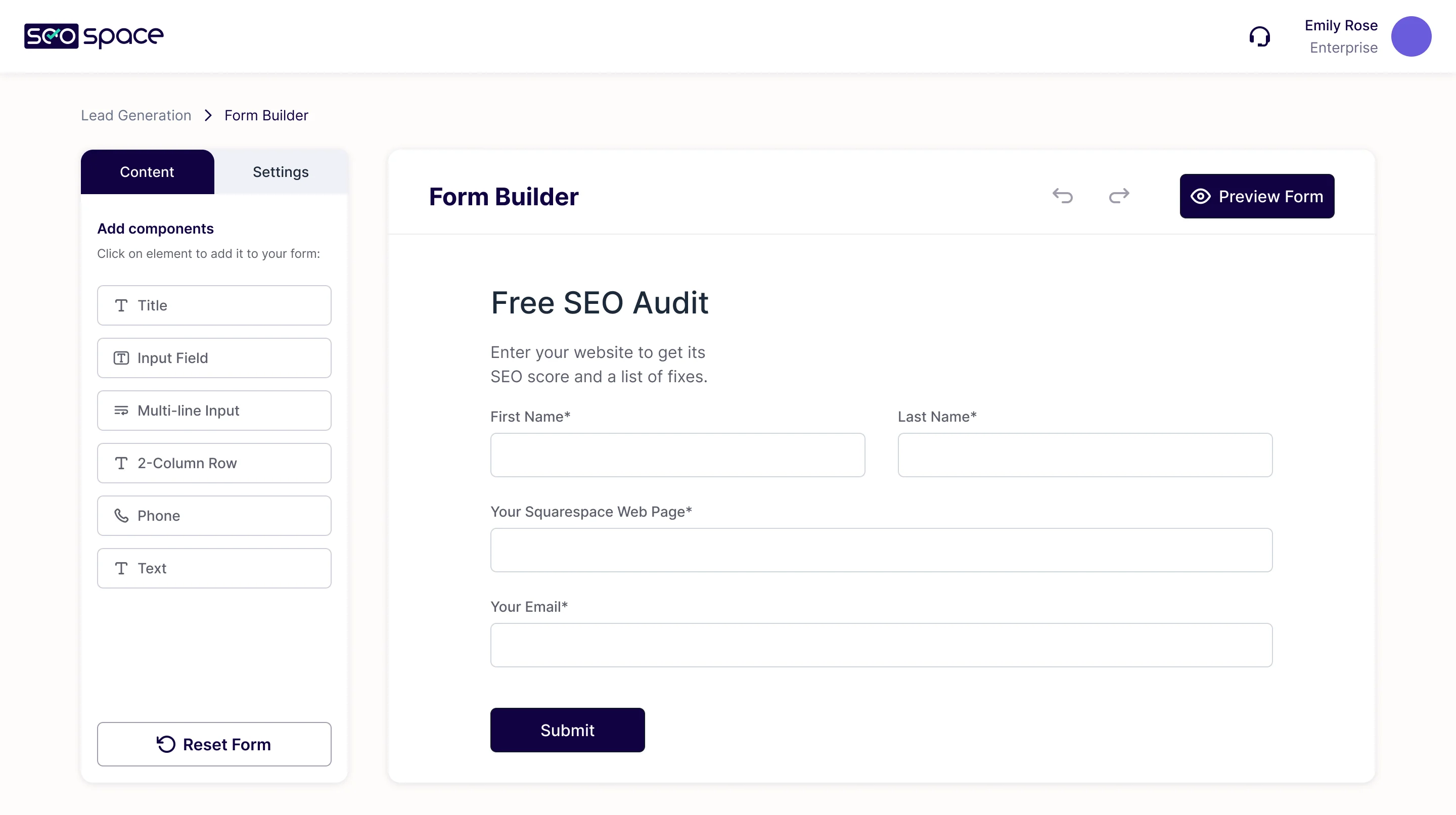
- Beginners get SEO opportunities in priority order, written as plain sentences, and levels that grow with each task done. Agencies get a form builder to put a free SEO audit on their own site and collect leads.
One design system behind 400+ screens
- Found
- As Local SEO and AI Visibility joined the product, the same score, chart or status was at risk of being drawn a new way in each part.
- Decided
- A dedicated design system for SEOSpace: one scale for scores, one chart block, statuses and tooltips, each drawn for missing and poor data as well as good.
Two scores, one scale
The SEO health score and the AI Visibility score share the same levels, but each keeps its own colours and units, so the AI score is never mistaken for the SEO one.
-
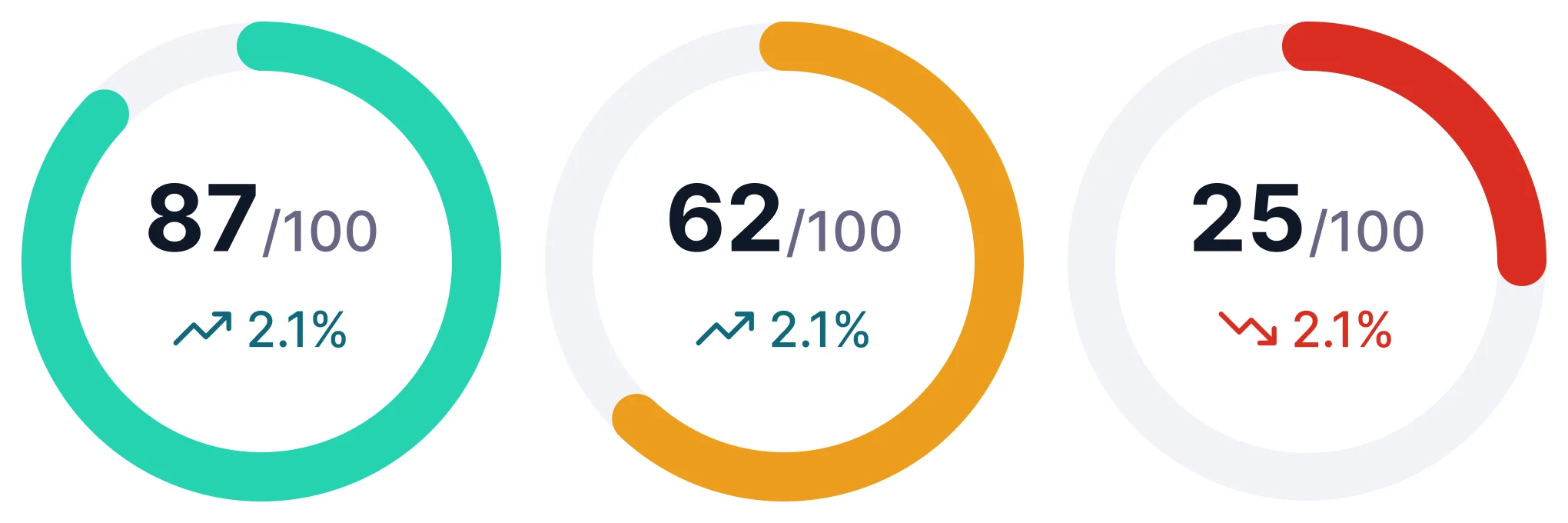
SEO health score: Out of 100: good, medium and poor. -
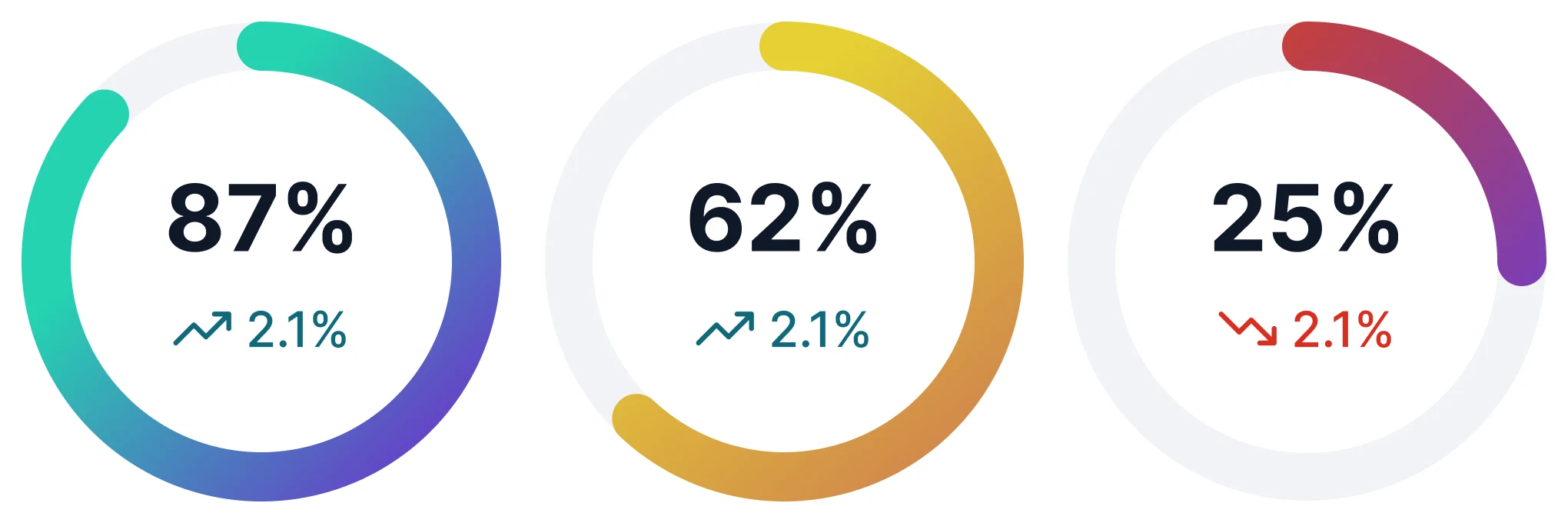
AI Visibility score: A percentage, with its own gradient at the same levels.
One chart, whatever the data
The chart block is drawn for a site that hasn’t connected Search Console yet, as well as for rising and falling numbers.
-
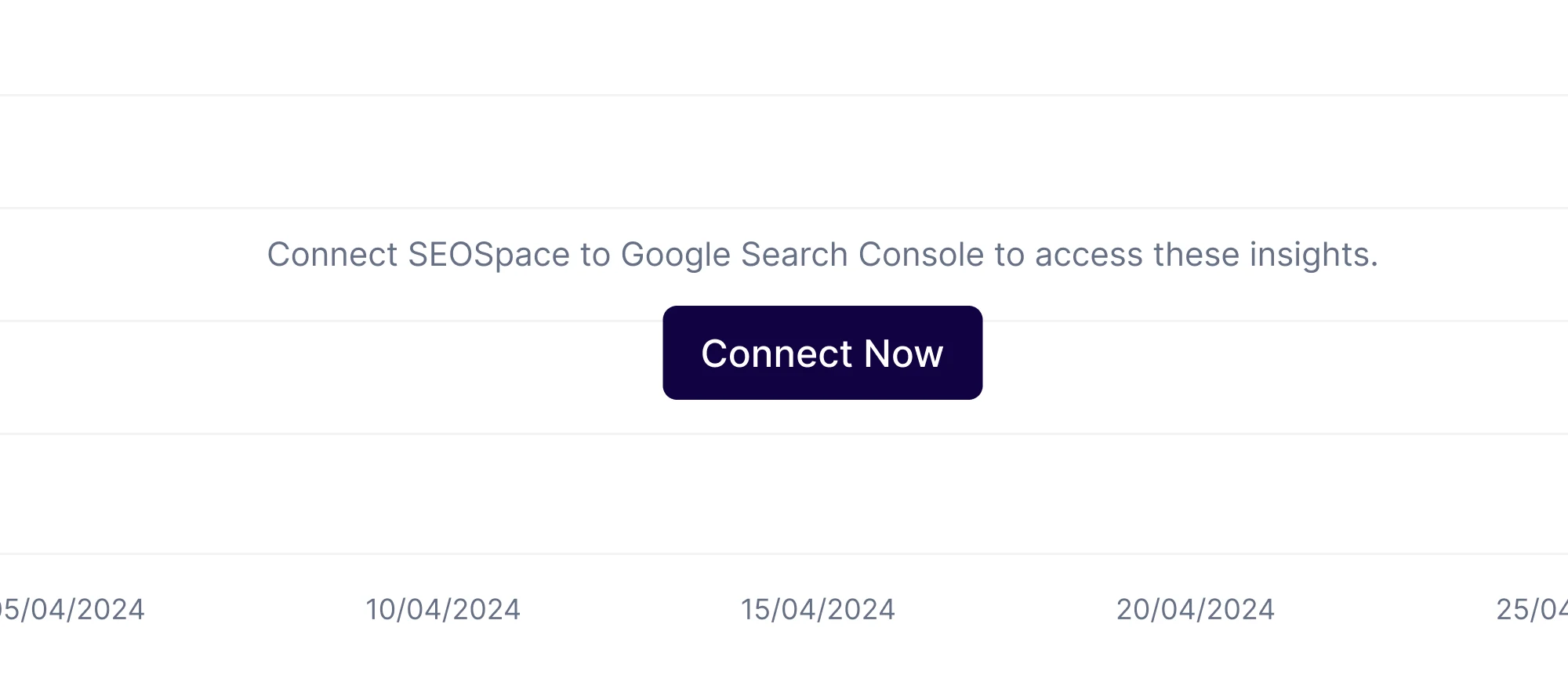
Not connected -
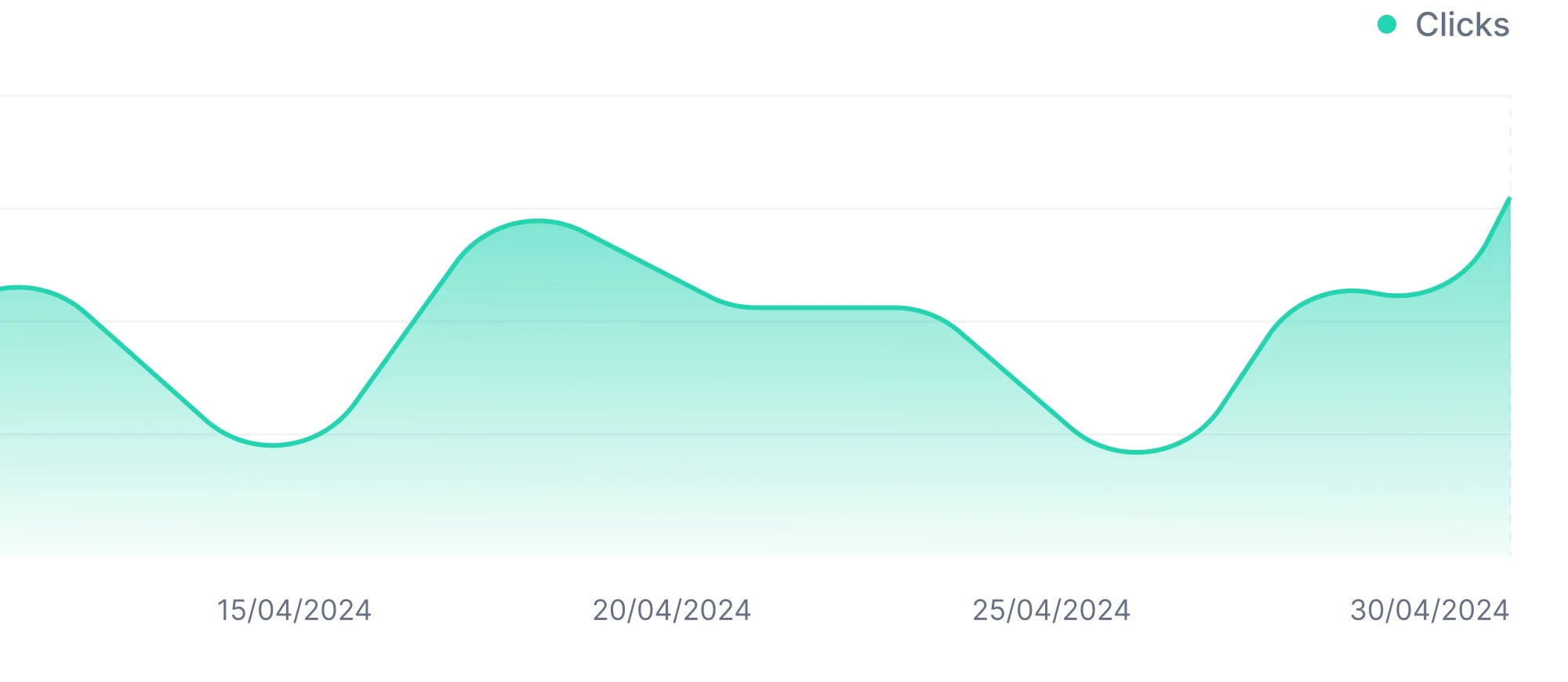
Growing -
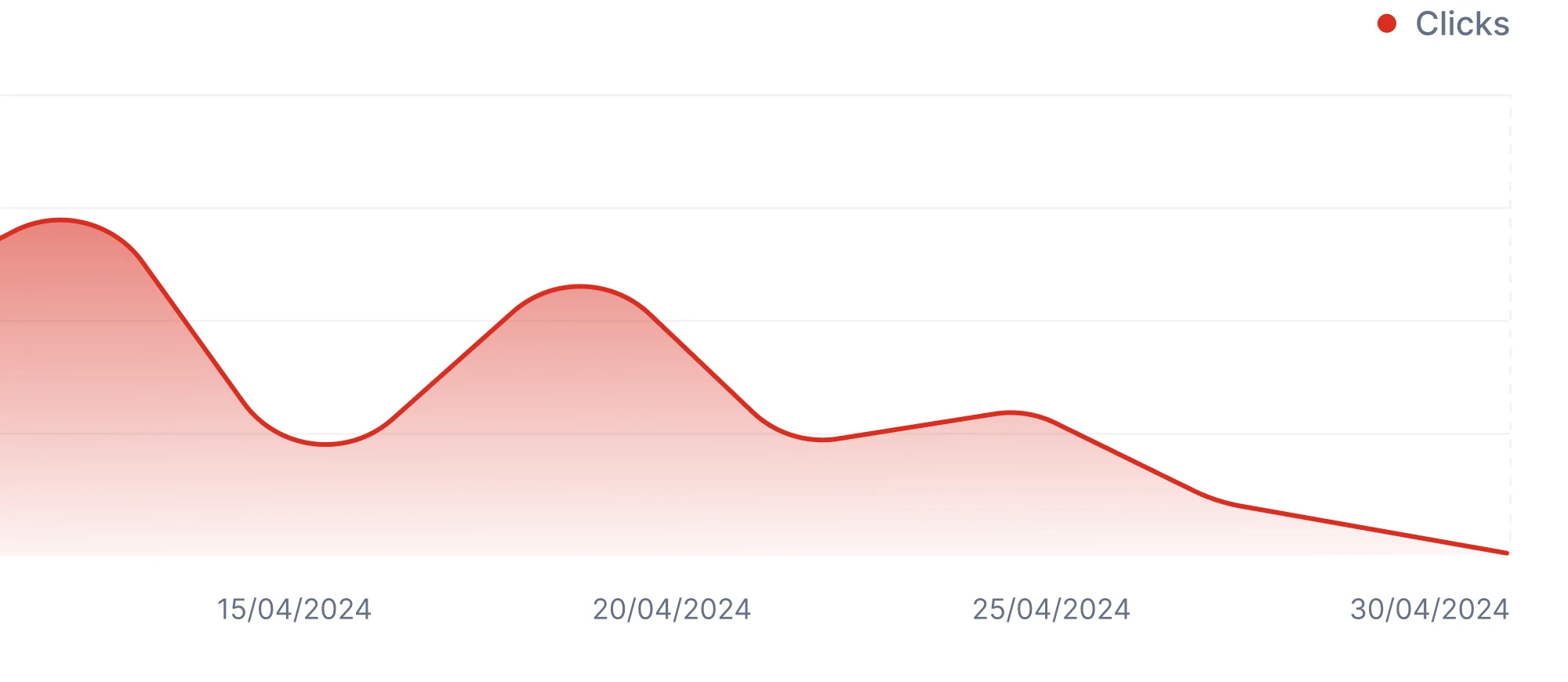
Falling
The site that sells it, and the email that brings people back
- Found
- A finished audit was easy to forget, and the landing page had to sell SEO to people who avoid the word.
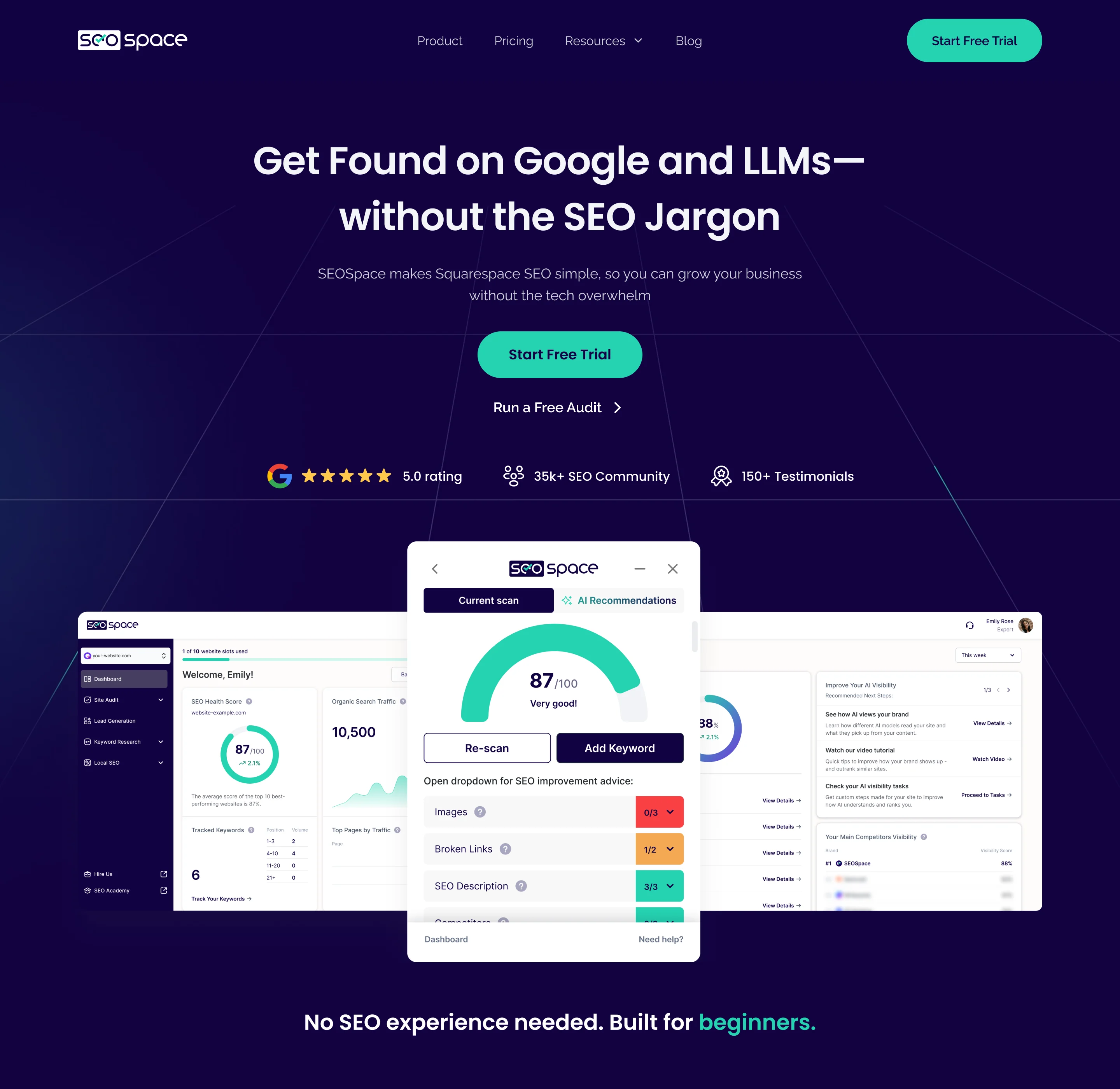
- Decided
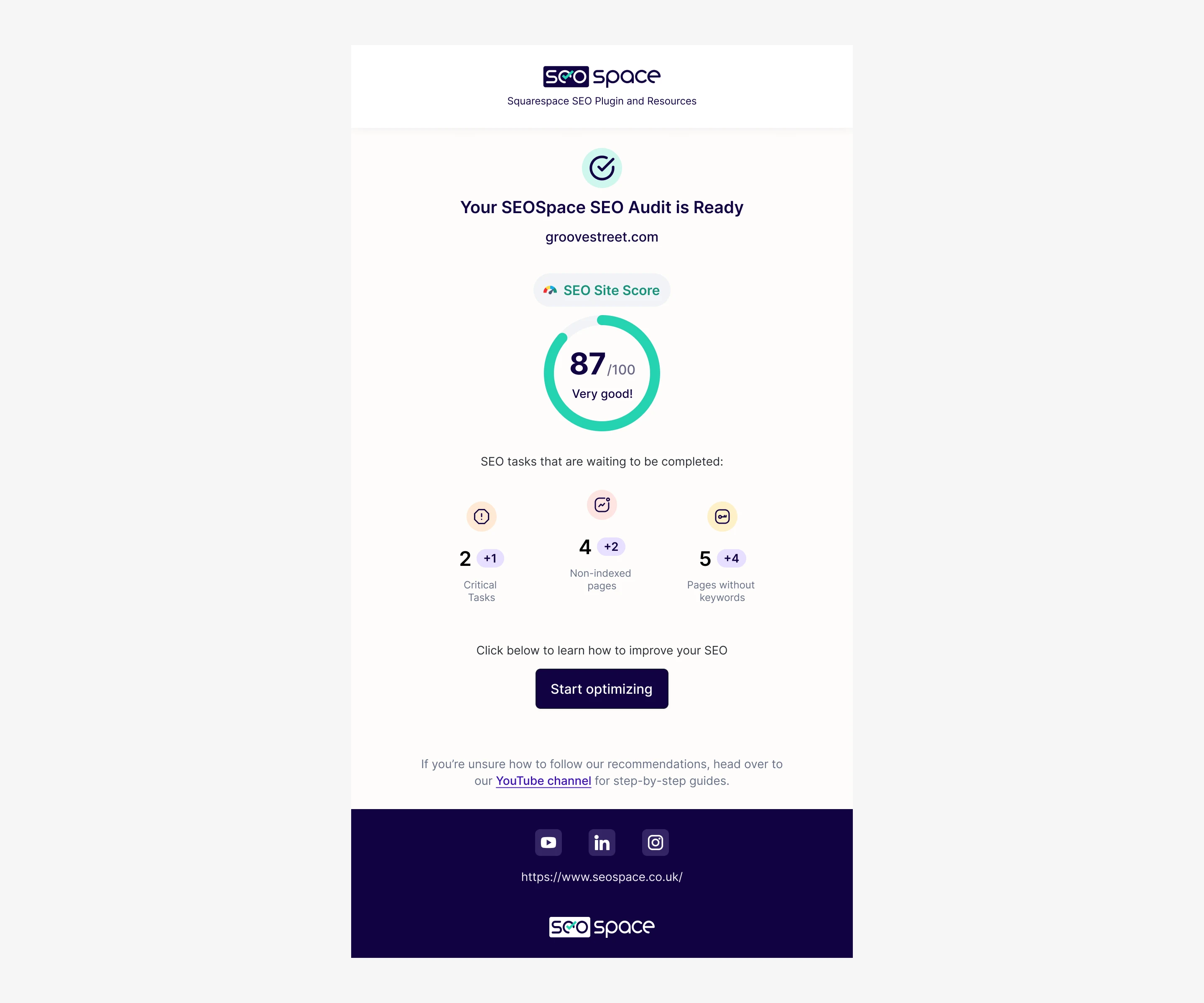
- Landing pages for owners and for agencies, built from the product’s own components, and emails that report each audit with its score, the open tasks and what changed.
-
Agency landing page
The same system, with agency plans and tools up front.
-
Pricing pages
Plans for owners and agencies, billed monthly or yearly.
-
Monitoring emails
First audit, re-audit and automatic monitoring reports.
-
Store images
The extension’s screenshots for its store listing.
Where SEOSpace ended up
One product across three surfaces: an extension that works inside Squarespace, a web app where audits end in tasks, Local SEO and AI Visibility, and landing pages for owners and agencies, all on one design system.
The figures below are SEOSpace’s own, from its founder’s review: they belong to the whole product and its team, not to design alone.
100 → 30,000+ active users while working with ANODA Reported by Henry Purchase, SEOSpace’s founder, in his review
- churn in 24 months, as the founder reports
- 15% → 7.3%
- screens designed
- 400+
- surfaces: web app, extension, landing page
- 3
- experts on the team
- 5

Afraid your users won’t understand your product?
Crawl errors, search intent, Business Profiles, AI answers: we learned SEOSpace’s domain from the product, its competitors and its users, then made it readable for people who never wanted to learn SEO. Bring us yours.
More work like this
Three more products where dense data had to read simply.
-

Chrome extension · Real Estate
LenderPal
Designed a Chrome extension and dashboard that keep a loan officer’s data and AI help in a narrow side panel.
- 150+ Screens designed
- 4 Experts on the pod
-
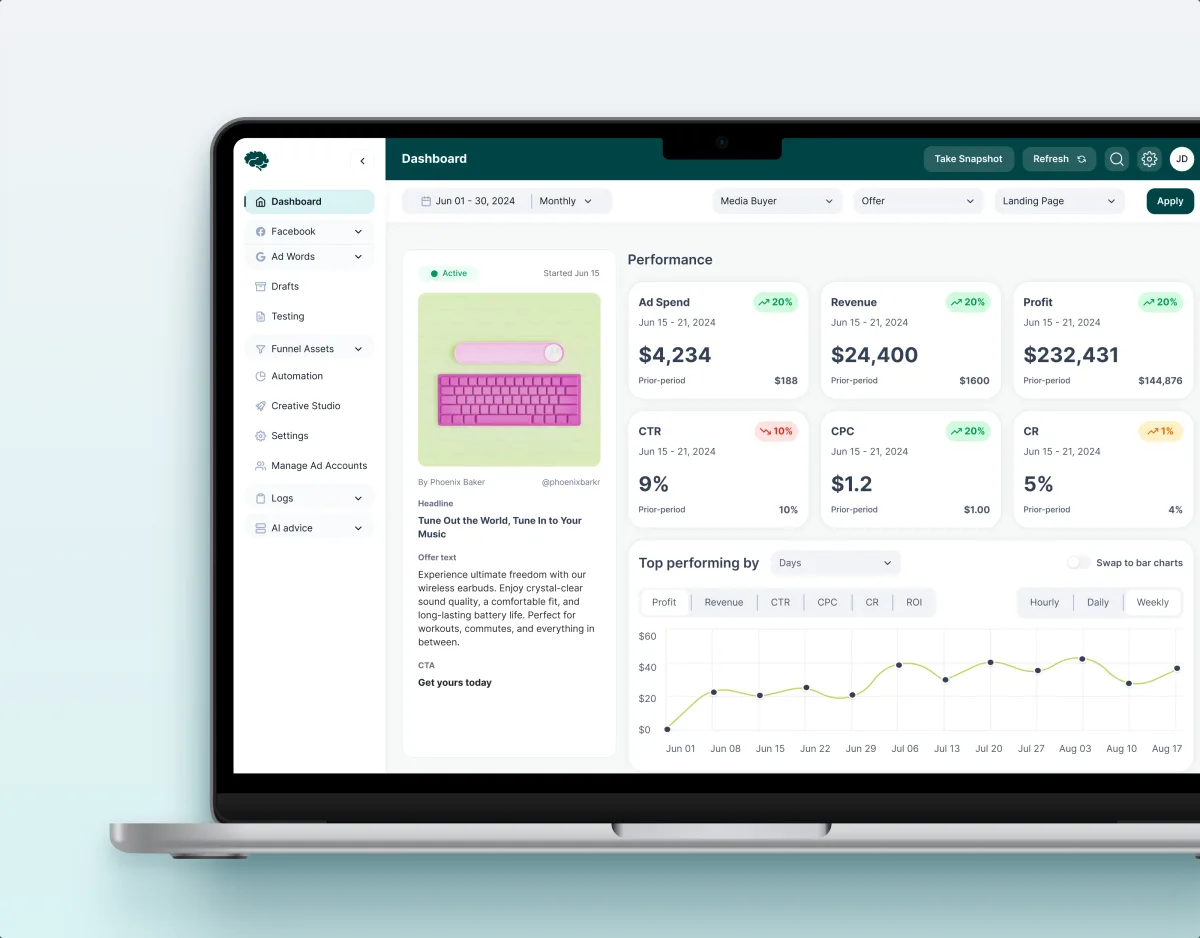
MarTech · Ads analytics · Web SaaS
Concussion Media
Audited a paid-traffic analytics SaaS and rebuilt its modules around the numbers its media buyers act on.
- 400+ Screens and states
- 11 Modules designed and approved by the client
-
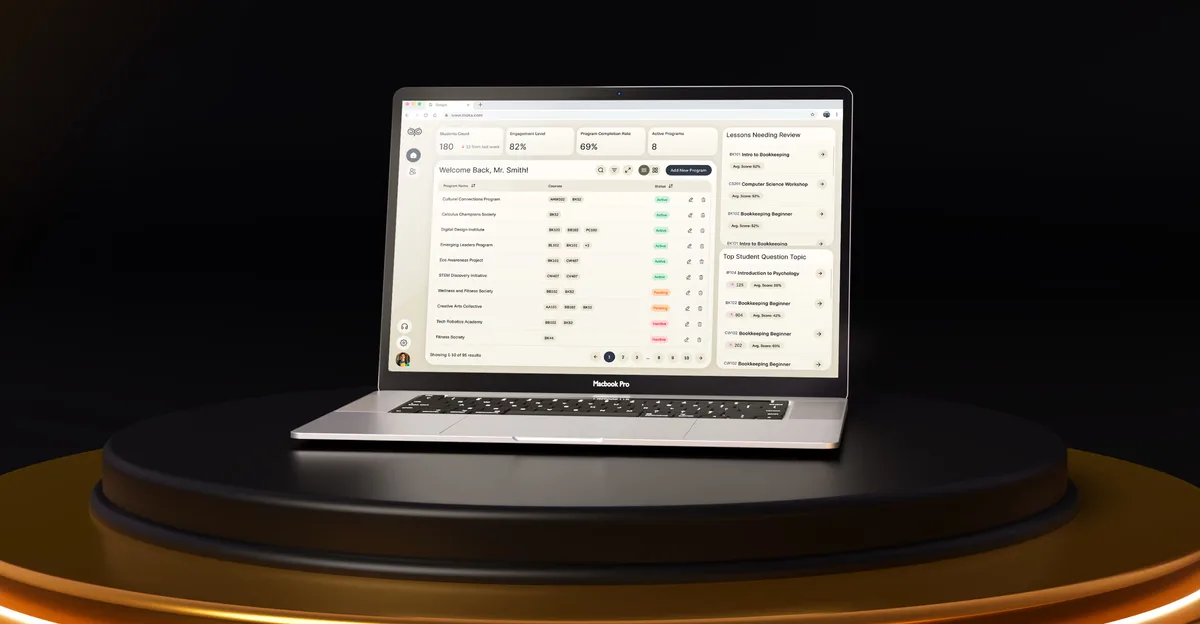
EdTech · SaaS
Moka
Built AI into a product’s everyday tasks instead of beside them.
- 200+ Screens designed
- 4 Experts on the team
What we brought to SEOSpace
The product
- SEO software design Audits, keywords, Local SEO and AI Visibility in one SaaS.
- SaaS product design Onboarding, plans and a dashboard for a self-serve product.
- AI product design AI Visibility as part of the SEO product, with its own tasks.
- Dashboard design Scores, reasons, next steps and trends in one reading order.